Trade Show Photo Sharing That Captures Buzz and Leads

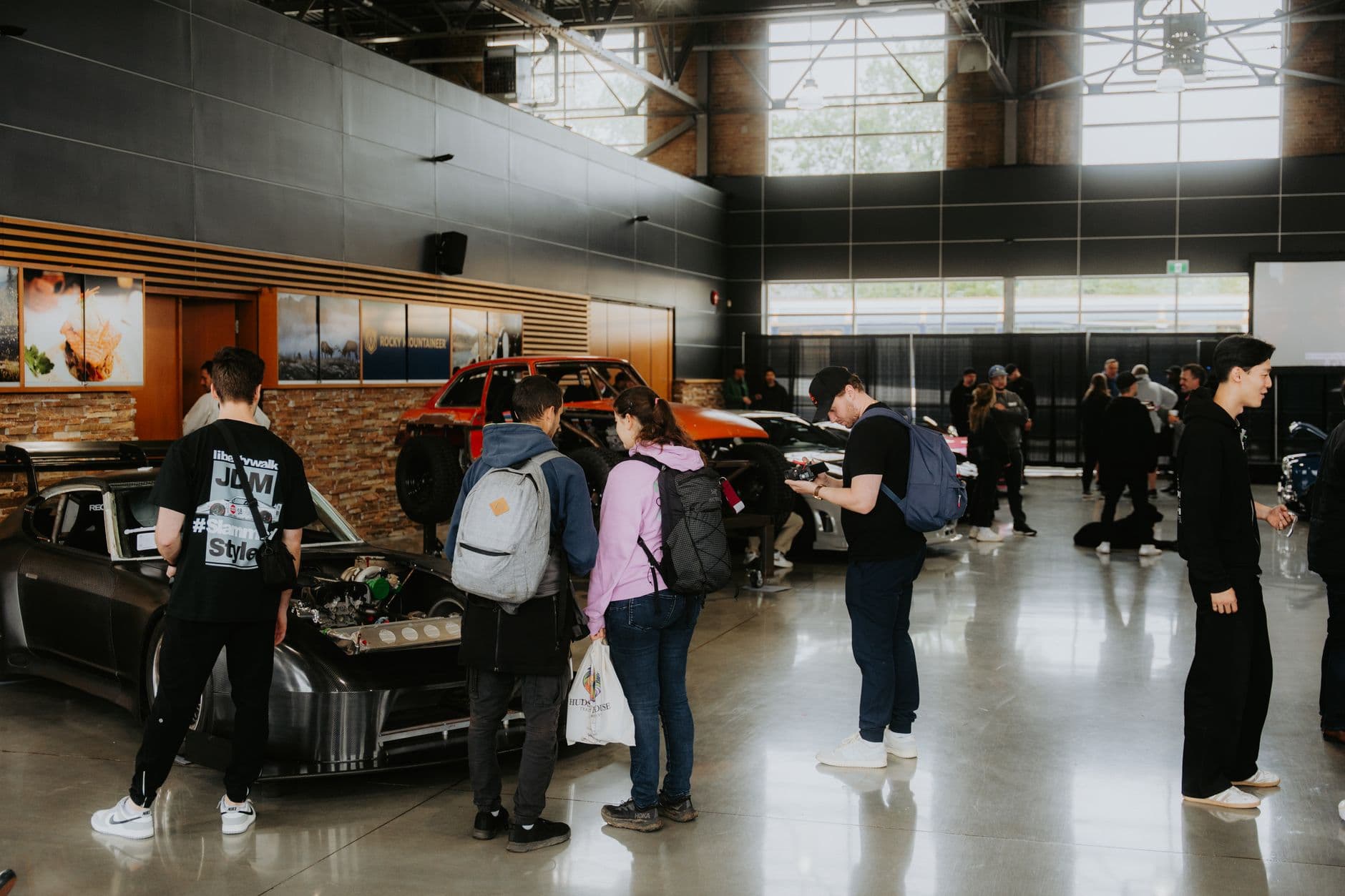
Picture your trade show booth at 2 PM on day two. The morning rush has faded. A few attendees linger, scanning badges, collecting brochures they'll never read. Meanwhile, three booths down, a crowd is forming around a screen cycling through photos. People are laughing, pointing, pulling out their phones. That booth isn't offering better swag. They just made it ridiculously easy for people to share photos.
Here's the thing about trade shows: 74% of attendees are decision-makers. They're not browsing. They're evaluating. And the booths they remember aren't the ones with the biggest banners. They're the ones that created a moment worth photographing.
This article breaks down how to turn your booth's photo activity into a lead-capture engine, without renting an expensive photo booth or hiring a photographer to stand around all day.
The Problem With Trade Show Photos Today
Most exhibitors still treat photography as an afterthought. Someone from marketing snaps a few booth shots for the company LinkedIn page. Maybe an attendee takes a selfie with your product demo. Those photos live and die on individual camera rolls.
That's a waste. Every photo taken at your booth is a potential brand impression that could travel through an attendee's network. A product demo photo shared on LinkedIn reaches the attendee's 500+ connections. A fun team photo posted to Instagram gets likes from people who've never heard of your company. But none of that happens when photos stay trapped on phones.
Badge scanners capture contact info, sure. But they don't capture context. Three weeks after the show, when your sales team follows up, the lead barely remembers which booth was yours. A photo from your booth, sitting in their camera roll, changes that equation entirely.
QR Codes: The Lowest-Friction Entry Point
The simplest version of trade show photo sharing works like this: print a QR code, place it on your booth table or back wall, and let attendees scan it to upload photos directly to a shared gallery. No app download. No account creation. Scan, upload, done.
QR code usage has surged roughly 323% since 2021, and trade show attendees are already conditioned to scan them for brochures and contact cards. Using a QR code for photo uploads just extends a behavior they're already comfortable with.
The trick is placement. A QR code buried on a table tent gets ignored. A QR code on a large banner next to a screen showing the live gallery creates a feedback loop: people see photos appearing, want to add their own, and scan. If you want to go further, check out our guide on creating branded QR codes that people actually scan. A branded QR with your logo and booth colors performs better than a generic black-and-white square.

1.One scan. No app. Photos start flowing.
Say you're exhibiting at a B2B tech conference with 3,000 attendees. You won't get all of them to your booth. But the 80-120 who do stop by? If even half of them scan your QR code and upload a photo, that's 40-60 real interactions you can trace back to specific faces and moments. Compare that to a fishbowl of business cards.
The Live Wall Effect
A screen at your booth changes the dynamic from "please take our brochure" to "look at what's happening here." When photos appear on screen seconds after upload, it creates a small spectacle. People stop. They watch. They contribute.
This isn't theoretical. Event technology research consistently shows that transforming attendees into content creators amplifies brand exposure across digital platforms. The attendees at your booth aren't just visitors anymore. They're participants. And participants stay longer, talk more, and remember you.
Setting up a live photo wall at a booth is simpler than most people think. You need a screen (even a large tablet works for smaller booths), a stable Wi-Fi connection, and a QR code linking to a shared gallery. We've written a full walkthrough on how real-time photo walls work if you want the technical details. The short version: photos show up on screen within seconds of upload. No manual curation needed.
Booth placement tip: Position the live screen facing outward toward the aisle, not inward toward the booth staff. You want foot traffic to see the photos cycling. It acts like a digital billboard that updates itself every few seconds.
See it in action
Every guest photo in one album – no app.
From Snapshots to Qualified Leads
Photos are nice. Leads pay the bills. So how do you connect the two?
When an attendee scans your QR code and uploads a photo, you've already got an interaction point. Depending on your setup, you can gate the upload behind a quick name and email field. Not every attendee will fill it out, but the ones who do are genuinely engaged. They wanted to participate enough to share their info. That's a warmer lead than someone whose badge got scanned while they were walking past your booth.
A photo sharing platform that captures contact info alongside the upload gives you something badge scanners can't: context. When your sales rep follows up two weeks later, they can reference the actual photo. "Hey, saw you got a great shot of our product demo at the booth." That's a conversation starter, not a cold call.
For corporate events and trade shows, photo sharing turns a passive experience into an active one. Instead of attendees receiving information, they're creating content. That distinction gets lost in the noise of trade show planning, but it changes how people remember your booth.
Photo Challenges: Turning Attendees Into Content Creators
Here's where it gets interesting. A QR code and a live wall will get you solid engagement. But if you want to stand out from the 200 other booths on the floor, photo challenges add a competitive layer that changes behavior.
Imagine setting up three or four challenges at your booth: "Take a photo with our mascot." "Snap the weirdest trade show swag you've found today." "Capture your best power pose in front of our product." You can even include example preview photos showing attendees exactly what you're looking for, which opens up creative formats like recreating a funny meme pose or mimicking a specific product demo stance.
The result? People don't just take a quick photo and leave. They engage. They look at what others uploaded. They try to do it better. If you want to see how this plays out, our guide on configuring photo challenges guests will actually finish covers the psychology behind what makes a challenge compelling versus ignorable.
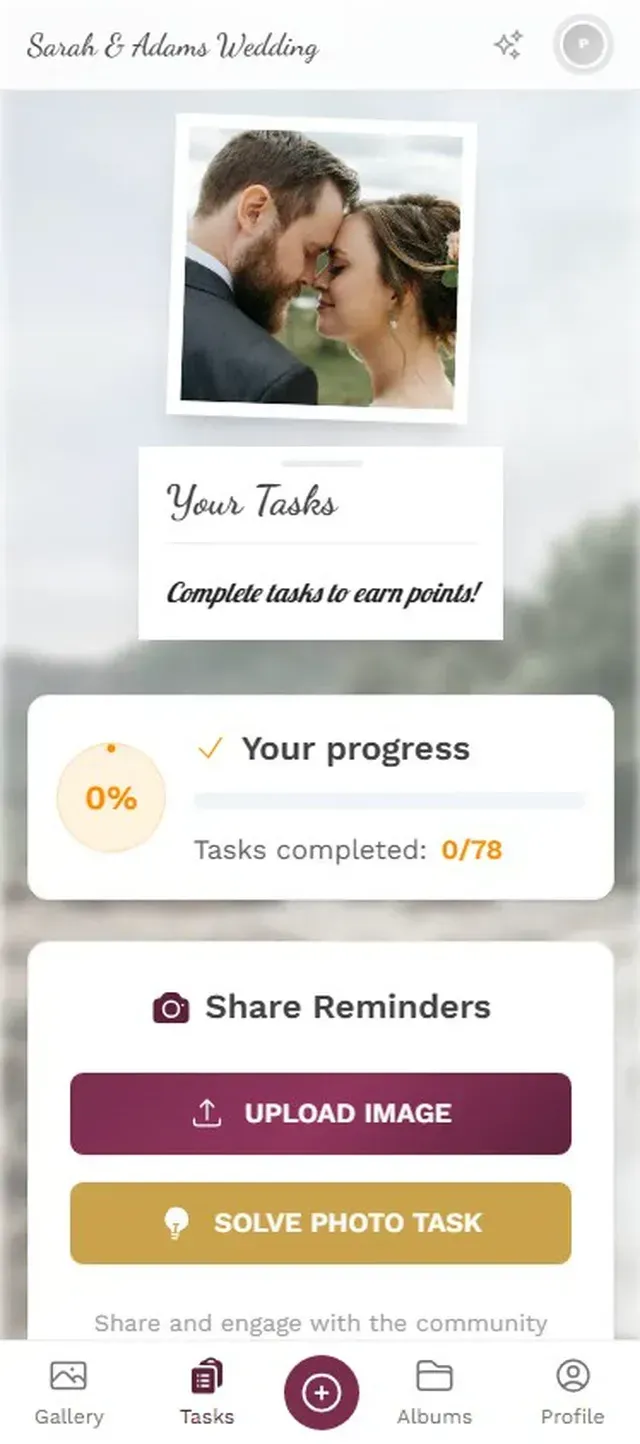
1.Attendees see clear challenge prompts on their phone
Add a leaderboard and points system and you've created a reason for attendees to come back to your booth. "I need two more challenges to hit the top 5." That's repeat foot traffic you can't buy with a bigger banner budget. Some exhibitors go a step further and tie real-world rewards to challenge completion: finish all four challenges, claim a premium giveaway at the booth.
What About Photo Booths?
Photo booths have been the default trade show photo activation for years. And they work. Sort of. A dedicated photo booth with props and a backdrop generates solid foot traffic, and the branded overlays mean every shared photo carries your logo.
The downsides are real, though. Photo booth rentals at trade shows run $1,500-$4,000+ for a multi-day event. You need dedicated floor space. There's usually a line, which means some attendees see the wait and walk away. And the output is limited: one person (or group), one pose, one photo. You don't get the variety of candid booth moments, product demos, or spontaneous interactions.
A QR-code-based photo gallery doesn't replace a photo booth if you specifically want the studio-style shots. But it captures everything the photo booth misses: the candid moments, the product interactions, the presentations. And it costs a fraction of the price. For large venue setups, our article on photo sharing for stadiums, halls, and convention centers covers the logistics.
Photo Booth vs. QR Code Photo Sharing
| Feature | QR Code Gallery | Traditional Photo Booth |
|---|---|---|
| Setup Cost | From €39 one-time | $1,500-4,000+ rental |
| Booth Space Needed | None (phone-based) | 6-10 sq ft minimum |
| Simultaneous Users | Unlimited | 1-4 at a time |
| Candid + Staged Photos | Staged only | |
| Live Wall Display | ||
| Photo Challenges | ||
| Leaderboard / Gamification | ||
| Branded Overlays | ||
| Lead Capture | ||
| Setup Time | 5 minutes | 30-60 minutes |
After the Show: Where Most Exhibitors Drop the Ball
The trade show ends. You pack up the booth. And then... nothing happens with those photos for three weeks.
This is the biggest missed opportunity in trade show marketing. You have a gallery full of attendee photos, product demos, and booth moments. That's follow-up gold. Include a gallery link in your post-show email: "Here are the photos from our booth at [Conference Name]." It gives recipients a reason to open the email that isn't a sales pitch.
Better yet, send attendees a link to their specific photos. If you're using AI face recognition, attendees can upload a selfie and instantly find every photo they appear in. We covered how this works in our deep dive on person albums. For trade shows, it means each attendee gets a personalized photo collection from your booth without anyone manually sorting through hundreds of images.
Your marketing team benefits too. A gallery of booth photos gives you weeks of social media content. The bulk download feature lets you export everything as a ZIP for the content team. One trade show can fuel a month of LinkedIn posts. If you need to share those photos with staff and press, the shared gallery link handles both without juggling file sizes and email attachments.
Content moderation matters at trade shows. With dozens or hundreds of strangers uploading photos, you want a moderation layer to review uploads before they hit the live screen. One off-brand or inappropriate photo on your booth's display can undo hours of good impressions. Pre-approval mode lets a team member approve each photo with a single tap.
A Realistic Setup for Your Next Trade Show
From Zero to Live Gallery in 15 Minutes
Create your gallery the night before
Set up the gallery, add your branding (logo, booth colors), and configure 3-4 photo challenges relevant to your product. Takes about 10 minutes.
Print and place QR codes at the booth
Print QR codes on table tents, banner stands, and product displays. One large QR on the back wall facing the aisle works best for visibility. Photogala's free [QR code generator](https://photogala.net/en/tools/qr-code-generator) lets you create branded codes in seconds.
Connect the live screen
Open the photo wall URL on a tablet or monitor at the booth. Photos appear automatically as attendees upload. Position it facing outward.
Engage and follow up
During the show, point attendees to the QR code. After the show, share the gallery link in follow-up emails with each attendee's photos.
One honest caveat: a QR code gallery works best when your booth staff actively mentions it. "Hey, scan this and upload a photo of the demo" converts better than a silent QR code on a table tent. The technology is frictionless, but human nudges still matter.
If your team is already planning employee appreciation or team-building photo activities at company events, the same playbook translates directly to trade shows. The core mechanics are identical: QR code, shared gallery, challenges. The audience just shifts from colleagues to prospects.
Trade shows are loud, crowded, and competitive. The booths that win aren't always the biggest. They're the ones that give attendees a reason to stop, engage, and come back. A shared photo gallery with a live wall and a few challenges does exactly that. And three weeks later, when your competitors are sending "nice to meet you" emails into the void, you're sending a personalized gallery link with the attendee's own photos from your booth.
That's the kind of follow-up people actually open.
All of this comes with your own event.
Setting it up takes five minutes. You can build and view everything before you decide.
Starting from €39 one-timeOne-time payment — No subscription
- No App Required
- Setup in 5 Minutes
- 30-Day Money Back
“We used the software at my mum's birthday party. It went down really well 😊”
Written by

I believe event photos should be more than static galleries. They should be live, playful, and unforgettable.
Categories
Related Posts

Bridal Shower Photo Sharing: Collect Every Sweet Moment in One Gallery
Bridal shower photos end up scattered across 15 phones. Here's how to get them all into one gallery before the mimosas wear off.

Maternity Photo Sharing: How to Keep Every Announcement, Bump Shot, and Memory in One Place
Pregnancy announcements land on 4 different apps. Maternity photos get lost in group chats. Here's how to keep every photo in one shared gallery your whole family can access.

Sales Kickoff Photo Sharing: How to Turn a Mandatory Meeting Into a Team Memory
Sales kickoffs are expensive. The photos from them usually disappear into 14 different camera rolls. Here's how to fix that.