How to Create a Branded QR Code for Your Event (That People Actually Scan)

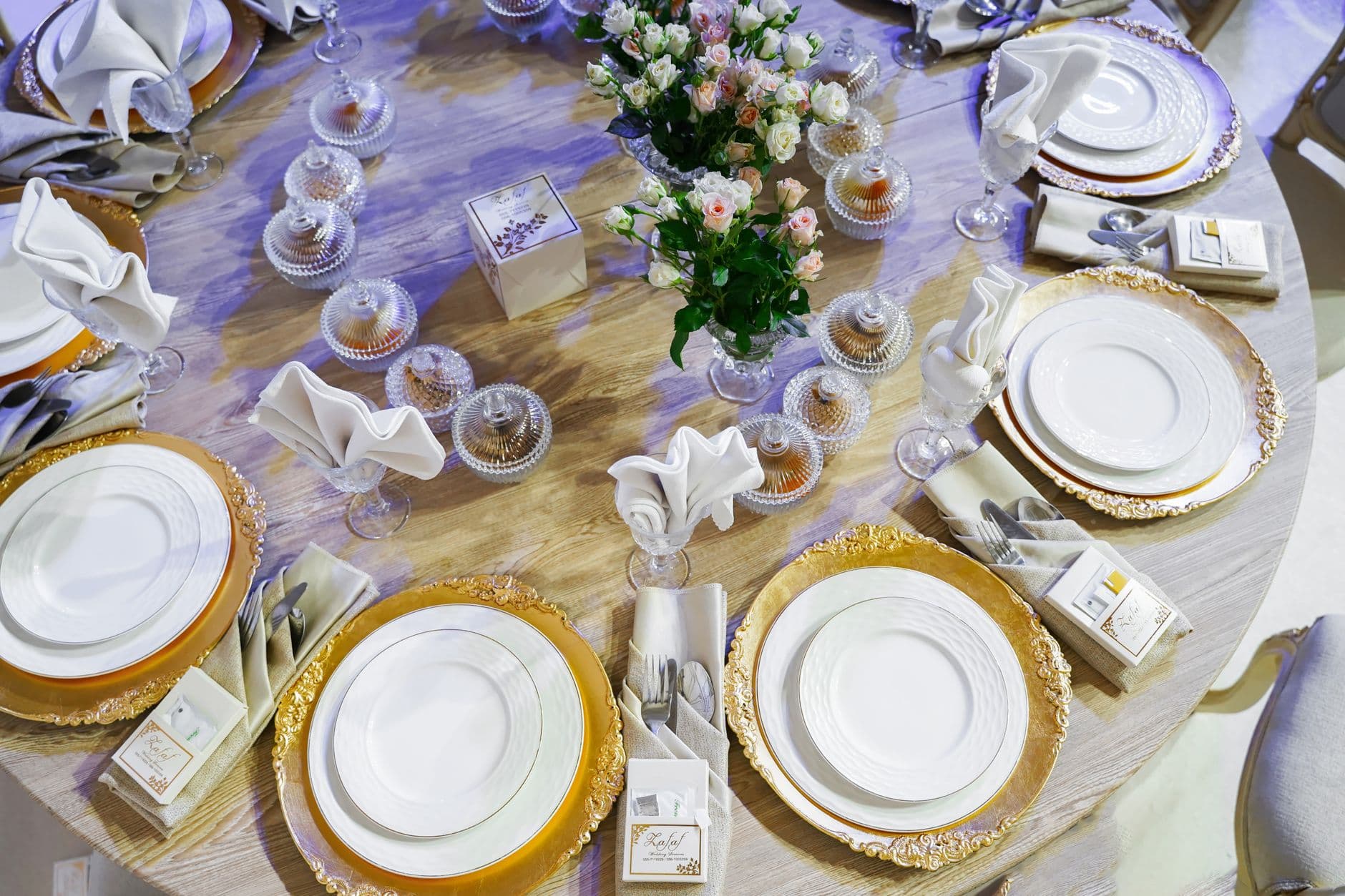
Picture a beautifully decorated wedding reception. Every table has a small card with a QR code that links to the shared photo gallery. But the QR code is a generic black-and-white square, and it looks like something from a parking garage ticket machine. Half the guests assume it's the Wi-Fi password. The other half don't bother scanning at all.
Now picture the same table, but the QR code has the couple's wedding colors, their initials in the center, and a small "Scan to share photos" label underneath. Completely different vibe. Guests pick it up, scan it, and start uploading within seconds.
The difference between those two scenarios is about five minutes of design work. And according to research from SuperCode, custom-designed QR codes generate 30-45% more scans than plain black-and-white ones. That's not a minor improvement. For an event where guest participation matters, it can mean the difference between 40 photos in your gallery and 150.
Why Generic QR Codes Fail at Events
QR codes have a trust problem. After years of seeing them slapped on restaurant tables, bus stops, and suspicious flyers, people have learned to be selective about what they scan. A plain black-and-white square with no context triggers hesitation. What does it link to? Is it safe? Do I need to download something?
A branded QR code answers those questions before anyone even picks up their phone. When the code matches the event's visual identity, it feels intentional and curated, not like an afterthought. It signals that someone put thought into this, and that what's on the other side is worth the effort.
This matters more than most event planners realize. A 2026 analysis from QR Insights found that 89% of marketers now use QR codes, which means guests are scanning more codes than ever. But they're also getting pickier about which ones they trust. A branded code with your event logo or colors cuts through that noise.
If you're building a shared photo album for your event, the QR code is the front door. It's the first thing guests interact with before they see your gallery, your photo challenges, or your live wall. Making it look good isn't vanity. It's conversion optimization.
The Anatomy of a Great Event QR Code
Not every customization improves a QR code. Some actually make it worse (unreadable, slow to scan, or just ugly). Here's what matters and what doesn't.
What to Customize
- Colors that match your event theme. Replace the black foreground with your primary brand or wedding color. Keep the background light. The key rule: maintain at least 30% contrast between foreground and background so every phone camera can read it. Most QR code generators show a contrast warning if you go too low.
- A logo or monogram in the center. QR codes have built-in error correction, which means up to 30% of the code can be obscured and it still scans. A small logo (roughly 15-20% of the total area) in the center is safe and immediately tells guests what the code is for.
- A frame or border with a call-to-action. Something like "Scan to share photos" or "Upload your shots here" below the code removes all ambiguity. Guests don't have to guess what happens when they scan.
- Dot style and corner shapes. Rounded dots, custom eye patterns, and softer corners make the code feel designed rather than generated. Small detail, big perception shift.
What to Leave Alone
- The three corner squares (finder patterns). These are how phone cameras locate and orient the code. Messing with their shape too aggressively can break scanning.
- The quiet zone. That border of empty space around the code needs to stay. Without it, the camera can't distinguish the code from its surroundings.
- Overall density. Don't try to encode a 200-character URL directly. Use a short URL or a platform that handles this automatically. Fewer data modules = a simpler, more scannable code.
Quick test before printing: After designing your QR code, scan it with at least 3 different phones (iPhone, Android, older model) in different lighting. If it fails on any device, dial back the customization. A beautiful QR code that doesn't scan is worse than an ugly one that does.
Three Ways to Create Branded QR Codes
Depending on your event type and how much control you want, there are a few different approaches. Each has trade-offs.
Option 1: Standalone QR Code Generators
Tools like QR Code Monkey, Canva's built-in generator, or Photogala's own free QR code generator let you create custom QR codes without paying anything. You paste in a URL, pick your colors, upload a logo, and download the image. For a one-off birthday party or casual gathering, this works fine.
QR Code Generator
Create custom QR codes for your event — link guests directly to your photo gallery.
The limitation: you're creating a static image that links to whatever URL you entered. If you later change the gallery link or want to track how many people scanned, you're stuck. You also need to handle the photo sharing side separately, which means juggling two tools.
Option 2: Photo Sharing Platforms with Built-in QR Codes
This is where it gets interesting. Platforms designed for event photo sharing generate QR codes automatically when you create a gallery. The code links directly to your upload page, no extra setup. Some platforms (Photogala included) let you customize the QR code's appearance and download it in print-ready formats.
The advantage here is that everything stays connected. The QR code, the gallery, the photo wall, and the photo challenges are all part of one system. Guests scan once and land exactly where they need to be, no app install, no account creation. If you want to understand the full setup process, we've written a step-by-step guide to creating QR codes for photo sharing.
Option 3: Design the Code Yourself
If you're a designer (or hiring one), you can generate a base QR code and customize it in Illustrator or Figma. This gives you complete creative control: gradient fills, illustrated frames, hand-drawn elements around the code. Wedding stationery designers do this a lot for save-the-dates and invitation suites.
The risk? Over-customizing. Every artistic flourish potentially reduces scanability. Test obsessively.
See it in action
Every guest photo in one album – no app.
Where to Put Your Branded QR Code
Designing a great QR code is half the job. The other half is placement. A gorgeous branded code hidden inside a folded menu at the back of the venue is useless.
At weddings, the highest-performing spots are table cards (one per table, standing upright), the bar area (people wait there, phones already out), and the entrance/welcome table. Some couples print the code directly onto napkins or coasters. Others frame it next to the guest book. If you're already creating a digital guest book, combining the two is a natural move.
For corporate events, think about where people naturally have downtime: registration desks, breakout rooms, lunch areas. The QR code on event signage approach works particularly well for larger venues where table cards might get lost.
One thing that consistently surprises people: the photo wall screen itself. If you're running a real-time photo wall, displaying the QR code in the corner of the screen means every person who looks at the wall sees how to contribute. It's a self-reinforcing loop.

1.One scan, no app install, straight to the gallery
Matching Your QR Code to Your Event Brand
The real power of branded QR codes shows up when they're part of a consistent visual identity. A wedding with dusty rose and sage green should have a QR code in those same tones. A tech company's hackathon should have a code that matches their corporate palette.
This is where event branding and gallery customization come together. When your QR code, your gallery header, and your photo wall all share the same colors and style, the entire experience feels polished. Guests notice. They might not articulate it, but the difference between a cobbled-together setup and a branded one affects how much people participate.
Photogala's Deluxe plan includes full QR code customization plus downloadable templates for task cards, achievement cards, and invitations. All of them use your event's brand colors automatically. If you've set up photo challenges, each challenge can even have its own QR code that links directly to that specific task.
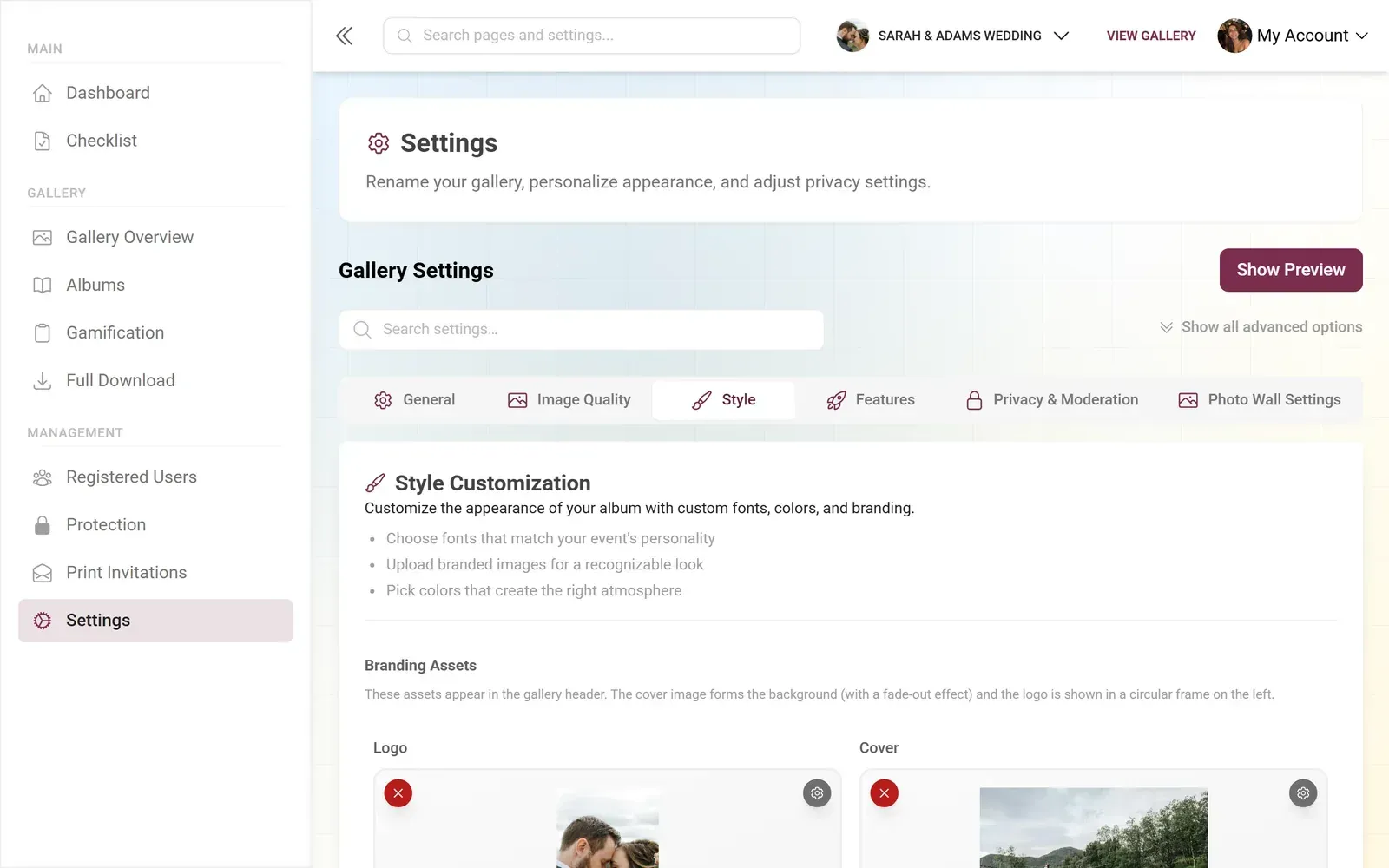
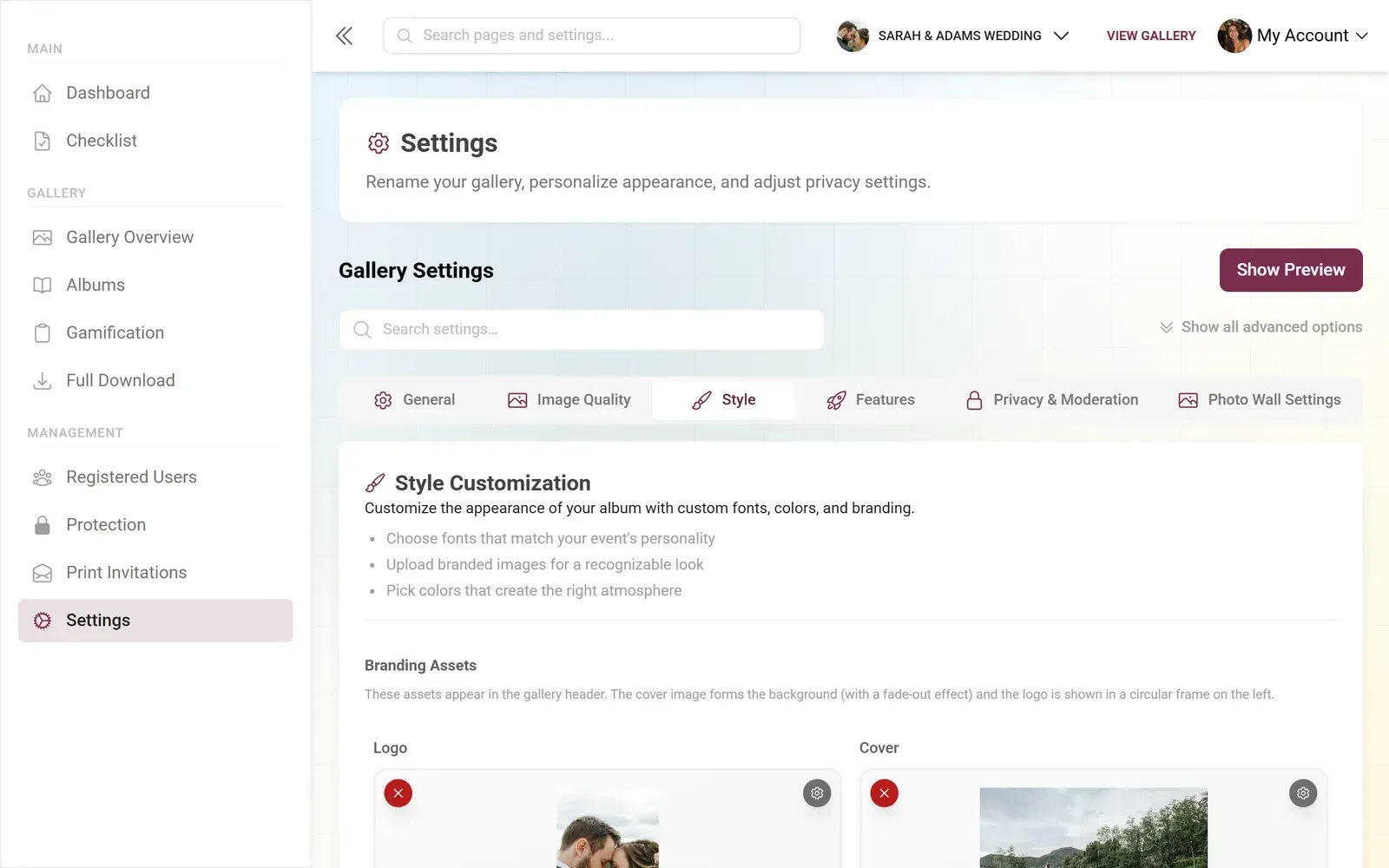
1.Your brand colors carry through the entire gallery
The Print Checklist
Designing your QR code on a screen is one thing. Getting it right in print is another. Here are the things that trip people up.
Before You Print
Export at high resolution
Minimum 300 DPI. Vector formats (SVG, PDF) are ideal. A pixelated QR code is both ugly and harder to scan.
Size it correctly
The code should be at least 2 × 2 cm (about 0.8 × 0.8 inches) for close-range scanning. For a poster or banner, scale up proportionally.
Test on the actual material
Glossy paper can cause glare. Textured surfaces can distort the pattern. Print a test copy and scan it under the venue's lighting conditions.
Include a text fallback
Below the QR code, print the short URL or gallery name. Some guests (especially older ones) prefer typing a link manually.
One honest limitation worth mentioning: QR codes on dark backgrounds are tricky. The standard is dark code on light background. Inverting it (light code on dark surface) works on most modern phones but can fail on older devices. If your event aesthetic demands a dark background, test it thoroughly or add a white border around the code.
Beyond Basic Scanning: What Happens After the Code
A QR code is just the entry point. What guests find on the other side determines whether they upload one photo or thirty.
The best setups remove every possible obstacle. Guests scan, land on a mobile-friendly page, enter a display name, and start uploading. No app download. No account creation. The no-app approach is why browser-based solutions see participation rates of 60-80%, compared to just 15-25% for solutions that require an app install (OurEventAlbum, 2026).
If you want guests to do more than just upload, photo challenges give them specific missions: "Take a selfie with the bride," "Capture the best dance move," "Find the hidden rubber duck." Challenges with example preview photos are particularly effective because guests can see exactly what they're aiming for. Some hosts go further with gamification features like leaderboards and real-world rewards that guests can actually redeem at the event.
The point is: the QR code starts the experience, but the experience itself drives participation. A beautifully branded QR code that leads to a confusing upload page is still a failure. Invest in both.
Thinking about replacing a traditional photo booth? A branded QR code gallery with photo challenges often captures more photos at a fraction of the cost. We compared the two approaches in detail: QR code photo sharing vs. photo booths.
Common Mistakes (and How to Avoid Them)
After seeing how different events handle QR codes, certain patterns keep showing up. Here are the ones that cost people the most scans.
Printing too small. A QR code on a business card works for one-on-one meetings. At events, people scan from arm's length or farther. Size the code for the scanning distance, not the card size.
No call-to-action text. A QR code without context is a mystery box. Always add a short label: "Scan to share your photos," "Upload your shots here," or even just "Photo Gallery." The label matters more than the design.
Using a URL that expires. If your photo sharing link has a time limit or session token, the printed QR codes become useless after the link dies. Use permanent links or platforms that keep galleries accessible for months.
Placing codes where phones can't reach. Centerpieces that are too tall, walls behind rope barriers, screens with no physical QR card nearby. Guests need to get their camera within about 30 cm of the code. Make that easy.
The best QR code at your event won't be the one with the fanciest design. It'll be the one guests actually notice, trust, and scan. Get the placement right, match it to your brand, and make sure what's on the other side is worth the effort. Five minutes of design work can mean the difference between a gallery with 40 photos and one your guests are still talking about the next morning.
All of this comes with your own event.
Setting it up takes five minutes. You can build and view everything before you decide.
Starting from €39 one-timeOne-time payment — No subscription
- No App Required
- Setup in 5 Minutes
- 30-Day Money Back
“We were really thrilled, and everything went so much more smoothly, from the seating plan all the way to the photo games! Simply great! Highly recommended!”
Written by

I believe event photos should be more than static galleries. They should be live, playful, and unforgettable.
Categories
Related Posts

How to Watermark and Protect Photos in a Shared Event Gallery
Event photos get screenshotted, reshared, and misused more often than you think. Here's how to protect your gallery without ruining the experience.
How to Set Upload Reminders and Deadlines for Event Guests
Most event photos die on guests' camera rolls. Here's how upload windows, gentle nudges, and smart deadlines rescue them.
How to Run a Best-Photo Contest at Your Event
Photo contests turn passive guests into active participants. Here's how to set one up that people actually care about.