
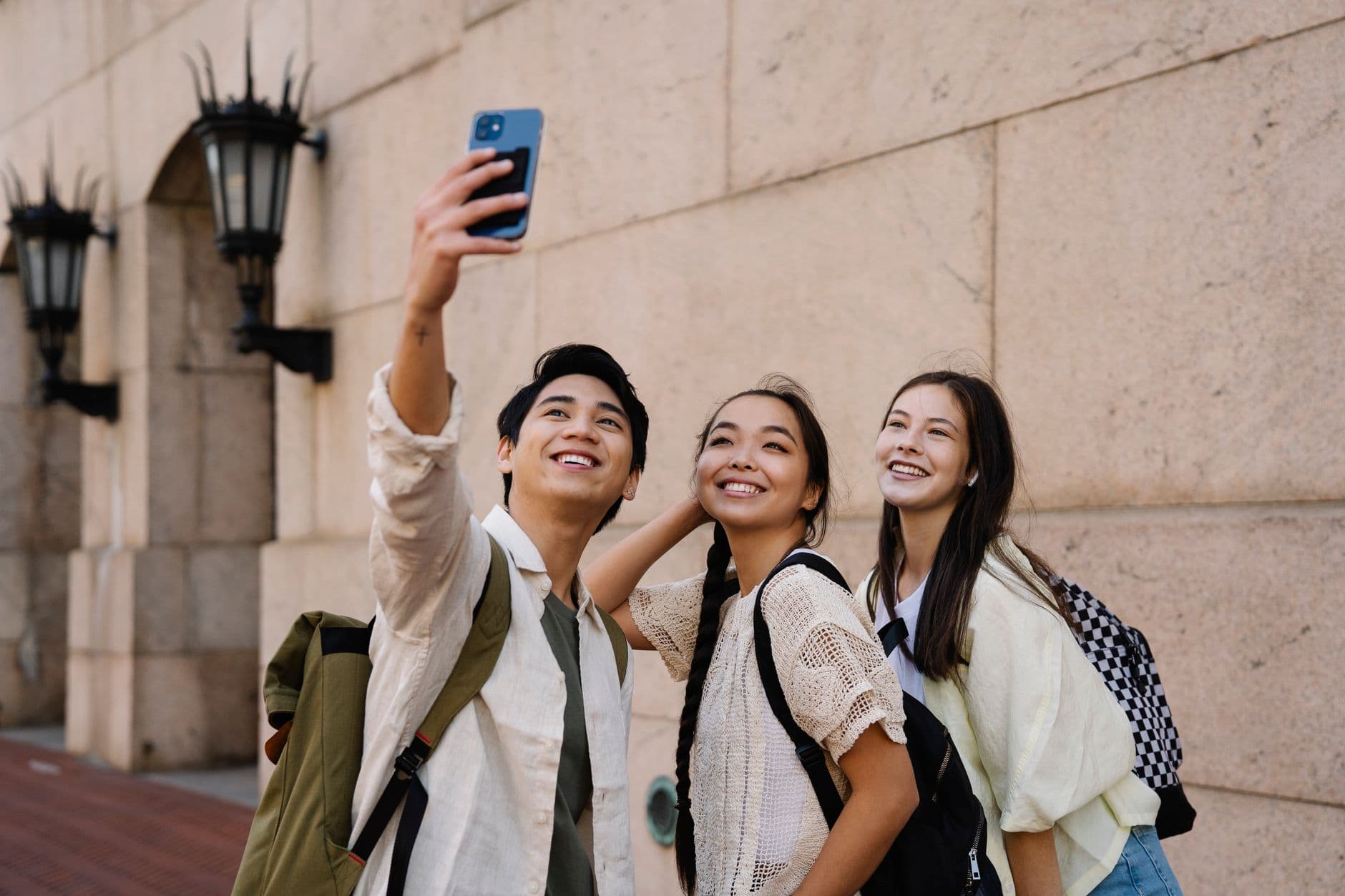
Imagine a corporate summer party where the HR manager announces a best-photo contest halfway through dinner. Within ten minutes, people who hadn't spoken to each other all evening are crouching behind planters, staging elaborate group shots, and arguing about whether a selfie with the CEO counts as "creative." By the end of the night, 187 photos sit in the shared gallery. Not because anyone was told to take photos, but because they wanted to win.
That's what a photo contest does. It gives guests a reason to pick up their phone that goes beyond "I should probably take a picture." And the best part: you don't need a professional setup, a panel of judges, or a complicated voting app. You need a clear structure, the right incentives, and a way to collect and display the photos in real time.
Why Photo Contests Work Better Than You'd Expect
Most event organizers underestimate how much guests want to participate. They just need permission and a nudge. A photo contest provides both. According to Bonda Events' research on event gamification, 43% of event attendees admit to multitasking during sessions. A photo contest pulls them back into the moment because it's active, not passive.
The psychology is simple: competition, creativity, and social recognition. When someone knows their photo might be displayed on a big screen or win a prize, they put more thought into what they capture. You end up with better photos, more of them, and guests who are genuinely engaged with the event rather than scrolling Instagram under the table.
Photo contests also solve the collection problem. If you've ever tried to collect photos from event guests through WhatsApp groups or shared albums, you know how messy it gets. A contest funnels everything into one gallery, automatically.
The 3 Things Every Photo Contest Needs
Before you think about prizes or fancy tech, nail these three fundamentals. Get them wrong and your contest falls flat, no matter how good the prize is.
1. Clear Categories (Not Just "Best Photo")
A single "best photo" category sounds simple, but it actually discourages participation. Why? Because most people assume someone else will take a better photo, so they don't bother. Multiple categories level the playing field.
Good categories for a wedding: funniest moment, best dance floor shot, most creative selfie, best candid. For a corporate event: best team photo, most creative use of props, funniest behind-the-scenes moment, best action shot. Each category gives different types of people a reason to participate. The shy colleague who'd never stage a group shot might nail a quiet candid from across the room.
With Photogala's photo challenges, each category becomes its own challenge. Guests see the list, pick one, and submit directly. No confusion about where to send what. You can even include example preview photos that show guests what you're looking for, which is surprisingly effective at sparking creativity. Think meme recreation challenges, famous movie scene reenactments, or "recreate this pose" prompts. If you want to go deeper on challenge design, our guide on configuring photo challenges guests actually finish covers the mechanics in detail.
Start with 4-6 categories. Fewer than 3 feels like barely a contest. More than 8 overwhelms people. The sweet spot is enough variety that everyone finds one they're comfortable with.
2. A Voting System That's Dead Simple
Judging is where most event photo contests fall apart. A panel of judges sounds fair but kills the energy. Nobody wants to wait until next week for results. And as LENSIC's research on photo competition judging points out, judges evaluate images in just seconds during initial rounds. Your guests can do the same, collectively, in real time.
The easiest approach: let guests vote with likes. Everyone browses the gallery, taps the heart on their favorites, and the most-liked photos win. It's instant, democratic, and people love watching the numbers climb. The social engagement features in Photogala handle this natively. Guests can like, comment, and even @mention each other under photos. No separate voting tool needed.
One honest caveat here: popularity-based voting has a flaw. The person with the most friends at the event tends to win. If fairness matters (say, at a corporate event where you want newcomers to feel included), consider a hybrid approach. Let likes determine the top 5 finalists, then have the host or a small panel pick the winner from those.
3. A Prize Worth Caring About
The prize doesn't need to be expensive, but it needs to exist. "Bragging rights" alone won't motivate most people past the first round of enthusiasm. A bottle of wine. A gift card. A silly trophy. Even a printed polaroid of the winning photo, framed. The Second Street photo contest guide puts it bluntly: fantastic prizes are essential for driving participation.
For corporate events, physical rewards you can hand out on the spot work brilliantly. Photogala's gamification system actually has a real-world rewards feature on the Deluxe plan: you can set up redeemable prizes with inventory management, so guests claim their reward directly through the app. No awkward "come find me at the bar" announcements.
See it in action
Photo tasks guests actually do.
Setting It Up: From Zero to Contest in 15 Minutes
Here's what the actual setup looks like. No exaggeration on the timeline: if you've already decided on your categories, this takes about 15 minutes.
Launch Your Photo Contest
Create your event gallery
Sign up on Photogala and set up your event. Pick a name, upload a cover image, and customize the branding to match your event theme.
Build your contest categories
Add each category as a photo challenge. Include a short description and an example photo to show guests what you're looking for.
Share the QR code
Print QR codes on table cards, place them at the entrance, or display them on screen. Guests scan and start uploading instantly, no app install needed.
Display results live
Connect a TV or projector to show the photo wall. As entries pour in, everyone sees them appear in real time. Announce winners at the end based on likes.
The QR code upload part is worth emphasizing. Guests don't download an app, don't create an account, don't sign up for anything. They scan, they upload. That removal of friction is the difference between 20 entries and 120. Need to design your own QR codes? Photogala's free QR Code Generator lets you create branded ones without any login. If you're doing a wedding, you can even embed the QR code directly on your invitations so guests know about the contest before they arrive.
QR Code Generator
Create custom QR codes for your event — link guests directly to your photo gallery.
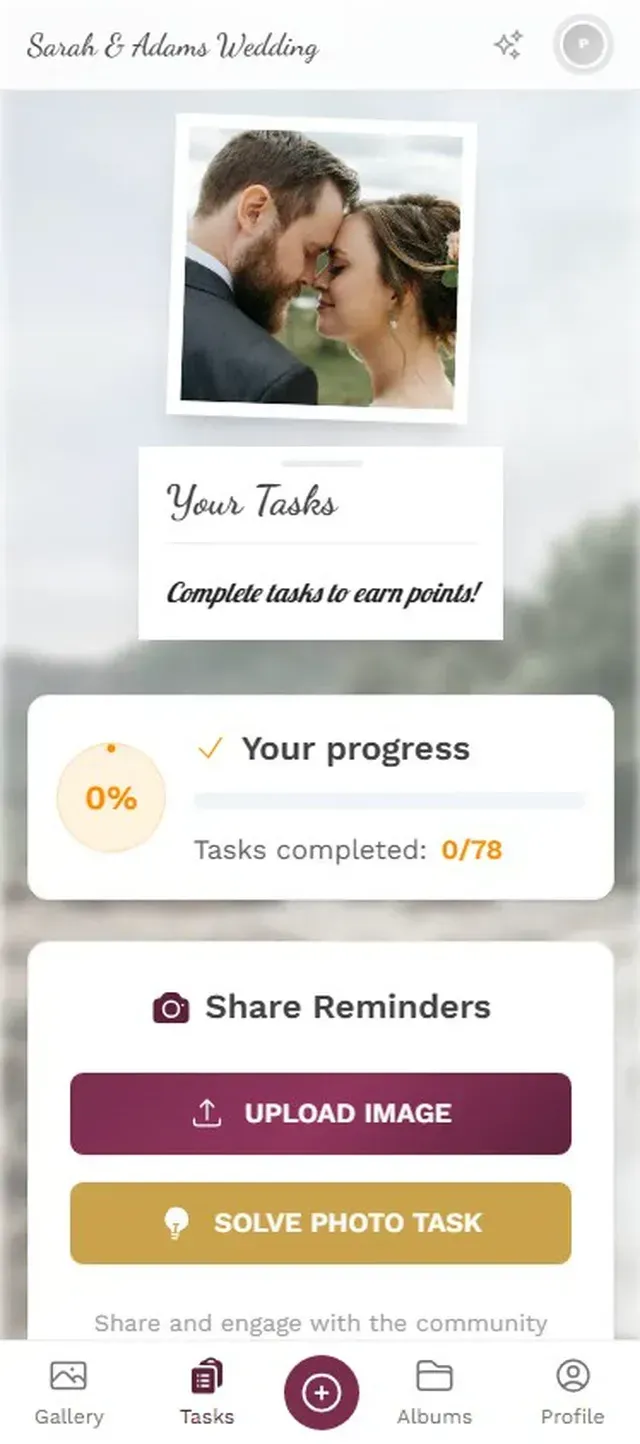

1.Guests browse contest categories and submit entries from their phone
The Photo Wall Changes Everything
Here's the part most organizers overlook: the live display. A photo wall on a TV or projector at the venue transforms a photo contest from a background activity into the centerpiece of the evening.
Picture a 150-person wedding reception. The photo wall sits behind the bar, cycling through new entries every few seconds. A guest submits a ridiculous group selfie. Ten seconds later, it appears on the big screen. The table next to them sees it, laughs, and immediately tries to one-up it. That feedback loop is what turns a quiet gallery into 200+ photos by midnight. If you're wondering whether to use a slideshow or collage layout, we compared both formats with setup instructions.
You can also show likes and achievements live on the wall, which adds another layer. When someone's photo gets its 15th like and a little animation pops up on screen, the whole room notices. It's subtle competitive pressure that works.
Timing and Moderation: The Details That Matter
Two things that can quietly derail a photo contest if you don't think about them ahead of time.
When to announce it
Not at the very start of the event. People are still arriving, finding their seats, saying hello. The best window is 30-60 minutes in, once the energy is up and people have their phones out anyway. At a wedding, right after the first dance is perfect. At a corporate event, after the first break.
Set a deadline, too. "Contest closes at 10 PM, winners announced at 10:30" creates urgency. Without a deadline, submissions trickle in all night and there's no climax.
Content moderation
At a public or corporate event, you probably want a layer between upload and display. Photogala's content moderation lets you set up an approval queue. Every photo gets reviewed before it hits the wall. Assign it to a trusted friend at a wedding or to the events team at a corporate gathering. One tap to approve, one tap to reject. Our guide on moderating guest photos at public events walks through the full setup.
For smaller private events, you can skip moderation entirely. The AI NSFW filter (Deluxe plan) catches anything inappropriate automatically, so you don't need a human watching the queue.
For corporate events: Pre-approval moderation is strongly recommended. One inappropriate photo on a projector in front of the CEO's boss is a career-limiting moment for whoever organized the contest.
Beyond the Contest: What to Do With the Photos After
The contest ends. A winner is announced. Applause. Now what?
The gallery stays live. Guests can browse, download their favorites, and relive the evening for months after (6 months on Plus, 12 months on Premium and Deluxe). The archive and download features let you bulk-download everything as a ZIP file in original quality.
Some organizers turn the best photos into a video montage or highlight reel to share with attendees afterward. Others print the winning entries and mail them to the winners. At a neighborhood block party, one organizer turned the shared album into a printed photo book for every household on the street.
The point is: the contest generates content that has a life beyond the event itself. That's value you don't get from a forgettable photo booth strip.
A photo contest is one of those ideas that sounds like extra work but actually makes your job easier. Instead of chasing guests to share their photos afterward, the contest brings everything into one place, in real time, with energy behind it. The photos are better, there are more of them, and guests remember the event more vividly because they were part of creating it.
All of this comes with your own event.
Setting it up takes five minutes. You can build and view everything before you decide.
Starting from €39 one-timeOne-time payment — No subscription
- No App Required
- Setup in 5 Minutes
- 30-Day Money Back
“Excellent service and great pictures! Photogala fully met our expectations at the event. The value for money is unbeatable. Absolutely recommended! The seating plan saved us a lot of hassle!”
Written by

I believe event photos should be more than static galleries. They should be live, playful, and unforgettable.
Categories
Related Posts
How to Embed Your Event Photo Gallery on a Wedding or Event Website
Your event website deserves more than a static page. Here's how to embed a live photo gallery that guests actually use.

How to Make a Photo Book From Your Event Photo Gallery
Your event gallery has hundreds of photos. Here's how to turn them into a photo book people actually flip through.

How to Turn Event Photos Into a Video Montage (Without Losing Your Mind)
Hundreds of event photos on dozens of phones. Here's how to collect them all, pick the best, and turn them into a highlight reel people actually watch.