How to Moderate Guest Photos at a Public Event (Without Losing Your Mind)

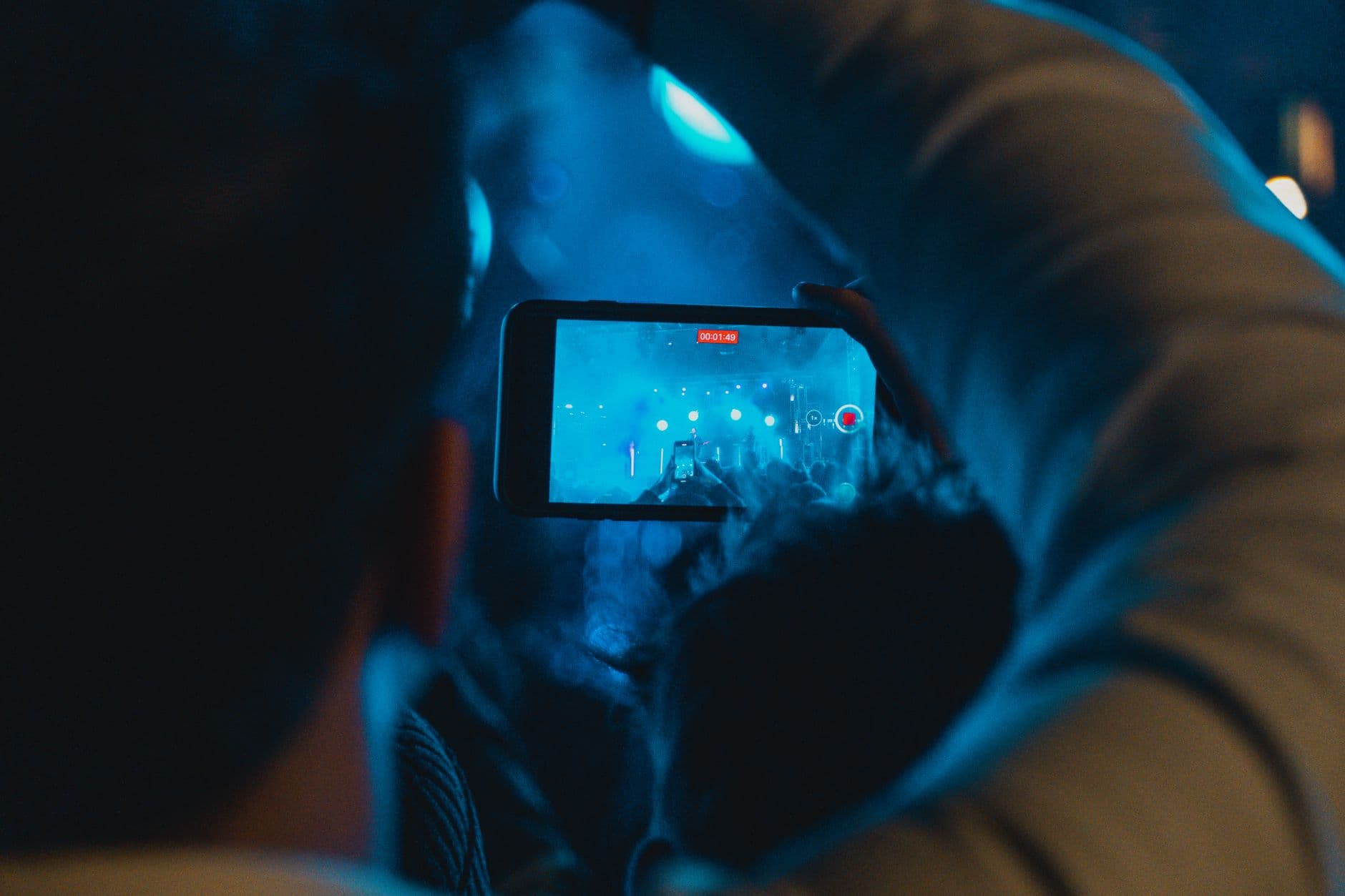
Picture a city festival with 2,000 attendees, a giant screen cycling through guest photos near the main stage, and a QR code printed on every beer cup. By 9 PM, 340 photos have been uploaded. 312 of them are great. 19 are blurry shots of someone's shoes. 6 are memes. And 3 are the kind of images that would make your event's sponsor pull their logo off the banner.
That scenario isn't hypothetical enough to be comfortable. Anyone who's run a photo wall at a public event with open uploads knows the math: the more people you invite to contribute, the higher the chance someone uploads something you don't want on the big screen. The question isn't whether you need moderation. It's how to set it up so it doesn't become a full-time job.
Why Public Events Are Different
A wedding with 120 guests is a controlled environment. You know most of the people. Social norms do most of the moderation for you. A company summer party with 80 employees is similar: everyone knows their name is attached to their uploads, and HR is in the room.
Public events break that dynamic completely. Open-air festivals, charity galas, city celebrations, trade shows with walk-in visitors. The gallery is open to strangers. Nobody's checking IDs at the upload page. And if you're projecting photos onto a live collage on a big screen, every upload is visible within seconds. If you're organizing a corporate event with external attendees or an open event photo sharing setup, moderation isn't optional.
The risks go beyond inappropriate content. Under GDPR, a photo of a recognizable person is personal data. At a public event where anyone can upload, you're essentially running a user-generated content platform for the duration of the evening. The legal exposure is real, and a proper moderation setup is the only thing standing between you and a complaint.
The Two Moderation Models
There are fundamentally two ways to handle incoming guest photos, and the right choice depends on your risk tolerance and team size.
Pre-approval (review before publish)
Every photo lands in a queue. A moderator reviews it, taps approve or reject, and only then does it appear in the gallery and on the photo wall. This is the safest option for public events, especially when a screen is involved. Nothing goes live without a human saying yes.
The trade-off: speed. There's a delay between upload and visibility. At a fast-moving event, that lag can dampen the excitement. Guests scan the QR code, upload a photo, then check the screen and wonder why their shot isn't showing yet.
Post-moderation (publish first, review later)
Photos go live immediately and a moderator reviews them after the fact, pulling down anything problematic. This keeps the energy high. Guests see their photos on the photo wall within seconds. But you're accepting the risk that something inappropriate could be visible for a minute or two before someone catches it.
For corporate events with a branded gallery and sponsor logos, even 60 seconds of a bad image on screen is too long. For a casual outdoor festival where the screen is one of many attractions, post-moderation might be fine.
Hybrid approach: Use post-moderation for the gallery (phones) and pre-approval for the photo wall (big screen). That way guests see their photos instantly on their devices, but only approved shots make it to the projector. This is the setup most experienced event organizers land on.
Setting Up a Moderation Team
A single moderator can handle roughly 80-150 uploads per hour, depending on whether they're also doing other things. For a public event expecting 300+ uploads, you need at least two people rotating through the moderation queue. For a large-venue event like a stadium or convention center, plan for three.
The key is assigning clear roles. Not everyone needs full admin access. In Photogala, you can set up a moderation dashboard with dedicated moderator accounts that only see the approval queue (available on Premium and Deluxe plans). They can't change event settings, delete approved photos, or mess with the gallery layout. They approve, reject, and move on.
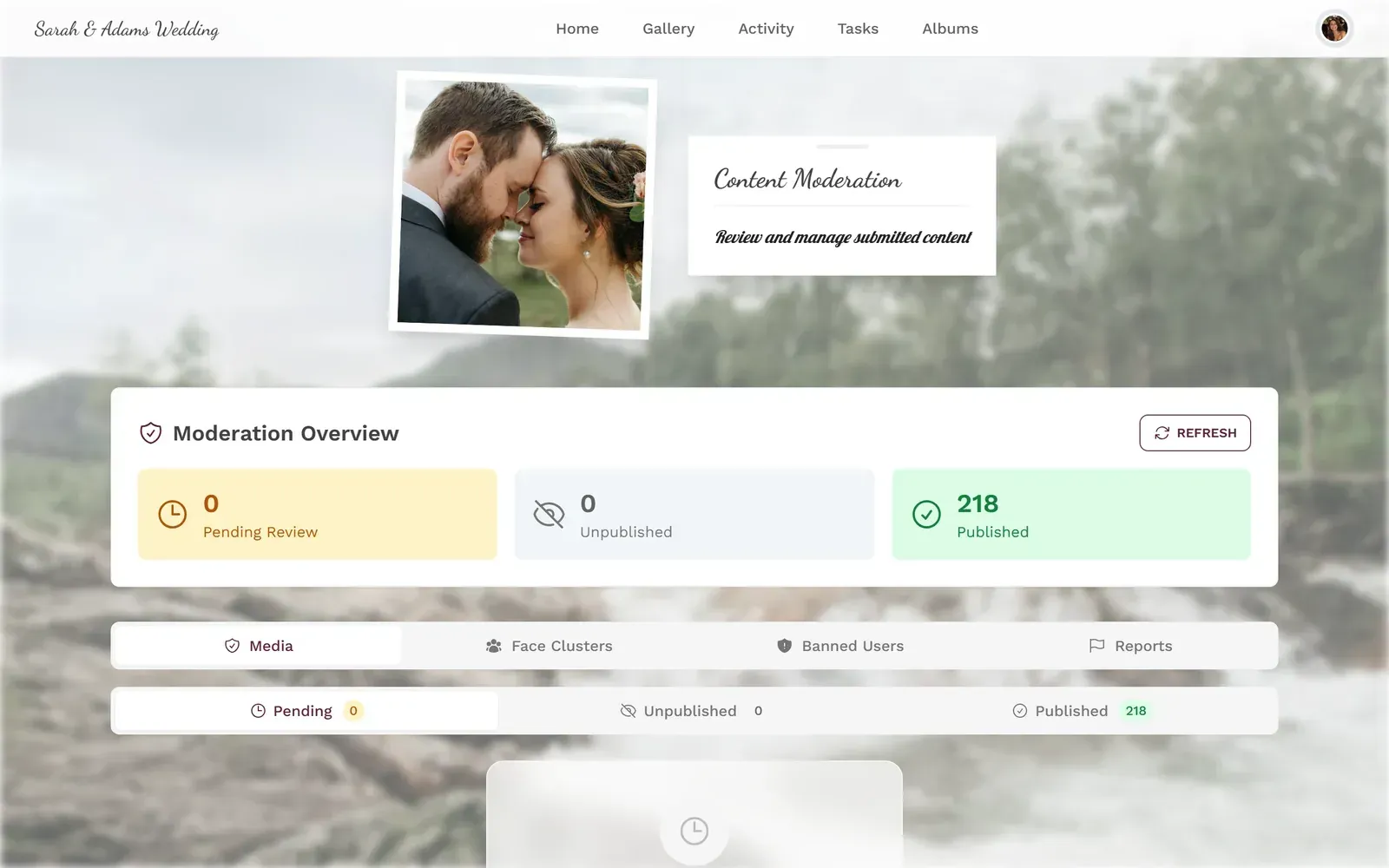
1.The moderation queue on mobile: approve or reject with one tap
One thing that tends to surprise first-time moderators at larger events: the bottleneck isn't the obvious stuff. Inappropriate photos are rare (maybe 1-2% of uploads at a public event). The real time sink is borderline content. Blurry photos. Screenshots. Duplicate uploads. Photos of the parking lot. You need a clear policy for "not inappropriate but not worth showing" content, and your moderators need to know the policy before the event starts.
Let AI Handle the Obvious Stuff
Manual moderation works, but it doesn't scale well past a few hundred uploads. This is where automated filtering earns its keep.
Photogala's AI content filter (available on the Deluxe plan) runs on every upload before it reaches the moderation queue. It scans for NSFW content across four sensitivity levels: relaxed, moderate, strict, and very strict. For public events, "strict" is the sensible default. The filter catches explicit images, graphic violence, and other content that should never reach a moderator's screen in the first place.
The filter isn't perfect. No AI filter is. It occasionally flags a close-up of a sunburn or a red cocktail as suspicious. But false positives are infinitely easier to deal with than false negatives. A wrongly flagged photo just needs a moderator to approve it manually. A missed explicit image on a 4-meter screen in front of 500 people is a crisis.
According to Koma Productions' 2026 event photography report, event photos are increasingly repurposed as branded marketing content. That makes governance and moderation more important than ever. A photo that slips through unreviewed today could end up in next quarter's social media campaign.
See it in action
Every guest photo in one album – no app.
The Rejection Workflow
Rejecting a photo isn't just pressing a button. At a public event, the person who uploaded it is standing 30 meters away, probably watching the screen. If their photo disappears without explanation, they'll upload it again. Or they'll complain to the nearest staff member.
Good moderation tools include rejection reasons. When you reject a photo in Photogala, you can select a localized reason (blurry, duplicate, inappropriate, off-topic) that the uploader sees on their device. It's a small thing, but it cuts down on repeat uploads and frustrated guests noticeably. For events with international attendees, the reasons show up in the guest's language.
One thing worth mentioning: Photogala doesn't have a native app. Everything runs in the browser. That's actually a moderation advantage at public events, because guests don't have persistent push notifications nagging them to re-upload. They scan the QR code, upload, check the gallery, and move on. The friction of browser-based access works in your favor here.
GDPR and the Consent Problem
Here's where public events get legally uncomfortable. The Apache Foundation's event photography guidelines lay it out clearly: attendees should be informed about photo-taking and publication intentions beforehand. Implied or verbal consent is typically acceptable but written consent is more defensible.
At a private wedding, consent is implied. Everyone knows photos are being taken. At a public event, you can't assume that. Someone who walked into a city festival didn't sign a photo release. If another guest uploads a photo where that person is clearly recognizable, and it appears on a public screen or shared gallery, you've got a potential GDPR issue.
Practical steps that actually work:
- Post visible signage at every entrance: "Photos are being taken and shared at this event. By entering, you acknowledge this." It's not bulletproof, but it establishes awareness. Photogala's invitation designer can help you create signage with your event QR code and consent language in one go.
- Brief your moderators to reject photos that prominently feature uninvolved bystanders, especially minors.
- Use Photogala's face recognition on the Deluxe plan to cluster photos by person. If someone requests removal, you can find and delete every photo containing their face in minutes instead of scrolling through hundreds of uploads.
- Set a gallery expiration. Don't keep public event photos online indefinitely. A 30-day window is reasonable for most events.
Professional photographer Sarah Arnold makes a point that applies well beyond weddings: the event organizer should establish clear parameters for guest photography. At public events, those parameters need to be communicated before the first QR code gets scanned.
What Your Moderation Checklist Should Look Like
Pre-Event Moderation Setup
Define your moderation model
Pre-approval for photo walls, post-moderation for gallery-only. Document it and share with your team.
Assign moderator roles
At least 2 moderators for 300+ expected uploads. Give them dedicated accounts with moderation-only access (requires Premium or Deluxe plan).
Configure the AI filter (Deluxe plan)
Set NSFW sensitivity to 'strict' for public events. Test it with a few uploads before doors open. If you're on Premium, rely on the manual moderation queue instead.
Write your rejection policy
Define what gets rejected beyond the obvious: blurry photos, screenshots, duplicates, photos of minors. Put it in a shared doc.
Post consent signage
Visible signs at every entry point about photo sharing. Include QR code removal instructions for anyone who objects.
When Things Go Wrong (and They Will)
Say you're moderating a 600-person outdoor concert. Everything runs smoothly until 10:30 PM, when the crowd gets rowdier and uploads spike from 20 per hour to 80. Your two moderators are overwhelmed, and three borderline photos slip through to the live wall before getting caught.
The fix isn't more moderators. It's switching to pre-approval mode for the photo wall once uploads cross a threshold. Keep the gallery in post-moderation so guests still see their photos on their phones, but lock down the big screen. You can toggle this in Photogala's settings without restarting anything. It takes about five seconds.
Another common issue: duplicate uploads. Guests with slow connections tap the upload button three times, and you get three copies of the same photo in the queue. That's not a moderation problem, but it clogs the queue and wastes moderator time. Setting up photo challenges actually helps here, because guests who are focused on completing specific tasks tend to be more deliberate about what they upload. Instead of spraying and praying, they're taking one good shot per challenge. We wrote a full guide on configuring challenges guests will actually finish.
The Morning After
Moderation doesn't end when the event does. If your gallery stays online for post-event sharing, late uploads will trickle in. Some guests upload their best shots the next day when they're sober and have WiFi. Those still need review.
Set a post-event moderation window. Check the queue once in the morning, once in the evening, for 48 hours after the event. After that, switch the gallery to view-only. For tips on collecting photos from guests automatically while keeping things manageable, that guide covers the full post-event workflow.
The goal of moderation isn't to create a perfect gallery. It's to prevent the three or four genuinely problematic uploads from ruining an otherwise great collection of 400 guest photos. Most people upload good content. Your job is to catch the exceptions quickly and quietly, so the gallery stays something your organization is proud to share.
All of this comes with your own event.
Setting it up takes five minutes. You can build and view everything before you decide.
Starting from €39 one-timeOne-time payment — No subscription
- No App Required
- Setup in 5 Minutes
- 30-Day Money Back
“We used the software at my mum's birthday party. It went down really well 😊”
Written by

I believe event photos should be more than static galleries. They should be live, playful, and unforgettable.
Categories
Related Posts
How to Reuse One Photo Gallery for a Recurring or Annual Event
Stop rebuilding from scratch every year. Here's how to carry one gallery across annual reunions, corporate retreats, and recurring celebrations.
How to Watermark and Protect Photos in a Shared Event Gallery
Event photos get screenshotted, reshared, and misused more often than you think. Here's how to protect your gallery without ruining the experience.
How to Set Upload Reminders and Deadlines for Event Guests
Most event photos die on guests' camera rolls. Here's how upload windows, gentle nudges, and smart deadlines rescue them.