How to Configure Photo Challenges Guests Will Actually Finish


Picture a wedding reception, two hours in. The couple printed 40 photo challenge cards, placed one on every table, and waited for the magic to happen. By dessert, maybe six cards have been touched. The rest sit under wine glasses and bread baskets, slowly absorbing butter stains.
The challenges weren't bad. "Photograph the funniest dance move" and "Selfie with the bride" are fine prompts. The problem was everything around them: too many tasks, no sense of progress, no reason to keep going after the first one. The guests who participated did one challenge, maybe two, then moved on with their evening.
This is the most common failure mode for photo challenges at events. Not bad ideas. Bad configuration. And the fix isn't creative prompts (though those help). It's understanding how people actually behave at events and designing your challenge set around that behavior.
The Completion Problem Nobody Talks About
According to Kreate for Events, immersive experiences where guests actively participate are a dominant 2026 event trend. People want to do things at events, not just sit and watch. Photo challenges tap directly into that desire. But there's a gap between "guests want to participate" and "guests finish what they started."
The gap is completion design. Game designers have known this for decades: it's easy to get someone to start an activity. Getting them to finish requires a different set of tools. Clear goals. Visible progress. A difficulty curve that starts easy and escalates. Rewards that arrive at the right moment, not just at the end.
Most event hosts skip all of that. They brainstorm a big list of fun-sounding prompts, dump them all into the challenge set, and hope enthusiasm carries people through. It doesn't. Enthusiasm lasts about 15 minutes. After that, you need structure.
Start With the Number: Less Is Almost Always More
Here's a rough calibration guide based on event type and duration. These aren't arbitrary numbers. They account for how much time guests actually spend engaging with structured activities versus socializing, eating, and dancing.
- Small gathering (10-30 guests, 3-5 hours): 5-8 challenges. Guests will realistically complete 3-5.
- Wedding reception (80-200 guests, full day): 10-15 challenges. Most guests complete 4-8. The competitive ones might finish all of them.
- Corporate team event (20-80 people, half day): 8-12 challenges. Structured time helps, completion rates are higher than social events.
- Multi-day event or festival: 15-25 challenges spread across days. Nobody finishes everything on day one, and that's the point.
The Photo Challenge Wedding Guide suggests one prompt per two guests as a scaling rule, which works for printed cards. But digital challenges work differently. With a digital system, every guest sees the full list on their phone. That means 40 challenges doesn't create variety; it creates overwhelm.
For most events, 10-12 challenges is the sweet spot. Enough variety that different guests find something appealing. Few enough that finishing feels achievable. If someone opens the challenge list and sees 30 items, they won't start. If they see 8, they think: "I could actually do all of these."
The 60% rule: Design your challenge count so that a moderately engaged guest (not the most enthusiastic person there, but not the wallflower either) can realistically complete about 60% of the challenges. That means if you have 10 challenges, aim for 6 being easy enough that most people will finish them. The remaining 4 are stretch goals for the competitive crowd.
The Difficulty Curve That Keeps People Going
This is where most event hosts go wrong. They treat all challenges as equal difficulty. They're not. "Take a selfie" requires zero social effort. "Get a group photo with five people you just met" requires approaching strangers. Those are fundamentally different asks, and they need to appear at different points in the evening.
Think of your challenge set as having three tiers:
Tier 1: Warm-Up (first 30 minutes)
Solo challenges that require no interaction with strangers. A selfie. A photo of the venue. A picture of your plate. These exist to get people comfortable with the system. They learn how uploading works, they see their photo appear in the shared gallery, and they feel a small hit of accomplishment. That momentum matters.
Tier 2: Social (after the first hour)
Challenges that involve other people, but people you already know. "Photo with the couple." "Capture someone laughing." "Group selfie at your table." These are still comfortable, but they start generating the kind of candid, connected photos that make an event gallery worth browsing afterward.
Tier 3: Stretch (peak of the event)
The harder ones. "Photo with someone from a different department." "Recreate a famous movie scene." "Capture the wildest dance move." These require either creativity or social courage (or both), and they work best when guests are already warmed up, maybe a couple of drinks in, and when the energy in the room is high.
If you're using Photogala, you can enforce this curve with conditional unlocking (available on Premium and Deluxe plans). Set Tier 2 challenges to unlock after a guest completes 2-3 from Tier 1. Set Tier 3 to unlock after 4-5 total completions or after a specific time (say, 9 PM at a wedding). This isn't just a nice-to-have. It prevents the common scenario where a guest opens the list, sees "recreate a movie scene" as the first challenge, and closes it immediately. On the Plus plan, you still get unlimited challenges, so you can organize them into tiers manually and brief guests on the suggested order.
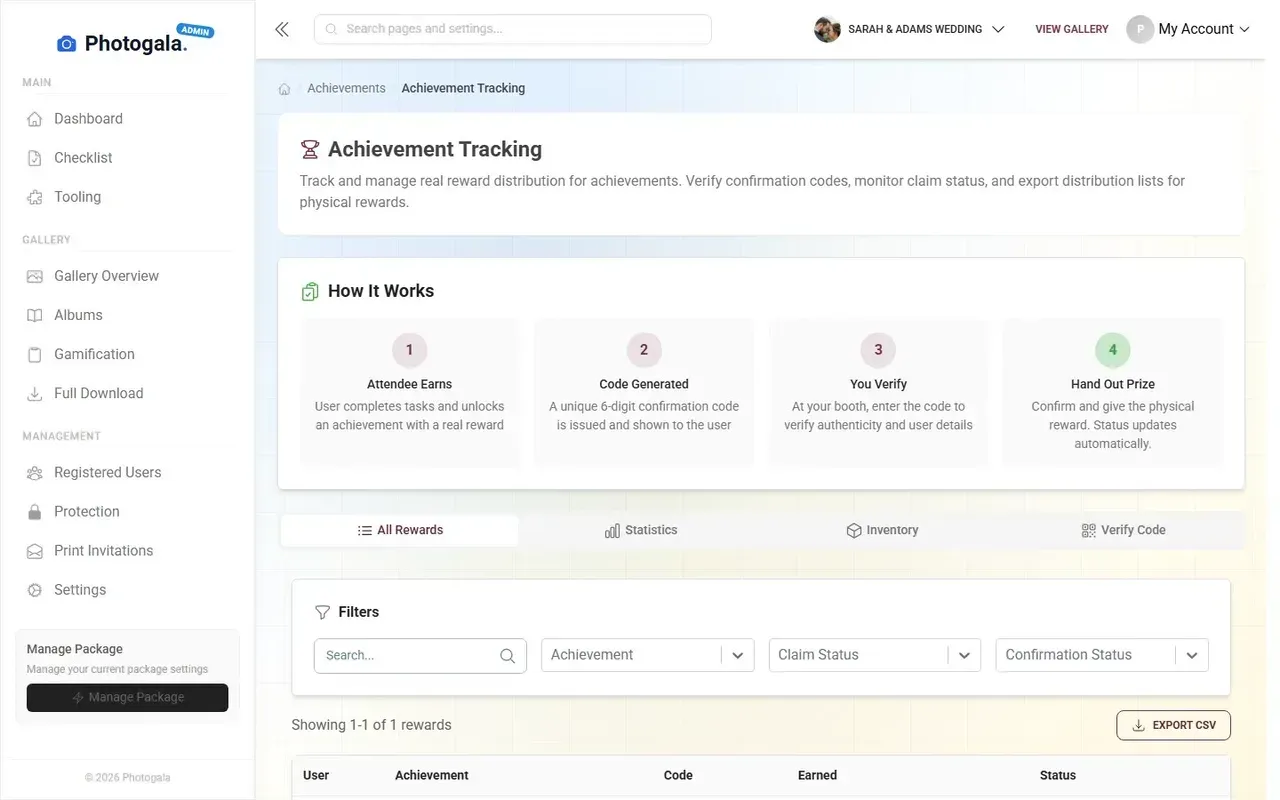
1.Guests see a clear, manageable list of challenges on their phone
See it in action
Photo tasks guests actually do.
Example Photos Change Everything
Here's something I didn't expect to matter as much as it does: adding example photos to challenges noticeably changes how people respond to them.
A text-only challenge like "Take a creative photo of the venue" is vague. What counts as creative? What angle? How close? Guests spend mental energy figuring out what you want instead of just doing it. Many give up before they start.
Now add an example photo. A slightly tilted shot of a chandelier with fairy lights in the background. Suddenly the guest thinks: "Oh, something like that. I can do that." The example isn't a strict template; it's permission. It says "this level of effort is fine, don't overthink it."
This is where Photogala's photo challenges system has a real edge. You can attach example preview photos to any challenge. For creative challenges (meme recreation, movie scene reenactments, themed poses), the example IS the challenge. It turns a vague text prompt into something visual, concrete, and often hilarious.
Photo Roulette is the best example of this in action. Each guest gets a random example photo and has to recreate it. No interpretation needed, no confusion about what's expected. Just a funny reference photo and a camera. The results tend to be the most-liked photos in the entire gallery.
If you've been reading about creative challenge ideas for weddings and parties, you already know the prompt matters. But the example photo is what turns a good prompt into a challenge people actually attempt.
Points and Progress: The Invisible Nudge
There's a reason mobile games show you a progress bar. Seeing how close you are to a goal is one of the strongest motivators in behavioral psychology. Gallup's State of the Global Workplace report found that only about 23% of employees feel engaged at work, but that number jumps when people can see their progress and compete with peers. The same principle applies at events, with lower stakes and more fun.
In Photogala, every completed challenge earns points. Those points feed into a leaderboard that guests can check on their phone. The points system and leaderboard are available on Premium and Deluxe plans. And here's the important part: the point values should NOT be equal across challenges.
Tier 1 challenges (warm-ups) should earn fewer points. Maybe 10 each. Tier 2 challenges earn 20-25. Tier 3 stretch challenges earn 40-50. This does two things. First, it tells guests which challenges are "harder" without explicitly labeling them. Second, it makes the leaderboard more interesting. Someone who only did easy challenges can't top the board. You have to push yourself.
If you want to go further, pair the points system with real-world rewards (a Deluxe feature). A drink voucher for reaching 100 points. A small prize for the top 3 on the leaderboard. At corporate events, this drives completion rates noticeably higher than points alone. People will photograph abstract concepts and approach strangers from other departments when there's a redeemable reward waiting. That's not a guess; team photo challenges consistently show that visual creativity tasks with tangible payoffs break down social barriers faster than traditional icebreakers.
Don't forget the wall. If you're running a live photo wall on a screen at the venue, challenge completions become social proof in real time. Other guests see photos from challenges appearing on the big screen, get curious about what the challenges are, and open their own phones. The wall is your silent recruiter. Make sure it's somewhere visible: near the bar, behind the DJ, next to the dance floor. The photo wall is included from Starter up, so every paid plan gets this.
Timing Matters More Than You Think
One mistake I see constantly: launching all challenges at the start of the event. Guests arrive, scan the QR code, see the full list, try one or two, and then... that's it for the night. The challenges become background noise.
A better approach: stagger your launches.
Release 4-5 challenges when guests arrive. These are your Tier 1 warm-ups. An hour later, drop a notification: "3 new challenges unlocked!" Now guests who forgot about the challenges get pulled back in. Release the final Tier 3 challenges at the peak of the event (after dinner at a wedding, after the main activity at a corporate event).
This keeps the challenge system feeling alive. It's not a static list you check once. It's something that evolves through the evening. Guests who checked out early get re-engaged. Guests who completed everything get new goals. If you've set up achievement notifications, completions and unlocks appear on the photo wall, creating a second wave of curiosity.
For wedding receptions specifically, here's a timing template that works well:
- Arrival / cocktail hour: 4-5 solo challenges (venue photos, selfies, outfit shots)
- Dinner: 3-4 table-based challenges (group photo at your table, photo of the food, candid of someone laughing)
- Party / dancing: 3-4 high-energy challenges (dance floor shots, recreate a movie scene, wildest moment of the night)
The One Setting Most People Skip
If your event has guests of mixed tech comfort levels, and most events do, there's one configuration decision that makes a bigger difference than any prompt or point value: how easy the upload flow is.
This isn't about challenge design per se, but it's the foundation everything else sits on. If scanning the QR code and uploading a photo takes more than 30 seconds, completion rates drop off a cliff. If it takes 10 seconds, people do it between bites of dinner.
Photogala's browser-based upload (no app install, no account creation) removes the biggest friction point. But you still need to think about placement. Print the QR code on table cards, place it on napkins, project it on a screen. The code should be visible from wherever a guest is sitting or standing. We wrote a whole guide on getting non-tech-savvy guests to participate, which covers the physical setup in detail.
One honest caveat: the more advanced gamification features (conditional unlocking, leaderboard, achievements) require the Premium or Deluxe plan. If you're on Plus, you still get unlimited challenges and the photo wall, which covers the core of what this article describes. The tiered unlocking and points system are icing, not the cake.

1.One scan, no app install, no sign-up
A Practical Configuration Checklist
Set Up Challenges That Get Finished
Pick 8-12 challenges total
Enough for variety, few enough to feel completable. Use templates as a starting point, then customize 3-4 to match your specific event.
Assign difficulty tiers and points
Tag each challenge as warm-up (10 pts), social (25 pts), or stretch (50 pts). Set unlock conditions so harder tasks appear only after guests complete a few easy ones. Points and unlock conditions require Premium+.
Add example photos to creative challenges
For any challenge that requires interpretation ("creative venue shot", "movie scene recreation"), add a reference photo. It removes ambiguity and increases attempt rates.
Stagger the release schedule
Launch warm-ups at event start, social challenges after 1 hour, stretch challenges at peak energy. Use time-based unlocks or manual release.
Connect to leaderboard and photo wall
Points feed the leaderboard (Premium+), completed challenges appear on the live wall (Starter+). Both create social proof that pulls in more participants without you doing anything.
If you want to combine challenges with broader event engagement strategies beyond photo booths, the challenge system integrates with achievements, rewards, and social features. But start with the basics. Get the challenge count, difficulty curve, and timing right first. Everything else is amplification.
What About After the Event?
One thing worth considering: guests who didn't finish during the event might finish afterward. Photogala galleries stay active for months (6 months on Plus, 12 months on Premium and Deluxe). Some guests will open the challenge list on the drive home, see they're at 7 out of 10, and upload those last three photos from their camera roll.
This is another reason to keep the total count reasonable. A guest who completed 7 of 10 thinks: "I'm almost there." A guest who completed 7 of 35 thinks: "What's the point." The psychology of why guests share more when it's easy applies to challenge completion too. Lower the barrier, and people push through.
For corporate team events, the post-event completion window is especially useful. Teams can be encouraged to finish remaining challenges in the office the next week, extending the team-building effect beyond a single afternoon. It turns a one-day activity into a week-long conversation starter. Our guide to team building photo activities covers this in more detail.
The couple from the opening scenario, with their 40 challenge cards and butter-stained prompts, didn't have a creativity problem. They had a configuration problem. Fewer challenges, a clear difficulty curve, visible progress, staggered timing, and example photos. That's the difference between a challenge card that gets used as a coaster and one that generates 200 photos by midnight.
All of this comes with your own event.
Setting it up takes five minutes. You can build and view everything before you decide.
Starting from €39 one-timeOne-time payment — No subscription
- No App Required
- Setup in 5 Minutes
- 30-Day Money Back
“We used the software at my mum's birthday party. It went down really well 😊”
Written by

I believe event photos should be more than static galleries. They should be live, playful, and unforgettable.
Categories
Related Posts

Company Retreat Photo Sharing: How to Actually Keep the Memories
Most offsite photos die on individual phones. Here's how to collect, share, and actually use every photo from your next company retreat.
Neighborhood Block Party Photo Sharing: How to Turn 40 Strangers Into One Shared Album
Block parties create great photos — and zero way to share them. Here's how a QR code gallery turns your street into a connected community.
Why Upload Limits Ruin Event Galleries (and What Unlimited Actually Changes)
Upload caps at events create anxiety, reduce participation, and leave gaps in your photo collection. Here's what happens when you remove the ceiling.