Turn Guest Photos Into a Live Collage on the Big Screen

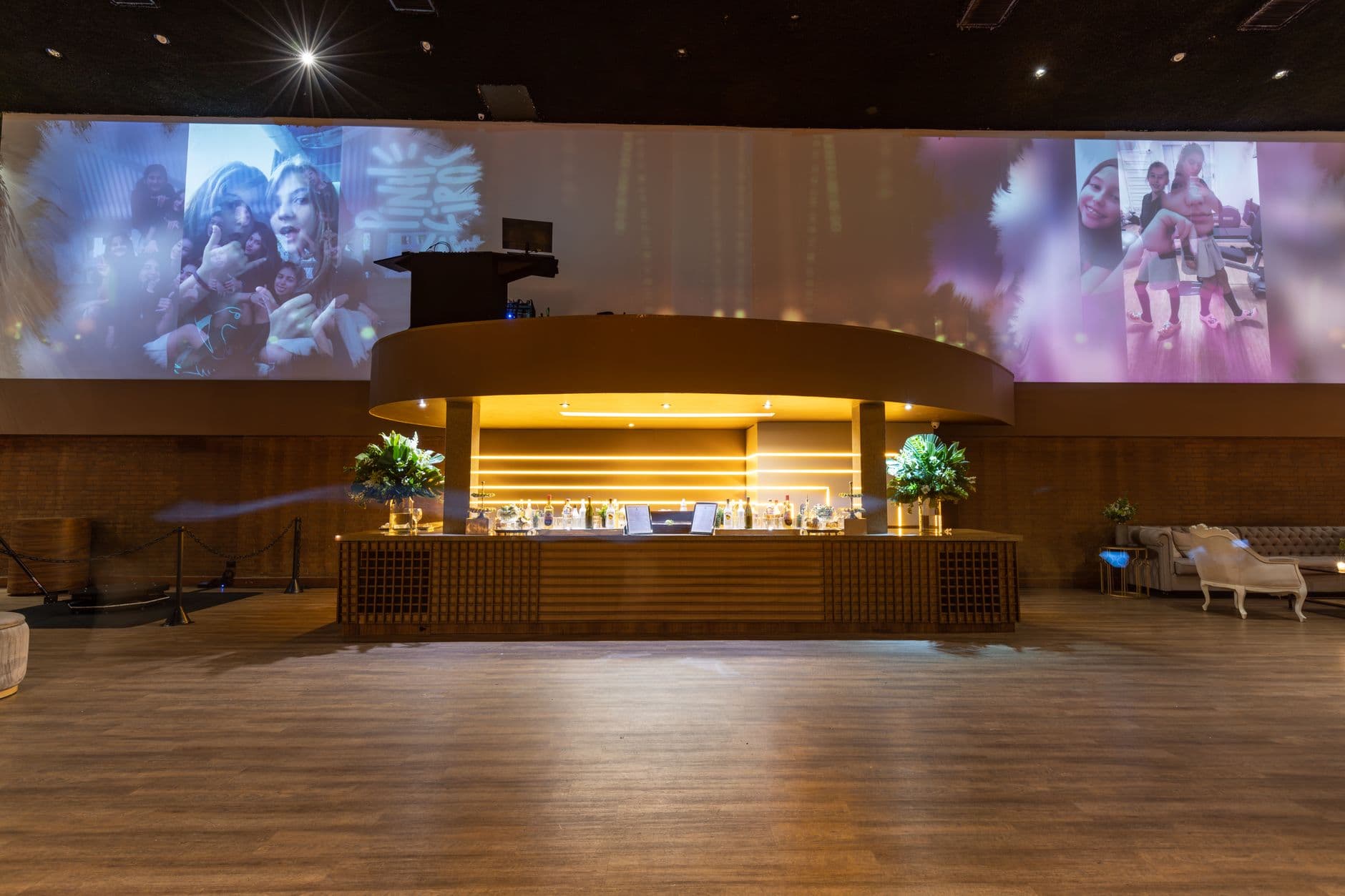
Imagine a 55-inch screen near the bar at a wedding reception. It's 9 PM, the dance floor is filling up, and the screen is alive. Not with a slideshow the couple pre-loaded last week. With photos guests are taking right now. A candid shot of the flower girl stealing cake appears next to a blurry-but-joyful dance floor snap, next to a perfectly framed sunset over the venue. The collage grows every few seconds. People keep glancing over, pointing, laughing. Someone spots their own photo and nudges the person next to them.
That's the cycle that makes a live photo collage work. It's not passive decoration. It's a participation engine. And setting one up takes about 15 minutes, not the hours you might expect.
Why a Live Collage Hits Different Than a Slideshow
Traditional slideshows at events are background noise. Someone loads 80 photos from the couple's dating history onto a USB stick, plugs it into a TV, and hits play. Guests glance at it for 30 seconds, then ignore it for the rest of the night. The content is static. There's no reason to look twice.
A live collage flips that. The content is unpredictable because it's being created in real time by the people in the room. According to research from KEDquest on event photo walls, visible photo displays serve as real-time social proof: when guests see other people's photos appearing on screen, it signals that participation is happening, which triggers more participation. One upload leads to five more, and suddenly the screen is the busiest thing in the room.
The practical difference is striking. A pre-loaded slideshow gets maybe two or three comments over the course of an evening. A live collage? Picture 30-40 guests pulling out their phones to contribute after they see the first batch of photos pop up. Not because someone announced it from a microphone. Because they saw their friend's face on a big screen and wanted in.
Placement matters more than screen size. A 32-inch TV near the entrance or bar outperforms a 65-inch screen tucked in a corner. People need to walk past it naturally, not seek it out. If you're working with a photo wall setup, position the display where foot traffic is highest.
What You Actually Need
The equipment list is shorter than most people expect. A complete live photo wall setup guide covers the technical details, but here's the quick version:
- A screen: TV, projector, or even a large monitor. Smart TVs with a browser work great.
- WiFi or a mobile hotspot (4G/5G is fine for photos).
- A QR code linking to the upload gallery. You can create one with Photogala's free QR code generator or use the one generated when you set up your event gallery.
- A photo sharing platform that supports live display modes.
QR Code Generator
Create custom QR codes for your event — link guests directly to your photo gallery.
That's it. No special software to install on the TV. No cables running across the dance floor to a laptop. You open a browser on the display device, log in, and the collage starts populating as photos arrive.
As Seki-Las's analysis of live slideshows puts it, these displays transform attendees from passive observers into active participants. The screen becomes the heartbeat of the reception's entertainment. That tracks with what you'd expect when you give 100+ smartphone-carrying guests a reason to use their cameras.
Setting It Up in 15 Minutes
From Zero to Live Collage
Create your gallery
Set up an event gallery with your event name and details. Pick a collage display style that matches the vibe: uniform grid, polaroid-style, vintage, or justified layout.
Print or share the QR code
Place QR codes on tables, at the entrance, or on napkins. Guests scan with their phone camera and upload directly in the browser. No app install, no sign-up required.
Open the photo wall on your screen
Navigate to the photo wall URL on the TV or projector's browser. Photos appear live as guests upload them. You're done.
The whole process, from creating the gallery to seeing the first photo appear on screen, genuinely takes about 15 minutes. Most of that time is deciding where to put the QR codes. If you want creative ideas for placement, check out how to create a QR code for photo sharing for inspiration beyond the usual table tent.
See it in action
Every guest photo in one album – no app.
Choosing the Right Collage Style
Not all live displays are the same. A rolling slideshow (one photo at a time, full screen) works for intimate dinners. But for anything over 40-50 guests, a collage layout is better. Multiple photos visible at once means more people see themselves, more often. That drives more uploads, which fills the screen faster, which draws more attention.
Photogala offers five collage styles for the photo wall: uniform grid, polaroid, vintage, featured (one large photo surrounded by smaller ones), and justified. Each creates a different feel. The polaroid style, with slight rotations and white borders, fits casual celebrations. The featured layout works well for corporate events where you want to spotlight key moments. If you're curious about gallery aesthetics beyond the wall, the mosaic and justified layout guide goes deep on visual design choices.
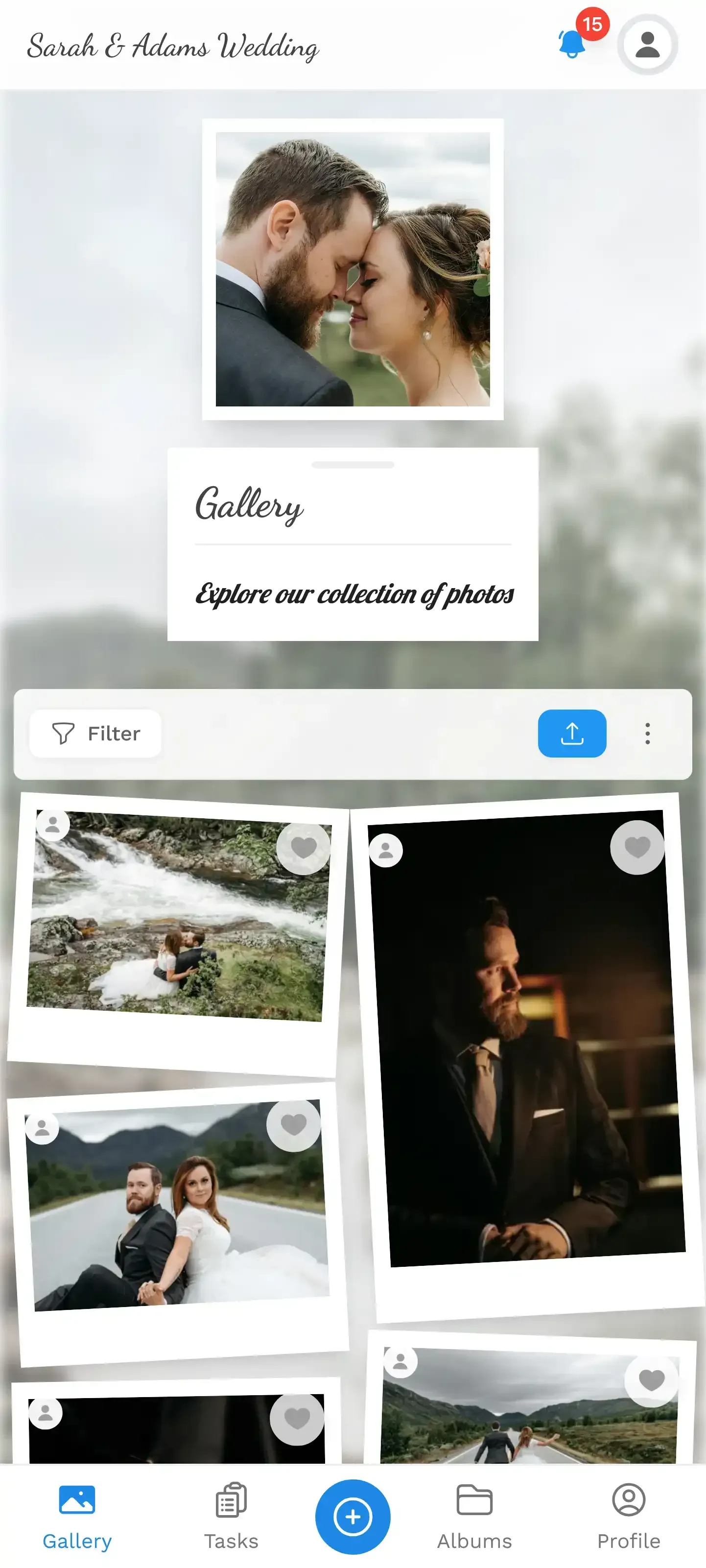
1.Photos appear on screen in real time as guests upload them
The Moderation Question
Here's the honest concern everyone has: what if someone uploads something inappropriate and it appears on a 55-inch screen in front of grandma?
Fair worry. And the answer depends on your crowd. For a close-knit family celebration with 30 people, you probably don't need moderation. Everyone knows everyone. For a 200-guest wedding with open bar, or a corporate event with clients present? You want a safety net.
Content moderation can work two ways. Manual pre-approval (available on the Premium plan and above) means every photo gets reviewed before it hits the screen. Assign that job to a trusted friend — the bridesmaid who's always on her phone anyway. One tap to approve, one tap to reject. The other option is AI-powered NSFW filtering (on the Deluxe plan), which automatically catches inappropriate content before it ever displays. For events where you need both speed and safety, the AI filter running in the background handles 99% of concerns without slowing down the live experience.
One real limitation worth noting: the AI filter works on visual content, not text. If someone writes something inappropriate as their display name, the filter won't catch that. Manual review covers that gap if you need it.
Getting Guests to Actually Participate
The screen is up. The QR codes are printed. Now what? Most guests will notice the display, but the gap between "noticing" and "uploading their own photo" needs a nudge. The psychology behind this is covered well in our piece on why guests share more when it's easy, but the practical version comes down to three things.
First, seed the collage. Upload 5-10 photos yourself before guests arrive. An empty screen invites nobody. A screen already showing a few photos sends the message: this is active, this is fun, your photos belong here too.
Second, make the QR code impossible to miss. Table tents work. But a QR code printed on the cocktail napkins? On the back of the menu card? Taped to the mirror in the bathroom? That's how you catch the people who missed the table announcement. The more touchpoints, the more uploads.
Third, consider adding photo challenges. "Best dance floor action shot" or "Find the oldest guest and take a selfie together" gives people a mission. It sounds gimmicky on paper, but it works. Guests who came to the event planning to take zero photos suddenly upload a dozen because they're chasing a challenge. We've got 50 creative challenge ideas if you want to go that route. What makes challenges especially fun is that each one can include an example preview photo, so guests see exactly what to aim for. Think meme recreation, famous movie scene reenactments, or themed poses.
Don't forget guests who aren't naturally tech-savvy. A QR code is simple for most people, but not everyone. Place a small sign next to each QR code: "Point your phone camera here → tap the link → pick a photo." Three steps, no jargon. Our guide on getting non-tech-savvy guests to share photos has more specific tactics.
Beyond the Event Night
The collage is the star during the event. But the gallery it feeds lives on. Every photo uploaded to the live wall also sits in the shared gallery that guests can browse, download, and revisit later. For weddings, this is where the real value compounds. The morning after, guests open the gallery link on their phones and scroll through hundreds of perspectives they'd never see otherwise.
Getting guests to keep uploading after the event is a separate challenge. The gallery stays open for the active period (6 or 12 months depending on the plan), and guests who forgot to upload at the event can still contribute the next day. Some of the best photos surface that way: the ones taken with actual thought instead of in-the-moment chaos.
For weddings specifically, the combination of a live collage during the reception and a shared gallery afterward means you end up with two distinct collections. The professional photographer's polished shots, and the raw, candid, sometimes chaotic guest perspective that no professional could capture. Both matter.
What It Actually Looks Like in Practice
Picture a corporate team-building day for 60 people. The event organizer sets up a 50-inch screen in the main hall, creates a gallery with the company logo, and prints QR codes on the lanyards. By lunch, 40 photos are on the wall. Mostly team shots and candid moments from the morning workshops. The HR manager assigned two photo challenges: "Most creative team pose" and "Catch someone laughing." By 3 PM, the count hits 180 photos from 35 different uploaders. The screen near the coffee station has become the place people gravitate to during breaks.
Now picture a 150-guest wedding. The collage screen sits behind the DJ booth. The couple seeded it with engagement photos before guests arrived. By the time dinner is served, 90 guest photos have joined them. But here's what nobody planned for: a seven-year-old flower girl found the QR code on a table card, borrowed an aunt's phone, and uploaded a series of increasingly blurry close-ups of the dessert table. One of those shots — the cake lit from below with candles, slightly tilted, zero professional skill — ended up being the couple's favorite photo from the entire night. That's the kind of moment no photographer catches. And it's now preserved in the shared gallery alongside 400+ others.
Neither scenario is extraordinary. It's just what happens when you lower the barrier to sharing from "download an app and create an account" to "point your camera at a QR code." The QR code upload feature handles the heavy lifting. Guests don't think about the technology. They just share.
1.New photos fly into a live collage
The live collage concept isn't new. Photo booths have been printing strips at events for decades, and wedding photo wall ideas have evolved from cork boards to digital screens. What's changed is the barrier to entry. No rental equipment, no attendant, no per-print cost. Just a screen, a QR code, and guests who already have cameras in their pockets.
The couple who set up a live collage at their wedding will scroll through those 400 guest photos on a random Tuesday six months from now. And they'll see moments they didn't even know happened. That's what the big screen is really for. Not entertainment during the party (though it does that too). It's the collection mechanism for memories that would otherwise stay locked on 150 different phones, forgotten.
All of this comes with your own event.
Setting it up takes five minutes. You can build and view everything before you decide.
Starting from €39 one-timeOne-time payment — No subscription
- No App Required
- Setup in 5 Minutes
- 30-Day Money Back
“I use PhotoGala Deluxe and I'm absolutely thrilled. It was the perfect solution for documenting a sports event. Uploading and downloading via the link is a breeze for every participant. What won me over most were the photo wall and the slideshow – both are quick to set up and look really professional. Big praise also to Peter from the PhotoGala team: he's very easy to reach by email, replies quickly and even took my suggestions on board and added new features that made my slideshow even better. You rarely get support this dedicated. A clear 5-star recommendation!”
Written by

I believe event photos should be more than static galleries. They should be live, playful, and unforgettable.
Categories
Related Posts

Bridal Shower Photo Sharing: Collect Every Sweet Moment in One Gallery
Bridal shower photos end up scattered across 15 phones. Here's how to get them all into one gallery before the mimosas wear off.

Maternity Photo Sharing: How to Keep Every Announcement, Bump Shot, and Memory in One Place
Pregnancy announcements land on 4 different apps. Maternity photos get lost in group chats. Here's how to keep every photo in one shared gallery your whole family can access.

Sales Kickoff Photo Sharing: How to Turn a Mandatory Meeting Into a Team Memory
Sales kickoffs are expensive. The photos from them usually disappear into 14 different camera rolls. Here's how to fix that.