How to Watermark and Protect Photos in a Shared Event Gallery

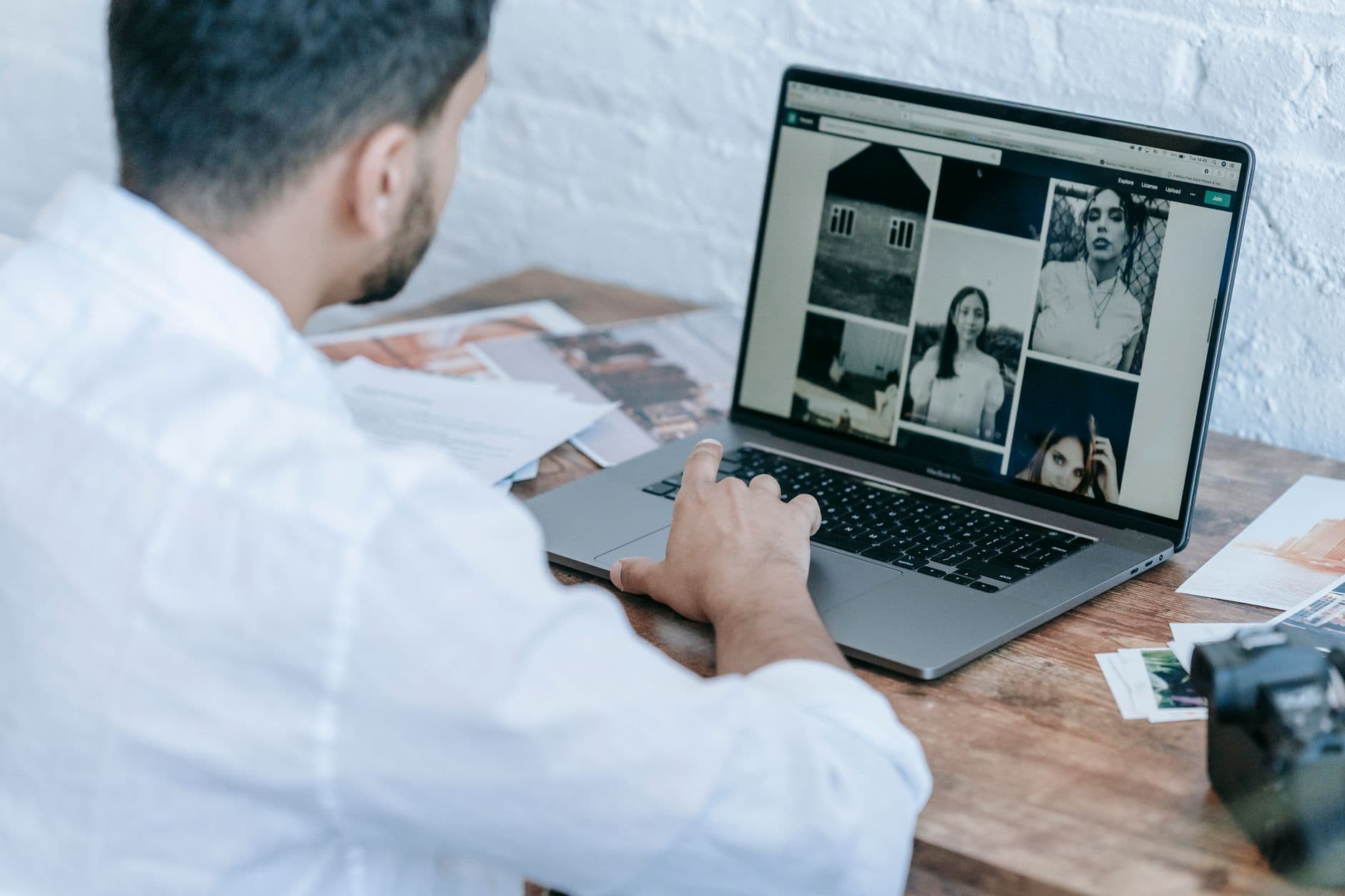
A photographer delivers 847 photos from a corporate gala. Two days later, three of those images show up in a competitor's LinkedIn post. No credit. No permission. No way to trace who leaked them.
That scenario is more common than you'd expect. According to a 2025 guide from ImagiTool, processing hundreds of event photos for protection is a real operational challenge, not a hypothetical one. And the problem gets worse when you add a shared gallery into the mix, where dozens or hundreds of guests have direct access to every image.
This article covers the practical options for protecting photos in a shared event gallery: watermarks, access control, content moderation, and the stuff that actually matters more than any of those.
Why Event Photos Need Protection in the First Place
At a private dinner party, nobody worries about photo theft. But the moment you open a shared gallery to 80, 200, or 500 people, the math changes. Every person with access can screenshot, download, and reshare anything in the gallery. And most of them will, with good intentions. They want to post a funny group shot on Instagram. They want to send a candid to a friend who couldn't make it.
The issue isn't malice. It's volume. A single photo from a corporate event can end up on five different social platforms within hours, stripped of context and credit. For professional photographers, that means lost licensing revenue. For companies, it can mean brand images circulating without approval. For private events like weddings, it can mean intimate moments showing up where they shouldn't.
The Copyright Alliance points out that photographers automatically own copyright to the images they create. But owning copyright and actually enforcing it are two very different things, especially when the images have already been downloaded by 150 wedding guests.
Watermarks: What They Actually Do (and Don't Do)
Watermarks are the most visible form of photo protection. A semi-transparent logo or text overlay stamped across each image. They serve two purposes: they discourage unauthorized use, and they provide attribution if a photo does get shared.
Here's the honest trade-off: watermarks work as a deterrent, but they degrade the viewing experience. A gallery full of watermarked photos feels like browsing a stock photo site, not reliving a celebration. Guests who uploaded their own phone photos won't understand why their snapshots suddenly have a logo stamped across them.
When watermarks make sense: Professional photographer proofing galleries, corporate event media libraries, and press photo distribution. When they don't: Guest-contributed galleries at weddings, birthday parties, or informal events where the goal is sharing memories, not selling prints.
If you do need watermarks, batch processing tools can handle hundreds of photos in minutes. The real question is whether watermarking is solving the right problem. For most shared event galleries, access control and moderation are more effective than stamping every image.
Access Control: The First Real Line of Defense
Before worrying about watermarks, ask a simpler question: who can actually see the gallery?
Picture a 200-guest wedding. The couple creates a QR code gallery and prints it on every table card. You can design your own codes with Photogala's free QR code generator. Guests scan, upload their photos, and browse the shared collection. Beautiful system. But if that QR code image gets posted on social media, suddenly anyone with the link has access.
QR Code Generator
Create custom QR codes for your event — link guests directly to your photo gallery.
Password protection solves this. When you protect your gallery with a password, even someone who stumbles across the link can't get in without the code. It's a simple layer, but it filters out 99% of unwanted access. Combined with the fact that a QR code gallery doesn't require any app download or account creation, you get a setup where guests can participate easily while strangers can't.
We've written about the broader question of cloud albums vs. QR code galleries before. The short version: shared iCloud or Google Photos albums require everyone to have the same ecosystem. A QR code gallery works on any phone, in the browser, and you control who has the code.
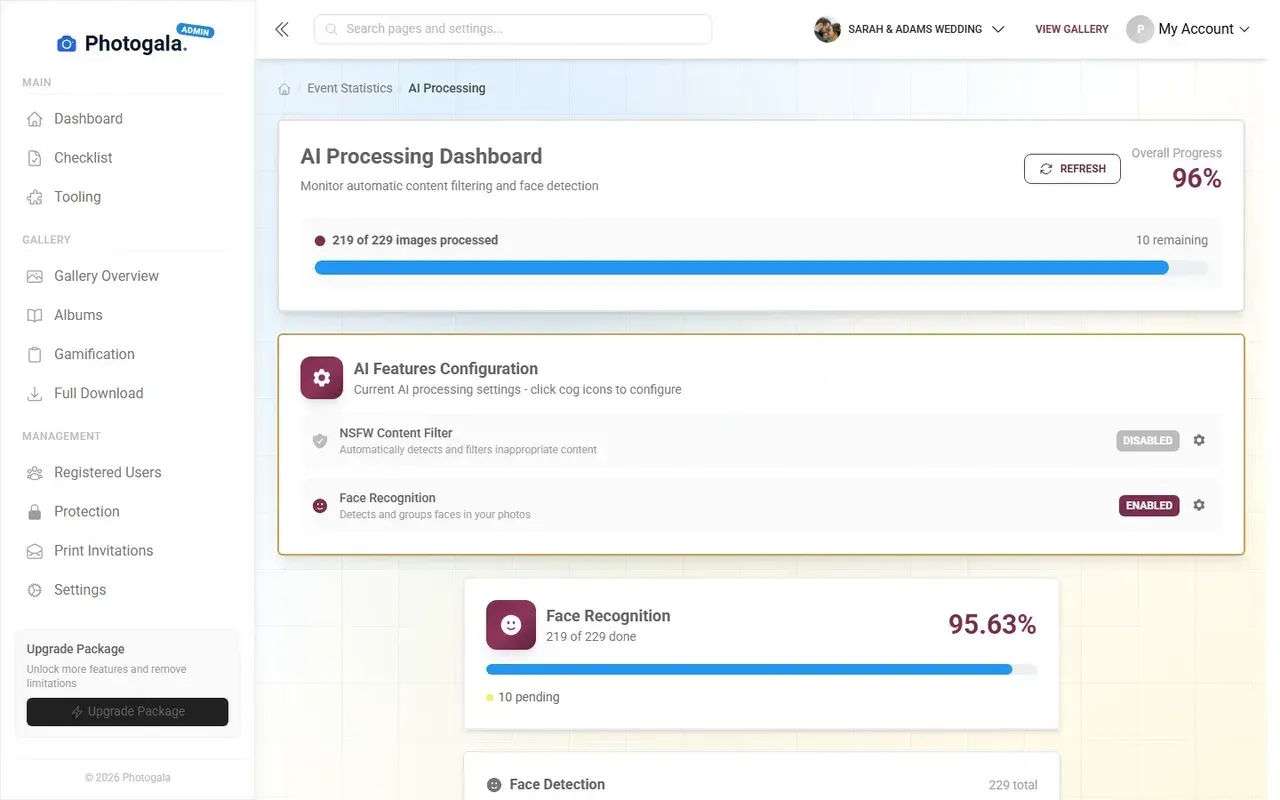
1.Right-click and saving can be locked down per gallery
See it in action
Every guest photo in one album – no app.
Content Moderation: Controlling What Goes Public
Access control decides who can enter the gallery. Moderation decides what stays in it.
Imagine setting up a shared gallery for a company awards ceremony. 300 employees have access. Most upload appropriate photos: group shots, award recipients, the CEO's surprisingly good dance moves. But one person uploads a meme. Another posts a blurry photo of someone who clearly didn't want to be photographed. A third uploads something genuinely inappropriate.
Without moderation, all of those photos go live instantly. With it, you (or a designated moderator) review every upload before it appears in the gallery. One tap to approve, one tap to reject. If you're running a photo wall on a big screen at the venue, moderation isn't optional. It's the difference between a great moment and an HR incident.
For larger events, manual moderation can become a full-time job. That's where AI filtering helps. Photogala's NSFW content filter automatically flags potentially inappropriate uploads with configurable sensitivity levels: relaxed for casual events, strict for corporate or children's events. It doesn't replace human judgment, but it catches the obvious problems before a moderator even needs to look. (Note: AI filtering is available on the Deluxe plan. Manual moderation with approve/reject is available from Premium.)
If you're running a public-facing event, our guide on moderating guest photos at public events covers the full workflow, including how to assign moderator roles and handle rejection messages gracefully.
The Metadata Problem Nobody Talks About
Watermarks protect the surface of a photo. But every digital image carries invisible data underneath. EXIF metadata: GPS coordinates, timestamps, device information, camera direction. When guests upload photos from their phones, all of that data travels with the image.
At a private birthday party, this is harmless. At a corporate event with NDAs, it can reveal the exact location of a confidential meeting. At a wedding, it can expose the home address of guests who took photos beforehand. We covered this in depth in our article on event photo sharing privacy and security.
Some platforms strip EXIF data automatically on upload. Others preserve it for the gallery owner but remove it from downloaded versions. The right approach depends on your use case. For most events, stripping location data while preserving timestamps is a reasonable middle ground.
Quick privacy check before your event: Ask yourself three questions. 1) Who has access to the gallery link? 2) Can photos be downloaded, and by whom? 3) Does the platform strip location metadata from uploads? If you can answer all three, you're ahead of 90% of event hosts.
A Layered Approach (What Actually Works)
No single measure protects event photos. Watermarks without access control are like putting a lock on a door that's wide open. Access control without moderation means you've locked the right people in with potentially wrong content. The protection that works is layered.
Here's what a solid setup looks like for a 200-guest wedding:
Protection layers for a shared event gallery
Password-protect the gallery
Set a password that you share only with invited guests. Print it on the table cards next to the QR code. This works on every plan, including the free demo.
Enable upload moderation
Assign a trusted friend or bridesmaid as moderator. They review photos before they appear on the photo wall or in the public gallery. Available on Premium (€69) and Deluxe (€119) plans.
Turn on AI content filtering (Deluxe)
On the Deluxe plan (€119), the NSFW filter catches accidental screenshots, inappropriate uploads, and content that shouldn't be on a big screen. Set it to moderate or strict depending on your event.
Control download permissions
Decide whether guests can download bulk ZIP archives (Starter+) or individual photos (Premium+). You can also disable downloads entirely to keep photos inside the gallery.
For corporate events, add one more layer: assign multiple moderators with different roles. An admin who manages the gallery settings, and moderators who handle the approval queue. Photogala supports unlimited admin and moderator roles on Premium and Deluxe plans, so the workload doesn't fall on one person.
One honest limitation to mention: Photogala doesn't currently offer built-in watermarking. If you need visible watermarks on professional photos (proofing galleries, media distribution), you'll want to watermark before uploading. For guest-contributed galleries, the combination of password protection, moderation, and AI filtering covers most protection needs without degrading the experience.
What About Professional Photographers?
If you're a photographer delivering event photos, your protection needs are different from a couple sharing wedding snapshots. You're dealing with image licensing, client contracts, and the very real risk that someone downloads your work and uses it without paying.
The practical workflow: watermark your proofing gallery. Deliver unwatermarked finals only after the client pays. For the shared guest gallery at the same event, that's a separate collection entirely. Let guests upload their phone photos to the QR code gallery while you manage your professional deliverables through your own proofing system.
Some photographers worry that guest photo sharing undermines their work. The opposite tends to be true. The professional shots and the guest snapshots serve completely different purposes. Nobody confuses a phone photo of the first dance with the photographer's perfectly lit version. If anything, the messy candids from guests make the professional gallery look even better by comparison.
For events where you need both: custom branding on the gallery ensures the shared collection carries your logo or the event's branding, which provides soft attribution without intrusive watermarks.
Long-Term Photo Protection After the Event
Protection doesn't end when the event does. The photos that matter most are the ones people want to keep for years. And the biggest risk to long-term photo safety isn't theft. It's loss.
A shared WhatsApp group gets archived. An iCloud link expires. Someone's phone breaks. We've seen this pattern enough to write a full guide on archiving and backing up event photos. The short version: download the full gallery as a ZIP archive while the event is still fresh. Don't rely on any single platform as your permanent storage.
Photogala galleries stay active for 6 months (Plus) or 12 months (Premium) and 24 months (Deluxe), and the active period starts after the first 10 photos are uploaded, not from the purchase date. That gives you plenty of time to download, organize, and back up everything. But please do actually download them. Every platform, including this one, is temporary storage.
Protecting event photos isn't about building a fortress. It's about making reasonable decisions that match the sensitivity of your event. A casual birthday party needs a password and nothing else. A corporate gala needs moderation, AI filtering, and controlled downloads. A photographer's proofing gallery needs watermarks.
Pick the layers that fit your event, set them up in five minutes, and then forget about them. That's the point. Guests scan a QR code, enter a password, and start sharing. Behind the scenes, moderation and filtering keep things clean. No friction for your guests, no stress for you.
All of this comes with your own event.
Setting it up takes five minutes. You can build and view everything before you decide.
Starting from €39 one-timeOne-time payment — No subscription
- No App Required
- Setup in 5 Minutes
- 30-Day Money Back
“We used the software at my mum's birthday party. It went down really well 😊”
Written by

I believe event photos should be more than static galleries. They should be live, playful, and unforgettable.
Categories
Related Posts

How to Set Upload Reminders and Deadlines for Event Guests
Most event photos die on guests' camera rolls. Here's how upload windows, gentle nudges, and smart deadlines rescue them.
How to Run a Best-Photo Contest at Your Event
Photo contests turn passive guests into active participants. Here's how to set one up that people actually care about.
How to Embed Your Event Photo Gallery on a Wedding or Event Website
Your event website deserves more than a static page. Here's how to embed a live photo gallery that guests actually use.