How AI Content Filtering Keeps Public Event Galleries Clean

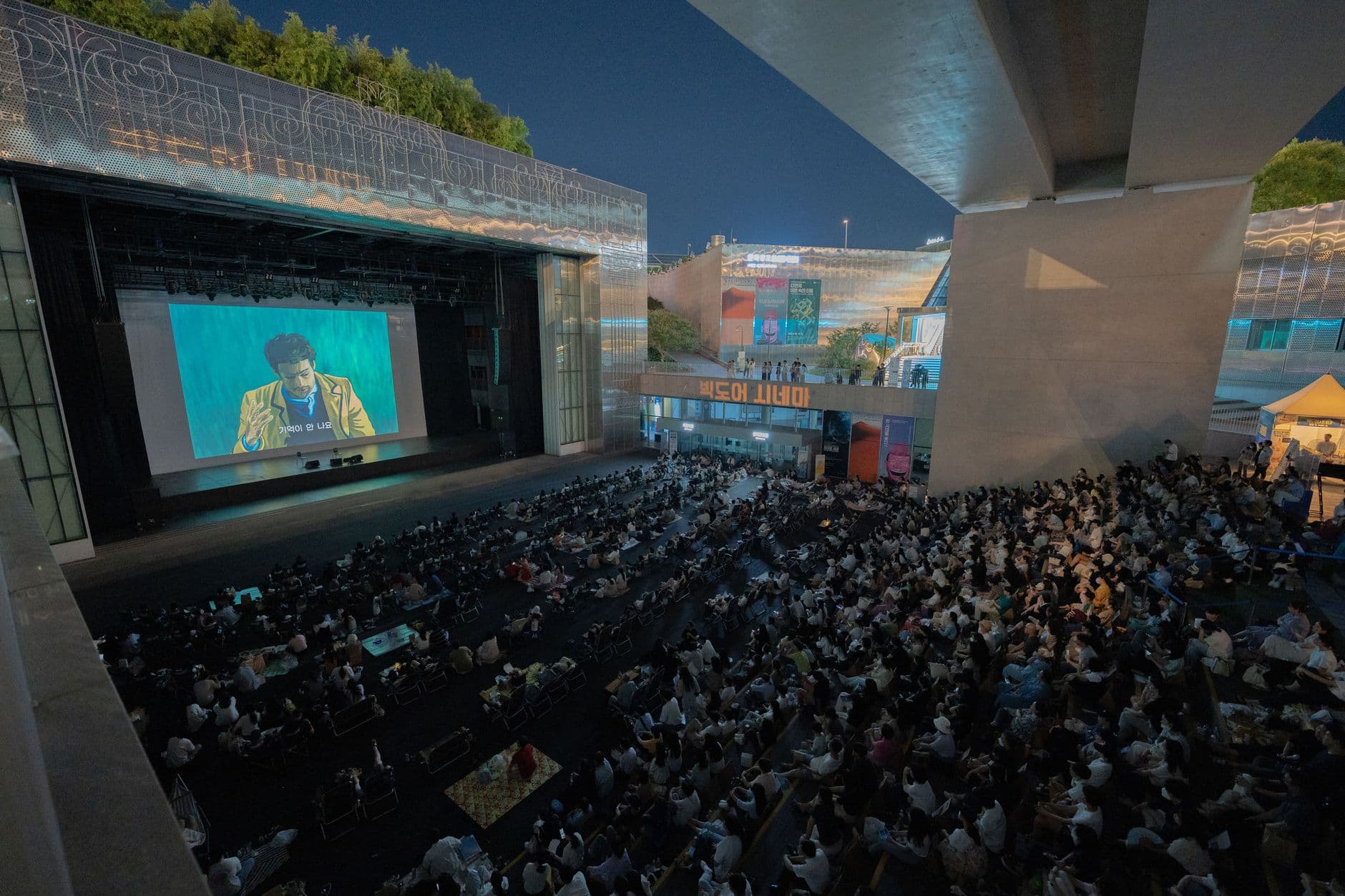
Picture a 500-person company gala. The CEO is on stage. Behind her, a 75-inch screen cycles through guest photos in real time. Someone uploads a meme. Then something worse. The screen is visible to everyone, including the board members, the press photographer in the back row, and the intern who set the whole thing up and is now sweating through his shirt.
This isn't a hypothetical disaster scenario that never happens. It happens constantly. Every event organizer who has run a public photo gallery with open uploads has a horror story. The bigger the event, the higher the stakes, and the more likely someone thinks it's funny to test boundaries.
The old fix was simple: hire a moderator. One person sits at a laptop, approves every photo before it goes live. That works at a 60-person birthday party. At a 300-person corporate conference generating 15 uploads per minute during the awards ceremony? That moderator is three drinks behind and ten photos deep in the backlog.
AI content filtering flips that equation. Instead of relying on human eyes to catch every bad upload, an automated system scans each image the moment it arrives and flags or blocks anything problematic. The good photos flow through instantly. The bad ones never reach the gallery, the photo wall, or any guest's screen.
What AI Content Filtering Actually Does
The term "AI moderation" gets thrown around loosely, so here's what it means in practice. When a guest uploads a photo to a shared event gallery, the image passes through a neural network trained on millions of categorized images. The model assigns probability scores across categories: nudity, violence, hate symbols, drugs, weapons, spam, and off-topic content.
Modern image moderation APIs deliver these decisions in under 100 milliseconds, according to Sightengine's documentation. That's fast enough to feel instant to the uploader. No queues, no waiting. The photo either appears in the gallery or it doesn't.
The accuracy of leading moderation systems sits around 95-98%, depending on the provider and content type. A 2026 comparison by Sozee.ai found that Hive Moderation reaches 95% accuracy on high-volume scanning, while Azure Content Moderator hits 92% with sub-50ms response times. These aren't perfect numbers. But they're dramatically better than a tired human moderator scrolling through hundreds of thumbnails.
AI moderation doesn't replace human judgment entirely. It handles the obvious cases (which are 95%+ of problems) and escalates the borderline ones to a human reviewer. Think of it as a very fast, very consistent first line of defense.
Why Events Need This More Than Social Media
Social media platforms have dealt with content moderation for years. But event galleries face a unique problem that Instagram and Facebook don't: the live display.
On Instagram, if someone posts something inappropriate, it might get flagged and removed within minutes. During those minutes, maybe a few hundred people see it in their feed. At an event with a live photo wall on a big screen, an inappropriate image displayed for even five seconds is seen by every person in the room simultaneously. There's no algorithm burying it in a feed. It's projected at 1920×1080 behind the DJ.
The EU's Digital Services Act and the UK's Online Safety Act have pushed platforms toward stricter moderation requirements, as outlined in a WaveSpeed AI comparison of moderation tools. Event organizers operating in Europe face similar responsibilities: if you invite guests to upload content to your platform, you carry some liability for what gets displayed publicly.
This is especially relevant for corporate events where brand reputation is on the line, and for weddings where the couple's families might not share the same sense of humor as the college friends at table nine.
How Photogala's NSFW Filter Works
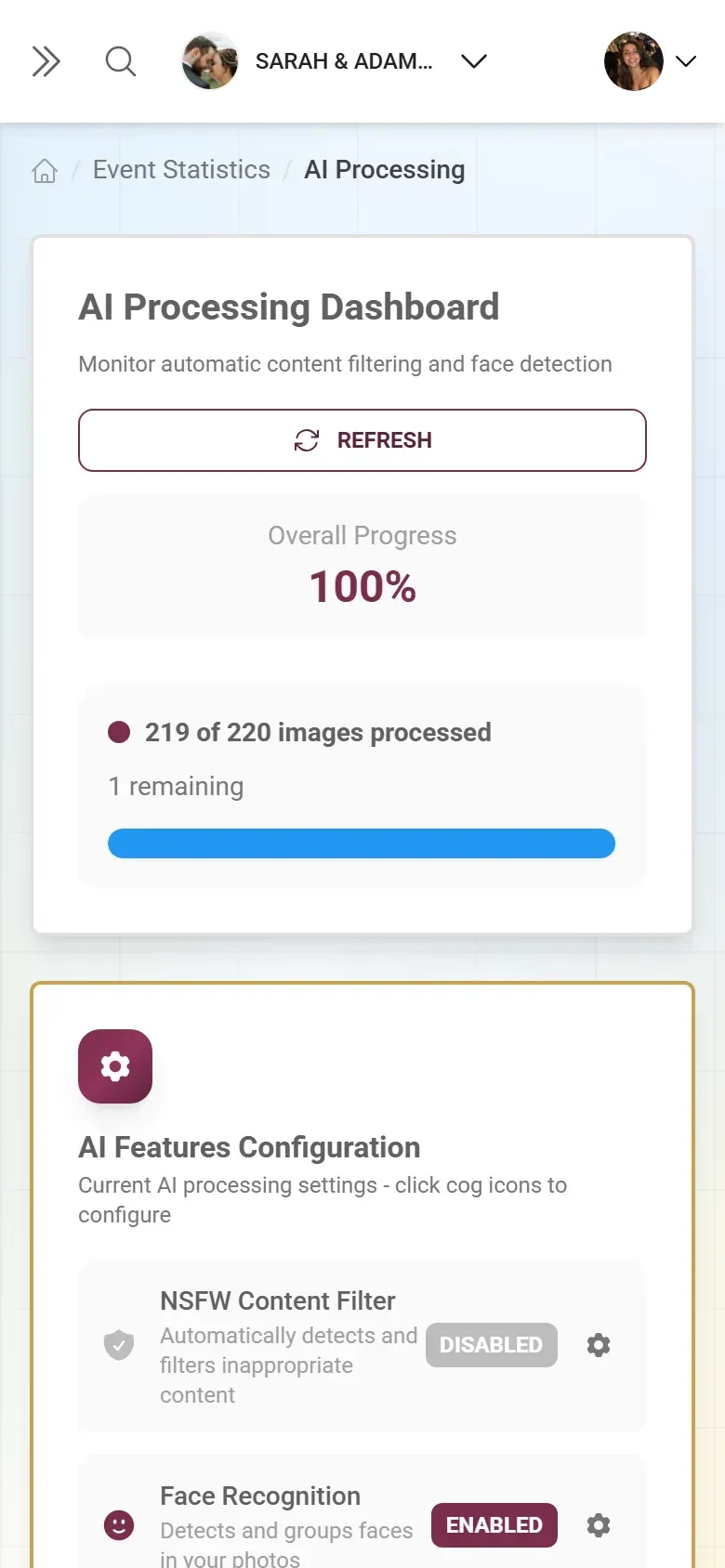
Photogala's approach to content filtering has a few layers. The AI-powered NSFW filter runs automatically on every upload, scoring images against inappropriate content categories. What makes it practical for events is the sensitivity dial.
You get four sensitivity levels: relaxed, moderate, strict, and very strict. A casual beach vacation album where swimwear photos are expected? Relaxed mode lets those through without flagging. A corporate holiday party where the CEO's assistant is moderating? Very strict catches anything remotely questionable before it reaches the approval queue.
1.Four sensitivity levels from relaxed to very strict
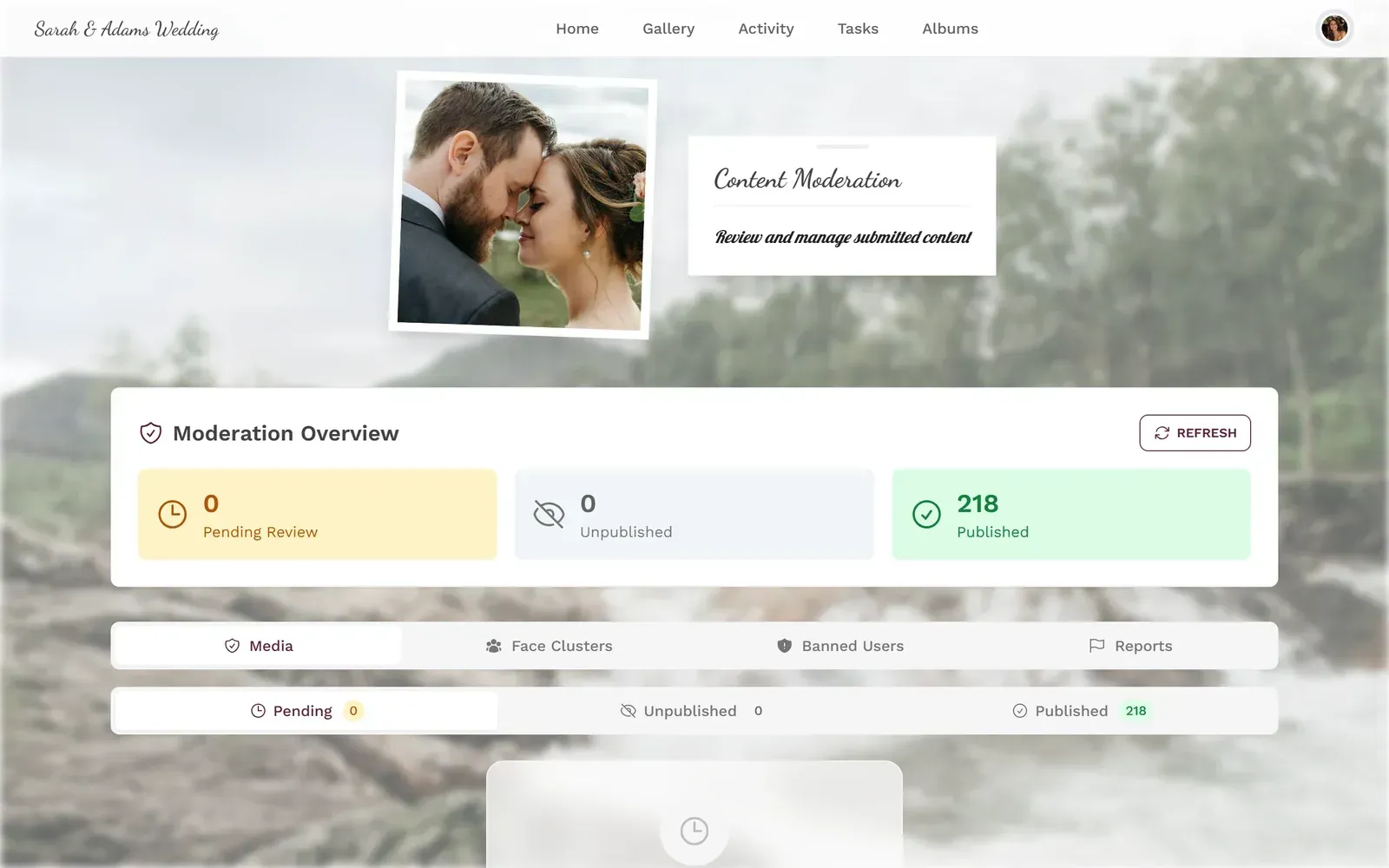
The filter doesn't just silently delete photos. Flagged images land in a moderation queue where an event admin can review them. Maybe it flagged a photo of a guest in a low-cut dress at "strict" sensitivity. The moderator taps approve, and it goes live. Maybe it caught an actual problem. One tap to reject, with a localized rejection reason the uploader can see.
One thing worth noting about the different sensitivity levels: the "moderate" setting is genuinely good for most events. It catches the obvious stuff (full nudity, violence, explicit content) without being trigger-happy about normal party photos. You only really need "very strict" for events where there's a live screen visible to a large mixed audience.
See it in action
Every guest photo in one album – no app.
Beyond NSFW: The Full Moderation Stack
Catching explicit content is the baseline. The more interesting moderation challenge at events is everything else: off-topic uploads, memes, screenshots, blurry accident photos, and the guest who uploads 47 photos of their dinner plate.
Photogala handles this with a layered system. The AI filter is the automated first pass. On top of that, you can enable manual pre-approval mode for high-stakes events. In pre-approval mode, every photo sits in the queue until a human moderator approves it. Nothing goes live without a tap.
The smart move for most events is combining both. Let the AI filter handle the obvious rejections automatically, and set the remaining uploads to auto-approve. For events with a live screen, switch to pre-approval mode during the ceremony or keynote (when one bad image would be catastrophic) and relax it during the afterparty (when the energy is looser and speed matters more).
You can also assign moderation roles to multiple people. At a wedding, maybe the maid of honor handles approvals during dinner while the best man takes over during the party. At a conference, the events team splits the load. There's no limit on admin and moderator roles on the Premium plan and above, and you can read more about managing event photo privacy and permissions in our dedicated guide.
Setting Up AI Filtering in Practice
Enable AI moderation in 3 steps
Create your gallery and pick a plan
AI content filtering is included on the Deluxe plan (€119 one-time). Create your gallery at photogala.net and choose your tier.
Enable the NSFW filter and set sensitivity
In gallery settings, toggle on the AI NSFW filter and choose your sensitivity level: relaxed, moderate, strict, or very strict.
Assign moderators for the queue
Add team members as moderators so flagged uploads get reviewed quickly. They can approve or reject from their phones.
The entire setup takes about two minutes. The filter starts working on the very first upload. You can also run it retroactively on photos already in your gallery: there's a "scan existing media" option that processes your entire library through the AI filter. Useful if you started without it and want to clean things up after the fact.
One practical tip: if you're using a live photo wall at your event, combine the NSFW filter with pre-approval mode for the first hour. Once you've established that guests are behaving (they almost always do after the initial novelty wears off), you can switch to AI-only filtering to speed up the flow. The photo wall feels more alive when photos appear within seconds instead of waiting in a queue.
The Honest Trade-offs
No AI filter is perfect. Here's what you should know before relying on one.
False positives happen. A photo of a guest holding a cocktail might get flagged at "very strict" sensitivity because the glass is close to the camera and the model interprets it as alcohol-related content. A photo of someone in a red dress against a dark background might trigger a nudity flag at low confidence. These false positives are annoying but harmless: the photo just lands in the moderation queue for a human to approve.
False negatives are rarer but more consequential. The 95-98% accuracy range means roughly 2-5 out of every 100 genuinely problematic images might slip through on their own. At a 200-person wedding generating 400 photos, the chance of a false negative on a truly explicit image is low. But it's not zero. That's why the moderation queue exists as a second layer.
AI filtering is a Deluxe plan feature on Photogala (€119 one-time). The Premium plan (€69) includes manual moderation with the approval queue but without the automated AI scanning. For smaller events where you're confident about your guests, manual moderation might be enough. For public or large-scale events, the AI filter is worth the upgrade.
Pro tip for corporate events: Even if you trust your attendees, turn on the AI filter anyway. It's not about your employees. It's about the one contractor, plus-one, or anonymous guest who uploads something you didn't expect. The filter costs nothing extra once you're on Deluxe, and it runs silently in the background.
When Human Moderation Beats AI
AI is great at catching explicit content. It's terrible at catching context. A photo of the office mascot (a stuffed bear in a Hawaiian shirt) holding a tiny cocktail umbrella? AI won't flag that. A photo that's technically SFW but features an ex-employee who was fired last week and whose presence in the gallery would create awkward HR conversations? AI has no idea.
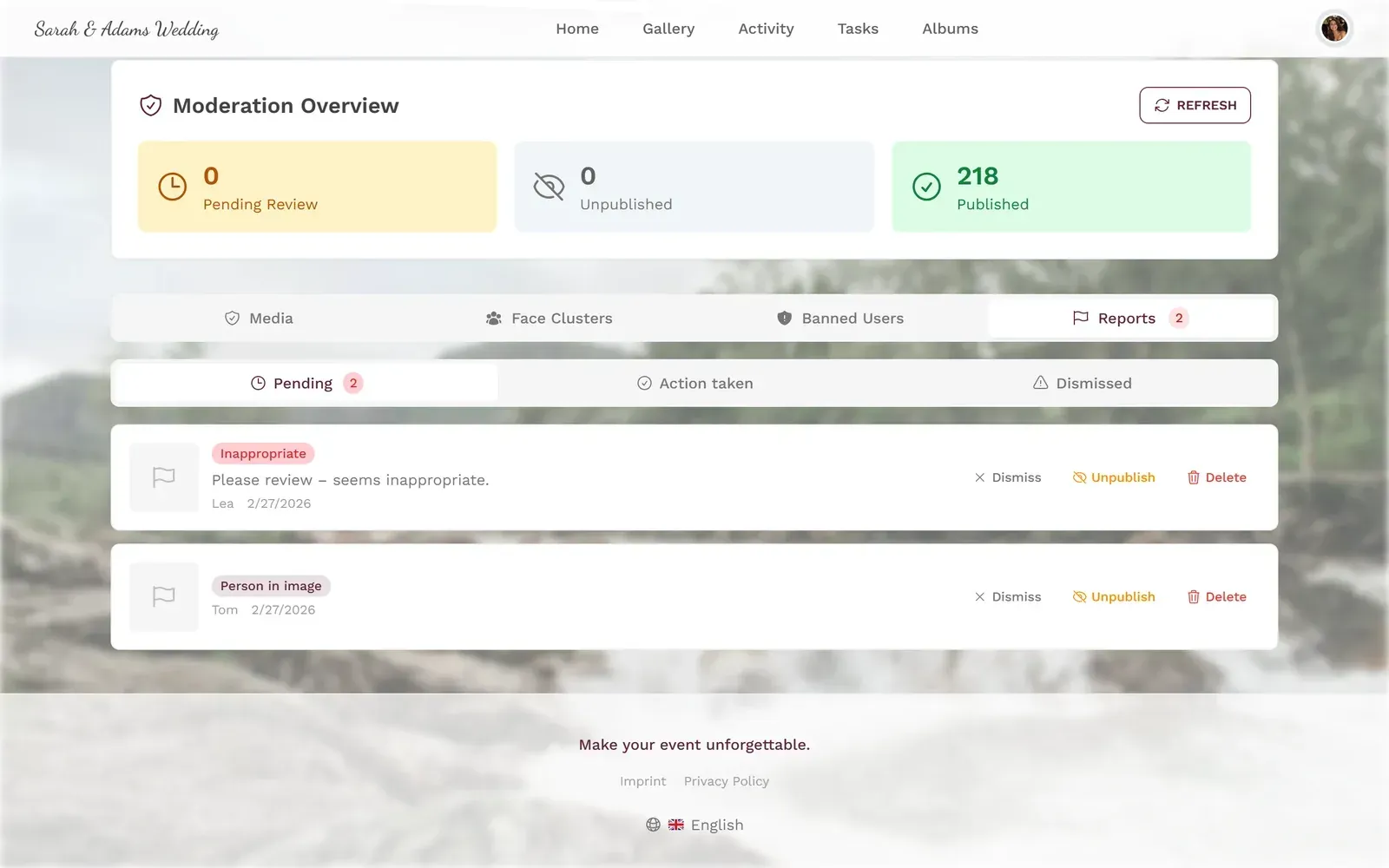
For context-sensitive moderation, you need human eyes. Photogala's content moderation dashboard gives moderators a clean interface for this: swipe through uploads, approve or reject, add rejection reasons. The AI handles the volume work, humans handle the judgment calls.
At events where you're also using AI face recognition to organize photos by person, the moderation queue becomes even more useful. You can spot patterns: if one uploader keeps submitting borderline content, you see it quickly across their uploads. If a face cluster shows someone who wasn't invited, you notice.
1.Select multiple photos for batch approve or reject
What About Privacy?
Running uploaded photos through an AI model raises a fair question: where does the processing happen, and who sees the data?
Photogala processes all AI moderation on its own infrastructure. Uploaded photos aren't sent to third-party APIs for analysis. The face recognition and NSFW detection run on Photogala's servers, and the original uploads stay in your gallery's encrypted storage. This matters especially for GDPR-compliant event photo sharing in Europe, where sending personal images to external AI services without explicit consent creates legal exposure.
You can also combine AI filtering with other privacy features. Password-protect your gallery so only invited guests can upload. Use the selfie-to-search feature so guests find their own photos without scrolling through everyone else's. These layers work together: AI filtering keeps the content appropriate, access controls keep the audience limited, and smart albums sort everything automatically.
Real-World Setup Recommendations
Here's what actually works well for common event types, based on how the sensitivity levels and moderation modes interact:
Weddings (80-200 guests): Moderate sensitivity, pre-approval mode during ceremony and speeches, auto-approve during reception and party. Assign 2-3 moderators (maid of honor, best man, sibling). Expect 300-600 uploads across the day. The AI filter will flag maybe 3-8 photos, almost all false positives on dance floor shots with dramatic lighting.
Corporate events (50-300 attendees): Strict sensitivity. Always-on pre-approval if there's a live screen. The brand risk of one bad photo outweighs the slight delay in approvals. Assign at least 2 moderators from the events team. Consider the gallery customization options to match company branding so the whole experience feels professional.
Casual parties (20-60 guests): Relaxed sensitivity, auto-approve everything. You know your guests. If someone uploads something dumb, you'll handle it manually. The AI filter is a safety net, not the main defense. Focus instead on photo challenges to keep uploads fun and on-topic.
Public or festival events (500+ attendees): Very strict sensitivity, mandatory pre-approval on the live wall, auto-approve in the private gallery with AI filtering. This is where the AI filter earns its keep. With hundreds of strangers uploading, manual-only moderation is impossible. You need the AI to handle 95% of the screening so your human moderators can focus on the 5% that needs judgment.
The best moderation setup is the one you don't think about during the event. Set it up the night before, test it with a few uploads, adjust the sensitivity, and then forget about it. The AI handles the scanning. Your moderators handle the edge cases. And the gallery stays clean while everyone else focuses on having a good time.
All of this comes with your own event.
Setting it up takes five minutes. You can build and view everything before you decide.
Starting from €39 one-timeOne-time payment — No subscription
- No App Required
- Setup in 5 Minutes
- 30-Day Money Back
“We were really thrilled, and everything went so much more smoothly, from the seating plan all the way to the photo games! Simply great! Highly recommended!”
Written by

I believe event photos should be more than static galleries. They should be live, playful, and unforgettable.
Categories
Related Posts

Company Retreat Photo Sharing: How to Actually Keep the Memories
Most offsite photos die on individual phones. Here's how to collect, share, and actually use every photo from your next company retreat.
Neighborhood Block Party Photo Sharing: How to Turn 40 Strangers Into One Shared Album
Block parties create great photos — and zero way to share them. Here's how a QR code gallery turns your street into a connected community.
Why Upload Limits Ruin Event Galleries (and What Unlimited Actually Changes)
Upload caps at events create anxiety, reduce participation, and leave gaps in your photo collection. Here's what happens when you remove the ceiling.