How to Embed Your Event Photo Gallery on a Wedding or Event Website

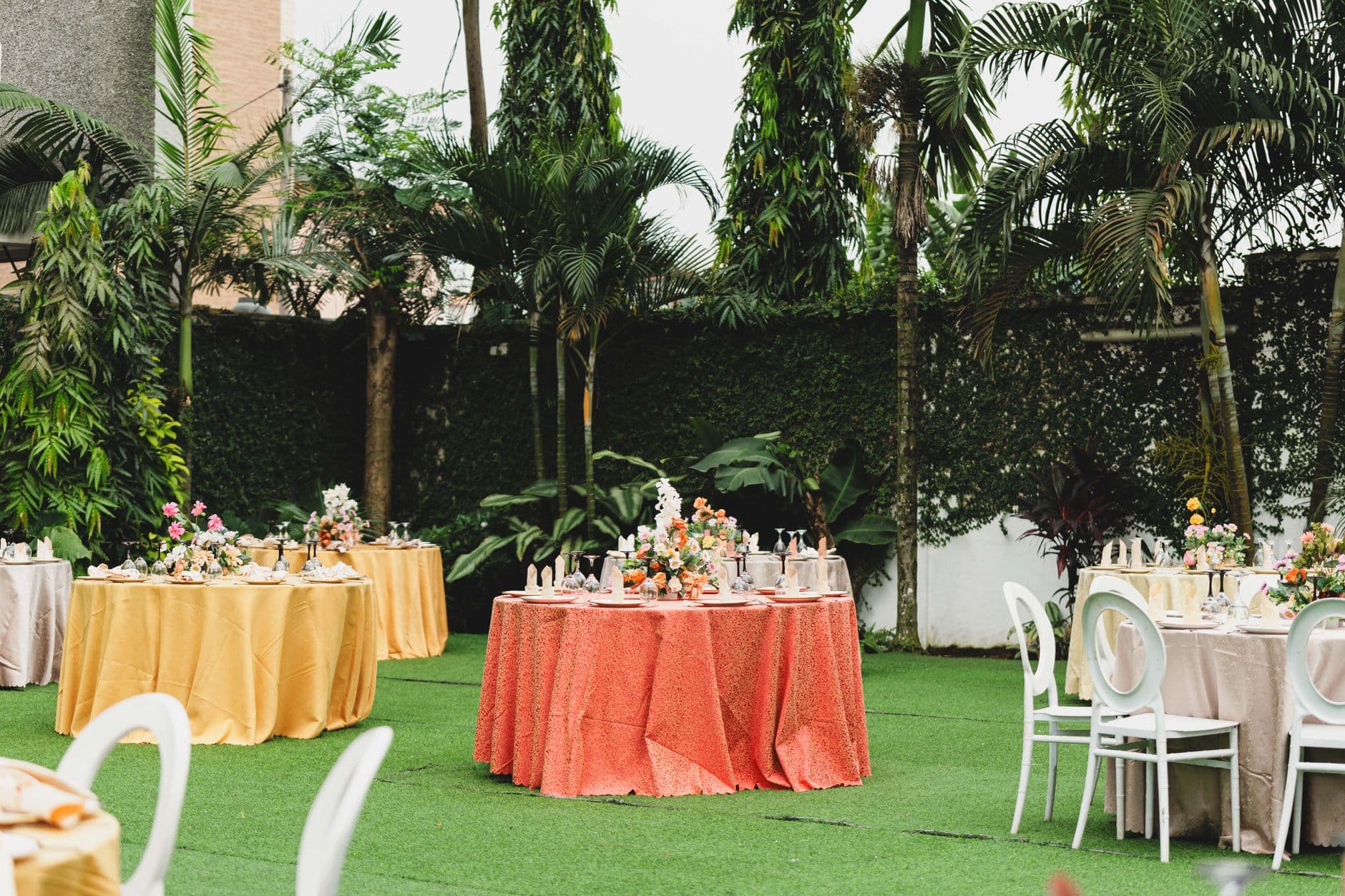
Picture a wedding website with all the usual sections: directions to the venue, the dinner menu, a Spotify playlist request form, and at the very bottom, a link labeled "Photos" that leads to a dead Google Drive folder. Three months after the wedding, there are exactly 12 photos in it. All from the same person.
That's the reality for most event websites. The photo section is an afterthought, a static link that guests click once, maybe bookmark, and never return to. The problem isn't that people don't take photos. As Elfsight points out, visual content grabs attention in ways text simply can't. Guests want to see photos. They just don't want to hunt for them.
What if the gallery was right there on the page? Not a link. Not a redirect. A live, embedded gallery where photos appear as guests upload them throughout the event. That changes everything about how guests interact with your site.
Why a Static Photo Link Doesn't Work
Most couples and event planners treat photos as a post-event deliverable. The photographer hands over a folder two weeks later, someone uploads it, done. But that ignores the 150 smartphones already at the event, each capturing moments the photographer never sees.
The traditional approach has three problems. First, shared folders require guests to have the right account (Google, iCloud, Dropbox). Half your guest list won't bother. Second, there's no visual payoff. A folder full of filenames isn't inspiring. Third, there's zero urgency. "I'll upload my photos later" means never. TIME&SPACE's comparison of event gallery platforms makes a related point: without proper infrastructure, most attendees never follow through on shared photo links. In my experience helping plan events, that tracks.
An embedded gallery solves all three. It's visual (guests see photos immediately), frictionless (no account needed), and immediate (photos show up in real time during the event). If you've been exploring ways to share wedding photos while everything is still fresh, embedding the gallery directly into your website is the most effective approach.
What "Embedding" Actually Means (Without the Jargon)
Embedding a photo gallery means placing it inside your existing website so visitors see it without leaving the page. Think of it like embedding a YouTube video. You don't send people to YouTube. The video plays right there.
For event photo galleries, this typically works one of two ways. You either use an iframe (a small HTML snippet that loads the gallery inside a frame on your page) or you share a direct QR code link that opens the gallery in a mobile browser. With Photogala, the QR code upload flow means guests don't install anything. They scan, they upload, and photos appear in the gallery on your website in real time. You can even generate QR codes using Photogala's free QR code generator if you need extras for signage.
QR Code Generator
Create custom QR codes for your event — link guests directly to your photo gallery.
The practical upside: your wedding or event website becomes the central hub. Guests check the schedule, read the menu, and scroll through the photo gallery, all on one page. No app downloads. No account creation.
Quick test: If your grandmother can scan a QR code on a printed table card and see her photo appear on the website within 30 seconds, your setup works. If she needs to create an account first, it doesn't.
Setting Up an Embeddable Event Gallery in 3 Steps
The setup takes less time than writing your wedding vows. Here's the actual process with Photogala.
From zero to live gallery
Create your event gallery
Sign up (free demo available, no credit card), name your event, pick a theme. You'll get a unique gallery URL and a QR code instantly.
Customize the look
Choose a gallery layout (modern, polaroid, timeline, vintage, or mosaic), pick header styles, match your event colors. The gallery should feel like part of your website, not a bolt-on.
Share the QR code or embed link
Print QR codes on table cards, add the gallery link to your event website, or embed the URL in an iframe. Guests scan and upload from their phones.
Once the gallery is live, every photo guests upload appears automatically. No manual syncing, no batch uploads at 2 AM. If you want the gallery to match your website's aesthetic, you can customize headers, colors, and branding down to the font level. For deeper layout control, our guide on choosing between modern, polaroid, timeline, and vintage layouts walks through every option.
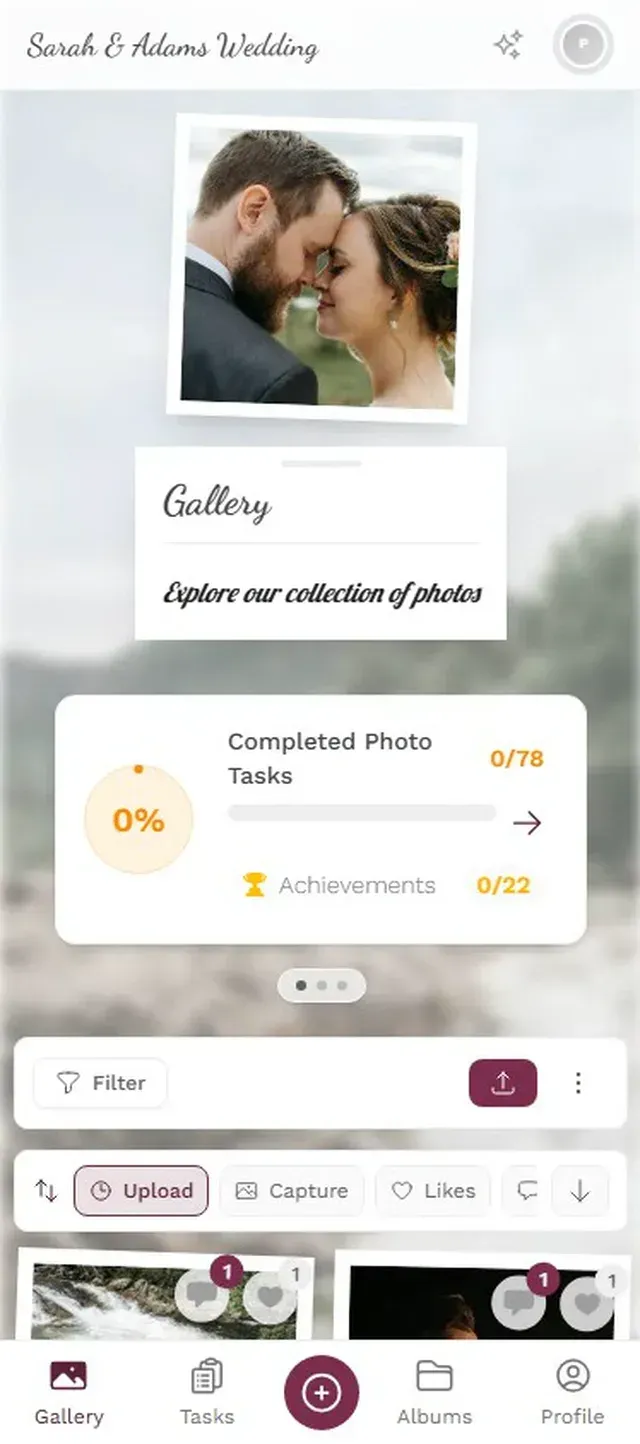
1.Guests upload directly from their phone browser. No app needed.
See it in action
Every guest photo in one album – no app.
Where to Place the Gallery on Your Website
Placement matters more than you'd think. A gallery buried on a subpage gets ignored. A gallery front and center gets contributions.
For wedding websites, the sweet spot is right below the schedule or venue section. Guests naturally scroll past logistics and land on the gallery. It feels like a reward: "You've read the boring stuff, here are the photos." If you're using a platform like Squarespace or Wix, most templates let you add a custom HTML block where you paste an iframe. Riley & Grey's wedding website examples confirm that the best wedding websites are both visually striking and easy to navigate, and an embedded gallery checks both boxes. For more on wedding-specific setups, our wedding use-case page has detailed examples.
For corporate event websites, place the gallery on the main landing page if it's a single-day event. For multi-day conferences, a dedicated "Photos" tab works better because the volume will be higher. Either way, make sure the QR code is visible at the physical event too: printed on badges, projected on screens, or placed on tables. Our guide on sharing corporate event photos with staff and press covers distribution strategies, and the corporate events use-case page shows what a branded corporate gallery looks like in practice.
One placement trick that works surprisingly well: put the gallery above the RSVP form. Guests who see photos from past events (or from setup day) feel more connected and are more likely to respond. I stumbled onto this by accident when a friend put the gallery link in the wrong section of her Squarespace site. RSVPs spiked.
The Live Photo Wall Advantage
Embedding a gallery on a website is great for remote guests and post-event browsing. But what about the people physically at the event?
That's where the photo wall comes in. Connect a TV or projector to the same gallery, and uploaded photos appear on the big screen in real time. Imagine a 55-inch display near the bar at a wedding, cycling through guest photos as they're taken. Every few minutes, someone spots their photo and nudges the person next to them.
The photo wall and the embedded website gallery pull from the same source. Upload once, appear everywhere. Our breakdown of slideshow vs. collage display modes helps you pick the right format for your venue. (Side note: collage mode with the polaroid style looks oddly nostalgic on a giant screen. Like someone pinned instant photos to a digital corkboard.)
1.The same gallery, displayed on a big screen at the venue.
Going Beyond a Photo Dump
A live gallery is already better than a Google Drive link. But the galleries that really take off give guests a reason to participate, not just a place to dump files.
Photo challenges turn passive uploading into a game. Set up 8-10 photo challenges like "Best dance floor moment" or "Find the couple's dog." Guests complete them by uploading specific photos. Each challenge can include an example preview photo showing guests what to aim for, which opens up creative formats: meme recreation, movie scene reenactments, or "recreate this pose" games.
Add a leaderboard and points system and the dynamic shifts. Say you're running a corporate team-building event with 60 people. The leaderboard on the embedded gallery page shows who's contributed the most. Suddenly the quiet developer in the corner is uploading 15 photos because she doesn't want to be last on the board. The gamification market has been growing fast precisely because this kind of competitive nudge works. At events, where people are already in a social mood, the effect is even stronger.
For weddings specifically, the combination of challenges and a gallery embedded on the wedding website creates something that feels less like a tech tool and more like a group activity. It's the modern version of disposable cameras on tables, except the photos actually end up somewhere useful. If you're curious about digital guestbook ideas that combine photos and messages, that's another angle worth exploring.
What About Privacy and Moderation?
The first question most event planners ask: "What if someone uploads something inappropriate?"
Fair concern. Photogala's moderation system lets you set up pre-approval so every photo gets reviewed before it appears in the gallery or on the photo wall. Assign moderation to a trusted bridesmaid or event coordinator. One tap to approve, one tap to reject. On the Deluxe plan, an AI-powered NSFW filter automatically flags problematic content before a human even sees it.
There's also role-based access. You can have the gallery visible to everyone on your website but limit uploading to guests who've scanned the QR code. This prevents random internet visitors from contributing to your wedding gallery.
One honest trade-off: Photogala is browser-based, not a native app. That means it works on any device without installation, but you won't get push notifications prompting guests to upload more. The QR code and photo wall visibility handle that job instead.
Choosing the Right Gallery Layout for Your Website
Not every gallery style fits every website. A minimalist wedding website with a white-and-sage palette needs a different gallery feel than a bold corporate event page.
Photogala offers multiple gallery layouts: modern grid, polaroid-style, timeline, vintage, mosaic, and justified. Each can be further tweaked with custom colors to match your event palette. The polaroid layout works beautifully for casual celebrations. The modern grid feels clean on corporate pages. Timeline is perfect for multi-day events where chronological order matters.
The customization options go deep: you can adjust column counts, spacing, corner rounding, shadows, card colors, and even apply filters to photos. For weddings, matching the gallery's header to your invitation design makes everything feel intentional rather than patched together.
After the Event: The Gallery Lives On
This is the part most people skip past when planning. The embedded gallery doesn't disappear when the event ends. With Photogala, galleries stay active for 6-12 months depending on your plan. Guests who couldn't attend can browse photos the next day. Family members discover new favorites weeks later. Someone shares the wedding website link at Christmas dinner and everyone relives the evening.
You can also bulk download everything as a ZIP archive in original quality. No compression, no watermarks. The gallery on your website becomes both the live experience and the permanent archive.
If you're using Photogala's AI face recognition, guests can even upload a selfie to find every photo they appear in. That works especially well when embedded on a website: share the gallery URL after the event and let people discover their own moments. Our guide on smart albums explains how the gallery can organize itself by person, time, or popularity.
And if you're still in the planning phase, consider adding a QR code to your wedding invitations so guests can start uploading from the moment they arrive. The gallery fills up faster than you'd expect when the QR code is printed right on the table cards.
The best event websites don't just inform. They involve. An embedded photo gallery turns your wedding or event page from a reference document into a living, breathing record of the day. The kind of page guests actually revisit.
All of this comes with your own event.
Setting it up takes five minutes. You can build and view everything before you decide.
Starting from €39 one-timeOne-time payment — No subscription
- No App Required
- Setup in 5 Minutes
- 30-Day Money Back
“We used the software at my mum's birthday party. It went down really well 😊”
Written by

I believe event photos should be more than static galleries. They should be live, playful, and unforgettable.
Categories
Related Posts

How to Make a Photo Book From Your Event Photo Gallery
Your event gallery has hundreds of photos. Here's how to turn them into a photo book people actually flip through.

How to Turn Event Photos Into a Video Montage (Without Losing Your Mind)
Hundreds of event photos on dozens of phones. Here's how to collect them all, pick the best, and turn them into a highlight reel people actually watch.

How to Add a Photo Gallery QR Code to Your Wedding Invitations
Your wedding invitation is the first touchpoint with guests. Here's how to turn it into a photo-collecting machine with a single QR code.