How to Make a Photo Book From Your Event Photo Gallery


The wedding was three weeks ago. The shared gallery has 847 photos from 63 guests. You scrolled through them once on the train home, smiled at a few, screenshot-texted your favorites to three people. And now the gallery sits there, slowly becoming one of those links you'll never open again.
This is the fate of most event photos. Not deleted, not lost, just... ignored. A Vistaprint design guide puts it well: a photo book is tangible. You can feel the weight of it in your hands. A shared album link can't compete with that.
The good news: if your event photos already live in a shared gallery (instead of scattered across six phones and two WhatsApp groups), you've already done the hardest part. The rest is curation, a bit of structure, and knowing which 80 photos out of 847 actually belong in a book.
Why Most Event Photo Books Never Get Made
The obstacle isn't motivation. Right after the event, everyone wants a photo book. The obstacle is the gap between wanting it and sitting down to do it. That gap gets wider every day.
Three things kill most photo book projects before they start. The photos are everywhere: some on the photographer's Dropbox, some in a shared iCloud album that half the guests can't access, some texted in group chats. Gathering them takes longer than the event itself. Then there's the volume problem. Scrolling through 900 photos to pick 80 is exhausting, especially when 200 of them are nearly identical shots of the same toast. And even once you have them all, most people don't know what makes a good photo book. They think it's about picking the "best" photos, when it's really about telling a story.
A shared event photo gallery solves the first problem entirely. Every guest's photos, in one place, from the moment they were taken. If you used a QR code upload system, guests didn't need an app or an account. They scanned, uploaded, done. No chasing people for photos weeks later.
The other two problems? That's what this guide is for.
Step 1: Download and Organize Your Gallery
Before you open any photo book service, get all your photos onto your computer. If your gallery supports bulk ZIP downloads, use that. One click, one file, all photos in original quality. This matters more than you think: phone-compressed photos look fine on a 6-inch screen but muddy on a printed 8×10 page.
We covered the full download and backup process in our guide on how to archive and back up your event photos. The short version: download the ZIP, keep a backup copy on an external drive or cloud service, and work from a local folder.
Once everything is downloaded, create three folders on your desktop: Yes, Maybe, and Story Gaps. You'll use these in the next step.
If your gallery has smart albums enabled, your photos might already be sorted by time window, uploader, or even by person (via AI face recognition). That pre-sorting saves you an hour of manual work when curating for a photo book.
Step 2: Curate Like an Editor, Not a Hoarder
This is where most people get stuck. They want to include everything. Resist that urge.
A 40-page photo book holds roughly 80-120 photos, depending on layout. Your 847-photo gallery needs to shrink by 85%. That sounds brutal, but it's actually freeing. You're not building an archive. You're building a narrative.
As Taopix's design research notes, modern photo books work best when they follow a clear narrative thread that connects individual moments into a meaningful whole. Chronological order is the simplest thread, but not the only one. You could organize by location (ceremony → reception → dance floor → after-party), by emotion (nervous → joyful → chaotic → tender), or by people (couple → family → friends → everyone together).
Here's a practical curation method that works:
The Three-Pass Curation Method
First pass: gut reactions
Scroll through every photo once, quickly. Drag anything that makes you feel something into the Yes folder. Don't overthink. If you pause on it, it's a Yes. Aim for 150-200 photos.
Second pass: kill duplicates
Open the Yes folder. For every group of similar shots, pick the single best one. Five photos of the first dance? Keep the one where both faces are visible. Cut your Yes folder to 80-100.
Third pass: fill the gaps
Lay out your selections mentally. Is there a gap between the ceremony and dinner? No wide shots of the venue? Check the Maybe folder or the original gallery for photos that fill narrative holes.
The Story Gaps folder is for photos you specifically need to hunt for. Maybe you have 30 dance floor photos but nothing from cocktail hour. Write a note, search the gallery, and find one or two that bridge the gap.
One thing that helps enormously: if the original gallery let guests add comments or likes, the most-liked photos are usually the ones that resonate. Use that signal. When 14 people liked a particular candid shot, it probably belongs in the book.
See it in action
Every guest photo in one album – no app.
Step 3: Pick the Right Photo Book Format
Not all photo books are the same object. The format changes how your photos feel on the page, and more importantly, whether the book survives ten years on a shelf or falls apart after two.
Three formats dominate:
- Hardcover lay-flat is the premium choice. Pages open completely flat, so photos can span two pages without disappearing into the spine. Worth it for weddings and milestone events. Expect €40-80 for a 40-page book.
- Hardcover standard uses traditional binding. Cheaper than lay-flat (€25-50), perfectly fine for most events. Photos near the spine get slightly hidden, so avoid full-bleed spreads.
- Softcover is lightweight and affordable (€15-30). Good for casual events, vacations, team outings. Doesn't feel as "special" but you can make multiple copies without wincing at the cost.
For a wedding or a big family reunion, go hardcover lay-flat. For a corporate team building day or a birthday party, softcover or standard hardcover works fine. The question isn't which is "best." It's which matches the weight of the memory.
Step 4: Design With Story, Not Decoration
Here's where photo books either become something people revisit for years, or something that sits on a shelf collecting dust. The difference is narrative structure.
The simplest structure: chronological. Start with arrivals, end with goodbyes. Open the book with a wide shot of the venue (sets the scene) and close with a candid from the end of the night (the emotional payoff). Everything between follows the event's natural flow.
A few design principles that actually matter:
- One hero photo per spread. Each two-page spread should have one photo that's clearly the star, displayed large. Supporting photos can be smaller. When every photo is the same size, none of them feel important.
- White space is your friend. Cramming six photos onto one page makes them all invisible. Three photos with breathing room between them feel intentional.
- Mix angles and types. A wide shot, a close-up detail, a candid reaction. Three wide shots in a row feel repetitive. Alternate between overview and intimate moments.
- Captions are optional but powerful. A single line under a photo ("Uncle Martin finally learned the Macarena") adds personality that the image alone can't convey.
- The last page matters. End with something emotional, not a group shot where half the people are blinking. A quiet moment, a detail, a look between two people.
If the event had photo challenges, those photos make excellent section dividers. A challenge prompt ("photograph something blue") followed by the three best submissions creates a natural mini-chapter within the book. We've written about creative challenge ideas that produce exactly these kinds of bookworthy moments.
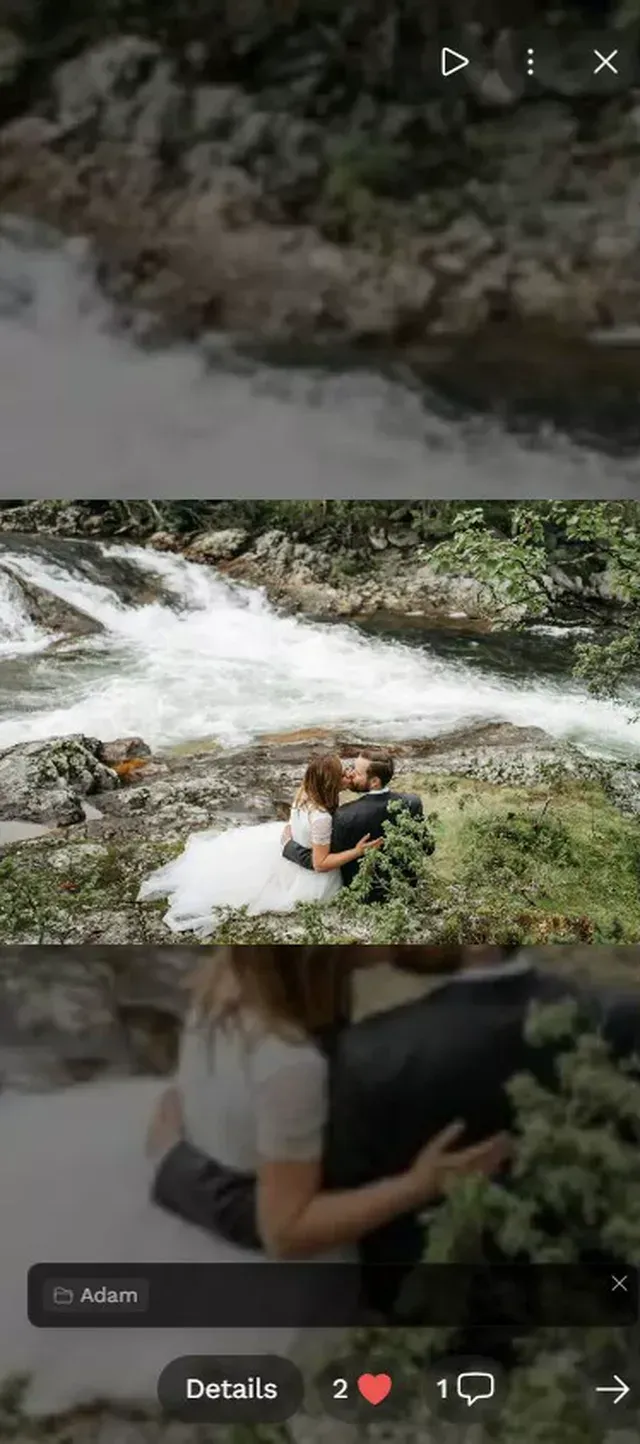
1.Your gallery: the starting point for any photo book project
Step 5: From Gallery to Print (the Actual Workflow)
You've curated 90 photos, picked a format, sketched a rough narrative arc. Now the mechanical part.
Most photo book services (Shutterfly, Mixbook, CEWE, Saal Digital) follow the same flow: pick a template, upload photos, drag them into layouts, add text, order. The whole process takes 2-4 hours for a 40-page book if your photos are already curated. Without curation? Easily 8+ hours of indecision.
Practical tips for the print step:
- Upload original-resolution files. If your gallery gave you a ZIP download in original quality, use those files, not screenshots or WhatsApp-compressed versions.
- Start with a premade template, then customize. Building layouts from scratch is a time sink. Templates give you a working structure you can adjust.
- Order a proof copy before printing 10 copies as gifts. Colors on screen don't always match print. One proof copy costs €15-25 and saves you from a €200 mistake.
- Check dark photos carefully. Photos that look fine on a bright phone screen often print too dark. Bump brightness by 10-15% on any photo that was taken in dim lighting.
If you want more detail on getting photos from a shared gallery to a physical format, our guide on how to print photos from a shared event gallery covers the technical side in depth.
The Photo Book Nobody Expected
Picture this: a couple receives their professional wedding album, 300 beautifully edited portraits. Gorgeous. They put it on the coffee table. But the book they actually flip through on a random Tuesday night? The scrappy one with 80 unfiltered guest photos. The blurry dance floor shot. The kid asleep under a table. The grandmother raising a champagne glass with a look of pure mischief.
Professional photos capture what the event looked like. Guest photos capture what it felt like. A photo book made from a shared gallery holds both. You can weave the photographer's polished shots in as section openers, then let the guest chaos fill the pages between them.
That's the real value of having all event photos in one organized gallery before you start. You're not choosing between professional and casual. You're telling the complete story. If guests used a QR code on the table cards, the uploads are already timestamped and sorted. That timeline becomes your book's spine.
Photo books from event galleries work for more than weddings. Corporate teams can create a team-building memory book, families can compile reunion keepsakes, and parents can turn a school recital gallery into a year-end gift for teachers. You can even design your invitation cards to match the photo book's visual theme.
Common Mistakes (and How to Avoid Them)
After walking through this process a few times, certain patterns emerge. Here are the ones that trip people up:
Including every group photo. You probably have 15 variations of the same group standing in the same spot. Pick the one where the most people have their eyes open. One is enough.
Forgetting the "boring" photos. Table settings, the venue entrance, a close-up of the menu card. These aren't exciting on their own, but in a book they provide context. They're the establishing shots in your visual story.
Making it too long. A 60-page photo book sounds generous. In practice, people stop engaging around page 40. Thirty to forty pages is the sweet spot for most events.
Waiting too long. The enthusiasm for a photo book peaks in the first two weeks after the event. By month three, it's a chore. Set a deadline: "The book gets ordered by Sunday." That works. "I'll get to it eventually" does not.
And one honest limitation worth mentioning: if your event photos were scattered across WhatsApp groups and individual camera rolls with no shared gallery, the gathering step alone might take longer than the entire design process. Starting with a centralized gallery (even a free one) saves you that headache entirely. We built Photogala's bulk download feature specifically because "get all the photos in one place" shouldn't be the hard part.
The gallery on your phone is infinite scroll. A photo book is finite, curated, deliberate. The 80 photos you choose say more about the event than the 800 you didn't.
Start with a gallery that already has everything in one place, and the rest is just editing.
All of this comes with your own event.
Setting it up takes five minutes. You can build and view everything before you decide.
Starting from €39 one-timeOne-time payment — No subscription
- No App Required
- Setup in 5 Minutes
- 30-Day Money Back
“We were really thrilled, and everything went so much more smoothly, from the seating plan all the way to the photo games! Simply great! Highly recommended!”
Written by

I believe event photos should be more than static galleries. They should be live, playful, and unforgettable.
Categories
Related Posts

How to Turn Event Photos Into a Video Montage (Without Losing Your Mind)
Hundreds of event photos on dozens of phones. Here's how to collect them all, pick the best, and turn them into a highlight reel people actually watch.
How to Add a Photo Gallery QR Code to Your Wedding Invitations
Your wedding invitation is the first touchpoint with guests. Here's how to turn it into a photo-collecting machine with a single QR code.
Game-Day Watch Party Photo Sharing: How to Capture 4 Hours of Chaos in One Gallery
Game-day watch parties generate wild, unforgettable moments. Here's how to make sure every photo actually ends up in one place instead of 14 different camera rolls.