How to Reuse One Photo Gallery for a Recurring or Annual Event

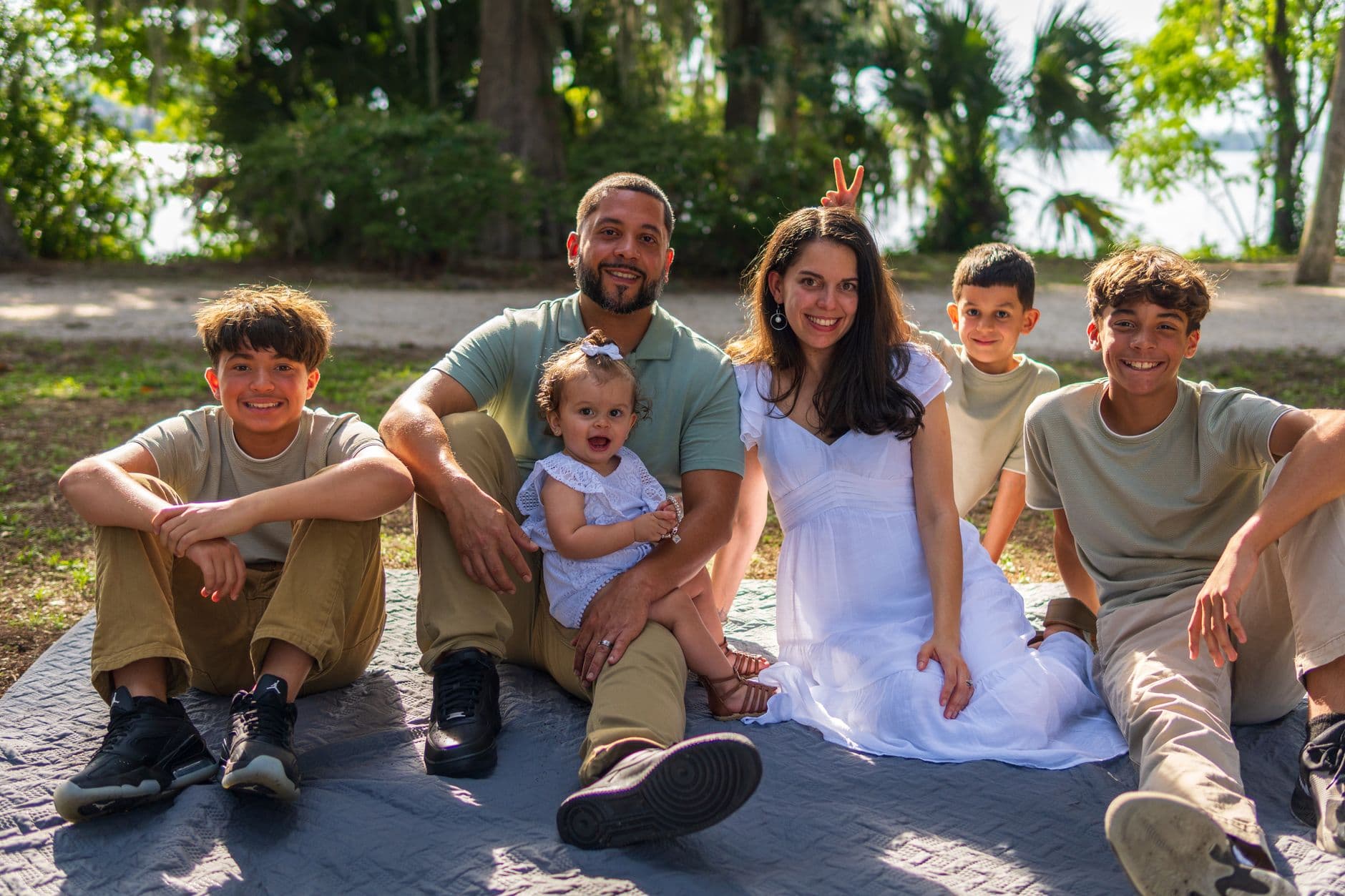
Picture this: a family of 47 people gathers for their annual reunion at the same lake house they've been renting since 2019. Somebody creates a shared Google Photos album. Twelve people join it. The rest text photos in group chats that nobody saves. A year later, when it's time to plan the next reunion, the organizer wants to show a slideshow of last year's highlights. She spends two hours hunting through iCloud backups, WhatsApp threads, and a USB stick her brother-in-law mailed her in October.
This happens every single year. Not just at family reunions. Corporate summer parties, annual charity galas, yearly team offsites, holiday gatherings that follow the same rhythm. The event repeats, but the photo collection starts from zero each time. All that visual history, scattered across a dozen platforms nobody remembers the passwords to.
There's a better pattern. One gallery, reused year after year, with every edition's photos living in the same place. No rebuilding. No lost access links. No "which Google account was that album on?" conversations.
Why Starting Fresh Every Year Costs More Than You Think
The obvious cost is time. Setting up a new gallery, sharing a new link, explaining the new process to the same 50 people who did this last year. But the hidden cost is continuity. When photos from 2022 live in a WhatsApp group, 2023 in a shared iCloud album, and 2024 on someone's Dropbox, you've lost the thread that connects those events. Nobody can browse through five years of the company holiday party or three generations of family reunion photos in one place.
It's worth thinking of photo organization as a strategic asset, not an afterthought. A single product launch can generate thousands of photos across multiple devices and cloud accounts. For recurring events, that problem compounds every year. You're not organizing one event's photos. You're building an archive.
Retaining the same gallery structure also solves a problem most organizers don't think about until year two: guest familiarity. If attendees already know how to access the gallery from last time, participation goes up. Research from Expologic on recurring event strategy confirms that consistent experiences reduce friction and boost engagement. The same principle applies to something as simple as a photo gallery link.
The Album-Per-Year Approach
The cleanest structure for a recurring event gallery is one album per edition. Think of it like chapters in a book. The gallery itself is the book (your event), and each album is a year: "Summer Retreat 2024," "Summer Retreat 2025," "Summer Retreat 2026."
With Photogala, every paid plan includes unlimited albums, so you're not paying extra to add a new one each year. The QR code stays the same. The gallery link stays the same. You just create a new album for the current edition, and guests upload into it. Photos from previous years remain browsable in their respective albums.
This matters more than it sounds. When your uncle who came to the 2023 reunion but missed 2024 shows up again in 2025, he can scroll through what he missed. When the new HR manager takes over the annual company party, she can see how it looked the last three years without asking five people for screenshots.
Name albums with the year first. "2025 — Lake House Reunion" sorts better than "Lake House Reunion 2025" when you have a dozen of them. Guests scanning through the album list will see them in chronological order.
Setting It Up: A 10-Minute Process
You don't need to be technical. The whole setup takes about as long as ordering coffee.
How to set up a recurring event gallery
Create your gallery once
Pick a name that works across years (e.g. "Martinez Family Reunion" not "Reunion 2024"). Set your branding, cover image, and gallery layout. This is the last time you'll do this.
Add your first album
Create an album for this year's edition ("2025 — Lake House"). Set it as the default upload destination so guests' photos land in the right place.
Share the QR code
Print the QR code or share the link. Guests scan it, upload photos from their browser — no app install needed. Same QR works every year.
Next year: add a new album
When the next event rolls around, open the same gallery, create a new album for the new year, and update the default. That's it. Two minutes.
The QR code upload is the piece that makes recurring use practical. A printed QR code on a table tent, a fridge magnet, or even a sticker on the reunion cooler can survive from year to year. Guests who remember the drill from last time scan and start uploading immediately. New attendees follow the same flow, no briefing required. You can even design your QR code with Photogala's free QR code generator to match your event's look.
QR Code Generator
Create custom QR codes for your event — link guests directly to your photo gallery.

1.Same QR code, year after year. Guests scan and upload instantly.
Making Each Edition Feel Fresh
Reusing a gallery doesn't mean it should feel stale. The structure carries over, but the experience can evolve. Here are the levers that matter.
Update the cover image and branding
Swap the cover photo each year. Use a highlight from last year's event, or a teaser of the venue. With Photogala's customization options, you can tweak gallery colors, header styles, and even switch between layout variants (Modern, Polaroid, Timeline, Vintage) to match the year's theme. The gallery URL doesn't change. Just the vibe.
Rotate your photo challenges
If you ran photo challenges last year ("Best sunset shot," "Group photo with the dog," "Recreate this pose"), swap them out for fresh ones. Photogala lets you import from templates or create custom challenges with example preview photos, so guests get a visual reference of what to aim for. A family reunion might have "Recreate a photo from 10 years ago" one year and "Best candid of Grandma" the next. A corporate retreat might rotate between team selfie challenges and creative scavenger hunts.
The key is that you're not rebuilding the challenge system from scratch. The gallery already supports it. You're just updating the prompts, the way you'd update a playlist for a party you throw every year.
If you've run photo contests at previous editions, you already know which challenge formats get the most uploads. Double down on those and retire the ones that flopped.
See it in action
Every guest photo in one album – no app.
The Nostalgia Effect: Why Multi-Year Galleries Hit Different
Picture a family reunion in its fifth year. Grandma opens the gallery on her iPad and scrolls back to the 2021 album. There's a photo of the kids building a sandcastle. They're teenagers now. That moment of browsing old photos at the current event creates a self-reinforcing cycle: people see how valuable the archive is, so they upload more this year, which makes next year's archive even richer.
ScanMyPhotos research found that sharing photo albums before a reunion transforms the event into a continuation of an ongoing conversation rather than a standalone gathering. A multi-year gallery does this automatically. Guests arriving at this year's reunion can browse last year's photos on the drive over. It sets the mood before anyone even parks the car.
This works for corporate events too, though the tone is different. A company that's run the same summer party for four years has a visual record of team growth, office culture, and the people who've come and gone. New hires scrolling through previous years get a sense of belonging faster than any onboarding deck could deliver.
For family gatherings across generations, our guide on Easter photo sharing covers similar multi-generational dynamics. And if your recurring event happens to be Thanksgiving, the same gallery approach applies, one shared space for a tradition that repeats annually.
Practical Considerations (The Stuff Nobody Mentions)
Active period and timing
Photogala's active period starts after the first 10 photos are uploaded, not from the purchase date. For a Plus plan, that's 6 months. For Premium, 12 months; for Deluxe, 24 months. If your event happens once a year, the Premium or Deluxe plan gives you a full cycle. Between events, the gallery stays online and browsable. Guests can scroll through old albums anytime.
If you need the gallery to span longer than 12 months between active events, check pricing for extension options. The point is: you're not locked into a single-day gallery that vanishes the next morning.
Managing permissions across years
For corporate events, the moderation dashboard lets admins control who uploads and what gets published. You can assign moderator roles to different team members each year without changing the gallery itself. This year's event coordinator gets moderator access, reviews uploads, and the gallery stays clean across editions.
For family reunions, this is usually less of a concern. But if Uncle Dave has a habit of uploading blurry photos of his thumb, pre-approval mode exists for a reason.
What about really large recurring events?
Annual charity galas, company-wide conferences with 200+ attendees, multi-day corporate events: these generate volume. The Deluxe plan handles 500 uploaders with unlimited photos and videos. The AI face recognition becomes genuinely useful here. Guests upload a selfie and instantly find every photo they appear in, across the current year and previous years. That's the kind of feature that makes people say "wait, really?" at a conference registration desk.
If your recurring event involves a competitive element (and honestly, even corporate retreats benefit from friendly competition), the gamification features carry year-over-year context. Achievements, leaderboards, points. Imagine a leaderboard at the annual charity 5K that shows lifetime photo contributions, not just this year's. We've written about how that works for charity runs specifically.
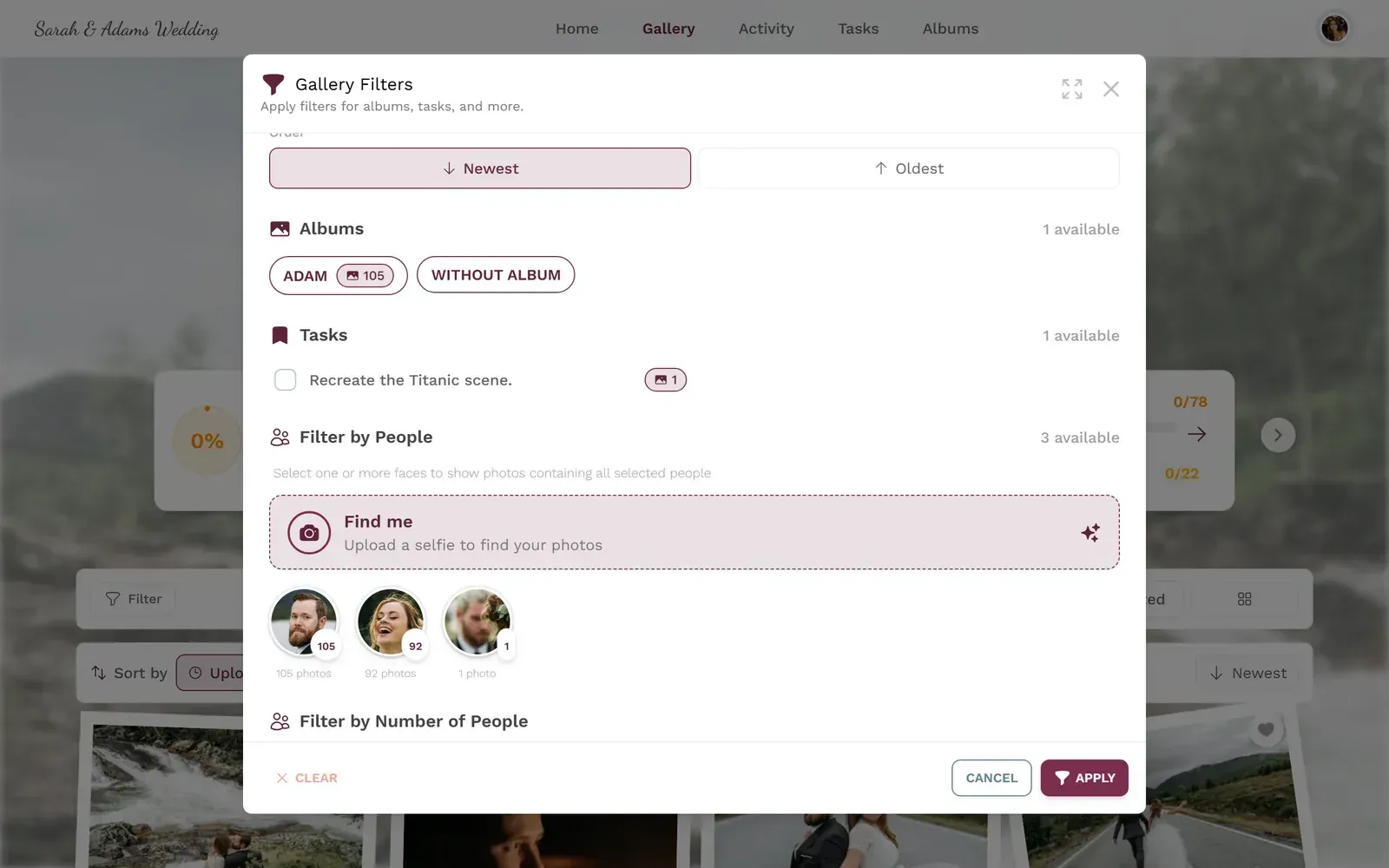
1.Leaderboards add friendly competition to recurring events.
A Template for Your First Multi-Year Gallery
Whether it's a family reunion, a holiday party, or a corporate tradition, the setup follows the same pattern:
- Year 1: Create the gallery with a timeless name. Set up branding, create the first album, share the QR code. Run 3-5 photo challenges.
- Year 2: Open the same gallery. Create a new album. Update the cover image. Rotate challenges. Share the same QR code. Watch participation jump because half the guests already know the drill.
- Year 3+: The archive starts doing its own marketing. People browse old albums, feel the pull of nostalgia, and upload more. New attendees see the depth of the gallery and immediately understand the value.
By year three, you're not explaining the gallery anymore. It's just part of the event, like the venue or the playlist.
And if you're also running a live photo wall at the venue, consider dedicating a few minutes of the slideshow to highlights from previous years. Nothing gets people uploading faster than seeing their photo from two summers ago cycle across a big screen while everyone's eating dinner.
For event-specific ideas, our guides on Lunar New Year gatherings and religious festival photo sharing cover recurring celebrations with cultural context. Same gallery principle, adapted to different traditions.
The best event galleries aren't the ones with the fanciest features. They're the ones people actually come back to. A gallery that spans three, five, ten years of a recurring tradition becomes something more than a photo collection. It becomes a record of the people who showed up, year after year, and the moments they decided were worth capturing.
Start with one gallery. Name it well. Add an album. Share the QR code. Next year, do it again. That's the whole strategy.
All of this comes with your own event.
Setting it up takes five minutes. You can build and view everything before you decide.
Starting from €39 one-timeOne-time payment — No subscription
- No App Required
- Setup in 5 Minutes
- 30-Day Money Back
“We were really thrilled, and everything went so much more smoothly, from the seating plan all the way to the photo games! Simply great! Highly recommended!”
Written by

I believe event photos should be more than static galleries. They should be live, playful, and unforgettable.
Categories
Related Posts

How to Watermark and Protect Photos in a Shared Event Gallery
Event photos get screenshotted, reshared, and misused more often than you think. Here's how to protect your gallery without ruining the experience.

How to Set Upload Reminders and Deadlines for Event Guests
Most event photos die on guests' camera rolls. Here's how upload windows, gentle nudges, and smart deadlines rescue them.
How to Run a Best-Photo Contest at Your Event
Photo contests turn passive guests into active participants. Here's how to set one up that people actually care about.