Halloween Party Photo Sharing: Costumes, Contests, and Challenges That Actually Work

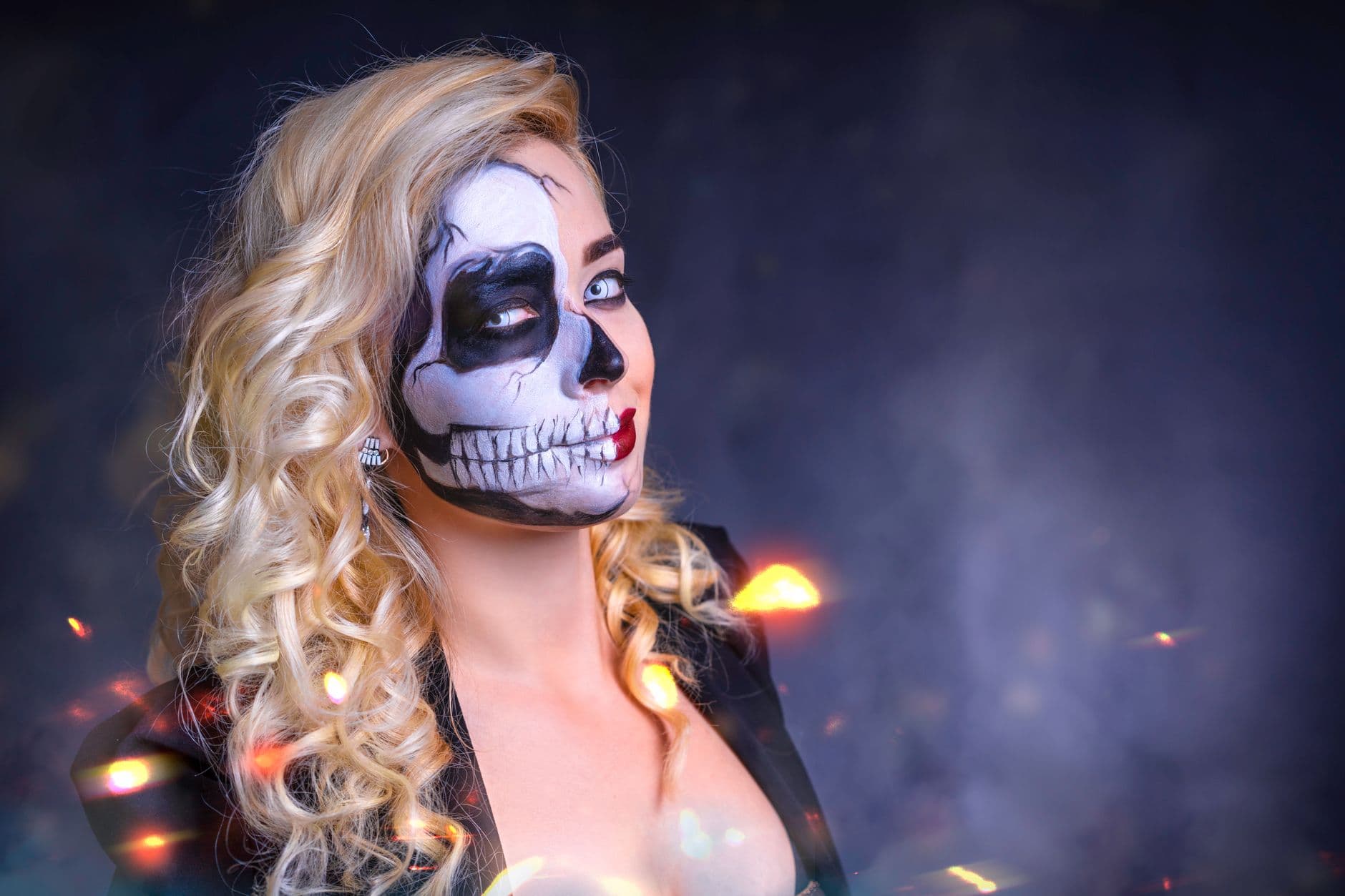
Eleven PM. The lights are low, the fog machine is doing its job, and someone dressed as a surprisingly accurate Beetlejuice is doing the worm on the dance floor. Three phones are recording it. By tomorrow, those videos will be buried under 200 other camera roll items, never to be seen again.
That's the tragedy of Halloween parties. People spend hours on costumes. They style wigs. They paint prosthetics. They hot-glue rhinestones at 2 AM the night before. And then the only evidence is a blurry selfie someone texted to the group chat at midnight.
Halloween is uniquely photo-hungry compared to other events. As one guide on Halloween party photos puts it, people invest serious effort into costumes and want extensive documentation of the result. Full-body shots, detail close-ups, group poses. The demand for photos is massive. The infrastructure to collect them? Usually nonexistent.
This article covers three things: how to actually collect every costume photo your guests take, how to turn your photo gallery into a live costume contest, and how to use photo challenges to get people shooting all night. No app installs, no WhatsApp groups that cap out at potato-quality compression (we compared the two approaches in our piece on WhatsApp vs. dedicated photo sharing apps), no "I'll send you the photos" promises that never materialize.
Why Halloween Parties Eat Other Events for Photo Sharing
Most parties have a photo problem: guests take a few shots, pocket the phone, and forget about it. Halloween flips that dynamic. When someone spent three hours turning themselves into a Victorian ghost, they want proof. Their friends want proof. The person they're trying to impress across the room wants proof.
The result is a lot of photos taken by a lot of people, spread across a lot of devices. Picture a 40-person Halloween party. Maybe 30 guests actively take photos. Each one snaps 8-15 shots throughout the night. That's 240-450 photos floating around on individual phones. Without a shared gallery, you'll see maybe 5% of those. The rest? Gone.
The second Halloween-specific problem is darkness. Most Halloween parties happen in dim rooms with colored lighting. Phone cameras struggle. People delete their blurry attempts. The good shots that do exist become even more valuable, which makes collecting them even more important.
A shared gallery with QR code upload fixes both problems at once. Print a QR code with a Halloween-themed password ("trick2025" or "boo2026"), stick it near the entrance, and guests scan to upload directly from their browser. No app download, no account creation. Even the friend who showed up as a low-effort bedsheet ghost can figure it out in under 30 seconds. If you want a custom design for your QR code, the free QR code generator lets you create one in seconds.
QR Code Generator
Create custom QR codes for your event — link guests directly to your photo gallery.

1.Guests scan a QR code to open the gallery instantly
If you're hosting at a restaurant or bar, the same approach works. We covered the setup details in our guide on using QR codes for guest photo uploads at restaurant and bar events. Print the code on table tents or tape it next to the drink menu. Guests will find it.
The Costume Contest Nobody Has to Judge
Costume contests are a Halloween staple, but the judging part is awkward. Someone has to stand in front of the crowd, pick three finalists, and disappoint everyone else. The winner is usually whoever had the loudest friends cheering. Not exactly fair.
According to Goodwill Community Foundation, costume contests work because they "encourage friendly competition, laughter, and memorable moments as participants showcase imagination." The competition itself creates energy. But the judging format matters a lot.
Here's a better format: use the social features in your shared photo gallery as the voting mechanism. Every guest uploads their best costume photo. Everyone else browses the gallery and likes their favorites. Most likes wins. Simple, democratic, and it runs itself while you're busy refilling the punch bowl.
This approach solves two problems at once. You get a costume contest that doesn't need a host or judges. And you get guests actively browsing and engaging with the gallery, which means more uploads, more likes, and more energy around the photos. The contest keeps people coming back to the gallery all night.
Pro tip for costume contest voting: Announce the contest at the start of the party and set a voting deadline (say, 11 PM). Display the live photo wall on a TV screen so everyone can see new uploads appearing in real time. Watching your costume photo pop up on a big screen gets people uploading faster. Announce the winner at midnight for maximum dramatic effect.
You can also layer in a leaderboard that ranks guests by uploads, likes received, or challenges completed. Suddenly you have friendly competition running all night, not just a single contest moment. We've written extensively about how to configure challenges that guests actually finish if you want the full playbook.
See it in action
Photo tasks guests actually do.
Halloween Photo Challenges That Get People Moving
Photo challenges are prompts you give guests: "Take a photo of the scariest costume," "Capture someone mid-scare," "Find the best carved pumpkin." They turn passive phone-scrollers into active photographers hunting for the next shot.
The key difference between challenges that work and challenges that flop? Specificity. "Take a fun photo" is too vague. "Recreate this iconic horror movie pose" gives people a target. With Photogala, you can attach example preview photos to each challenge, so guests see exactly what to aim for. That opens up creative formats like photo roulette (mimic the example photo), meme recreation, or famous horror scene reenactments.
Here are Halloween-specific challenge ideas that actually generate photos:
- Best transformation: Full-body before-and-after (normal clothes → full costume)
- Scariest close-up: Extreme close-up of the creepiest makeup detail
- Group villain lineup: Get 3+ villains to pose together
- Caught mid-scare: Photograph someone's genuine fright reaction
- Pumpkin portrait: Pose next to a jack-o'-lantern that matches your expression
- Horror movie recreation: Recreate an iconic scene (attach an example photo as reference)
- Best prop: Photograph the most creative handmade prop at the party
For more inspiration beyond Halloween, check out our list of 50 creative photo challenge ideas for weddings and parties. Many of those prompts adapt perfectly to a spooky theme with minor tweaks.
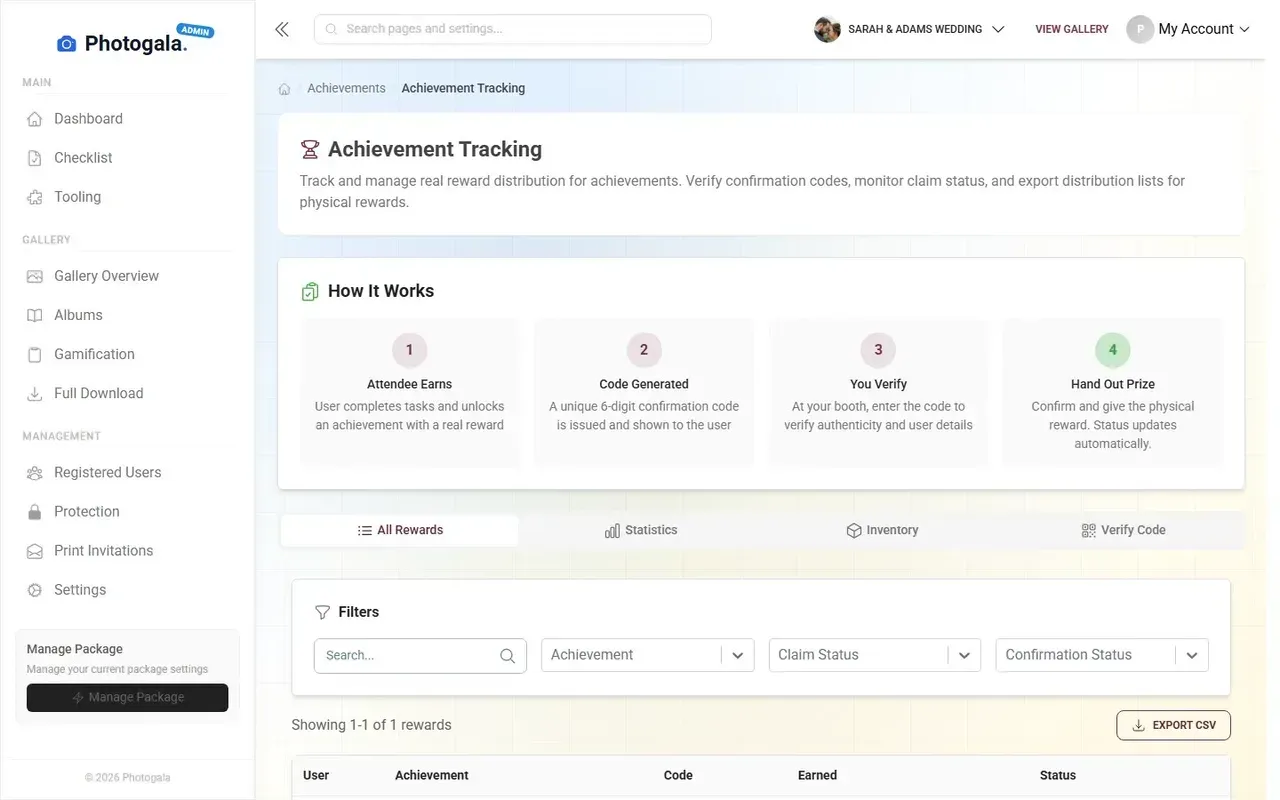
1.Guests browse challenges right from their phone
A realistic goal for a 30-40 person Halloween party running 5-8 challenges: expect 60-120 challenge submissions over the course of the night, with the most popular challenges (group shots, horror recreations) pulling 15-20 entries each. The "caught mid-scare" prompt tends to produce the funniest content because it requires sneaking up on people.
Shooting in the Dark: Making Photos Actually Look Good
Here's the honest limitation of any photo sharing setup at a Halloween party: the lighting is terrible. That's the point of Halloween, but it's the enemy of photography. No app or platform can fix physics.
What you can do is set up one or two well-lit spots specifically for photos. A corner with a ring light and a spooky backdrop. A doorway with orange uplighting. Even a single bright lamp behind a translucent orange fabric creates warm, flattering light that makes costumes pop. As professional event photography guides note, the difference between forgettable and great imagery rarely comes down to gear.
Place your QR code at these photo stations. When guests are already in a well-lit spot taking photos, they're primed to upload. The path from "nice photo" to "shared with everyone" shrinks to two taps. If you've set up a live photo wall on a TV screen, guests can see their freshly uploaded costume photo appear on the big screen within seconds. That instant gratification is addictive.
For the rest of the venue where lighting is dim, encourage guests to use their phone's night mode. The results won't be studio quality, but they capture atmosphere. The blurry, moody shot of the dance floor at midnight often becomes a favorite precisely because it's imperfect. Those are the photos people actually want to see again.
The Photo Wall as Halloween Décor
A TV or projector showing a live photo wall pulls double weight at a Halloween party. It's entertainment and decoration at the same time.
Set it to collage mode and every new upload tiles onto the screen automatically. As the night progresses, the wall fills with costumes, group photos, and challenge submissions. It becomes a visual timeline of the party. Guests cluster around it, pointing out photos, laughing at the action shots, checking if their upload made it.
The photo wall fills with new photos as guests upload throughout the night
Place the screen somewhere visible. Near the drinks, near the food, near the entrance. Not tucked in a side room where nobody goes. We covered this in detail in our piece on turning guest photos into a live collage on the big screen, including tips on display modes and positioning.
One small thing that makes a big difference: if you're running a costume contest with the like-based voting system, the photo wall becomes the campaign billboard. People see a great costume on screen, open the gallery on their phone, find the photo, and tap like. The wall creates the awareness; the gallery captures the vote.
Kids, Consent, and Common Sense
If your Halloween party includes children (trick-or-treat gatherings, neighborhood block parties, school events), establish photo rules before anyone starts uploading. Which kids can appear in photos? Who gave consent? Some parents are fine with it; others aren't. Handle this at the door, not after 50 photos are already in the gallery.
With a moderation dashboard, you can set the gallery to require approval before photos go public. Assign a trusted friend as moderator. They review each upload and approve or reject with one tap. It adds a small delay but prevents any uncomfortable situations. We wrote a full guide on photo sharing etiquette for event hosts that covers consent, privacy, and when to moderate.
For kids' Halloween parties: Consider a separate gallery with moderation turned on. Parents upload their own children's photos, the moderator approves, and the gallery stays kid-friendly. The customization options let you theme the gallery with Halloween colors and branding.
The same advice applies if you're organizing a corporate Halloween event. Some colleagues may not want their costume photos shared company-wide. Moderation and clear ground rules keep things fun without crossing boundaries.
After the Party: What to Do With 300 Costume Photos
The morning after, you have a gallery full of photos. Now what?
Share the gallery link in your group chat. Everyone can browse, download their favorites, and relive the night. With bulk download, you (or any guest on a plan that supports it) can grab the entire collection as a ZIP file at original quality. No compression, no watermarks.
If you ran a costume contest, announce the winner in the chat with a screenshot of their most-liked photo. If you used challenges, share the final leaderboard. These small follow-ups extend the life of the event beyond one night. People talk about it. They share highlights on their own social media. The party gets a second wave of attention.
And next year, when someone asks "remember that incredible Beetlejuice costume from last Halloween?" you'll have the gallery link ready. Not a vague memory. The actual photos.
Quick Setup: Halloween Party Photo Sharing in 5 Minutes
Create a gallery
Sign up free and name your event. Add a Halloween cover image and a spooky password like "boo2026".
Add challenges
Set up 5-8 Halloween photo challenges with example photos. Import from templates or create custom ones.
Print QR codes
Print the QR code on cards, tape it near the entrance, and place one at each photo station.
Set up the photo wall
Connect a TV or projector and open the photo wall URL. Collage mode works best for parties.
Announce the contest
Tell guests: upload your best costume photo, most likes wins. Set a voting deadline.
The whole setup takes about five minutes if you've already picked your challenges. You can start free with the Free Demo plan and upgrade later if you want features like the leaderboard, social engagement, or moderation. For a birthday party or casual Halloween gathering, Starter at €39 covers unlimited photos, the photo wall, and all challenges. If you're planning a bigger event photo sharing setup with social features, Premium at €69 is the sweet spot.
Halloween parties already generate the energy and the costumes. The photos are being taken whether you set up a gallery or not. The question is whether they end up scattered across 30 phones or collected in one place where everyone can actually enjoy them.
Set up the gallery. Print the QR code. Add a few challenges. And when someone dressed as Beetlejuice starts doing the worm on the dance floor, make sure there's a place for all three recordings to land.
All of this comes with your own event.
Setting it up takes five minutes. You can build and view everything before you decide.
Starting from €39 one-timeOne-time payment — No subscription
- No App Required
- Setup in 5 Minutes
- 30-Day Money Back
“We were really thrilled, and everything went so much more smoothly, from the seating plan all the way to the photo games! Simply great! Highly recommended!”
Written by

I believe event photos should be more than static galleries. They should be live, playful, and unforgettable.
Categories
Related Posts
Proposal and Engagement Photo Sharing: How to Capture the Moment They Said Yes
The proposal lasts seconds. The photos live forever. Here's how to collect every angle from the people who were there.

Bridal Shower Photo Sharing: Collect Every Sweet Moment in One Gallery
Bridal shower photos end up scattered across 15 phones. Here's how to get them all into one gallery before the mimosas wear off.

Maternity Photo Sharing: How to Keep Every Announcement, Bump Shot, and Memory in One Place
Pregnancy announcements land on 4 different apps. Maternity photos get lost in group chats. Here's how to keep every photo in one shared gallery your whole family can access.