One Selfie, All Your Photos: How Person Albums Work

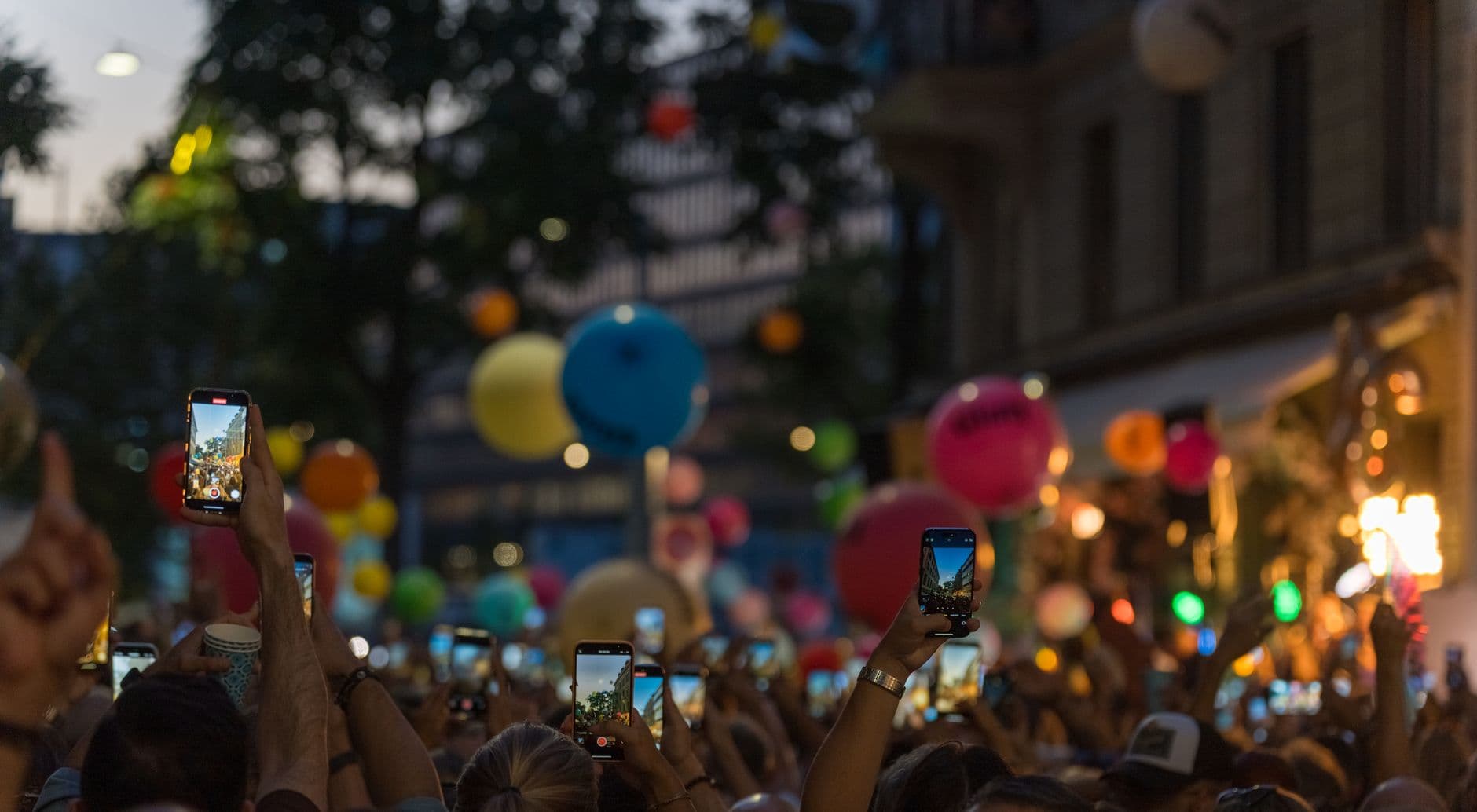
Picture a 400-person corporate gala. The photographer delivers 2,800 edited images three days later. Beautiful work. Now picture yourself scrolling through all 2,800 of them, looking for the six where you're actually in the frame. You make it to photo 340 before giving up.
That's the last-mile problem of event photography. The photos exist. They're good. But nobody has the patience to find themselves in them. According to a guide on AI event photo delivery, roughly 3% of attendees at large events ever find their own photos in a shared gallery. The rest give up or never bother looking.
Person albums fix this with a simple trade: you give the system one selfie, and it gives you back every photo you appear in. No scrolling. No tagging. No asking the photographer to mark which files have you in them.
The Problem Nobody Talks About
Event photo sharing has gotten good at the collection part. QR code uploads mean guests can contribute their own shots without downloading an app. Shared galleries let everyone access the full set. But finding your photos inside a gallery of 500, 1,000, or 3,000 images? That's still manual labor.
The typical workaround is manual tagging. Someone (the photographer, an assistant, the couple's most organized friend) goes through the gallery and tags people by name. For a wedding with 800 photos, that's several hours of work. For a multi-day conference with 3,000 photos, it's a part-time job. As Pics.io's research on photo management points out, the average professional photographer shoots 14,000+ images per year, and organizing them by person manually simply doesn't scale.
Some platforms try to solve this with folders or albums per table, per group, per session. It helps, but you still end up in three different albums because you moved around. And candid shots of you on the dance floor? Those land in the general "party" folder with 400 other photos.
How Person Albums Actually Work
The concept is straightforward. The AI scans every photo in the gallery for faces, maps the geometry of each one, and clusters them. Everyone who appears in the gallery gets a cluster of all photos containing their face. No human needs to do the sorting.
With Photogala's face recognition system, there are two ways person albums get built:
The Reference Photo Method (Host Sets It Up)
The event host uploads reference photos of key people before the event. A headshot of the bride and groom, the CEO giving the keynote, the birthday kid. The AI uses these reference images to automatically create a person album for each individual. As new photos come in during the event, any image containing that person's face gets added to their album automatically. It's the same principle professional brand photo libraries use: upload a headshot once, and the system handles the rest from there.
This works well for VIPs and key attendees, but you're not going to upload headshots for 200 wedding guests. That's where the second method comes in.
The Selfie Search Method (Guest Finds Themselves)
Any guest can open the gallery on their phone, snap a quick selfie, and the AI matches that face against every photo in the gallery. Within seconds, they see a personalized collection of every image they appear in. Background of a group shot? Included. Candid from across the room? Included. That blurry dance floor moment? Also included.
No account needed. No app download. Just a selfie and a few seconds of processing. If you want to see how the full flow works, our deep dive on selfie search at events walks through the entire experience step by step.
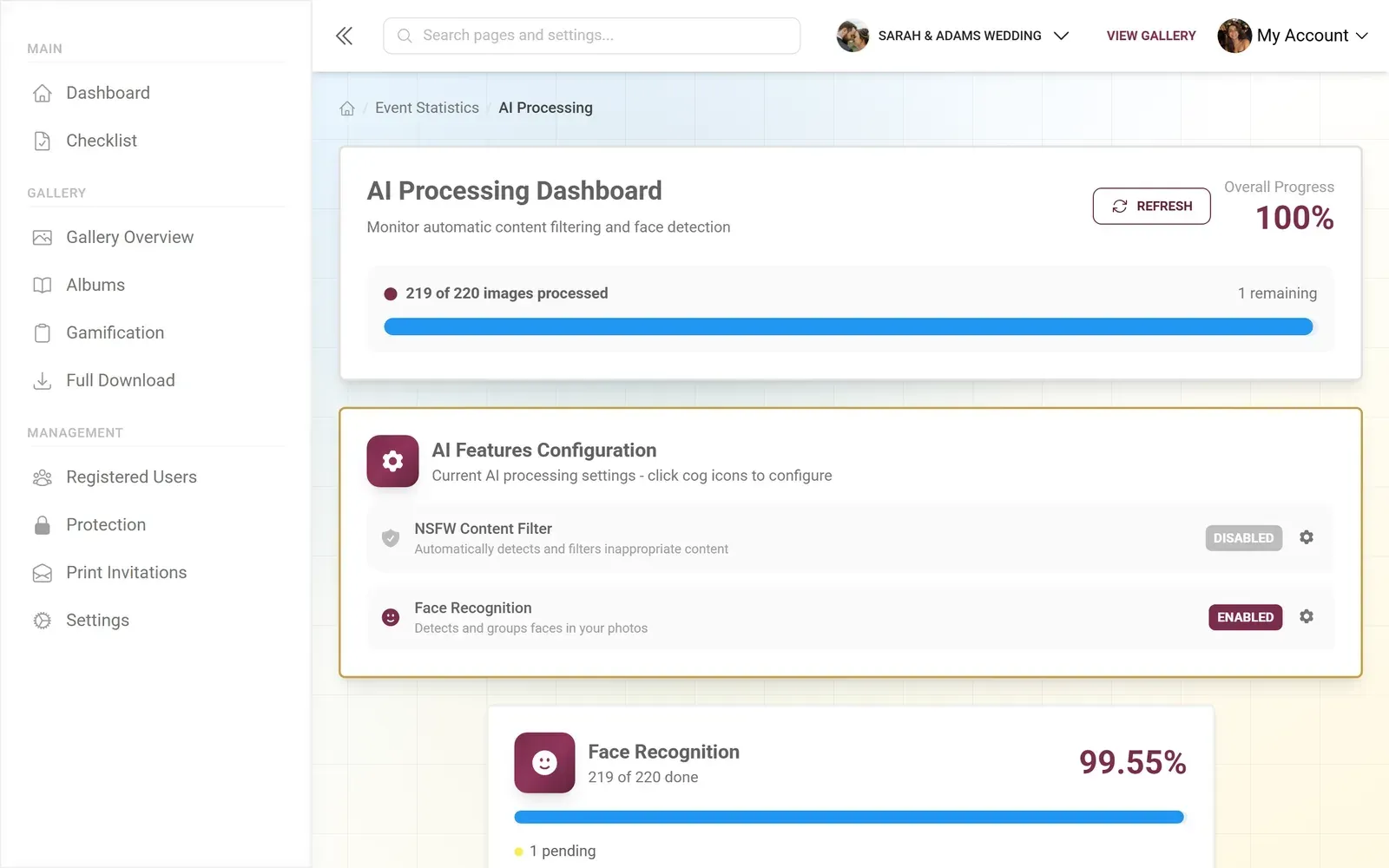
1.The AI clusters every face it finds, so hosts can browse by person
See it in action
Every guest photo in one album – no app.
What Happens Behind the Selfie
The AI doesn't just match pixel colors. It maps facial geometry: the distance between eyes, the shape of the jawline, the proportions of the face. This means it works across different lighting conditions, angles, and even partial obstructions. Someone wearing sunglasses in one photo and not in another? Usually still matched correctly.
Group photos are where it gets interesting. A wide shot of a dinner table with 12 people? The system identifies and tags each face individually. Someone half-turned in conversation? Still picked up, as long as enough of the face is visible. The matching holds up even when the same person appears in completely different lighting across photos taken hours apart.
The clustering happens automatically as photos are uploaded. So at a live event where guests are uploading via QR code throughout the evening, the person albums grow in real time. A guest who checks their album at 8 PM might see 12 photos. By midnight, it could be 40.
Set up reference photos before the event. Upload headshots of the couple, the birthday person, or the keynote speakers a day ahead. Their person albums will start filling the moment the first guest photo lands. You can learn more in our guide on how face recognition works at big events.
Person Albums vs. Smart Albums vs. Regular Albums
Photogala has three album types, and they serve different purposes. Regular albums are manual: you create one called "Ceremony" and drag photos into it. Useful, but it's work.
Smart albums fill themselves based on rules you set. "All photos uploaded between 6 PM and 8 PM" or "all photos with more than 5 likes." They're powerful for organizing by time or engagement, and our article on auto-filling guest photo albums covers the setup in detail.
Person albums are a specific type of smart album powered by face recognition. The rule is simple: "every photo containing this face." You can't build that with a time filter or an uploader filter. It requires AI.
The three types complement each other. A wedding gallery might have regular albums for "Getting Ready" and "Reception," smart albums that auto-collect the most-liked shots, and person albums so each guest can instantly find themselves. If you're curious about how AI sorting fits into the bigger picture, our piece on smart galleries and event photography goes deeper.
When Person Albums Make the Biggest Difference
Small events don't need this. At a dinner party with 15 people and 80 photos, you can scroll through in two minutes and find yourself. Person albums start earning their keep above about 100 guests or 300+ photos. The bigger the event, the more dramatic the difference.
Imagine a three-day company retreat with 200 employees. The event photographer, plus dozens of guests uploading their own shots, produces 1,800 photos by day three. Without person albums, the gallery is a haystack. With them, every attendee gets their needle handed to them.
Weddings sit in a sweet spot. Big enough that finding yourself is annoying (especially if you're not in the bridal party), but personal enough that people genuinely want their photos. A person album turns "I'll look through these eventually" into "I found 23 photos of myself in 10 seconds."
Corporate conferences benefit too, especially for team-building events where attendees want proof they participated. The photo challenges feature pairs well here: guests complete fun challenges throughout the event, and their person album collects everything they were part of.
Setting It Up (It's Less Work Than You Think)
Three Steps to Person Albums
Enable AI face processing
In your gallery settings, turn on face recognition. Photogala starts scanning every uploaded photo for faces automatically.
Upload reference photos (optional)
For VIPs or key guests, upload a clear headshot. The system creates their person album immediately and fills it as photos arrive.
Share the gallery link
Guests open the gallery, take a selfie, and the AI does the rest. Every photo they appear in shows up in their personal collection.
One honest caveat: face recognition is available on the Deluxe plan. It's not on Plus or Premium. The AI processing requires significant compute resources per photo, which is why it's reserved for the top tier. If your event is under 100 guests and a few hundred photos, smart albums with rule-based sorting might be enough. For bigger events where guests genuinely struggle to find themselves, person albums are worth it.
The moderator dashboard gives you full control over the face clusters. You can merge duplicates (sometimes the AI creates two clusters for the same person photographed in very different lighting), split incorrect matches, and name the clusters. The moderation tools make it manageable even for galleries with thousands of photos.
1.Guests upload from their phone, and the AI starts processing faces immediately
Privacy, Handled
Face recognition at events raises a fair question: what about privacy? Photogala processes face data for matching purposes only. The facial geometry data stays within the gallery and isn't shared externally or used for advertising. Guests opt in by choosing to use the selfie search feature.
Event hosts can also configure who has access to what. The gallery customization options include password protection and role-based permissions, so you control who sees the photos and who can use face search. For organizations with strict data policies, the NSFW content filter adds another layer of content safety.
Person albums are private by default. Each guest only sees their own personalized collection when they use selfie search. They can still browse the full gallery too, but their person album is a shortcut to the photos that matter most to them.
Beyond Finding Photos: Why It Changes Guest Behavior
Here's something counterintuitive. When guests know they can find their photos easily afterward, they actually upload more during the event. The fear of "I'll never find this again" disappears. A guest who might upload 3 careful photos instead uploads 15 candid ones, because they know the system will sort everything for them later.
This pairs nicely with Photogala's social features. When you can like, comment on, and share photos from your own person album, the gallery becomes more than a storage dump. It becomes a conversation. And for events using gamification with leaderboards, person albums give guests a quick way to review what they contributed.
Say you're organizing a group trip with 30 friends. Everyone's taking photos for five days. By the end, the shared gallery has 900 images. Person albums mean each traveler gets a curated highlight reel of every moment they were captured in, without anyone having to do the curation manually. That's the difference between photos that sit in a folder and photos people actually look at and share.
And if you're building a digital guest book alongside the gallery, person albums give each contributor a quick reference of their own submissions. No need to organize photos manually after the event when the AI already did it in real time.
The gallery with 2,800 photos doesn't have to be a wall of noise. One selfie turns it into something personal: your moments, surfaced instantly, ready to save and share. That's what person albums do.
All of this comes with your own event.
Setting it up takes five minutes. You can build and view everything before you decide.
Starting from €39 one-timeOne-time payment — No subscription
- No App Required
- Setup in 5 Minutes
- 30-Day Money Back
“I use PhotoGala Deluxe and I'm absolutely thrilled. It was the perfect solution for documenting a sports event. Uploading and downloading via the link is a breeze for every participant. What won me over most were the photo wall and the slideshow – both are quick to set up and look really professional. Big praise also to Peter from the PhotoGala team: he's very easy to reach by email, replies quickly and even took my suggestions on board and added new features that made my slideshow even better. You rarely get support this dedicated. A clear 5-star recommendation!”
Written by

I believe event photos should be more than static galleries. They should be live, playful, and unforgettable.
Categories
Related Posts
Photo Sharing for Event Venues: A Built-In Perk That Books More Events
Event venues that offer built-in photo sharing don't just sell a space. They sell a shareable experience that fills calendars.
Email and SMS vs a Shared Gallery: The Best Way to Send Event Photos
That 2.5MB wedding photo becomes a 356KB blur over text message. Here's why shared galleries replaced email and SMS for event photo sharing.
How to Reuse One Photo Gallery for a Recurring or Annual Event
Stop rebuilding from scratch every year. Here's how to carry one gallery across annual reunions, corporate retreats, and recurring celebrations.