Store Grand Opening Photos: How One QR Code Captures the Ribbon Cutting and Everything After

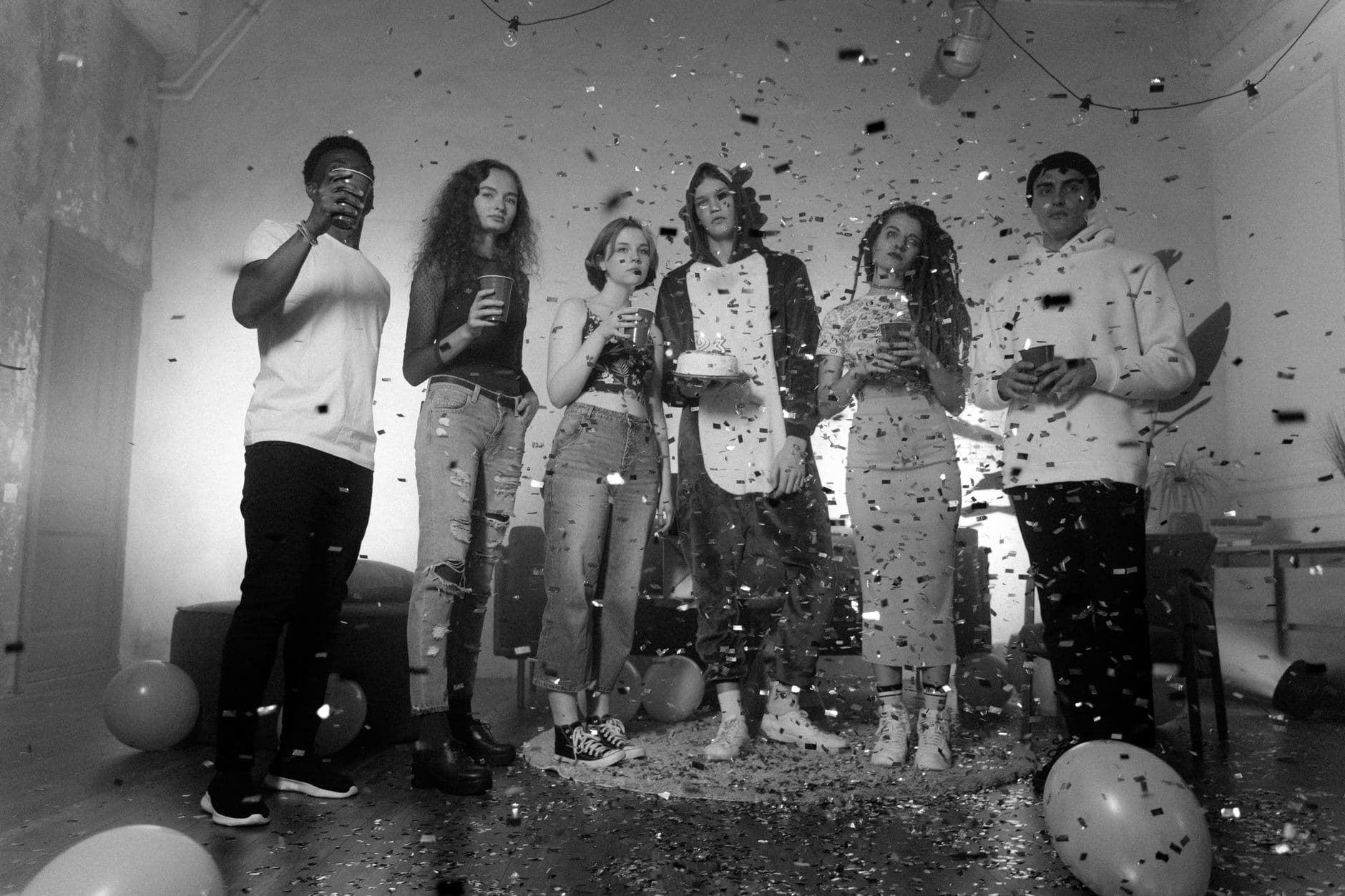
The scissors close. Confetti flies. Eighty phones go up at once. For about three seconds, your store's grand opening is the most photographed moment in a six-block radius.
Then everyone pockets their phone. The photos scatter across 80 camera rolls, half a dozen Instagram stories that expire in 24 hours, and a WhatsApp group that someone named "Grand Opening!!" with three exclamation marks. By next Wednesday, finding those photos requires texting people you barely know.
That's the real problem with grand opening photography. The photos exist. Hundreds of them, maybe more. They're just trapped in other people's pockets.
Why Grand Opening Photos Matter More Than You Think
A store opening isn't just a party. It's a marketing moment with a shelf life, if you capture it right. The photos your guests take ARE your marketing content for the next three months: social media posts, Google Business Profile updates, press kit images, email newsletter headers. User-generated content from real customers feels authentic in a way that staged brand photography never quite manages.
But only if you can actually get them.
Professional photographers handle the polished shots. That's covered. The gap is the 150+ candid photos your guests, local influencers, business neighbors, and curious shoppers took on their phones. Those candid shots often outperform professional photos on social media because they feel real. A customer grinning next to your product display hits differently than a staged studio shot.
The challenge: how do you collect photos from 80 people who walked in off the street, without asking each one for their email, without requiring an app download, and without creating yet another WhatsApp group that dies in 48 hours? That's where QR code photo sharing comes in.
One QR Code. One Gallery. Zero Friction.
The concept is simple. You print a QR code. Guests scan it with their phone camera. A browser-based gallery opens (no app to install, no account to create). They pick a name, select their photos, and upload. Done in under 30 seconds.
Picture a boutique clothing store opening in a busy downtown district. The owner prints QR codes on the napkins at the drinks table, on a small stand next to the ribbon cutting area, and on a poster near the entrance. A guest walks in, grabs a prosecco, notices the QR code, scans it. Three taps later, the photo they just took of the storefront is in the shared gallery. No friction. No follow-up texts needed.

1.Guests scan the QR code and upload in seconds
This is how you collect photos from event guests automatically without chasing anyone down afterward. The gallery fills itself while you're busy shaking hands.
Setting Up the Ribbon Cutting Photo Station
The ribbon cutting is the centerpiece. It lasts maybe 5 seconds. If you don't prepare for it, half your guests will miss the shot because they were still figuring out the camera angle.
A few things that help:
- Position the QR code sign 2 meters from the ribbon. Guests waiting for the ceremony will scan it out of curiosity. By the time the scissors come out, they're already connected to the gallery.
- Brief your MC or host. A quick "Snap a photo and scan the QR code to add it to our shared gallery" announcement before the cutting primes everyone.
- Use a countdown. "Ribbon cutting in 60 seconds!" gives people time to open their cameras. The 3-second surprise approach guarantees blurry photos.
- Place a second QR code behind the ribbon. Once people walk into the store, they'll see it again and upload what they just captured.
If you want the QR code itself to match your store branding, you can design a custom branded QR code with your logo and colors. A branded QR code on a sleek stand looks intentional. A generic black-and-white square taped to the wall does not.
Placement tip: The highest-performing QR code location at store openings? Next to the free food and drinks. People standing still with one hand free are far more likely to scan than people walking through aisles. The second-best spot is the checkout counter or gift bag station.
実際の画面
ゲストの写真をすべて1つのアルバムに。アプリは不要です。
Photo Challenges Turn Shoppers Into Content Creators
Here's something most store owners miss: getting people to upload the photos they already took is the easy part. Getting them to take more photos, of specific things, is where it gets interesting.
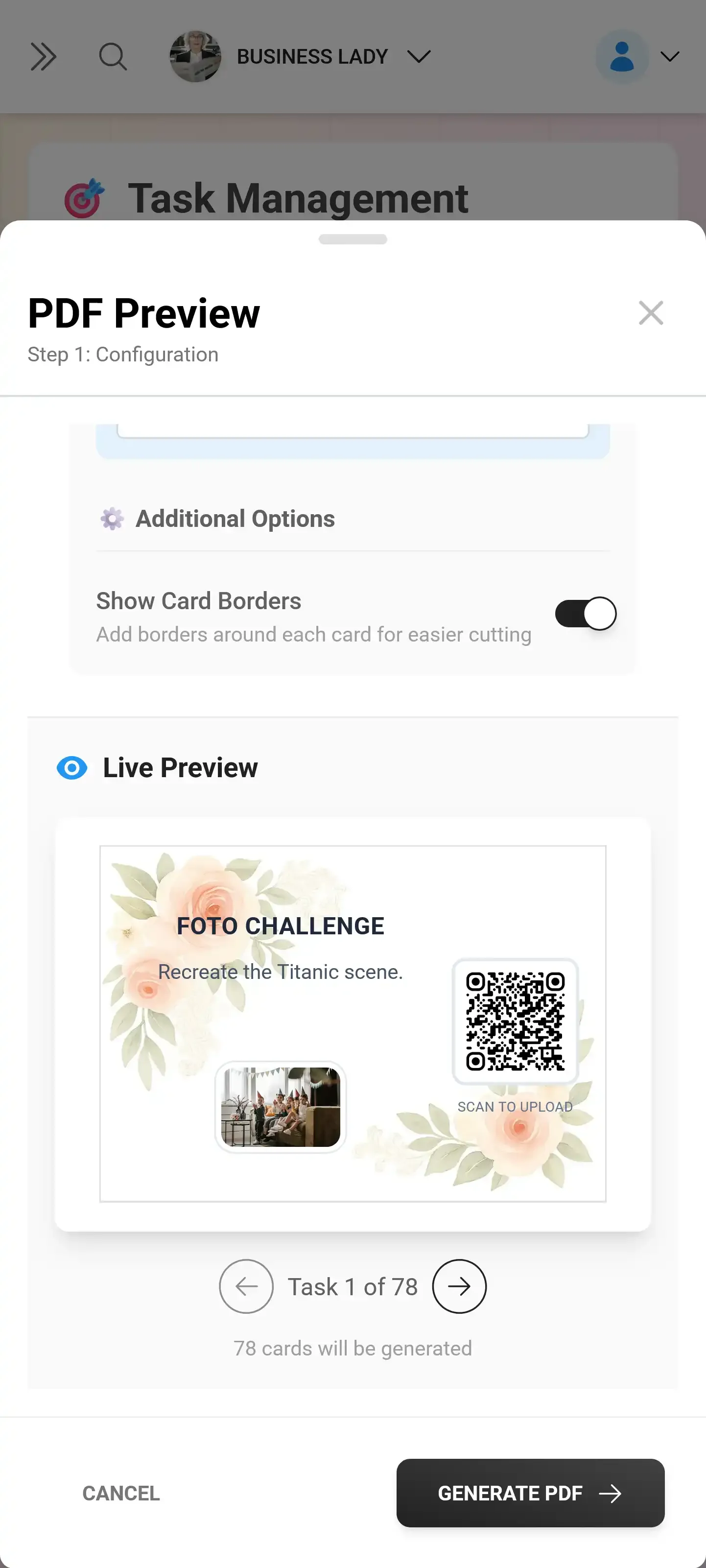
Photo challenges are essentially prompts. "Take a selfie with your favorite product." "Snap the weirdest item you find." "Photograph the ribbon cutting moment." They give guests a reason to explore the store with their camera open. And they generate exactly the kind of user content you'd pay an influencer to create.
For a grand opening, 4-5 challenges is the sweet spot. More feels like homework. Fewer doesn't create enough momentum. Here are examples that work well for retail:
- The Storefront Shot — Photograph our sign from the street. (Great for Google Maps and social proof.)
- Your First Find — Snap the first product that catches your eye. (Tells you what customers notice first.)
- Behind the Counter — Get a photo with one of our team members. (Humanizes your brand.)
- The Ribbon Moment — Capture the ribbon cutting. (Multiple angles of your signature moment.)
- Shopping Bag Selfie — Take a selfie with your purchase bag. (Social proof that converts.)
The real magic happens when you add a leaderboard and points. Imagine an opening-day contest: whoever completes the most challenges wins a store gift card. Suddenly your guests aren't just browsing. They're actively exploring, photographing, and engaging with your products. According to experiential marketing research from Ideko, consumers in 2026 expect experiences that feel intentional and emotionally resonant. Photo challenges deliver exactly that.
You can even include example preview photos in each challenge so guests know exactly what kind of shot you're looking for. A reference image of someone posing with a product display removes all guesswork. Learn more about configuring challenges guests will actually finish.
The Live Photo Wall: Your Store's Best Conversation Starter
Imagine a 55-inch screen near the entrance cycling through every photo guests upload in real time. Someone takes a selfie with your signature product. Ten seconds later, it's on the big screen. The person next to them sees it, laughs, takes their own photo. The cycle feeds itself.
A live photo wall does two things at once. It entertains, giving guests something to watch and talk about. And it motivates more uploads, because seeing your photo on a big screen feels like a small reward. At a corporate event, the photo wall often becomes the thing that keeps people lingering longer than they planned.
For a store opening specifically, position the screen where foot traffic is heaviest. Near the bar or refreshment table works. Near the entrance is even better, because it catches people as they walk in and makes them curious about contributing. If you want to go deeper on display setup, our guide on turning guest photos into a live collage on the big screen covers layout options, screen placement, and collage styles.
Important to know: The photo wall works through a browser on any device connected to a TV or projector. No special hardware needed. Connect a laptop to an HDMI cable, open the photo wall URL, and you're live. A tablet mounted behind the counter also works as a mini display.
Brand It. Every Detail.
Your grand opening has a vibe. The signage, the bags, the playlist, the napkin color. The photo gallery should match. A generic-looking upload page breaks the immersion. A gallery with your store logo, brand colors, and a matching header style feels like part of the experience.
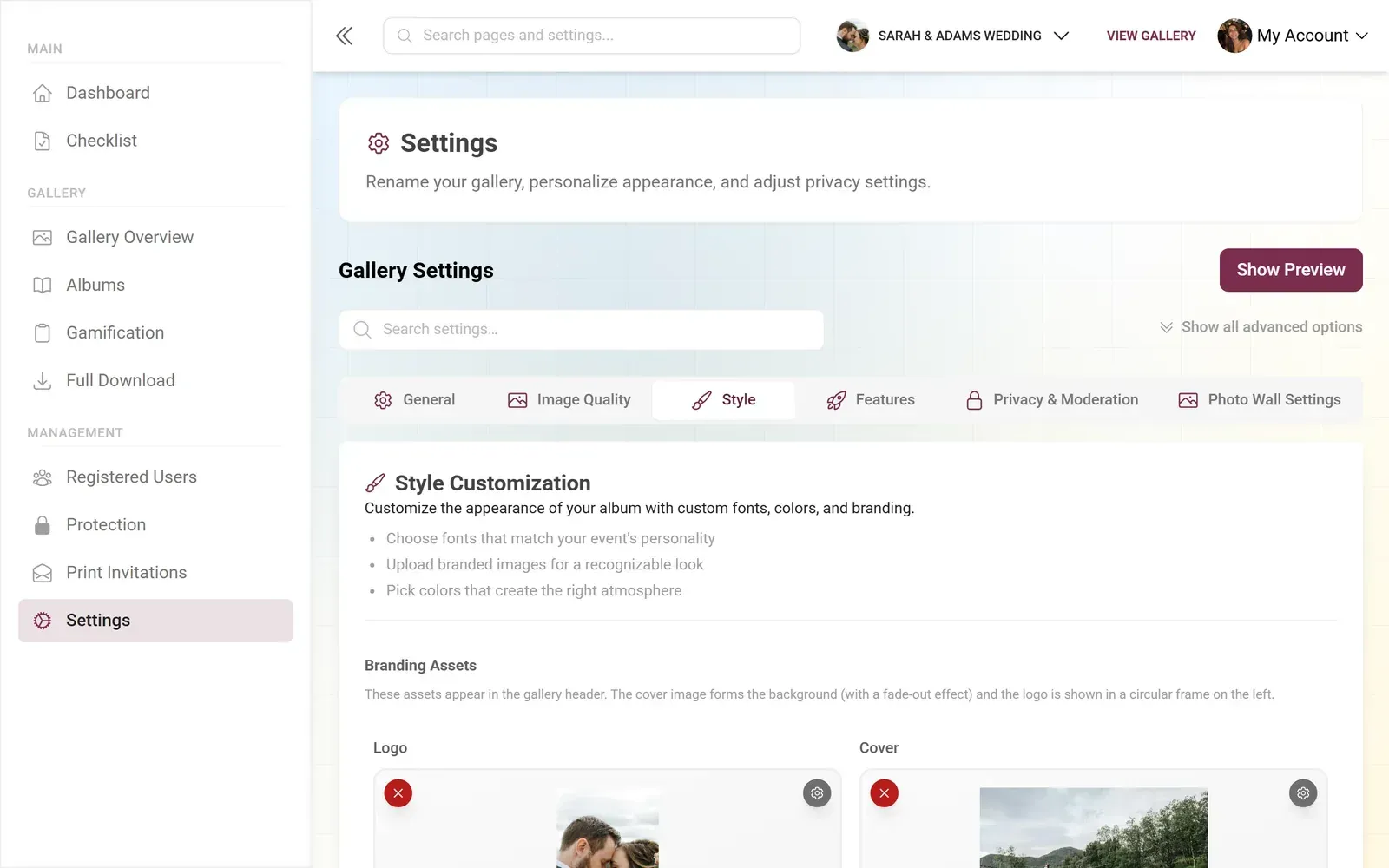
1.Gallery branding matches your store identity
With gallery customization, you can set your primary brand color, upload your logo, and pick a header style that fits the aesthetic. It takes about 5 minutes. Your guests won't think twice about it, which is exactly the point. Consistent branding shouldn't draw attention to itself; it should just feel right. For more inspiration, check out our guide on event branding and custom photo galleries.
One honest trade-off: Photogala runs in the browser, which means it depends on your venue's Wi-Fi or guests' mobile data. If your store is in a basement with no signal, you'll want to set up a guest Wi-Fi network before the opening. Most retail locations have decent connectivity, but it's worth testing beforehand.
After the Ribbon Is Cut: The Content Goldmine
The grand opening ends. The confetti gets swept up. But the gallery stays. And that gallery is a content library you didn't have to produce.
Say your opening attracted 80 guests and 45 of them uploaded photos. That's realistically 120-200 photos: product close-ups, group selfies, storefront shots, the ribbon cutting from twelve angles. For a new store that probably has 10 professional photos on its website, this is a treasure chest.
What you can do with those photos:
- Post the best ones to your Google Business Profile (photos boost local search visibility)
- Create a "Grand Opening Highlights" post for Instagram and Facebook
- Send a "Thank you for coming" email with a link to the full gallery
- Use candid customer photos in future marketing (with permission)
- Update your store's website hero image with a real opening-day shot
You can download the entire gallery as a ZIP archive in original quality. No compression, no watermarks. The photos your guests uploaded are yours to use. If you need to share specific photos with press or partners, our guide on sharing corporate event photos with staff and press covers the workflow.
According to retail grand opening research from Growth Factor AI, successful store openings combine experiential differentiation with community engagement. Photo sharing does both: it turns passive visitors into active participants, and gives them a reason to stay connected with your store after they leave.
The 15-Minute Setup Checklist
Grand Opening Gallery Setup
Create your gallery
Sign up, name your event, upload your store logo. Pick brand colors and a header style. Takes about 5 minutes.
Print and place QR codes
Print QR codes on table stands, napkins, or posters. Place at entrance, near refreshments, and by the ribbon cutting area.
Set up photo challenges
Add 4-5 challenges tailored to your store. Include example photos so guests know what to aim for.
Connect the photo wall
Plug a laptop into a TV or projector. Open the photo wall URL. Photos appear in real time as guests upload.
The whole setup takes about 15 minutes, most of which is choosing which photo challenge ideas to include. The gallery itself is ready in under 3 minutes. You can start with the free demo plan (no credit card) to test it before your opening day.
The ribbon cutting lasts a moment. The photos from that moment can work for your store for months. Set up the gallery the night before, place the QR codes in the morning, and by the time the confetti settles, you'll have a gallery full of content you didn't have to stage, shoot, or edit.
これらすべてが、ご自身のイベントで使えます。
作成は5分で完了。決める前に、すべてを設定して確認できます。
料金 €39 ~(1回払い)1回払い — サブスクリプションなし
- アプリ不要
- 5分で準備完了
- 30日間返金保証
執筆者

I believe event photos should be more than static galleries. They should be live, playful, and unforgettable.
関連記事

Bridal Shower Photo Sharing: Collect Every Sweet Moment in One Gallery
Bridal shower photos end up scattered across 15 phones. Here's how to get them all into one gallery before the mimosas wear off.

Maternity Photo Sharing: How to Keep Every Announcement, Bump Shot, and Memory in One Place
Pregnancy announcements land on 4 different apps. Maternity photos get lost in group chats. Here's how to keep every photo in one shared gallery your whole family can access.

Sales Kickoff Photo Sharing: How to Turn a Mandatory Meeting Into a Team Memory
Sales kickoffs are expensive. The photos from them usually disappear into 14 different camera rolls. Here's how to fix that.