Wine Tasting and Food Festival Photo Sharing: How to Capture 6 Hours of Tasting Notes, Golden Light, and Messy Fingers

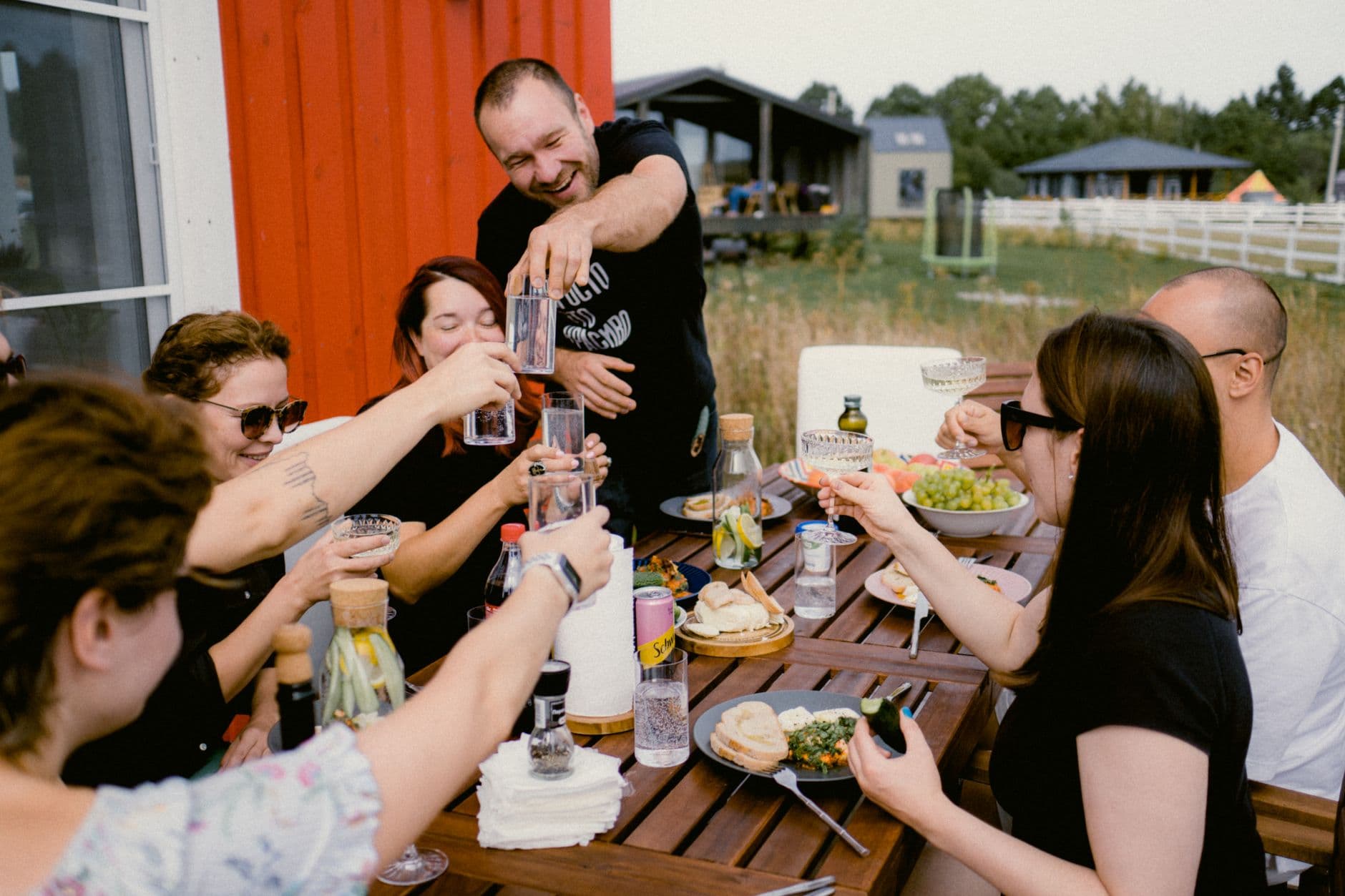
Picture a Saturday afternoon at a vineyard. Forty people, six tasting stations, a cheese board the size of a small car. The light is doing that thing where everything looks like a painting. Everyone has their phone out. By the end of the evening, there are roughly 400 photos scattered across 40 camera rolls. And then? Nothing. Nobody sends anything. The event organizer posts three blurry shots to Instagram, and the rest disappears forever.
Wine tastings and food festivals are absurdly photogenic. The bottles, the pours, the overhead shots of charcuterie, the candid laughs between sips. But these events have a specific problem that weddings and corporate parties don't: the guests are strangers. They came for the pinot noir, not to exchange phone numbers. So the photos stay trapped.
The Unique Photo Problem at Tasting Events
At a wedding, someone eventually creates a WhatsApp group and photos trickle in over the next week. At a food festival? There's no group chat. There's no shared social circle. A couple from Munich, a solo traveler from Berlin, and a friend group from Hamburg all attended the same vineyard tour, took incredible photos, and will never see each other's shots.
This isn't just a sentimental loss. For wineries and event organizers, those guest photos are gold. The restaurant chain Chevy's proved this when they turned guest-generated photos into their entire summer ad campaign (more on that below). Authentic guest photos outperform polished marketing material because they look real. People trust other people's snapshots more than studio-lit product shots. But you can't use what you don't have.
The fix is embarrassingly simple: a QR code on the tasting table. Guests scan it, their browser opens, and they upload photos directly. No app download. No account creation. No exchanging contact details with strangers. If you've ever set up photo sharing for a block party or a summer BBQ, the concept is identical. The difference is in how you deploy the QR codes across a multi-station event.
Where to Put the QR Codes (This Part Matters)
At a sit-down dinner, one QR code per table works. At a tasting event with movement, you need to think differently. Guests drift between stations. They pause at the cheese table. They wander to the vineyard overlook with a glass in hand.
What works: print QR codes on the tasting cards that guests already carry. If there's a paper placemat, print it there. Place a small acrylic stand at each station. You can generate one with Photogala's free QR code generator if you need a quick standalone code, or use the branded one from your gallery. The Chevy's campaign proved this concept beautifully: they put creative photo prompts on coasters and table tents, and guest-generated photos became their entire summer ad campaign. Same psychology, different setting.
QR Code Generator
Create custom QR codes for your event — link guests directly to your photo gallery.
Placement tip: The single best spot for a QR code at a wine event is next to the spit bucket. Seriously. That's where people pause, look at their phone, and have a free hand. The second-best spot is the entry table where guests pick up their tasting glass.
You can design a branded QR code that matches your winery's aesthetic. Photogala lets you customize the gallery with your brand colors and logo, so the upload page feels like part of the event, not some random tech tool.

1.Guests scan the QR code and start uploading instantly
Photo Challenges That Actually Work for Wine Events
Here's where food and wine events have an unfair advantage over other event types: the subject matter is already visual. You don't need to convince people to photograph wine bottles and artisanal food. They're already doing it. But photo challenges turn passive snappers into active participants.
Imagine setting up five challenges for a vineyard festival: "Best overhead shot of your tasting flight," "Capture the vineyard at golden hour," "Most creative wine glass photo," "Your plate before you destroyed it," and "The pour." That last one is tricky to photograph well (you need good timing and steady hands after four tastings), which makes it fun.
The challenge feature in Photogala can include example preview photos, so you could upload a stunning reference shot of a perfect wine pour and ask guests to recreate it. This photo roulette approach works brilliantly at wine events because there's a built-in skill element. The sommelier's pour versus the guest's first attempt creates genuinely funny content.
See it in action
Every guest photo in one album – no app.
Pair challenges with a leaderboard, and something interesting happens. Say you're running a 200-person food festival across 12 vendor stalls. A points-based leaderboard with a small prize (a bottle from the featured winery, a gift card for the cheese vendor) can drive 3x more uploads than a passive "share your photos here" sign. Gamification research from various workplace studies shows challenge-based systems improve engagement by up to 89% compared to passive approaches. At a tasting event, the competitive element is especially potent because people are already in a relaxed, playful mood.
The Live Photo Wall at the Venue
If you have a screen at the venue (a TV near the bar area, a projector on the barn wall, even a large tablet at the welcome desk), a live photo wall changes the energy of the event. Photos uploaded by guests appear on screen in real time.
Picture this: a vineyard dinner under string lights. Behind the head table, a 55-inch screen cycles through guest photos. Someone uploads a candid of the winemaker laughing mid-pour. It pops up on screen ten seconds later. The table next to them sees it, laughs, and immediately uploads their own photo. That chain reaction is the whole point.
1.Guest photos appear on the big screen in real time
One honest caveat: the photo wall works best when it's visible from where people are sitting or standing. At a spread-out outdoor festival with 8 food trucks, a single screen won't reach everyone. For large outdoor events, the shared gallery on everyone's phone is more impactful than a physical screen. You can read more about outdoor event photography challenges in our dedicated guide.
For Wineries: These Photos Are Marketing Gold
Here's the part that winery owners and festival organizers care about most. Guest-generated photos are the most authentic marketing material you can get. No professional photographer captures the genuine delight of someone tasting a wine they love for the first time. No stock photo shows your vineyard through your guests' eyes.
The wine industry is shifting hard toward experience-based marketing. As VineyardPro notes, the modern winery "sells connections, experiences, community, and storytelling," not just bottles. Guest photos are that story. They're proof that real people had a real good time at your place. That said, guest photos won't replace a professional photographer for your website hero image. They're best for social media, newsletters, and the kind of candid content that shows what your events actually feel like.
After the event, you can download the entire gallery as a ZIP archive in original quality. Use those photos on your website, your social media, your next season's promotional materials. With proper photo sharing etiquette and permissions, guest-generated content becomes a resource you'll pull from for months. For event hosts thinking about collecting guest photos at scale, this is the simplest workflow.
And the gallery doesn't vanish the next morning. Even the Plus plan keeps it live for 6 months, so guests who exchanged no contact information can still browse the shared album weeks later and download their favorites. For long-term preservation tips, check our guide on archiving and backing up event photos.
Setting Up for a Multi-Station Event
How to set up photo sharing for a wine or food festival
Create one gallery for the whole event
Set up a single Photogala gallery with your event name, logo, and brand colors. One gallery keeps all photos together, even across multiple stations.
Print QR codes for every station
Download the QR code and print it on tasting cards, acrylic stands, or table tents. Place one at each tasting station, the welcome desk, and near the bar.
Set up 3-5 photo challenges
Create challenges that match the event theme. Include example photos for creative prompts like "recreate this pour" or "best vineyard selfie."
Assign a moderator (optional)
If the gallery feeds a live photo wall, assign someone to approve photos before they hit the screen. A phone and one free thumb is all it takes.
The whole setup takes about ten minutes. If you've ever collected photos from event guests automatically, you know the drill. The difference for wine and food events is just the QR code placement strategy.
One thing Photogala doesn't do: it's browser-based, not a native app. For 95% of use cases, that's actually the advantage (no download friction). But if your venue has truly terrible cell reception, like some rural vineyards do, guests might struggle to upload until they're back on WiFi. Worth checking beforehand. Most guests' photos will upload fine once they reconnect, but the real-time photo wall needs a live connection.
What About Moderation?
At a wine event, there's alcohol. Where there's alcohol, there's occasionally a photo that shouldn't go on the big screen. Photogala includes a content moderation system where you can set up pre-approval for the photo wall. Every photo gets reviewed before it appears on screen. The Deluxe plan adds an AI-powered NSFW filter for automatic screening.
For most wine tastings and food festivals, moderation is optional. The crowd tends to be well-behaved and genuinely interested in the event. But for larger festivals with open bars, having a moderator is cheap insurance. Assign it to a staff member. It's one tap per photo: approve or skip.
Wine tastings and food festivals create some of the most beautiful, authentic, shareable photos of any event type. The food, the setting, the golden hour light, the candid joy. The only thing missing is a system to collect them all in one place before they scatter across 80 phones and fade into forgotten camera rolls. A QR code on the tasting card fixes that in about ten seconds.
All of this comes with your own event.
Setting it up takes five minutes. You can build and view everything before you decide.
Starting from €39 one-timeOne-time payment — No subscription
- No App Required
- Setup in 5 Minutes
- 30-Day Money Back
“Excellent service and great pictures! Photogala fully met our expectations at the event. The value for money is unbeatable. Absolutely recommended! The seating plan saved us a lot of hassle!”
Written by

I believe event photos should be more than static galleries. They should be live, playful, and unforgettable.
Categories
Related Posts

Bridal Shower Photo Sharing: Collect Every Sweet Moment in One Gallery
Bridal shower photos end up scattered across 15 phones. Here's how to get them all into one gallery before the mimosas wear off.

Maternity Photo Sharing: How to Keep Every Announcement, Bump Shot, and Memory in One Place
Pregnancy announcements land on 4 different apps. Maternity photos get lost in group chats. Here's how to keep every photo in one shared gallery your whole family can access.

Sales Kickoff Photo Sharing: How to Turn a Mandatory Meeting Into a Team Memory
Sales kickoffs are expensive. The photos from them usually disappear into 14 different camera rolls. Here's how to fix that.