Charity 5K Photo Sharing: How to Give Every Runner Their Finish Line Moment

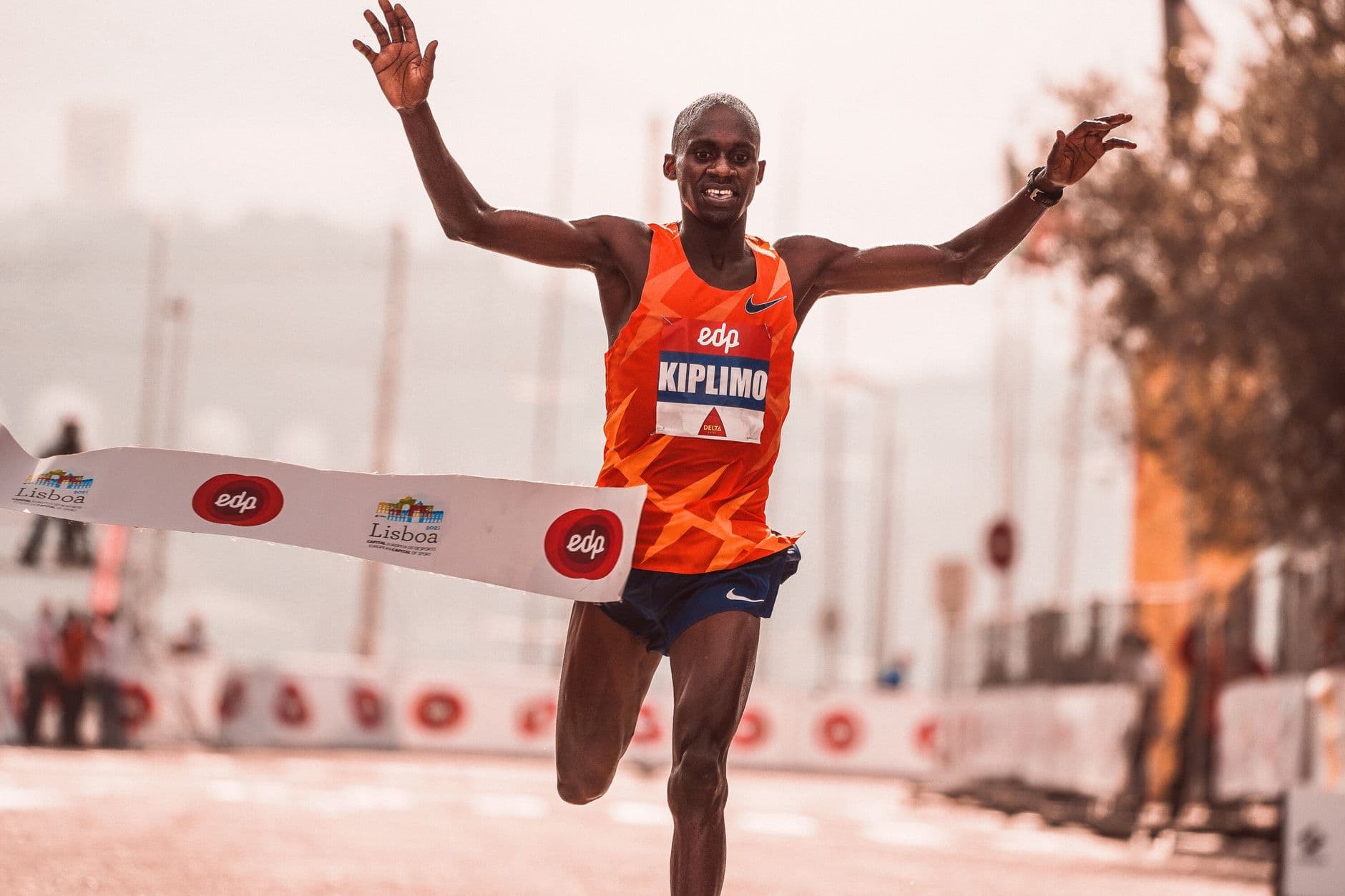
The Finish Line Photo Nobody Sees
Picture this: 350 runners cross the finish line of a charity 5K. Volunteers snap photos on their phones. A local photographer shoots 400 images from the halfway point. Three parents capture their kids' first race. A sponsor's marketing intern takes 60 shots of the branded arch. By Sunday evening, there are probably 800 photos of this event scattered across 20 different devices. The runners? They get nothing. Maybe a Facebook album two weeks later, if someone remembers.
This is the photo problem every charity run organizer knows but rarely solves. The photos exist. The distribution doesn't.
And that's a shame, because for fundraising events specifically, photos aren't decoration. They're fuel. A runner sharing their finish line photo on Instagram with a donation link does more for your cause than most email campaigns. Organized event photos improve communication with supporters and inspire action, whether that's donations, volunteering, or simply sharing the cause. The trick is getting those photos to the right people fast enough that they still care.
Why Charity Runs Have a Unique Photo Problem
A wedding has one venue. A birthday party has one room. A charity 5K has a start line, a course, water stations, a finish line, a post-race festival area, and maybe a color station or obstacle course. Photos happen everywhere, taken by everyone, over the span of several hours.
Traditional approaches fall apart here. A shared iCloud album requires every participant to have an Apple device. Google Photos needs a Google account. A WhatsApp group with 350 runners is chaos. If you've ever tried to wrangle cloud albums for an outdoor event, you know the friction is brutal. Half the people never join, and the other half leave the group immediately after.
Professional race photography services exist, but they charge $15-30 per download or $40+ per runner for packages. For a community fun run raising money for a school or local charity, that cost kills the vibe. The whole point is to feel good about participating, not to pay $25 for a JPEG.
What works is removing every barrier between "photo taken" and "photo shared." No app downloads. No account creation. No payment walls. Just a QR code that opens a browser gallery where anyone can upload and browse. That's the core idea behind event photo sharing: make collecting and distributing photos as frictionless as possible.
One QR Code, One Gallery, 350 Runners
The setup takes about 15 minutes. You create a gallery, get a QR code, and print it. That's it. No hardware to rent, no photographer to book, no app for runners to install. They scan, they upload, they browse. The QR code upload flow works on any smartphone browser. You can even use Photogala's free QR code generator if you need additional codes for signage.
QR Code Generator
Create custom QR codes for your event — link guests directly to your photo gallery.
For a charity 5K, you'd place the QR code in four spots: on the back of the race bib, at the registration table, at the finish line banner, and in the post-race festival area. Runners scan it once and they're in. No login. They pick a display name and start uploading.
The real value kicks in within the first hour after the race. Runners cross the finish line, catch their breath, grab a banana, and then pull out their phone. They're looking for their moment. If a volunteer already uploaded finish line photos, runners scroll through, find themselves, and share it on social media while the endorphins are still flowing. That emotional window is everything for fundraising visibility.
Set Up Your Race Day Gallery
Create the gallery
Sign up, name your event, and pick a cover photo. Takes under 5 minutes. Start free with the demo plan.
Print QR codes on race materials
Add the QR code to bibs, banners, and table signs. Place them at the start, finish, and festival area.
Brief your volunteers
Tell finish line volunteers and course photographers to upload their shots during or right after the race.
Watch the gallery fill up
Photos appear in real time. Runners find themselves, download, and share. No chasing anyone afterward.
If you want the QR code to match your event branding (charity logo, event colors), you can design a custom QR code that looks intentional rather than generic.

1.Scan at the finish line, upload in seconds
Turn Runners Into Photographers (Photo Challenges)
Something most race organizers miss: the participants themselves are your best photographers. They're carrying smartphones for 3.1 miles. They're passing through scenic spots, mud pits, color stations, and cheering squads. They just need a reason to stop and snap.
Photo challenges give them that reason. You set up prompts like "Best team costume," "Muddiest shoes at the finish," "High-five a volunteer," or "Selfie at the 2K marker." Runners complete challenges by uploading a matching photo. Think of it as a mini scavenger hunt layered on top of the race.
For charity events specifically, you can tie challenges to the cause. A cancer research 5K might include "Photo with someone wearing pink" or "Show us your survivor sign." A school fun run might have "Best silly face with your teacher." Challenges can include example preview photos that show runners exactly what you're looking for, which opens the door to creative formats like recreating a famous running pose or mimicking a funny reference photo.
At a 200-runner fun run, imagine 40-60 people completing 2-3 challenges each. That's 80-180 extra photos you wouldn't have gotten otherwise. All organized, all tagged by challenge, all shareable. If you want to go further with gamification features like leaderboards and achievements, the competitive runners will love it. You could even offer real-world rewards for top contributors: a free race entry for next year, a branded water bottle, or a donation made in their name.
Pro tip for race day: Set one challenge to "Post-race selfie with your medal" and display a live photo wall at the festival area showing submissions. When runners see their face on the big screen, they pull friends over. More uploads, more social shares, more visibility for your cause.
देखिए, यह कैसा दिखता है
मेहमानों की सारी फ़ोटो एक ही एल्बम में – बिना किसी ऐप के।
The Fundraising Angle Most Organizers Forget
One thing that caught me off guard while researching nonprofit event photography: according to a Coyle Studios guide, 73% of nonprofits make important creative decisions before hiring external agencies, largely because budgets are tight. Event photos are often an afterthought. But they shouldn't be.
A single runner's Instagram story with their finish line photo tagged to your charity page can reach 200-500 people. Multiply that by 50 runners sharing and you have organic reach that no email blast can match. The catch: it only works if those photos reach runners fast. Not next week. Not tomorrow. During the post-race banana-and-medal window.
A QR code gallery makes this automatic. Runners upload their own photos. Volunteers upload finish line shots. The gallery fills itself. Runners browse, find their photo, download it in original quality, and share it. No email follow-up, no "check our Facebook page next Tuesday." The donation link goes in the Instagram caption while the runner is still sweaty.
After the event, the gallery also serves as a highlight reel for sponsors. You can send the entire collection to your sponsor's marketing team with one link. No ZIP files, no WeTransfer links that expire. That makes the sponsorship report writing itself.
Handling Hundreds of Photos Without Chaos
Public events bring a moderation question. When anyone can upload to the gallery, you need a plan for inappropriate content. This is especially true for charity events involving children (school fun runs, family 5Ks).
The simplest approach: assign one volunteer to the moderation dashboard. Every uploaded photo goes into an approval queue. One tap to approve, one tap to reject. On the Deluxe plan, you also get an AI-powered NSFW filter that catches obvious problems automatically. For a family-friendly event, that combination of human review and automated filtering gives organizers peace of mind.
If you've ever had to moderate photos at a public event, you know the biggest challenge is speed. People want to see their photo on the gallery within minutes. A dedicated moderator with a phone can handle a 300-runner event comfortably, approving photos in batches between waves of finishers.

1.Approve or reject with one tap
What About Professional Race Photographers?
A QR code gallery doesn't replace a hired photographer. It complements one. The photographer gets the polished finish line shots, the wide-angle course views, the sponsor banner coverage. The gallery collects everything else: the candids, the group selfies, the muddy shoe closeups, the kid crossing the finish line holding dad's hand.
The smart move is to have the photographer upload their best shots to the gallery too. Traditional race photo services charge per download (sometimes $15-30 per photo). For a charity event, free access to all photos sends a better message. It says: "We care more about the cause than monetizing your finish line moment." If you want to let your guest photographers contribute alongside the pro, a shared gallery is the easiest way to pull it off.
If you're organizing an outdoor event with multiple photo locations, the gallery becomes a central hub where everything lands, regardless of who took it or where along the course it happened.
One honest limitation: Photogala is browser-based, not a native app. For most runners, that's actually a plus (nothing to download). But it does mean offline uploads aren't supported. If your race course goes through an area with zero cell signal, runners will need to upload after they're back in coverage. Most 5K courses in populated areas won't have this issue.
Making It Work for Your Event Size
A neighborhood fun run with 40 participants is very different from a city-wide charity 5K with 500. The gallery setup stays the same, but the plan around it shifts.
For smaller runs (under 100 runners), the Free Demo plan handles it. You get up to 50 photos, QR upload, and a photo wall. That's enough for a community event where the volunteers and a few enthusiastic runners are doing most of the uploading. If you need more, the Plus plan at €39 gives unlimited photos and up to 25 videos with 75 uploader slots.
For mid-size events (100-300 runners), the Premium plan fits. 250 uploader slots, content moderation, social features like likes and comments, plus multiple gallery layouts to match your event's branding. If you're unsure about how many uploader slots you actually need, the rule of thumb is that about 30-40% of participants will upload at least one photo.
For large charity runs (300+), the Deluxe plan adds AI face recognition. Runners upload a selfie and instantly find every photo of themselves across the entire gallery. For a 500-runner event with 1,000+ photos, that's the difference between a runner scrolling for 20 minutes or finding all their photos in 5 seconds. You can read more about collecting photos from event guests automatically to decide what level of automation makes sense.
After the Race: The Photo Gallery That Keeps Giving
Most race photos have a shelf life of about 48 hours. After that, they sit in someone's camera roll and gather digital dust. A Mixbook survey found that 50% of Americans do nothing with the photos on their phone. A shared gallery changes the equation.
The gallery link works for months after the event (6-12 months depending on your plan). Organizers can share it in post-race emails, thank-you newsletters to donors, and sponsor recap decks. Runners who didn't check the gallery on race day can browse it a week later when a friend mentions it. The active period starts after the first 10 photos are uploaded, not from the purchase date, so you can set up your gallery weeks before the race without losing time.
For annual events, last year's gallery is also a powerful recruitment tool. "Look at these 400 photos from our 2025 run" on the registration page does more than any paragraph of event description.
The best charity run photos aren't the ones a professional takes from behind a barrier. They're the ones a first-time runner snaps at the 2K marker, grinning through exhaustion, with the cause printed on their shirt. Give those photos a place to live, and they'll do your fundraising for you.
यह सब आपके अपने इवेंट में शामिल है।
सेटअप में सिर्फ़ पांच मिनट लगते हैं। फ़ैसला करने से पहले आप सब कुछ सेट करके देख सकते हैं।
कीमत €39 से शुरू, एक बारएक बार का भुगतान — कोई सब्सक्रिप्शन नहीं
- किसी ऐप की ज़रूरत नहीं
- 5 मिनट में तैयार
- 30 दिन की मनी-बैक गारंटी
लेखक

I believe event photos should be more than static galleries. They should be live, playful, and unforgettable.
कैटेगरी
मिलते-जुलते लेख

Bridal Shower Photo Sharing: Collect Every Sweet Moment in One Gallery
Bridal shower photos end up scattered across 15 phones. Here's how to get them all into one gallery before the mimosas wear off.

Maternity Photo Sharing: How to Keep Every Announcement, Bump Shot, and Memory in One Place
Pregnancy announcements land on 4 different apps. Maternity photos get lost in group chats. Here's how to keep every photo in one shared gallery your whole family can access.

Sales Kickoff Photo Sharing: How to Turn a Mandatory Meeting Into a Team Memory
Sales kickoffs are expensive. The photos from them usually disappear into 14 different camera rolls. Here's how to fix that.