Beer Festival Photo Sharing: How to Collect 300 Guest Photos Before Last Call

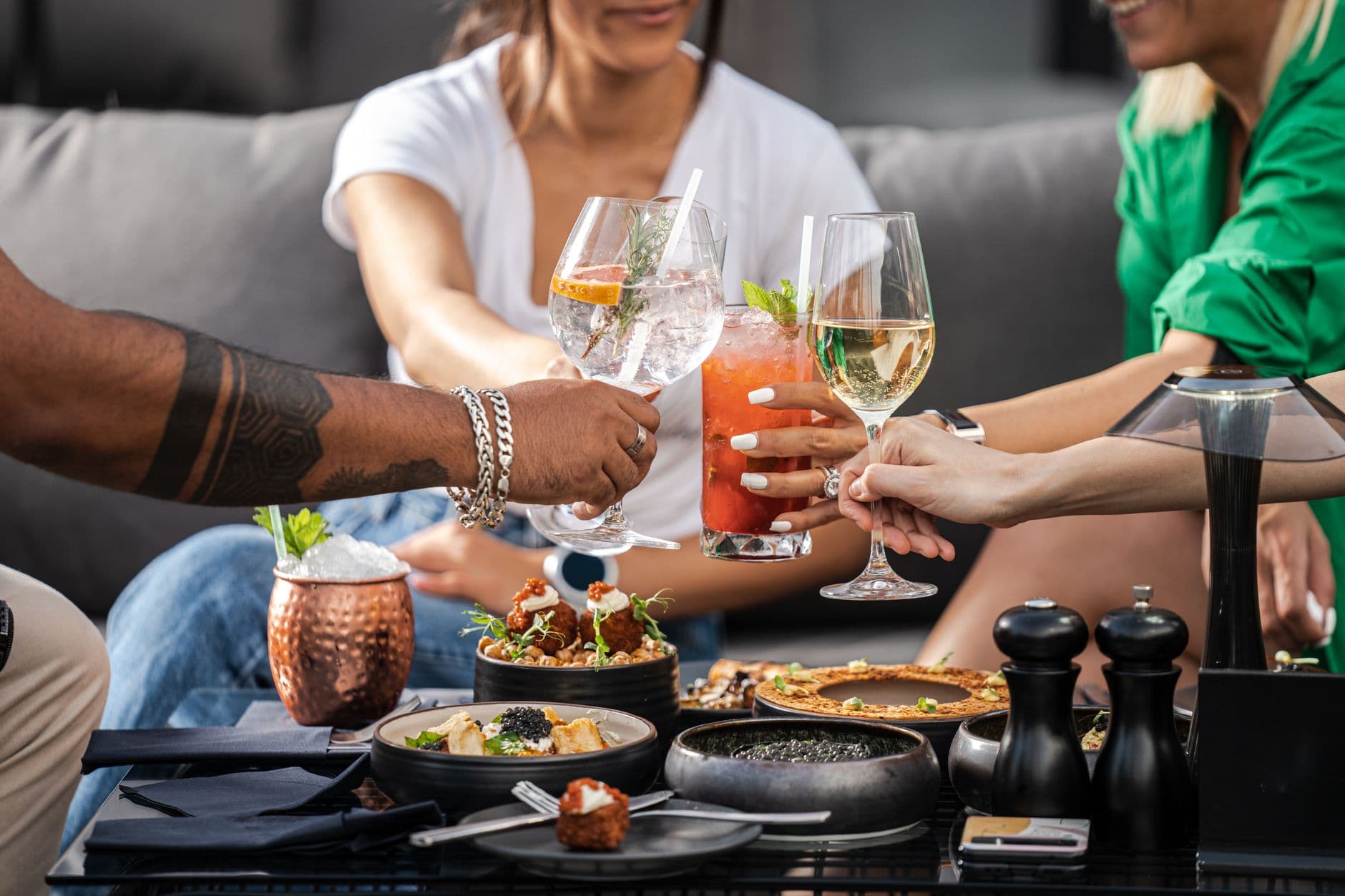
Picture a crowded beer tent on a Saturday night. Brass band playing. Someone in lederhosen is standing on a bench, holding a stein high, foam running down their arm. Three phones come out to capture it. By Monday, those photos live on three separate camera rolls, and nobody will ever see anyone else's version.
That's the beer festival experience in a nutshell: extraordinary moments, documented by dozens of people, shared with nobody.
According to TicketFairy, European festival attendance hit an estimated 650 million visits in 2023, a 12% jump from prior years. Oktoberfest alone draws over 6 million visitors across 16 days. Craft beer festivals, brewery open days, tap takeovers, beer garden meetups: they're all booming. And they all share the same photography problem.
The photos exist. They're just trapped.
Why Beer Festivals Are a Photography Nightmare
Weddings have a photographer. Corporate events have a comms team. Beer festivals have chaos, and that's what makes the photos so good. The candid stuff. The group at the long table who've been there since noon. The bartender mid-pour with perfect backlighting through a tent flap. The moment someone realizes they won the stein-holding contest.
But chaos also means nobody is in charge of collecting these photos. The typical post-festival attempt goes something like this: someone creates a WhatsApp group called "Oktoberfest Pics 2026", four people add photos, and the group goes silent by Wednesday. If you've ever tried to collect photos from event guests automatically, you know the WhatsApp approach has a ceiling. A low one.
There's also a practical problem that's unique to beer festivals. Phones get sticky. Screens get hard to read in direct sunlight or dim tent lighting. People's fine motor skills decline as the evening progresses. Any photo sharing solution that requires downloading an app, creating an account, or navigating a complicated interface is dead on arrival after the third beer.
Beer and phones are not natural allies. Consider recommending phone cases or lanyards in your event communications. A dropped phone at a festival is a lost photo contributor for the rest of the night.
The QR Code Fix (It Takes 8 Seconds)
Here's what actually works: a QR code that opens a browser-based gallery. No app install, no account creation, no friction. Guest scans the code, picks a display name, and starts uploading. The whole thing takes about 8 seconds, which is roughly the attention span of someone holding a fresh beer.
Photogala's QR code upload does exactly this. You create a gallery, get a QR code, and print it. That's the setup. Guests scan with their phone camera and they're in. No app store detour, no password, no email verification. Even non-tech-savvy guests manage it, because scanning a QR code is now muscle memory for most people.
The Brewfest Guide recommends smartphones as the ideal beer festival camera because they're always with you and quick to share. A QR gallery turns that convenience into a collective archive.

1.Scan, name, upload. That's the entire process.
Where to Put the QR Codes (This Matters More Than You Think)
Placement is everything. At a wedding, you put QR codes on table cards. At a beer festival, you need to think differently because people move constantly, spill things, and rarely sit in one spot for long.
The spots that work best at beer festivals:
- On coasters. People pick them up, flip them over, fiddle with them. A QR code on a coaster gets scanned out of idle curiosity. Print extras because they get soggy.
- At the bar itself. A small sign next to the tap handles or at the order point catches people during the one moment they're standing still and waiting.
- On table tent cards. The classic triangle cards that sit on long communal tables. Durable, visible, hard to lose under a plate.
- At the entrance/wristband station. First touchpoint. People are sober, curious, and have their phones out anyway.
- On the big screen. If you have a live photo wall running, display the QR code periodically between photos.
QR Code Generator
Create custom QR codes for your event — link guests directly to your photo gallery.
You can design custom branded QR codes that match your festival's visual identity. A QR code in your brand colors on a wooden coaster feels intentional, not generic. If you just need a quick code for testing, Photogala's free QR code generator gets you one in seconds without any signup.
実際の画面
ゲストの写真をすべて1つのアルバムに。アプリは不要です。
Photo Challenges Turn Casual Snappers Into Enthusiastic Photographers
Here's the thing about beer festivals: people are already in a good mood. They're social, relaxed, and (usually) willing to be silly. That's the perfect setup for photo challenges.
Imagine setting up challenges like "best clink shot" or "find the most creative hat." Someone at a communal table sees the challenge list, laughs, and nudges their neighbor. Now two people are uploading instead of zero. Multiply that across an evening and the gallery fills up fast.
What makes Photogala's challenges different from a simple "upload your best photo" prompt is the example preview photo feature. You can attach a reference image to each challenge showing exactly what you're looking for. Set a perfectly framed stein-clink photo as the example, and suddenly guests are competing to get a better version. It's photo roulette meets drinking games, minus the drinking game part. (Or in addition to it. Your call.)
A few challenge ideas that work well at beer festivals:
- The Perfect Pour: Capture a beer being poured with backlight. The Brewfest Guide actually recommends holding the glass at chest height and finding a clean background for this shot.
- Group Prost: Get 5+ people to clink glasses simultaneously. Harder than it sounds when everyone is mid-conversation.
- Best Lederhosen/Dirndl: Self-explanatory at Oktoberfest. At a craft beer fest, adapt to "best brewery merch" or "most creative outfit."
- The Candid Moment: Catch someone genuinely laughing, not posing. These end up being the best photos of the entire event.
- Food Pairing: Photo of your beer next to whatever you're eating. Pretzel with weissbier. Bratwurst with pilsner. Nachos with IPA.
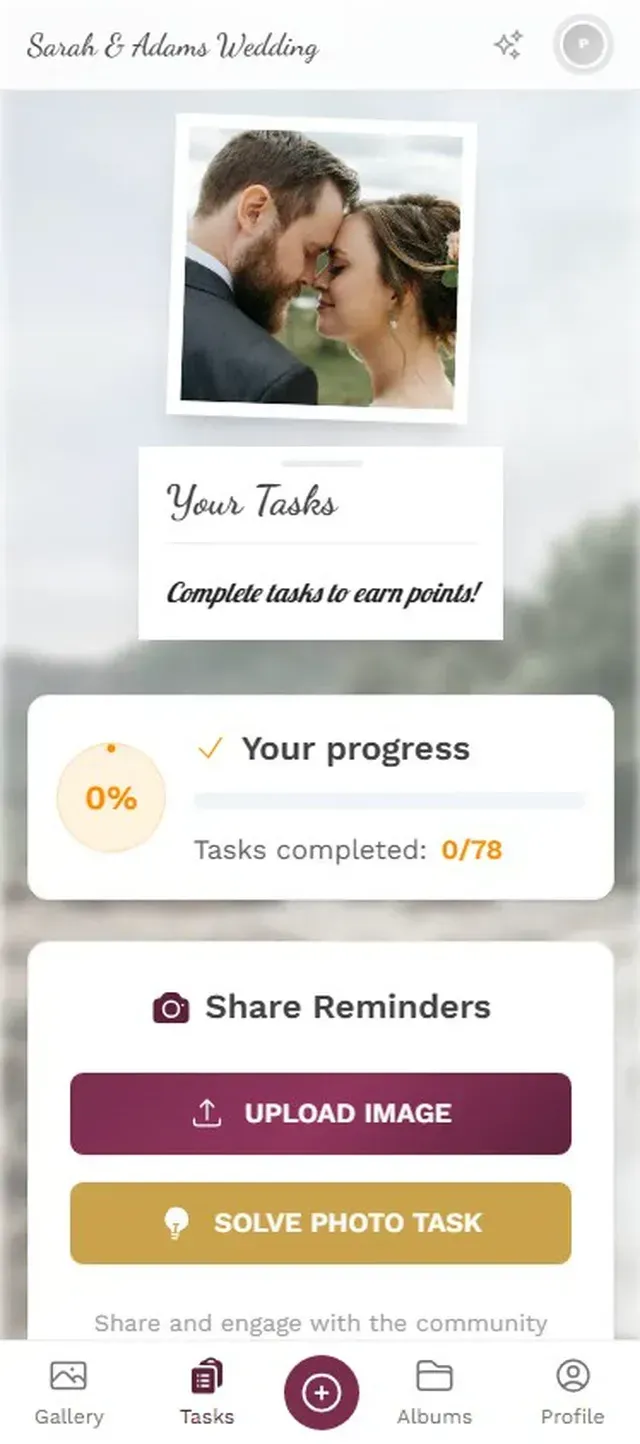
1.Guests browse challenges and start snapping.
The Leaderboard Effect (Yes, It Works on Tipsy Adults)
Add a leaderboard and points system and something interesting happens. People who would normally upload 2-3 photos start uploading 15. The competitive instinct kicks in, even at a casual festival.
Say you're running a brewery's anniversary event with 80 guests. Without gamification, you might collect 60-90 photos over the evening. With a visible leaderboard, challenges, and maybe a small prize for the top contributor (a six-pack, a brewery tour voucher), that number climbs to 200+. The psychology is simple: people like winning, and they like being seen. A leaderboard gives them both.
You can even show likes and achievements on a live photo wall at the venue. When someone's photo pops up on the big screen with their name and a little celebration animation, their friends cheer. Then those friends want their photo up there too. It feeds itself.
Live Photo Wall: The Giant Screen Nobody Can Ignore
Speaking of screens. If you have access to a TV or projector at your beer festival, a live photo wall is the single most effective way to get people uploading. Photos appear on screen within seconds of being uploaded, cycling through in a slideshow or collage layout.
The best placement? Near the bar. Not debatable. That's where foot traffic peaks, where people linger, and where they're most likely to pull out their phones. A screen near the entrance works too, but the bar is where the magic happens. People see their friend's face on the big screen, laugh, and immediately want to add their own photo.
Guest photos cycle on the big screen in real time.
Photogala offers multiple collage styles for the wall display: uniform grid, polaroid, vintage, justified, and featured. For a beer festival, the polaroid or vintage style adds a warm, casual feel that matches the atmosphere. You can also overlay live like counts and achievement unlocks if you're running gamification.
One honest limitation: the photo wall needs a stable internet connection. Festival tents with spotty WiFi can be tricky. If you're organizing a larger event, consider a dedicated mobile hotspot for the display device. It's a small investment that prevents the "photos not loading" frustration.
After the Festival: Don't Let the Photos Die
The gallery doesn't close when the taps do. Photogala keeps galleries active for months (6 months on Plus, 12 months on Premium and Deluxe), and the active period only begins after the first 10 photos are uploaded, not when you buy the plan. So you can set everything up weeks before the event.
Here's what catches some organizers off guard: guests actually keep uploading after the event ends. The morning-after photos, the group selfie at the train station going home, the artsy shot of empty steins someone took at closing time. Our guide on getting guests to upload photos after the event covers specific tactics for extending that upload window.
Everyone can browse the full gallery and download their favorites or grab the entire collection as a ZIP. For event organizers, this is where it pays off: authentic, user-generated content from dozens of perspectives. No staging, no posing, just the real atmosphere of the festival captured by the people who were there.
For corporate brewery events or brand activations, that content becomes marketing material. Social media posts, website galleries, next year's promotional flyers. And if you're running any kind of event photo sharing at scale, having a bulk ZIP download saves hours compared to chasing photos across WhatsApp threads.
Quick Setup Checklist
Set Up Your Beer Festival Gallery in 10 Minutes
Create your gallery
Sign up (free to start, no credit card), name your event, pick a theme that matches the festival vibe.
Print QR codes everywhere
Coasters, table tents, bar signs, entry wristband stations. The more touchpoints, the more uploads.
Set up 4-6 photo challenges
Beer-themed challenges with example photos. Keep them fun and low-effort.
Connect the photo wall
Plug a laptop or smart TV into a screen near the bar. Open the photo wall URL. Done.
The whole process takes about 10 minutes. If you want to go further with custom branding, logo placement, and themed gallery layouts, budget another 15 minutes. That's still less time than it takes to set up a physical photo booth.
And unlike a photo booth (which 61% of couples include at weddings but works just as well at festivals), a QR code gallery doesn't require anyone to wait in line. It captures the entire venue, not just one corner. Our deep dive on open-air event photography covers more outdoor-specific tips if you're hosting an open-air festival or beer garden event.
Think back to that Saturday night in the beer tent. The brass band, the foam, the phones coming out. Now imagine all those photos landing in one shared gallery instead of three separate camera rolls. By Sunday morning, you've got 300 photos from 40 different people, a few hilarious challenge submissions, and a gallery link you can text to everyone who was there.
That's the difference between a great night and a great night you actually remember. Prost.
これらすべてが、ご自身のイベントで使えます。
作成は5分で完了。決める前に、すべてを設定して確認できます。
料金 €39 ~(1回払い)1回払い — サブスクリプションなし
- アプリ不要
- 5分で準備完了
- 30日間返金保証
執筆者

I believe event photos should be more than static galleries. They should be live, playful, and unforgettable.
カテゴリー
関連記事

Bridal Shower Photo Sharing: Collect Every Sweet Moment in One Gallery
Bridal shower photos end up scattered across 15 phones. Here's how to get them all into one gallery before the mimosas wear off.

Maternity Photo Sharing: How to Keep Every Announcement, Bump Shot, and Memory in One Place
Pregnancy announcements land on 4 different apps. Maternity photos get lost in group chats. Here's how to keep every photo in one shared gallery your whole family can access.

Sales Kickoff Photo Sharing: How to Turn a Mandatory Meeting Into a Team Memory
Sales kickoffs are expensive. The photos from them usually disappear into 14 different camera rolls. Here's how to fix that.