Comic Con Photo Sharing: How 500 Cosplayers Can Fill One Gallery (Without Exchanging a Single Instagram Handle)

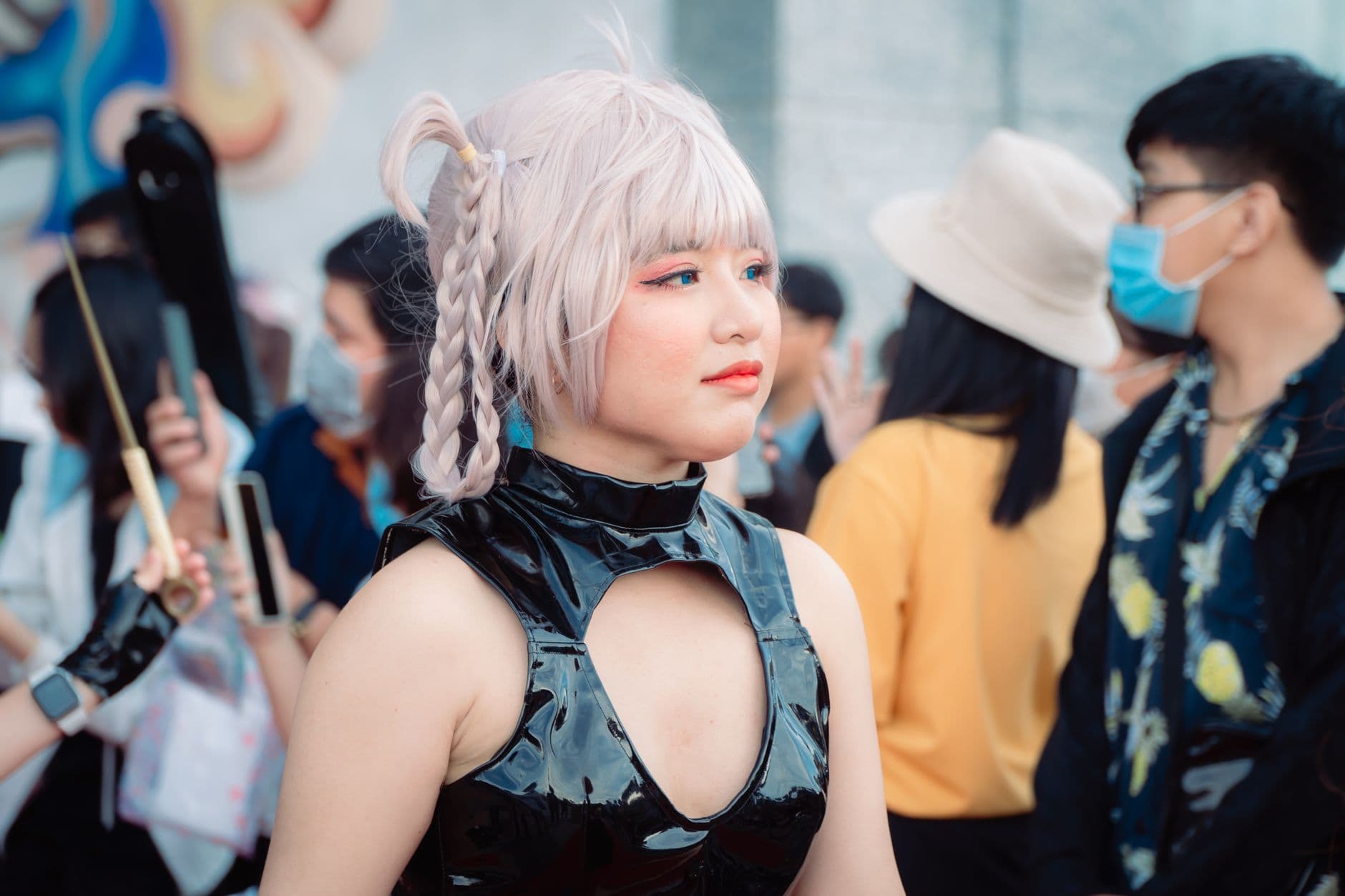
Picture the hallway outside Hall H on Saturday afternoon. A group of 14 people in full Jujutsu Kaisen cosplay has just finished a meetup shoot. Three photographers got the group shots. Maybe forty bystanders snapped photos on their phones. Someone yells "I'll tag you on Instagram!" but nobody can hear over the crowd noise, and within two minutes the group has dissolved into the flow of 80,000 attendees.
Those photos are gone. Not deleted. Worse: they exist on dozens of phones, belonging to people who will never find each other again.
This is the fundamental problem with convention photography. The costumes are incredible. The photos get taken. But the sharing infrastructure is nonexistent. You walk away from a con with maybe 30 photos of yourself across three friends' phones, while strangers have another 200 shots of your build that you'll never see.
The Convention Photo Problem Nobody Talks About
Cosplay photography has its own unwritten rulebook. As Photography Banzai's convention guidelines note, you should always ask permission before photographing a cosplayer, avoid candid shots, and never approach someone who's eating or on the phone. Most convention-goers follow these norms. The etiquette around taking photos is well-established.
The etiquette around sharing those photos? It doesn't exist. The current system works like this: you pose for someone, they take 4-6 shots, you exchange Instagram handles (maybe), and then you spend the next week searching hashtags like #NYCC2026 hoping to find yourself in a sea of 300,000 posts. If you're lucky, you find two of the twelve photos taken.
Cosplay gatherings make this even more chaotic. According to Cospix's gathering guide, meetup organizers promote through forums, Facebook events, and convention pages to coordinate character choices and schedules. All that effort to bring 30-100 cosplayers together for a themed shoot, and then the photos scatter across every photographer's personal storage with no centralized place to find them. The people who built elaborate costumes over months see maybe 10% of the photos taken of their work. The similar problem exists at car shows and outdoor festivals, but conventions add the extra complexity of costumes that took hundreds of hours to build.
What a QR Code Gallery Actually Solves
The fix is embarrassingly simple. One QR code. Print it on a card, tape it to a gathering sign, or hold it up at the end of a group shoot. Everyone scans it, uploads their photos to a shared gallery, and every cosplayer in the group can browse every angle of every costume afterward. No app install. No account creation. No exchanging handles.
Think about what that means for a gathering organizer. You already coordinate the location, the time, the character lineup. Adding a QR code takes two minutes of setup. But it transforms the gathering from "we all stood together for 15 minutes" into "we have a permanent, shared archive of 200+ photos from every angle."

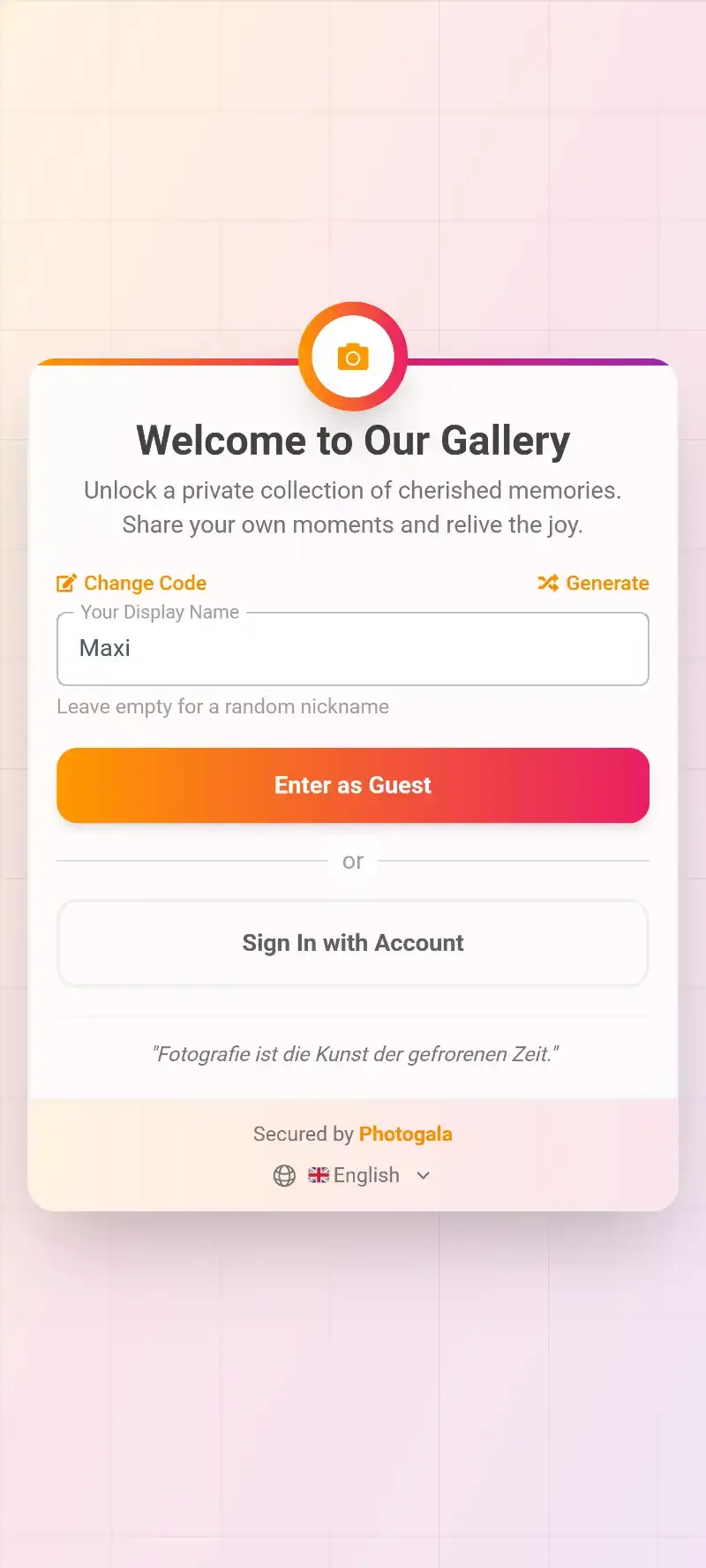
1.Scan once, upload from your phone. No app needed.
The best part for cosplayers: you can enter any display name you want. Your cosplay alias, your character name, whatever you go by in the community. No real names required, no accounts to create.
Running Photo Challenges at a Cosplay Meetup
Here's where it gets interesting. A cosplay gathering with just a shared gallery is already useful. A cosplay gathering with photo challenges turns into an event people talk about for months.
Imagine setting up challenges like "Best Power Pose," "Most Dramatic Villain Shot," or "Recreate This Scene" with a reference photo attached. Photogala's challenge system lets you include example preview photos that show participants exactly what to aim for. For cosplayers, this is the killer feature: set a famous anime screenshot as the reference, and watch people nail the pose from their character's perspective.
Photo Roulette for cosplay: Set up a challenge with random reference photos from the series and let cosplayers get assigned one to recreate. A Gojo cosplayer pulling the Sukuna pose? That's the kind of content that goes viral in cosplay circles.
You can configure challenges so they unlock progressively throughout the day. Start with easy ones ("Upload your full costume shot") and build toward creative prompts ("Cross-series crossover pose with someone from a different fandom"). At a gathering of 40+ cosplayers, 5-8 challenges is enough to keep the energy going without overwhelming people who are also trying to enjoy the con.
実際の画面
ゲストの写真をすべて1つのアルバムに。アプリは不要です。
The Moderation Question at Public Events
Conventions are public. That means your shared gallery is potentially open to anyone who scans the QR code. This is where content moderation stops being a nice-to-have and becomes essential.
As Carbon Costume's meetup guide points out, cosplay meetups should maintain family-friendly content unless explicitly adults-only, because families with children attend conventions. The same applies to your shared photo gallery. You need someone reviewing uploads before they go live.
With Photogala, you can assign moderator roles to 2-3 trusted people in your group. They get push notifications when new photos come in and can approve or reject with a single tap. If you're running a larger gathering at a major con, the AI NSFW filter adds an automatic first layer that catches obvious problems before a human even needs to review. The whole moderation flow works similarly to how large venue events handle the same challenge at scale.
1.Moderators approve or reject with one tap.
The Live Wall Nobody Expected to Love
Say your cosplay group has booked a gathering spot near the convention center lobby. You've got a 15-minute window, maybe 30 if you're lucky. Now imagine a screen behind the group showing a live photo wall of every photo uploaded so far.
It sounds over the top. It's not. The photo wall does something sneaky at cosplay events: it turns passive bystanders into participants. Someone walking past sees their Chainsaw Man cosplay pop up on screen in a live collage, and suddenly they're scanning the QR code and uploading their own shots. At a carnival event with 200 costumes, the same dynamic plays out. The screen creates a feedback loop.
You can set up a slideshow or collage display depending on the vibe. Slideshow works for a more curated, cinematic feel. Collage is better for the chaotic energy of a convention floor where you want to show as many costumes as possible at once.
Photos appear on screen in real time as attendees upload.
After the Con: What Happens to the Gallery
The convention ends Sunday evening. The gallery doesn't. With Photogala's Plus plan at €39, the gallery stays active for 6 months. Premium (€69) gives you 12 months. That's important because convention photos have a long tail: cosplayers edit, retouch, and reshare for weeks after the event. Some of the best shots surface a month later when a photographer finally processes their backlog.
Everyone who uploaded can come back, browse the full gallery, and download originals at full resolution. No compression, no watermarks. For cosplayers who want high-quality reference shots of their builds, this alone is worth the QR code scan.
One honest trade-off: Photogala is browser-based, not a native app. For most convention-goers this is actually a benefit (no install friction), but it means there's no offline mode. Convention center Wi-Fi can be unreliable, so uploading works best on mobile data. Worth keeping in mind when your gathering spot is in a basement with no signal.
Setting Up a Convention Gallery in 10 Minutes
From Zero to Shared Gallery
Create the gallery
Sign up at photogala.net and create an event. Name it after your gathering ("NYCC 2026 Jujutsu Kaisen Meetup"). Pick a cover image. Two minutes.
Set up challenges
Add 5-8 photo challenges with reference images. "Best Group Pose," "Recreate This Scene," "Most Creative Prop." Import from templates or create your own.
Enable moderation
Turn on approval-required mode. Assign 2-3 friends as moderators so inappropriate content gets filtered before it reaches the gallery.
Print or share the QR code
Download the QR code. Print it on a card, add it to your gathering announcement, or just hold up your phone screen at the meetup.
If you want to go further, customize the gallery branding with your fandom's colors. A Demon Slayer gathering with the Corps insignia as the logo and a dark theme? That level of detail is what separates a forgettable shared folder from something cosplayers actually screenshot and share.
For gathering organizers: Add the QR code to your convention gathering announcement and tell people to scan it when they arrive. Front-loading the QR scan means people are already in the gallery before the first group shot happens, and they'll upload throughout the meetup rather than forgetting afterward.
Why This Matters More Than Instagram Hashtags
The cosplay community has tried to solve photo sharing before. Hashtags. Facebook groups. Discord servers with photo channels. They all work, sort of. But they share the same flaw: they require everyone to use the same platform, remember the same tag, and actually follow through days later.
A QR code gallery skips all of that. It works on any phone, any browser, any operating system. The person who uses Android, the person who only has WeChat, the photographer with 400 RAW files on their laptop: they all upload to the same place. For sharing event photos across large groups, this kind of platform-agnostic access is what makes the difference between 20 uploads and 200.
That second number stings. Half of all those convention photos sit in camera rolls forever, according to a Mixbook survey on photo habits. A shared gallery turns those dormant files into something the entire cosplay group can access and enjoy.
The next convention you attend, count how many times someone says "I'll send you the photos." Then count how many actually arrive. That gap is exactly what a shared gallery closes. One QR code, printed on one card, solves a problem the cosplay community has been working around for years.
これらすべてが、ご自身のイベントで使えます。
作成は5分で完了。決める前に、すべてを設定して確認できます。
料金 €39 ~(1回払い)1回払い — サブスクリプションなし
- アプリ不要
- 5分で準備完了
- 30日間返金保証
執筆者

I believe event photos should be more than static galleries. They should be live, playful, and unforgettable.
カテゴリー
関連記事

Bridal Shower Photo Sharing: Collect Every Sweet Moment in One Gallery
Bridal shower photos end up scattered across 15 phones. Here's how to get them all into one gallery before the mimosas wear off.

Maternity Photo Sharing: How to Keep Every Announcement, Bump Shot, and Memory in One Place
Pregnancy announcements land on 4 different apps. Maternity photos get lost in group chats. Here's how to keep every photo in one shared gallery your whole family can access.

Sales Kickoff Photo Sharing: How to Turn a Mandatory Meeting Into a Team Memory
Sales kickoffs are expensive. The photos from them usually disappear into 14 different camera rolls. Here's how to fix that.