Customer Appreciation Event Photos: The Album Nobody Plans (But Everyone Wants)

The Follow-Up Email Nobody Opens
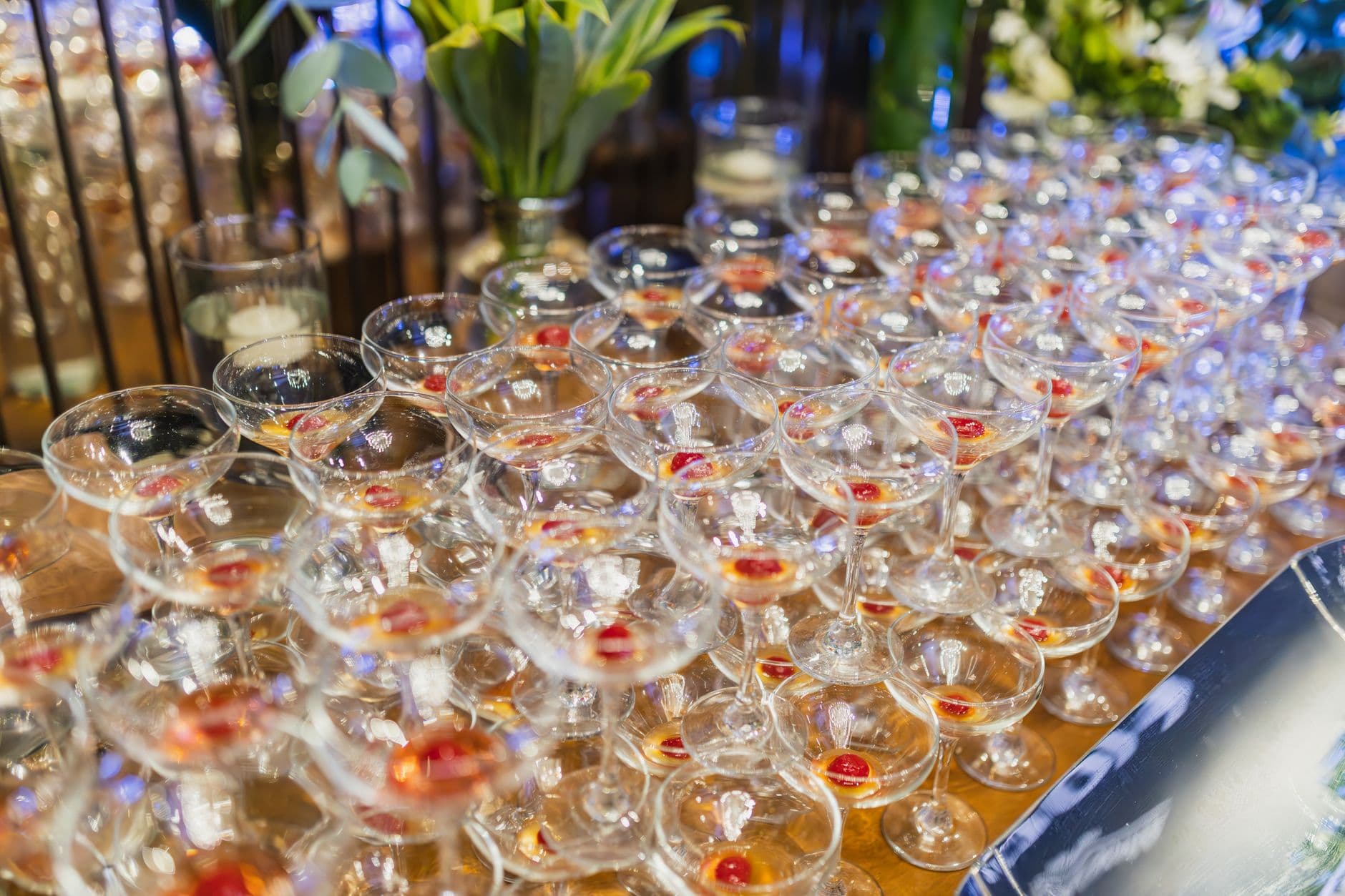
You spent three months planning a customer appreciation dinner. The venue was perfect. The food was excellent. Your top 40 clients showed up, shook hands, swapped stories over cocktails, and left smiling. Monday morning, your marketing team sends a generic "Thanks for attending!" email with two stock-looking photos the intern took on an iPhone.
Open rate: 18%. Click rate: 3%. All that effort, and the follow-up is forgettable.
Here's the thing most event planners miss: the photos from a client event aren't just documentation. They're relationship currency. A photo of your CEO laughing with a long-time client? That's a LinkedIn post. A candid shot of two clients discovering they went to the same university? That's a connection your CRM can't manufacture. According to Forbes, the most effective loyalty strategies create personalized, memorable experiences. Photos are how those experiences survive past the event itself.
Why Client Event Photos End Up Scattered (or Lost)
Picture a typical customer appreciation cocktail. The marketing coordinator takes a few dozen photos. Two clients post Instagram stories (which vanish in 24 hours). One sales rep takes a selfie with a key account holder and texts it to their manager. Another guest captures a great candid of the keynote speaker, but it stays buried in their camera roll forever.
The result: 80+ photos exist across 15 different phones and three social platforms, and nobody has access to more than a fraction. Sound familiar? This is the same problem that plagues every type of corporate event, from trade shows to retreats.
The usual solutions don't work well for client events specifically. A shared Google Photos album requires everyone to have a Google account (your clients don't want to sign up for anything). A Dropbox link feels transactional. Emailing "please send us your photos" gets maybe two replies. And WhatsApp groups with clients? That crosses a professional boundary most people aren't comfortable with.
One QR Code Changes the Dynamic
The simplest fix is a QR code that opens a shared gallery in the browser. No app download. No account creation. Guests scan, upload, and see everyone else's photos in real time.
For a client appreciation event, the setup takes about five minutes. You create a gallery, customize it with your company branding (logo, colors, fonts), and print the QR code on table cards, place settings, or a small sign near the bar. That last placement matters more than you'd think. People take out their phones when they're waiting for a drink.
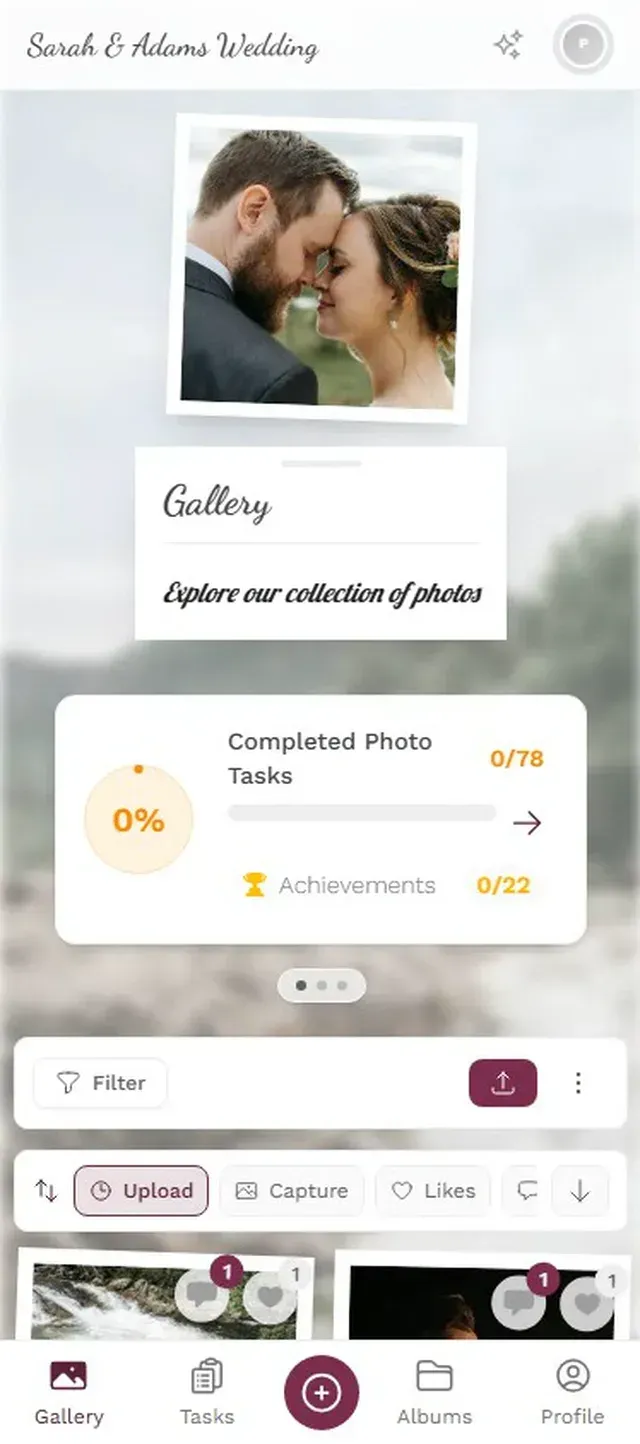
1.Guests scan and upload from their phone browser. No app needed.
Here's something worth noting about client events versus internal team events: participation tends to happen more naturally. At a team building day, you sometimes need to nudge employees to upload photos. But clients at an appreciation dinner are already in a good mood, already feeling valued. Give them an easy way to contribute and they will. A 40-person client dinner can realistically generate 60-100 photos over a three-hour evening.
Placement tip: Print the QR code on the back of each name card. Guests pick up their card, flip it over, and there's the gallery link. It feels personal, not like a marketing gimmick.
The Real Value: What Happens After the Event
Collecting the photos is the easy part. The real return comes from what you do with them afterward.
Instead of that generic follow-up email, imagine sending each client a personalized note with a link to the gallery. "Great catching up on Thursday. Here's the photo gallery from the evening." That email gets opened. It gets clicked. Some clients will download photos, share them internally, even post them on LinkedIn and tag your company. Paperless Post's research confirms it: client events that create shareable moments increase the likelihood of repeat business.
One approach that works well: set up a live photo wall on a screen at the venue during the event, then send the gallery link the next day. The wall creates buzz during the evening ("Look, my photo just appeared!"), and the link extends the experience afterward. It's the difference between a one-night event and a touchpoint that lasts weeks.
Veja na prática
Todas as fotos dos convidados em um só álbum – sem app.
Making It More Than a Photo Dump
A shared album is useful. A shared album with some structure is memorable.
For client events, photo challenges work differently than at a wedding or birthday. You're not asking a CFO to do a silly dance. But you can set up subtle, on-brand challenges that encourage participation without feeling forced. "Snap the best view from the rooftop terrace." "Capture a candid moment with someone you just met." "Photo of the dish that disappeared first." These work because they give people a reason to take out their phone with purpose, not just passively.
Challenges can include example preview photos that show guests what you're looking for. This removes the guesswork. A challenge that says "capture the sunset from the terrace" with an example photo of the view? People immediately know the vibe you want. It's a creative direction, not an assignment.
You can also use albums to organize the gallery. Separate albums for "cocktail hour," "dinner," and "keynote" help clients find specific moments later. If you're running a multi-session event, like a company retreat with a client appreciation component, smart albums that auto-sort by time window keep things organized without manual work.
Moderation Matters (Especially with Clients)
This is one area where client events need more care than internal ones. At a team event, an out-of-focus photo or a goofy selfie is fine. At a client event, your gallery represents your brand.
The moderation dashboard (available on the Premium plan and above) lets you review every upload before it appears in the shared gallery. Assign a team member (your marketing coordinator or event manager) to approve photos in real time. One tap to approve, one tap to reject. It takes about 10 seconds per photo. For a 40-person dinner generating 60-100 uploads, that's maybe 15 minutes of total moderation time spread across the evening.
The honest trade-off: pre-approval adds a short delay before photos appear in the gallery. Guests upload a photo and it doesn't show up for a minute or two while someone reviews it. At a wedding, that delay might feel frustrating. At a professional event, it's expected and even appreciated. Nobody wants an unflattering photo of themselves circulating in a client-facing gallery.
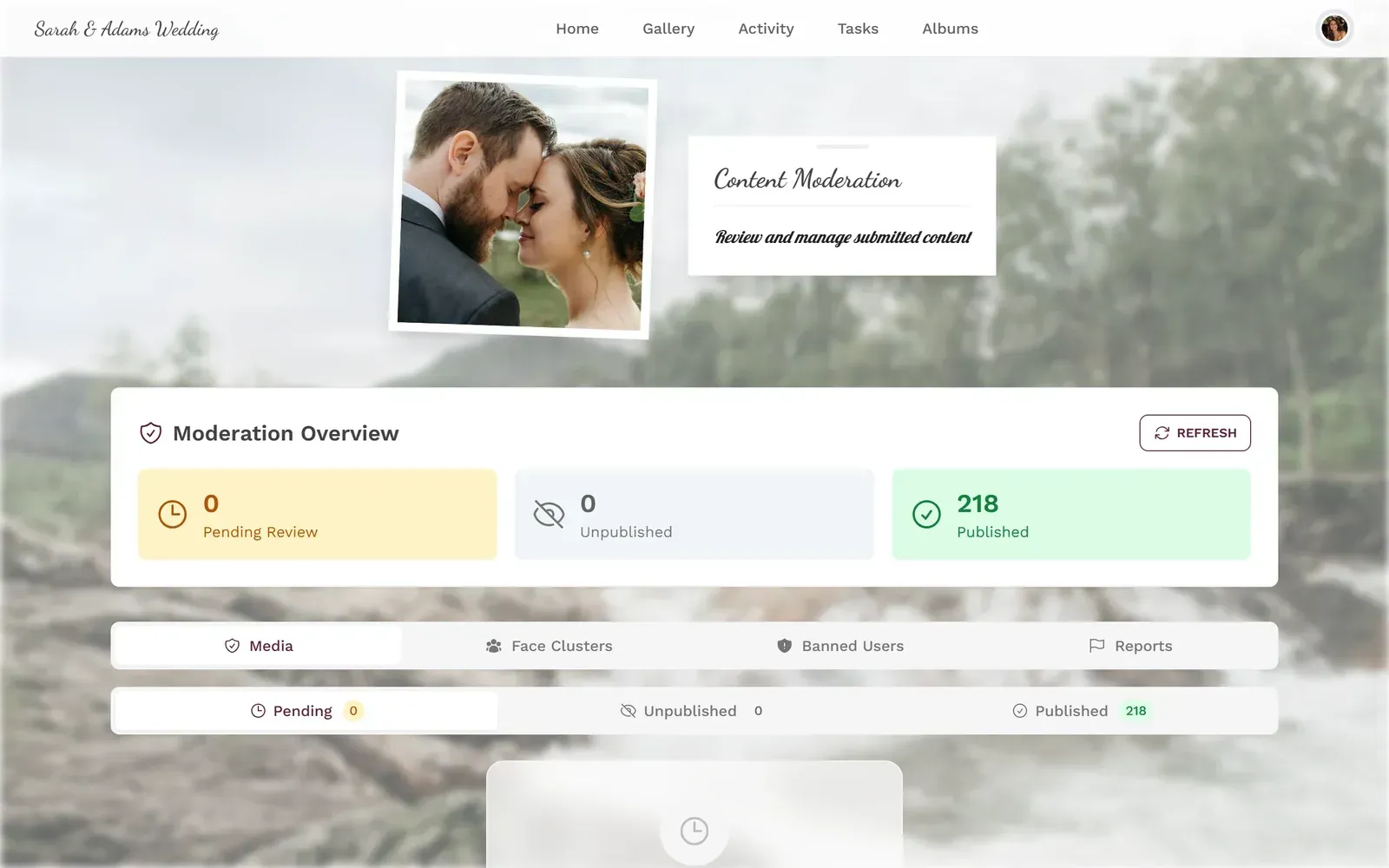
1.Review every photo before it goes live. One tap to approve or reject.
The Numbers That Matter for Client Events
Ask any event professional about their biggest challenge and you'll hear the same answer: engagement. Not attendance (your clients will show up for free drinks), but the quality of interaction. Did people actually connect, or did they stand in polite circles and leave after 45 minutes?
Photos are a proxy for engagement. When guests are taking and sharing photos, they're present. They're noticing details. They're interacting with each other, not just your sales team. A gallery with 80 photos from 25 contributors tells you the event landed. A gallery with 12 photos from 3 people tells you something didn't click. It's an imperfect metric, sure, but it's a lot more honest than a post-event satisfaction survey where everyone checks "very satisfied" out of politeness.
Turning Photos Into Follow-Up Gold
The gallery isn't just a keepsake. It's a follow-up tool with specific, practical uses:
- Personalized thank-you notes. Pull a photo of you with a specific client. Attach it to your thank-you email. It takes 30 seconds and feels ten times more personal than a form letter.
- Social media content. With permission, the best candids become LinkedIn posts, newsletter headers, or website testimonials. One evening can generate a month of authentic content.
- Internal reporting. Show leadership that client engagement was high. A gallery with 90 photos from 30 clients is more convincing than a slide deck saying "the event went well."
- Repeat invitations. "Remember this moment from last year's dinner?" with a photo attached is the best event invitation you'll ever send.
If you've set up employee appreciation events with photo sharing before, the client version follows the same playbook. The difference is in the tone: less gamification, more polish. And if you're sharing event photos across a wider audience afterward, the same gallery can serve double duty.
A Quick Setup Walkthrough
Set up your client event gallery in 5 minutes
Create the gallery
Sign up, name the event, and upload your company logo. Pick colors that match your brand.
Enable moderation
Turn on pre-approval so every photo is reviewed before it goes live. (Requires Premium plan.)
Print QR codes
Place them on table cards, at the bar, or on name badges. Near the bar works best.
Share the gallery link after
Email each client the gallery URL the next morning. Keep the gallery active for downloads.
The whole thing runs in the browser, so your clients don't need to download anything. That matters more than you'd expect. At a networking event, asking someone to install an app is a conversation killer. A QR code that opens a webpage? That's two seconds of effort.
For larger events with multiple touchpoints, collecting photos automatically saves your team from chasing down individual contributions afterward.
What Doesn't Work (Lessons from the Field)
A few things to watch out for, because not everything about event photo sharing applies cleanly to client events.
Leaderboards are a no. At a wedding or team event, a gamification leaderboard gets people competitive and uploading more. At a client dinner, ranking your clients by photo count feels tone-deaf. Skip it for this type of event.
Too many challenges backfire. Three subtle challenges is the sweet spot. More than that and clients feel like they're participating in a marketing exercise rather than enjoying an evening. Keep challenges observational ("capture something beautiful") rather than performative ("take a group selfie").
Don't announce the gallery with a speech. A brief mention from the host, yes. A formal explanation of how QR codes work, no. Just make the codes visible and let people discover them naturally. Curiosity does the work.
These are the same kinds of lessons that apply to trade show photo setups and awards ceremonies. Professional contexts need a lighter touch.
Beyond the Dinner: Other Client Event Formats
Appreciation dinners are the classic format, but photo sharing works just as well for other client event types. Product launch previews, where you invite key accounts to see something before it's public. VIP experiences, like a box at a sports event or a private cooking class. Even a casual summer barbecue at the office.
For outdoor events, a live photo collage on a big screen adds an element that gets people talking. Photos appearing in real time on a display near the main gathering area creates a natural conversation starter. Clients point at the screen, laugh at candids, and take more photos because they want to see their shots appear.
For multi-day events like retreats or conferences with a client track, the gallery becomes a shared memory that participants can browse long after. Keep the archive accessible for downloads so clients can pull their favorite shots weeks later.
Your best clients already like you. They showed up to your event, after all. A shared photo gallery doesn't create that relationship. But it gives it something tangible to hold onto, a link they can revisit, a photo they can share, a moment they remember the next time your name comes across their desk.
Tudo isso vem com o seu próprio evento.
Criar leva cinco minutos. Você pode configurar e ver tudo antes de decidir.
A partir de € 39 pagamento únicoPagamento único — sem assinatura
- Sem precisar de app
- Pronto em 5 minutos
- 30 dias de garantia de reembolso
“Uso o PhotoGala Deluxe e estou absolutamente encantada. Para documentar um evento esportivo, foi a solução perfeita. Enviar e baixar fotos pelo link é facílimo para todos os participantes. O que mais me convenceu foram o mural de fotos e a apresentação de slides: os dois são rápidos de configurar e ficam realmente profissionais. Um grande elogio também ao Peter, da equipe PhotoGala: ele é muito fácil de contatar por e-mail, responde rápido e até acolheu as minhas sugestões, integrando novos recursos que deixaram a minha apresentação ainda melhor. É raro encontrar um suporte tão dedicado. Recomendo sem hesitar, 5 estrelas!”
Escrito por

I believe event photos should be more than static galleries. They should be live, playful, and unforgettable.
Categorias
Artigos relacionados

Bridal Shower Photo Sharing: Collect Every Sweet Moment in One Gallery
Bridal shower photos end up scattered across 15 phones. Here's how to get them all into one gallery before the mimosas wear off.

Maternity Photo Sharing: How to Keep Every Announcement, Bump Shot, and Memory in One Place
Pregnancy announcements land on 4 different apps. Maternity photos get lost in group chats. Here's how to keep every photo in one shared gallery your whole family can access.

Sales Kickoff Photo Sharing: How to Turn a Mandatory Meeting Into a Team Memory
Sales kickoffs are expensive. The photos from them usually disappear into 14 different camera rolls. Here's how to fix that.