Corporate Awards Ceremony Photos: How to Capture Every Moment Without Chasing Anyone Down

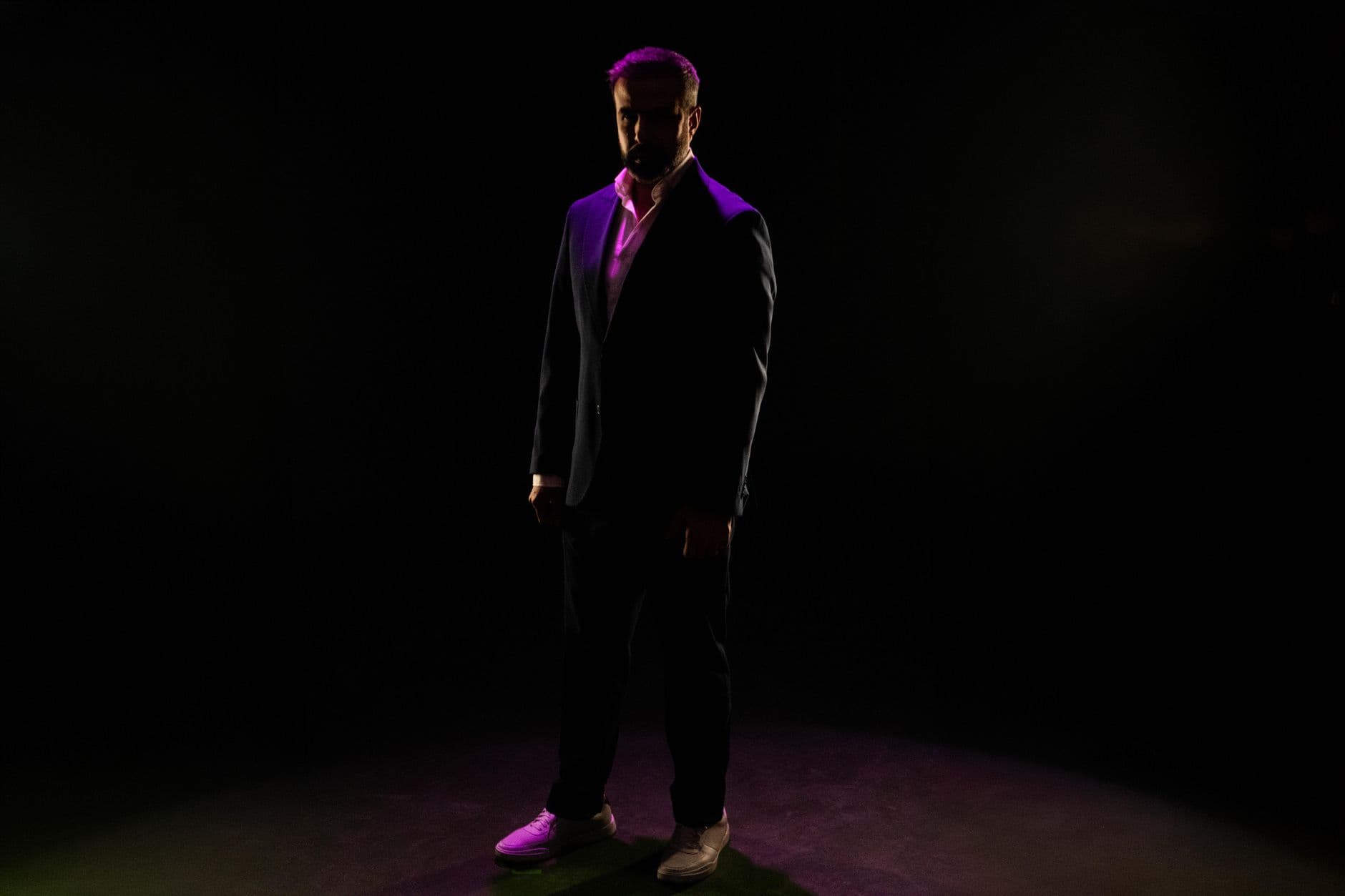
The CEO just handed over the trophy. The winner's face is pure surprise, colleagues are on their feet clapping, and somewhere in the back row someone's phone camera is already firing. That moment lasts maybe four seconds. The professional photographer on stage gets one angle. The person in row three gets another. The colleague filming vertically from the bar area gets a third.
Three perspectives of the same moment, and by Monday morning, two of them are buried in camera rolls nobody will ever scroll through again.
Awards ceremonies are uniquely tricky for photo collection. Unlike a wedding where the couple can nudge guests for weeks afterward, a corporate event has a hard expiration date on enthusiasm. People leave, return to their desks, and the window for "can you send me those photos?" closes fast. So your communications team ends up with 40 official photographer shots and zero of the candid reactions that actually tell the story.
The Real Value of Awards Ceremony Photos
Here's what most event planners miss: awards ceremony photos aren't just memories. They're assets. Your HR team needs them for the internal newsletter. The marketing department wants them for employer branding on LinkedIn. The award winners themselves want something to frame or post. And for anyone involved in event photo sharing, the visual record of those experiences extends their impact long after the venue lights go down.
But the gap between photos taken and photos actually collected is enormous. Picture this: a 150-person awards dinner where you ask attendees to upload their best shots to a shared Google Drive afterward. If your experience is anything like what most corporate event teams report, you'll get maybe 8 to 12 people who follow through. That's not because people don't care. It's because the process requires too many steps at a time when motivation has faded.
Why QR Codes Change the Math
The friction problem at corporate events comes down to timing. During the ceremony, energy is high. People are taking photos. They're excited about their colleague's award. They want to participate. But asking them to email photos next week? That's seven steps removed from the moment.
A QR code on every table collapses those seven steps into one: scan, upload, done. No app install. No login. No "which Google account do I use?" confusion. The upload happens while the enthusiasm is still warm, not three days later when it's gone cold.
If you've read about cloud albums vs QR code galleries, you already know the core difference: shared drives require action after the event, QR galleries capture action during it. For awards ceremonies specifically, this distinction matters more than at almost any other event type because the moments are so brief and concentrated.

1.Guests see the shared gallery instantly after scanning
Setting Up for an Awards Ceremony (The Details That Matter)
The logistics of a corporate awards night are different from a casual company outing. You've got stage lighting that washes out phone cameras, table arrangements that create natural photo clusters, and a program with specific peak moments. Here's what actually works:
Place QR codes on every table, not just the entrance. A single poster by the registration desk gets scanned once and forgotten. Table cards get scanned repeatedly throughout the evening, especially during the slower moments between awards. You can design branded table cards that match your event's visual identity so they look intentional, not bolted on. Photogala's invitation designer can help you create matching materials if you need a quick starting point.
Invitation Designer
Design beautiful event invitations with elegant templates and custom styling.
Time your announcement. Don't explain the photo gallery during the opening remarks when nobody has taken any photos yet. Mention it after the first two or three awards, when people already have shots on their phones and need somewhere to put them. "Scan the QR code on your table to share what you've captured so far" works better than a pre-event briefing.
The live photo wall works best near the stage, not tucked in a corner. This lesson comes up repeatedly in large venue photo sharing: visibility drives participation. A screen that cycles through guest uploads between award presentations creates a feedback loop. People see their photo appear, show their table, and suddenly everyone at that table is uploading too.
See it in action
Every guest photo in one album – no app.
Photo Challenges for Awards Nights
Here's where it gets interesting. Awards ceremonies have natural photo opportunities that most attendees miss because they're not thinking about them. Photo challenges turn passive attendees into active photographers by giving them specific targets.
The best challenges for awards events aren't generic "take a selfie" prompts. They're specific to the ceremony format:
- "Capture a winner's reaction the moment their name is called"
- "Photo of the best-dressed table"
- "Behind-the-scenes shot of someone rehearsing their speech"
- "Group photo with your entire department"
What makes this particularly effective: challenges can include example preview photos showing guests exactly what kind of shot you're looking for. Imagine a challenge card that shows a sample reaction shot with dramatic stage lighting. Guests know what to aim for and start watching for those moments. It's a subtle shift from "take random photos" to "capture these specific stories."
For a deeper look at structuring corporate photo activities, the ideas in our employee appreciation event photo guide translate well to awards ceremonies, especially the section on recognition moments.
The Moderation Question
Corporate events have a reality that weddings and birthday parties don't: brand risk. An unflattering photo of a senior executive, an accidental screenshot of a confidential slide, or someone's idea of a funny caption that HR wouldn't find amusing. These things happen.
Content moderation at corporate events isn't about censorship. It's about having someone review uploads before they hit the big screen. Assign a member of the comms team as moderator. One tap to approve, one tap to reject. They can do it from their phone at the table without leaving the event.
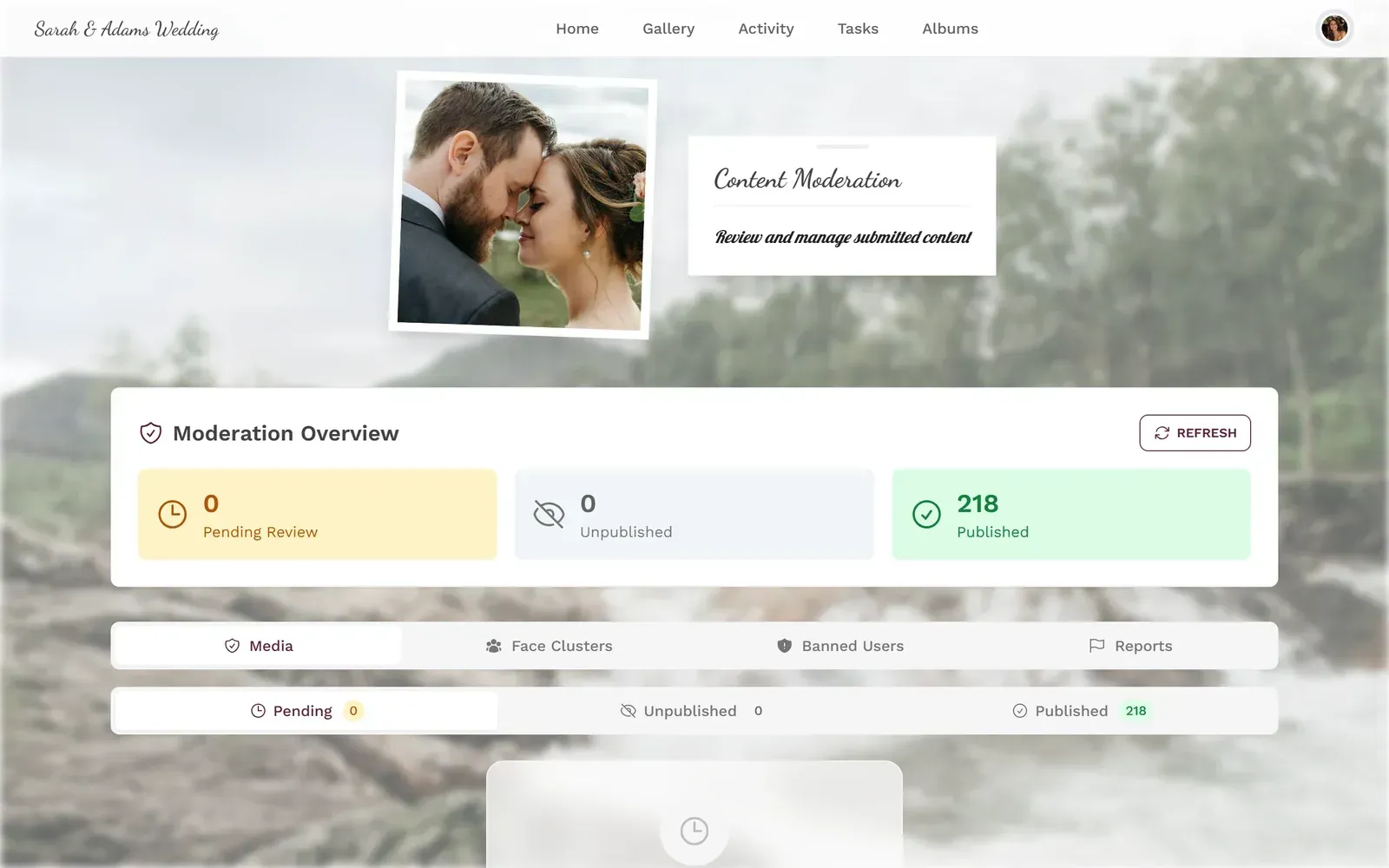
1.Approve or reject uploads before they appear on the photo wall
The AI-powered NSFW filter adds a second layer. It automatically flags potentially inappropriate content before a human moderator even sees it. For a 200-person awards dinner with an open bar, that's not paranoia, that's planning.
Honest trade-off: Moderation adds a slight delay between upload and display on the photo wall. Most uploads get approved within seconds, but if your moderator gets distracted during an award presentation, there can be a backlog. Assign a backup moderator for the busiest moments.
After the Applause: What Happens to the Photos
The ceremony ends. People head to the afterparty or home. Now what?
This is where most corporate photo collection falls apart. With a shared drive approach, you're sending reminder emails on Monday. With a QR gallery, the photos are already there. Your comms team can start pulling highlights for the newsletter before the venue staff finishes stacking chairs.
A few things worth doing in the days after:
- Download the full gallery as a ZIP and archive it on your company drive. The bulk download feature keeps original quality intact.
- Share the gallery link in your follow-up email to attendees. People who didn't upload during the event often browse and contribute once they see everyone else's photos.
- Pull the best shots for internal comms. Award winner on stage? Newsletter header. Department group photo? Intranet banner. The afterparty dance floor? Slack channel gold.
If your events team also handles networking events or trade shows, the same gallery setup works across all of them. Set it up once, reuse the template.
Making the Photo Wall the Star of the Room
A live photo collage on a big screen does something subtle at an awards ceremony. It shifts the energy from passive watching to active participation. When the screen between presentations shows guest-uploaded photos instead of a static logo loop, it gives people a reason to look up from their phones. And then it gives them a reason to pick their phones back up and contribute.
The most effective placement? Behind or beside the main stage, visible from every table. Display it during breaks between award categories. Let it run during the cocktail reception before the ceremony starts. By the time the first award is announced, people are already in "photo mode" because they've been watching the wall fill up.
As photography trends continue shifting toward authentic, candid moments over polished corporate shots, a wall of guest-uploaded photos captures exactly the kind of genuine content that resonates on internal channels and social media alike.
Branding It Right
An awards ceremony typically has a visual identity: event logo, color scheme, maybe a theme. The photo gallery should match. Nobody wants a generic-looking upload page at a black-tie dinner.
With custom branding, you can set the gallery colors, header style, and logo to match the ceremony's visual identity. The gallery feels like part of the event, not an afterthought someone bolted on. For a company that takes its brand seriously (and which company at an awards ceremony doesn't?), this matters more than you'd think.
Quick Setup for Your Awards Night
Create your gallery
Set event name, brand colors, and logo. Choose a header style that matches the ceremony's visual identity. Takes about 5 minutes.
Add photo challenges
Import from templates or create custom ones: reaction shots, group photos, behind-the-scenes moments. Add example preview photos so guests know what to aim for.
Print QR table cards
Design branded table cards with QR codes. Place one on every table and at the registration desk.
Set up moderation + photo wall
Assign a moderator, enable the NSFW filter, and connect the live wall to a screen near the stage.
The best awards ceremony photos aren't the ones the professional photographer stages. They're the ones the CFO's assistant snapped right as the winner's name was called. The group selfie at table seven where everyone's laughing because someone just spilled champagne. The candid shot of the CEO giving a genuine bear hug instead of a corporate handshake.
Those photos exist. They're on people's phones right now, at every awards ceremony happening this week. The only question is whether anyone collects them before they disappear into camera rolls forever.
All of this comes with your own event.
Setting it up takes five minutes. You can build and view everything before you decide.
Starting from €39 one-timeOne-time payment — No subscription
- No App Required
- Setup in 5 Minutes
- 30-Day Money Back
“We were really thrilled, and everything went so much more smoothly, from the seating plan all the way to the photo games! Simply great! Highly recommended!”
Written by

I believe event photos should be more than static galleries. They should be live, playful, and unforgettable.
Categories
Related Posts

Bridal Shower Photo Sharing: Collect Every Sweet Moment in One Gallery
Bridal shower photos end up scattered across 15 phones. Here's how to get them all into one gallery before the mimosas wear off.

Maternity Photo Sharing: How to Keep Every Announcement, Bump Shot, and Memory in One Place
Pregnancy announcements land on 4 different apps. Maternity photos get lost in group chats. Here's how to keep every photo in one shared gallery your whole family can access.

Sales Kickoff Photo Sharing: How to Turn a Mandatory Meeting Into a Team Memory
Sales kickoffs are expensive. The photos from them usually disappear into 14 different camera rolls. Here's how to fix that.