Directions, Dress Code, Hotels: Give Guests One Link With Everything They Need

The week before a wedding is supposed to be exciting. Instead it often looks like this: your phone buzzes again and again with variations of the same three questions. "What was the dress code again?" "Is there parking at the venue?" "What was the name of the hotel your parents booked?"
You answer patiently the first few times. Then you start copying and pasting. At some point you catch yourself drafting a reply that begins with "AS I SAID IN THE GROUP CHAT" and delete it again.
The problem isn't forgetful guests. The problem is that the information lives in too many places: a save-the-date from January, a WhatsApp message about hotels from March, a dress code discussion buried in a group chat, directions mentioned over dinner. Guests aren't lazy. They just can't find what you told them months ago.
The Real Cost of Scattered Information
Every extra step a guest needs to find a basic detail is a small moment of frustration before your event has even started. And it isn't only weddings. Company events, milestone birthdays, reunion weekends: wherever people travel, dress up or coordinate, the same thing happens. The information exists, it's just spread across too many channels.
What guests need is simple. One place. One link. Everything.
What Belongs Behind That One Link
Think about every question a guest might ask between the invitation and walking through the door. Most of them fit on a short list:
- Venue and directions: address, map link, parking, public transport
- Dress code: what to wear, what to avoid, notes on ground and weather
- Schedule: arrival, ceremony, dinner, party, maybe brunch the next day
- Accommodation: hotel suggestions, room blocks, distance to the venue
- Food: menu, dietary options
- RSVP: yes or no, plus-ones, dietary needs
- Special logistics: shuttle, childcare, accessibility
For a weekend wedding with a welcome dinner on Friday and brunch on Sunday, the list gets longer. Guests need to know which parts they are invited to, what's optional and where each part takes place.
Why a Static Website Isn't Enough
Some couples build a wedding website: how they met, a countdown, a registry link. That's a start, but many of those pages get visited once and then forgotten.
The caterer needs an extra hour and the schedule shifts? That's a new group message. The hotel block is full and there's an alternative? Another email. The dress code said "garden party" but nobody mentioned the ceremony is on grass, so no stilettos? Three calls on the day.
What you need is a page that changes with your plans and that guests can open again at any time, ideally connected to the tools that collect their answers.
The dress code alone causes a surprising number of last-minute questions. Clear wording that covers shoes, weather and ground saves you a lot of messages in the final week.
Two Ways to Build Your One Link
Photogala gives you two routes, and you can combine them.
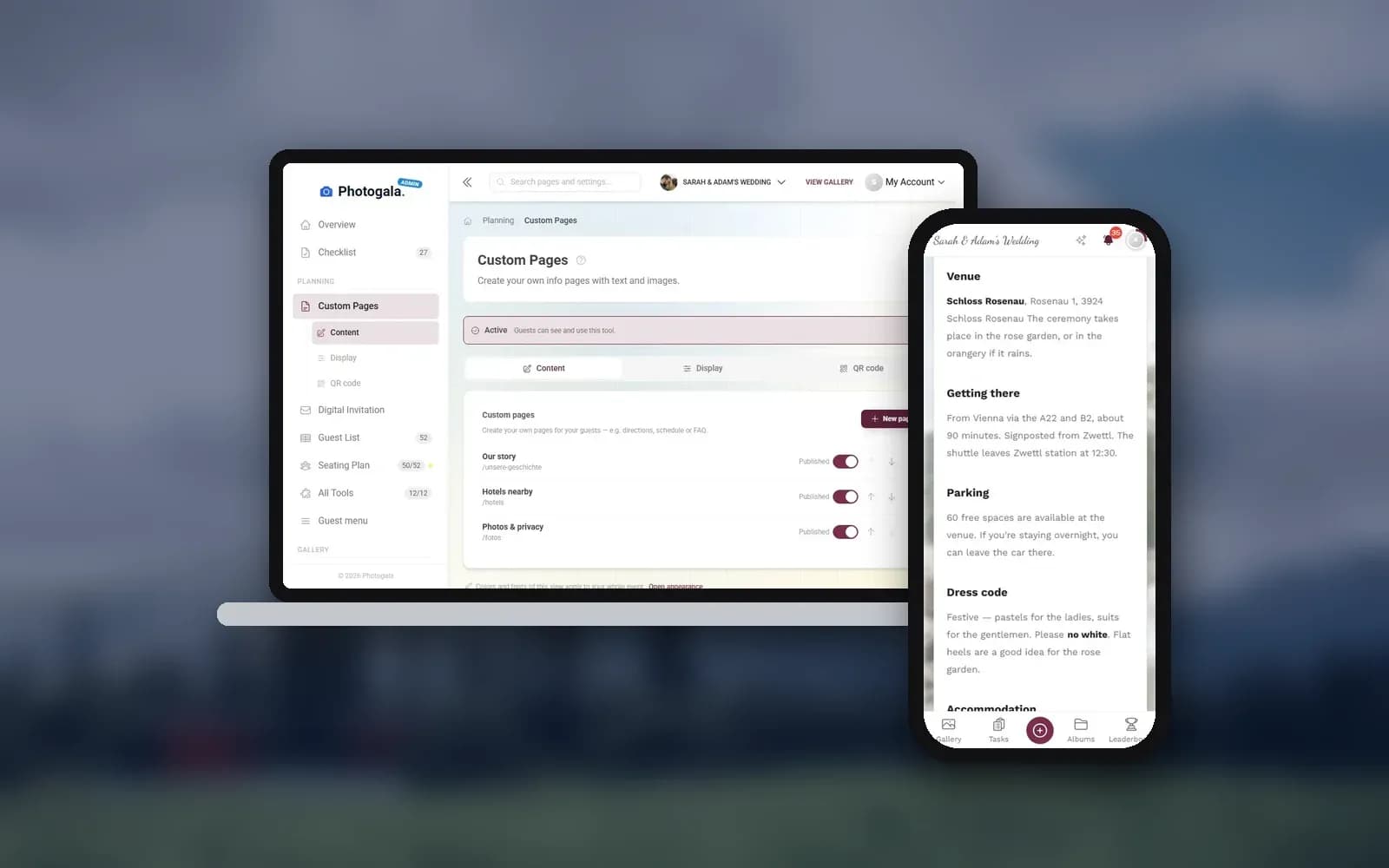
The info page and custom pages, on every plan. Every event has an info page with a title, an image and free text, including pictures in the text. That's exactly the place for directions, parking, dress code and hotels. If one page isn't enough, add custom pages, for example "Getting there," "Hotels" and "Weekend plan," each with its own address and, if you like, its own entry in the guest menu. Both are included in every plan, including the free one.
1.The info page: directions, dress code and more in one place.
The full digital invitation, on paid plans. Photogala's digital invitation has its own sections for this: up to six venues with address, time, map link and note, a dress code with color swatches per group (for example women, men, kids), accommodation tips with link, address and price hint, gift notes, the day's schedule and a button to the RSVP form. On top come 27 designs with entrance animation and optional music. Designing, saving and previewing it is free on every plan; publishing the full invitation is part of the paid plans, starting at €39. The save-the-date version (names, date, countdown) stays free.
Which route? If you mainly want to stop answering questions, the info page is enough. If you want an invitation that looks good and contains everything at once, the full invitation is the nicer option.
See it in action
Every guest photo in one album – no app.
The Sections That Matter Most
Venue and Directions
An address alone isn't enough. Add a map link, parking information ("free parking on site, entrance via the north gate") and public transport options if relevant. For rural venues, add a note about where navigation apps tend to go wrong: "The navigation app will send you down a farm track. Stay on the main road until the blue sign."
If your day has several locations (church in the morning, dinner somewhere else), give each one its own entry with its own map link and time. Guests who like to arrive early need to know where "early" means.
Dress Code
"Cocktail attire" means something different to everyone. Be specific: "Cocktail attire. The ceremony is outdoors on a stone terrace, so flat shoes or wedges are a good idea. Colors: anything goes, but please no white or ivory." That one sentence prevents a dozen messages.
The same applies to company events. "Business casual" is famously vague. Jeans with a blazer? Chinos and a shirt? Suit without a tie? Spell it out.
Hotels and Accommodation
List two or three options at different price levels with the distance to the venue. If you have a room block, add the booking code and the deadline. If the block is full, add an alternative. Guests traveling from far away especially appreciate knowing whether there is a shuttle.
Schedule
Guests don't need a minute-by-minute rundown. They need to know when to arrive, when dinner starts and roughly when the evening ends. For events over several days, a clear overview per day helps.
The schedule tool lets you build a schedule that guests check on their phone, and the full invitation shows it as its own section. If the ceremony moves by half an hour, you change it once and guests see the new time without reloading anything. Tips for a realistic schedule are in our guide to a wedding day that runs on time.
1.Guests check the schedule on their phone, always the current version.
Menu
If you show the menu in advance, guests can see what to expect and who to tell about allergies. If you offer meal choices, collect them in the RSVP form. The answers then land in your guest list, and you know how many of each dish to order.
RSVP
The RSVP form can do more than yes or no. Guests confirm, add plus-ones, note dietary needs and answer your own questions. You choose between one shared QR code for everyone (guests pick or enter their name) and personal links per guest. Both work on every plan; how many personal links you can hand out depends on your plan's guest allowance.
Collect RSVPs online
One link and your guests reply themselves — with meal choice, allergies and plus-ones.
One Link, Not Another App
Guests don't download anything. They tap a link or scan a QR code, and everything opens in the browser: the info page, the schedule, the seating plan, the RSVP form and later the photo gallery.
Picture a guest arriving a little early, unsure which entrance to use. They open the link from their messages: the info page has the map and the parking note. During dinner they check when the speeches start. After dessert they open the gallery and add their first photos. One link carried them through the evening.
Compare that with a website, a separate form for replies, a shared document for the schedule and a WhatsApp group for photos. Four places, four bookmarks.
For wedding planners looking after several events, this also saves a lot of back and forth: the information lives in one place, and everyone with the link sees the current version.
If your guests speak different languages: the guest interface is available in nine languages, and from the Premium plan your own texts can be offered in several languages too. More on that in our article about multicultural weddings.
Set It Up in 4 Steps
Create your event
Sign up for free and set up your event. No credit card needed.
Fill in the info page
Directions, parking, dress code and hotels on the info page; add custom pages for anything that needs more room.
Add schedule and RSVP
Build the schedule and set up the RSVP form with your questions.
Share the link
Send the link by message or email, or print the QR code on your cards.
What About the QR Code on Paper Invitations?
Digital doesn't have to mean paperless. Many couples still send printed invitations, especially for formal celebrations, and a beautiful card has its own value. A QR code on it connects the two: guests get the paper moment and quick access to all the details.
Our guide on putting a QR code on wedding invitations covers placement and size. Make the code visible but not dominant, add a short line like "Scan for all the details," and test it with a few different phones before printing the whole batch.
Already have a wedding website you want to keep? You can embed the event gallery in an existing website instead of replacing it.
The Questions You'll Stop Answering
Imagine it's the Tuesday before the wedding and your phone is quiet. Not because guests don't care, but because they already have the answers. The dress code is on the info page. The hotel link is right below it. The ceremony time is in the schedule. The parking note comes with a photo of the entrance gate.
One honest limit: some guests will still ask, because asking is easier than reading. The difference is that you can now reply with the link instead of typing everything out again.
The best guest information is the kind people actually find. Not the one with the most features, but the one so easy to open and so clear to read that nobody needs to text you at 11 PM about shoes.
All of this comes with your own event.
Setting it up takes five minutes. You can build and view everything before you decide.
Starting from €39 one-timeOne-time payment — No subscription
- No App Required
- Setup in 5 Minutes
- 30-Day Money Back
“We were really thrilled, and everything went so much more smoothly, from the seating plan all the way to the photo games! Simply great! Highly recommended!”
Written by

I believe event photos should be more than static galleries. They should be live, playful, and unforgettable.
Categories
Related Posts
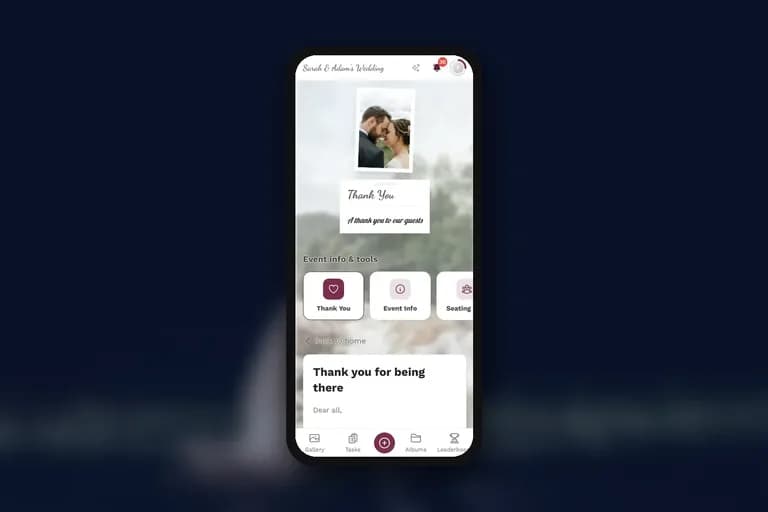
What to Send Guests After the Event: The Thank-You Page That Keeps Your Gallery Alive
The days right after your event decide whether your guests' photos become shared memories or stay buried in camera rolls. Here's how to nail the follow-up.

Your Party Playlist Is Wrong. Let Your Guests Fix It.
No DJ, just you and a speaker? Build a playlist skeleton around the party's energy curve and let guest song requests tell you what the room wants.
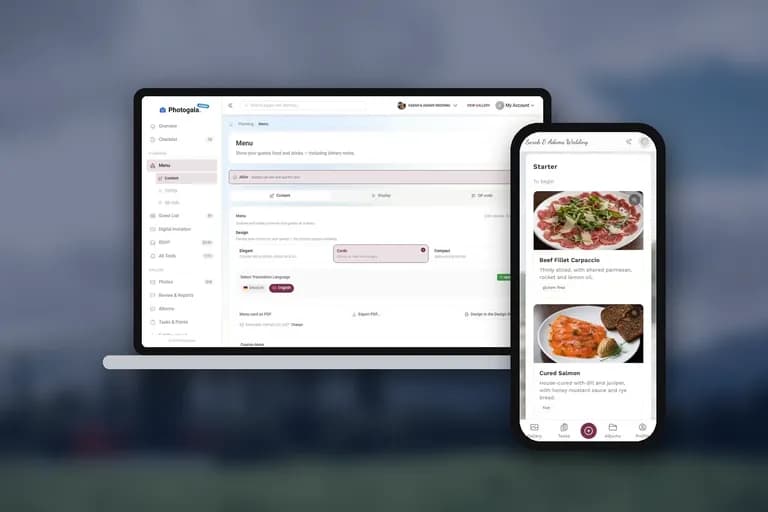
Digital Menu Cards: Let Guests See Every Course Before It's Served
What guests actually see on a digital menu card: courses, dish photos, dietary labels, their own personal menu, and how it plays together with the printed card on the table.