What to Send Guests After the Event: The Thank-You Page That Keeps Your Gallery Alive

The last guest leaves at midnight. The DJ packs up. You collapse into bed thinking, "That was perfect." And then Monday rolls around, and the group chat lights up: "Can someone send the photos?" "Where do I find the pictures?" "I took some great ones, where should I upload them?"
This is where most events quietly fail. Not the event itself. The aftermath. The follow-up. The part where hundreds of photos either become a shared treasure or stay scattered across everyone's camera roll.
The fix isn't complicated. It's a single page, sent at the right time, with the right content. A thank-you page that does three things at once: says thanks, points guests back to the gallery, and gives them a reason to upload the photos still sitting on their phones.
The 48-Hour Window You Can't Afford to Miss
Here's what most people get wrong about post-event communication: they wait too long. A week after the event, the emotional high is gone. Two weeks later, your guests have mentally moved on. A month? They've forgotten the DJ's name.
According to Glue Up's event research, the 48-hour window after an event is when most of the value is either realized or lost. Attention is warm. The memories are vivid. Decisions feel easy. This is when your follow-up needs to land.
For weddings, that timing has a second benefit. TicketLeap's guide to post-event engagement recommends sending personalised thank-you messages within 24 to 48 hours, while the event is still on everyone's mind. The same logic applies to getting guests back into your photo gallery.
If you set up your event gallery with QR code uploads, most guests uploaded during the event. But plenty of photos are still trapped on phones the next morning. The thank-you page is what shakes those loose.
The sweet spot is Sunday morning. If your event was Saturday night, send the thank-you page the next day while guests are having brunch and already talking about the highlights. For a wedding specifically, that Sunday-morning send catches the exact moment when everyone is reliving the best moments.
What Actually Belongs on a Thank-You Page
Most event follow-ups are generic. A "thanks for coming" email with a stock photo. Maybe a link buried in a paragraph. That's the equivalent of a handshake from someone who's already looking over your shoulder.
A good thank-you page does more. It's a destination. Guests open it, feel something, and then take action. Here's what belongs on one:
1. A Personal Message (Not a Template)
Three to five sentences. Mention something specific that happened. "The moment Uncle Stefan started the conga line will live rent-free in our heads forever." According to Paperlust's guide on thank-you wording, naming a specific detail makes the difference between a message people read and one they skim past. The same principle applies to a digital thank-you page.
You don't need to write a novel. A warm paragraph that sounds like you, not like a greeting card, is enough.
2. The Gallery Link (Front and Center)
This is the entire point. The thank-you page should make it easy for guests to get back into the shared photo album. Not buried under a paragraph of text. Not hidden behind a vague "click here." A clear, obvious link right after the thank-you message.
In Photogala, the thank-you page lives inside your event. Guests don't need to open a separate app or log into a different platform. They open the page, read your message, and the gallery is one tap away. That matters, because every extra step between "I should check the photos" and actually seeing them is a step where people drop off.
3. A Gentle Nudge to Upload More
Say it directly: "Still have photos on your phone from Saturday? We'd love to see them. Just open the gallery and tap upload." That one sentence reaches the guests who took great shots but never got around to sharing them during the event.
If you ran photo challenges (available from Premium), mention the ones still open. "The 'best dance move' challenge still needs a winner" gives people a specific reason to go back and join in.
4. Two or Three Favourite Photos
Add two or three standout photos as images on the thank-you page. That triggers the "oh, I want to see more" reflex, and curiosity does the rest. If you had a live photo wall at the event, pick a shot that was on the big screen. Guests will recognise it and want to relive that moment.
See it in action
Every guest photo in one album – no app.
Photogala's Built-In Thank-You Page
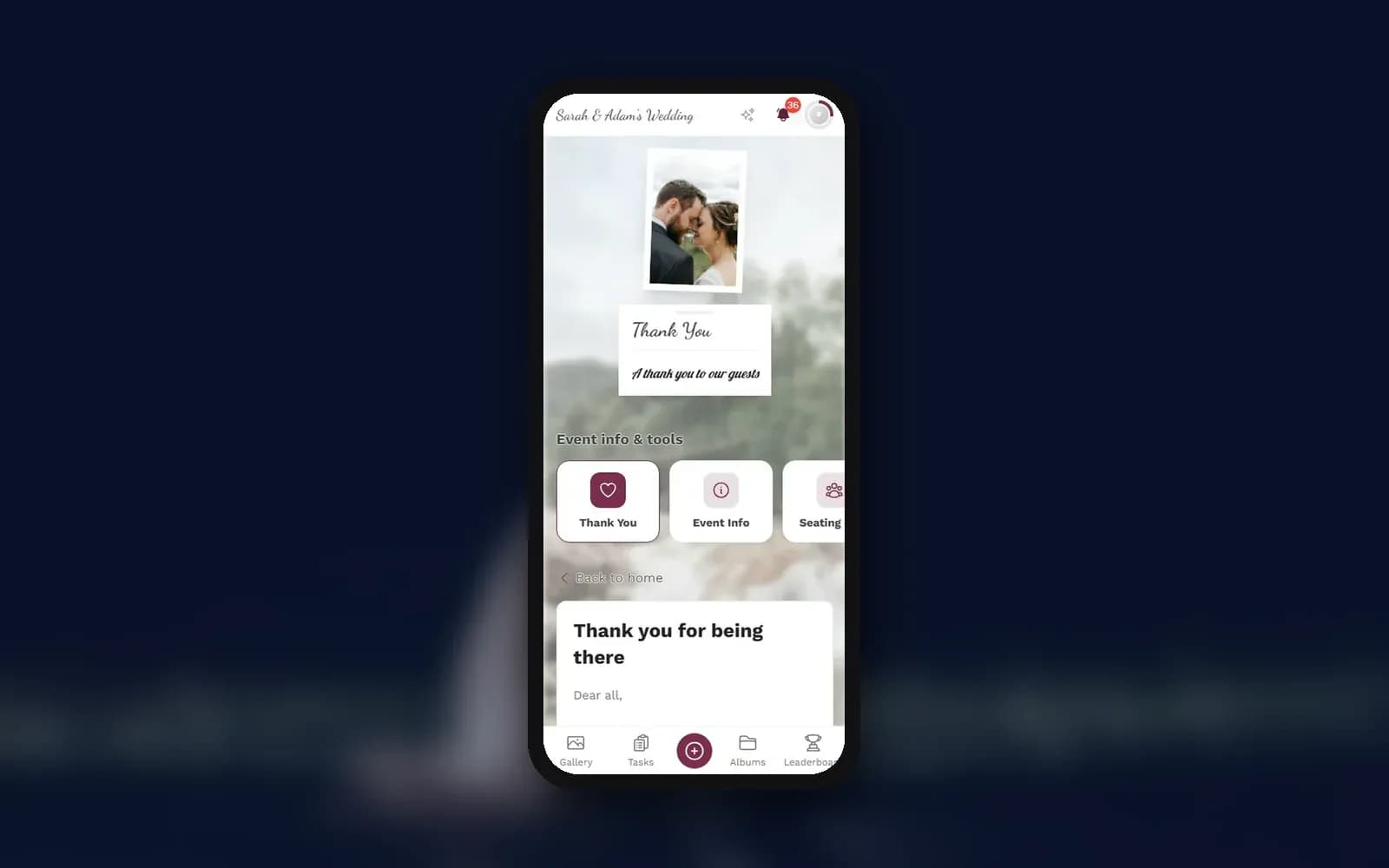
Photogala has a dedicated thank-you page in every event, on every plan. You write your message in a rich-text editor with formatting, links, and images, pick one of three layouts, and the page lives inside the event your guests already know. No separate email tool. No third-party landing page. No fiddling with Mailchimp.
It sits next to the event info page, the schedule, and any custom pages you've created. You decide when it shows up: give it a visibility window so it appears the morning after the event and not in the middle of the party. Guests find it in the event's list of info and tools, and if you like, as a card on the gallery home screen. It also has its own link and QR code. Nothing goes out automatically, so share that link yourself via WhatsApp, email, or the group chat.
1.What guests see when they open the thank-you page
The best part? The gallery doesn't disappear after the event. It stays live for the whole storage period (6 months on Plus, up to 24 months on Deluxe), and guests can keep uploading during that time unless you switch the gallery to view-only. So they can come back weeks later to browse or upload photos they forgot about. The thank-you page is what reminds them to do exactly that.
Beyond Thank You: Turning Photos Into Something Lasting
Sending a thank-you page isn't the finish line. It's the bridge between "great event" and "great memories." Once your gallery has hundreds of photos from dozens of guests, the real question becomes: what do you do with all of them?
This is where most people stall. A gallery full of photos sounds wonderful in theory, but hundreds of images sitting in a shared album aren't doing much for anyone until they become something you can hold or watch.
Download and Archive
First things first: back up everything. From Plus upwards, you can download the whole gallery as a ZIP in original quality. Do this before the storage period ends. On the same plans, guests can also download single photos, so they can grab their favourites directly. You can switch both options off if you'd rather keep downloads to yourself.
Photo Books and Prints
A photo book from a shared gallery hits differently than one from a photographer's portfolio. It has the blurry dance floor shot, the toddler's accidental selfie, the candid moment nobody posed for. That's the stuff that makes you laugh five years later. If you're considering this route, we've written a full guide on making a photo book from your event gallery. You can also print individual photos as gifts or keepsakes.
Video Montages
Take 50 of the best photos, add a song, and you've got a highlight reel that will make someone cry at the next family gathering. It's surprisingly doable with the right approach. Our guide on turning event photos into a video montage walks through the whole process.
Your Post-Event Follow-Up in 4 Steps
Write your thank-you message
Personal, specific, 3-5 sentences. Mention a real moment from the event. Add it to your Photogala thank-you page.
Send it within 48 hours
Share the gallery link via WhatsApp group, email, or printed QR cards. Sunday morning after a Saturday event is ideal.
Nudge late uploaders
Remind guests to upload any remaining photos. Mention uncompleted photo challenges to drive participation.
Archive and create
Back up the gallery (bulk download from Plus). Turn the collection into photo books, prints, or a video montage.
Corporate Events: A Different Follow-Up Playbook
Weddings get all the attention when it comes to thank-you pages, but corporate events have their own follow-up needs. The tone shifts from personal to professional, but the mechanics are identical: send a message, link to the gallery, nudge people to upload.
For company events, the thank-you page doubles as an internal comms tool. Share it in the company Slack channel or in the all-hands email. Add a line like "Team Munich's escape room challenge is still looking for a winner on the leaderboard" if you used gamification (from Premium). A specific callback like that gives people a much better reason to click than a generic "thanks for attending."
If you need to share event photos with staff and press, the gallery link on the thank-you page gives everyone a single source of truth. No emailing zip files. No "which Dropbox folder was it?" conversations.
If you have content moderation switched on (available from Premium), late uploads wait for your approval before they appear in the shared gallery. That matters when the photos might end up in a company newsletter or presentation.
The Mistakes That Kill Post-Event Engagement
Most event hosts make the same three mistakes after their event. Recognizing them is half the battle.
Mistake 1: Waiting too long. A thank-you message two weeks after the event feels like an afterthought. By then, your guests have taken hundreds of new photos and your event is buried somewhere in their camera roll. The 48-hour rule exists for a reason.
Mistake 2: Making it about you. "We had the best time!" is fine as an opener, but the page should be about THEM. "Your photos made the night" is better. "Here's the gallery with everything you captured" gives them something to do. Nobody comes back to read your thank-you note twice. They come back for the photos.
Mistake 3: Providing no clear path back to the gallery. A text message that says "thanks for coming, the photos are on that app" and nothing else. Which app? What link? Put the direct link or the QR code right there, visibly. The QR code from the event still works, because it points to the same gallery.
Don't create a new gallery for "after the event." Keep everything in the same gallery guests already used during the event. A second link means confusion, split photo collections, and guests who give up. One gallery, one link, forever.
What Happens When You Get It Right
Picture a wedding with 180 guests. During the reception, plenty of photos came in through the QR code. The couple's thank-you page goes live on Sunday morning, and over the next day, more start to trickle in. The bride's sister finally uploads the getting-ready photos. The groom's college buddy shares that video of the best man's speech. The flower girl's mom posts the behind-the-scenes chaos from the morning.
Those late uploads are often the best ones. They're the photos people took and then thought, "I'll send that later." The thank-you page is the "later."
And here's the part that surprises people: the gallery doesn't just stay alive for uploads. Guests come back to browse and to like their favourite photos, and with Premium they can comment, too. The gallery becomes the digital version of flipping through a photo album together, except everyone can do it at the same time, from anywhere.
1.Likes keep the favourites at the top of everyone's mind
The event ends. The photos don't have to. A thank-you page is a five-minute task that turns a scattered collection of phone photos into a shared album that people actually revisit. Send it within 48 hours. Keep it personal. Make the gallery link impossible to miss.
And if you haven't set up your gallery yet, you can start for free. No app download, no credit card. Just a QR code and a shared gallery that your guests will actually use.
All of this comes with your own event.
Setting it up takes five minutes. You can build and view everything before you decide.
Starting from €39 one-timeOne-time payment — No subscription
- No App Required
- Setup in 5 Minutes
- 30-Day Money Back
“Excellent service and great pictures! Photogala fully met our expectations at the event. The value for money is unbeatable. Absolutely recommended! The seating plan saved us a lot of hassle!”
Written by

I believe event photos should be more than static galleries. They should be live, playful, and unforgettable.
Categories
Related Posts

Your Party Playlist Is Wrong. Let Your Guests Fix It.
No DJ, just you and a speaker? Build a playlist skeleton around the party's energy curve and let guest song requests tell you what the room wants.
Digital Menu Cards: Let Guests See Every Course Before It's Served
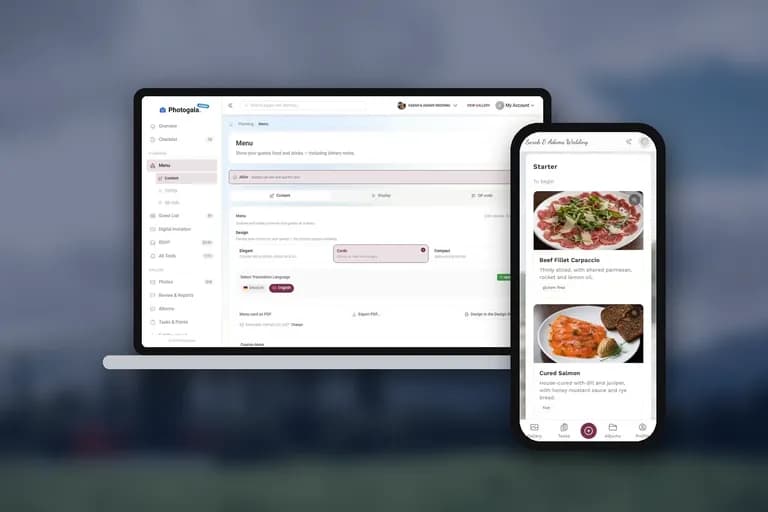
What guests actually see on a digital menu card: courses, dish photos, dietary labels, their own personal menu, and how it plays together with the printed card on the table.
30 Christmas Party Quiz Questions (Plus How to Run Them on the Big Screen)
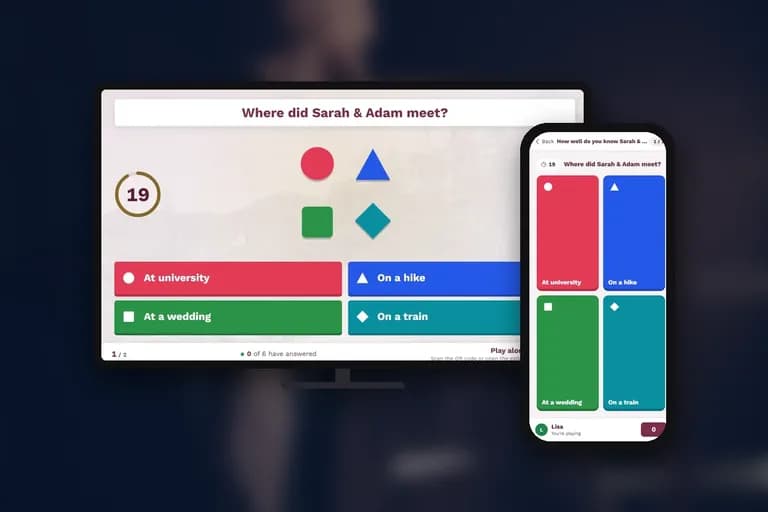
Five rounds, 30 ready-to-use questions, and a way to put them on a TV with live phone answers. Copy, customize, play.