Digital Invitation

Your invitation. One link. Everything on it.

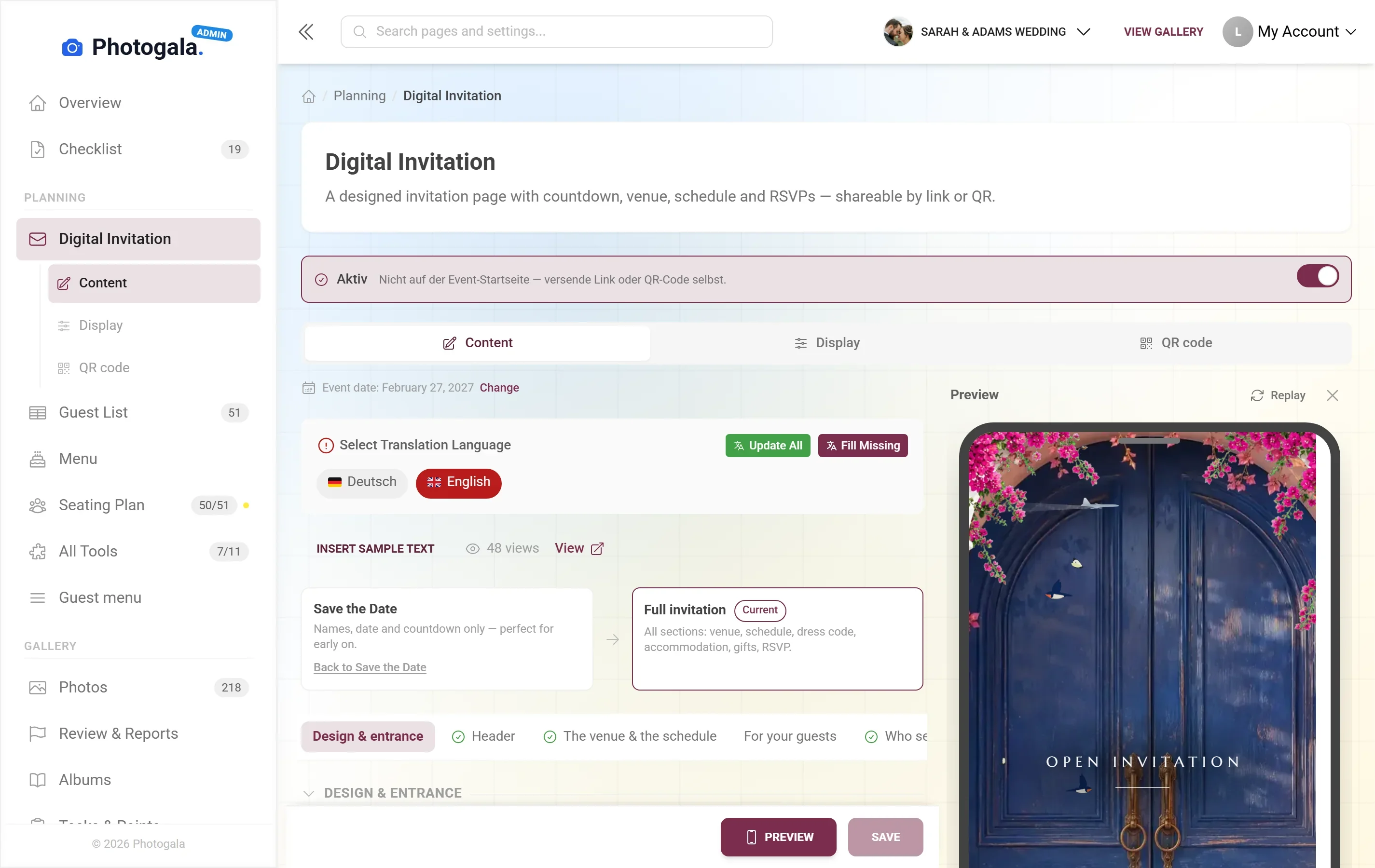
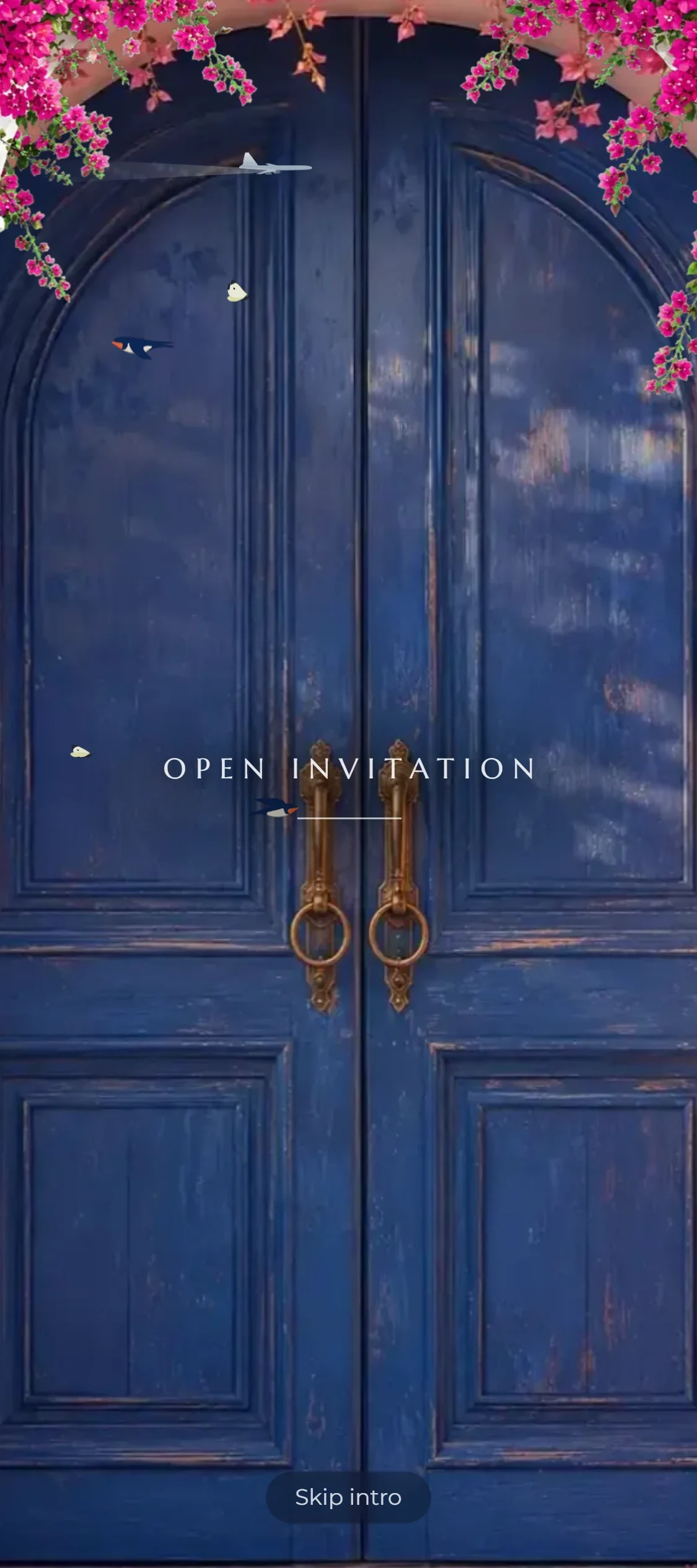
Instead of printing cards and chasing replies over WhatsApp, you send a designed invitation page — countdown, directions, schedule and an RSVP button that writes straight into your guest list.

Free · no credit card · ready in 2 minutes

Digital Invitation — Finished result
460+
Events created
2,600+
Guests & hosts
10,000+
Photos shared
  • No app — guests scan the code and upload
  • Guests need no account
  • Photos in original quality, not compressed

What a digital invitation actually is

A digital invitation on Photogala is not a PDF you pass around — it is a page of its own for your event. Guests open it in the browser, with no app, no account and no download, and find everything they need to know.

The difference from a printed card is what happens afterwards. If the time changes, you change it in one place and every guest sees the new one. When somebody replies, the answer lands in the same guest list that later feeds the seating plan, the menu and the place cards.

The invitation belongs to the same event as your photo gallery. Anyone who opened the invitation can come back to the pictures through the same link after the party — and the save-the-date version is free on every plan.

What every invitation carries

Fill in what matters for your event and hide the rest. None of it requires design skills.

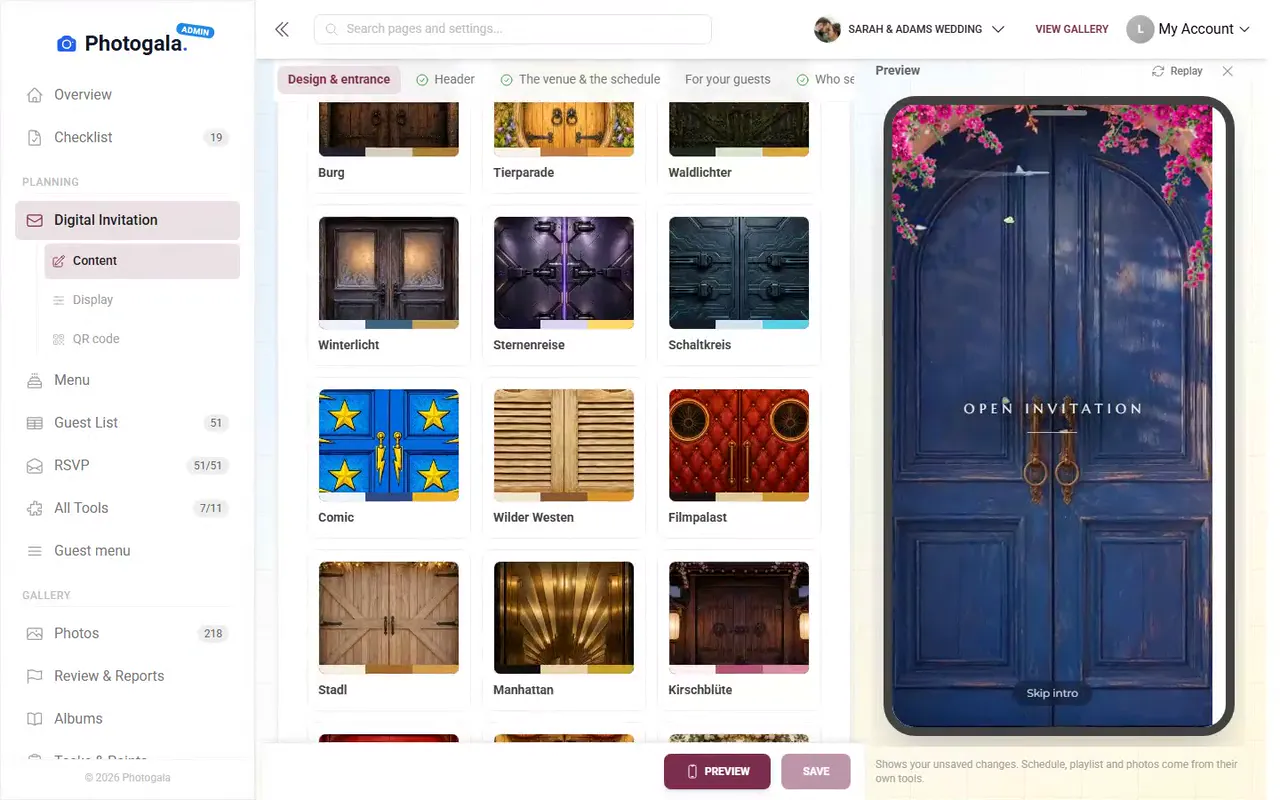
Ready-made designs

Pick a style and your colours — type, spacing and image crops fall into place by themselves. If you want more control, keep going in the design studio.

Countdown to the day

A counter showing the days left. It sounds like a detail, but it is the reason guests open the page a second and third time.

Venue, schedule, dress code

Location with map and directions, times, dress code, gift ideas, places to stay. All optional, all in one place.

Replies built in

The RSVP button is part of the invitation, not a separate form. Answers flow into your guest list, including plus-ones and menu choice.

Link or QR code

Send the link over WhatsApp and email, or print the QR code onto a physical card — both lead to the same page.

Multilingual

Store the text in several languages. Each guest sees the version matching their browser language.

Digital Invitation — Admin view
Admin view

Sent in four steps

1

Pick a design

Choose a style and colours — or reuse your event colours so invitation and gallery look like one piece.

2

Add the details

Date, venue, schedule, dress code. Anything you leave empty never shows up.

3

Share it

Copy the link and send it, or put the QR code on printed cards.

4

Follow the replies

You see who opened and who replied, so you can nudge the few who haven't instead of reminding everyone.

Digital Invitation — Admin view
Admin view

Who invites this way

Weddings

Save the date early, the full invitation later — both through the same link your guests already know.

Corporate events

Invitation, directions and programme for hundreds of colleagues without printing a single card.

Birthdays

Quick to set up, quick to send. For a party three weeks out, a printed card is too slow anyway.

Event planners

Build one invitation as a template and reuse it for the next event with new dates.

Digital invitation, printed card and form

Three ways to invite people — and what separates them the moment something changes.

Changing details after sending

Photogala

Change once, everyone sees it immediately

Alternatives

Printed card: impossible. Form: needs a new message to everyone

Collecting replies

Photogala

RSVP button writes straight into the guest list

Alternatives

Answers arrive by WhatsApp, email and word of mouth

Cost

Photogala

Included on every plan, save the date free forever

Alternatives

Printing and postage from roughly 3 to 6 euro per guest

Route to the photos

Photogala

The same link leads to the gallery after the party

Alternatives

Needs a second channel many guests never find again

Lead time

Photogala

Ready and sent within half an hour

Alternatives

Printing and delivery take one to three weeks

And what if the start time moves?

Design the page, send one link: schedule, directions and an RSVP button included. Change a detail once and everyone has it. Part of every Photogala event.

Design your invitation page — free

Start free, no credit card

Get started with Photogala

Collect every photo and video from your event — pick the package that fits.

Buy now, use it whenever. Your storage period only starts with the 10th uploaded photo — not on the purchase date — and then runs continuously, so guests can add photos during every part of your event.

Digital Invitation is included in every plan — the free one too.

Plus

Collect every guest photo in one beautiful gallery.

75
Uploader
Unlimited
Photos
25
Videos
6 months
Storage period
  • High Quality Uploads
  • Seating plan for 75 guests
  • Photo WallNEW
  • Event Planning Tools (RSVP & Guest Replies, Guest List Manager, Digital Invitation …)
  • Unlimited Albums
  • Downloads (Single & Bulk)NEW
  • Dark Mode
  • Photo Liking
  • Custom QR Codes
  • QR Template DownloadsNEW
  • +3 more features
Available in higher tiers
  • Live Upload (FTP / WebDAV)(from Premium)
  • Smart Albums(from Premium)
  • Sharing & Comments(from Premium)
  • Photo Challenges (Full Suite)(from Premium)
  • +10 more in higher tiers
39 €/one-time
Buy now
Best Value

Premium

The full experience — guests engage, you get the best photos.

250
Uploader
Unlimited
Photos
Unlimited
Videos
1 year
Storage period
  • High Quality Uploads
  • Live Upload (FTP / WebDAV)NEW
  • Seating plan for 250 guests
  • Photo Wall
  • Event Planning Tools (RSVP & Guest Replies, Guest List Manager, Digital Invitation …)
  • Social Features (Share, Comment, Like)NEW
  • Unlimited Albums & Smart AlbumsNEW
  • Photo Challenges (Full Suite)NEW
  • Points & LeaderboardNEW
  • Achievements & ImportNEW
  • +18 more features
Available in higher tiers
  • AI Tools (Filter & Face Recognition)(from Deluxe)
  • GPS Map View(from Deluxe)
  • Real Rewards(from Deluxe)
  • Photo Wall Logo(from Deluxe)
69 €/one-time
Buy now

Deluxe

AI-powered, fully branded, completely hands-free.

500
Uploader
Unlimited
Photos
Unlimited
Videos
2 years
Storage period
  • High Quality Uploads
  • Live Upload (FTP / WebDAV)
  • Seating plan for any number of guests
  • Photo Wall (with Logo)NEW
  • Event Planning Tools (RSVP & Guest Replies, Guest List Manager, Digital Invitation …)
  • Social Features (Share, Comment, Like)
  • Unlimited Albums & Smart Albums
  • Photo Challenges (Full Suite)
  • Points & Leaderboard
  • Achievements & Real RewardsNEW
  • +22 more features
119 €/one-time
Buy now

Starter (free of charge)

Your moments, your stage, create your first digital photo gallery completely free of charge.

15
Uploader
50
Photos
None
Videos
3 months
Storage period
  • High Quality Uploads
  • Seating plan for 20 guests
  • Event Planning Tools (RSVP & Guest Replies, Guest List Manager, Digital Invitation …)
  • Unlimited Albums
  • Dark Mode
  • Photo Liking
  • Custom QR Codes
Available in higher tiers
  • Photo Wall(from Plus)
  • Downloads (Single & Bulk)(from Plus)
  • QR Template Downloads(from Plus)
  • Invitation QR Downloads(from Plus)
  • +2 more in higher tiers
Free
Create gallery
30-day money-back guarantee
No app required

Uploader Definition: All guests who upload at least one photo or video count as uploaders. Unlimited guests can still view the gallery.

Fair Use Storage: Storage is sized for normal event usage. Reach out if you need unusually large galleries.

After expiry: After the storage period the gallery is closed to guests; as the organizer you keep 30 days of ZIP-download access, then it is deleted.

Digital invitation questions

Do my guests need an account or an app?
No. The invitation opens in the browser. Anyone who wants to reply types their name — that is all.
Can I still change the invitation after sending it?
Yes, at any time. The link stays the same and guests see the current version the next time they open it.
Does the digital invitation cost extra?
No. The save-the-date version is free forever, and the full invitation is included on every plan.
Can I use it on printed cards too?
Yes. Put the invitation's QR code on a printed card — scanning it opens the same page you share online.
Can guests see who else replied?
Only if you allow it. By default the answers are private and visible to you alone.
What happens to the replies?
They land in your guest list, where they feed the seating plan, the menu choice and the printed place cards.
Can I create several invitations for one event?
Yes. Many people build one for the ceremony and one for the evening party and share whichever fits.
Does it work on older phones?
Yes. It is a normal web page rather than an app, so it runs on anything with a current browser.

Ready to Get Started?

Create your event in minutes. No credit card required.