Every print, filled in for you.
Menu cards, task cards, table numbers and posters from ready-made templates – filled from your guest list, seating plan and tasks, downloaded as a print-ready PDF.
Pick, fill, print.
The data is already in your event – guest list, seating plan, tasks. The templates simply use it.
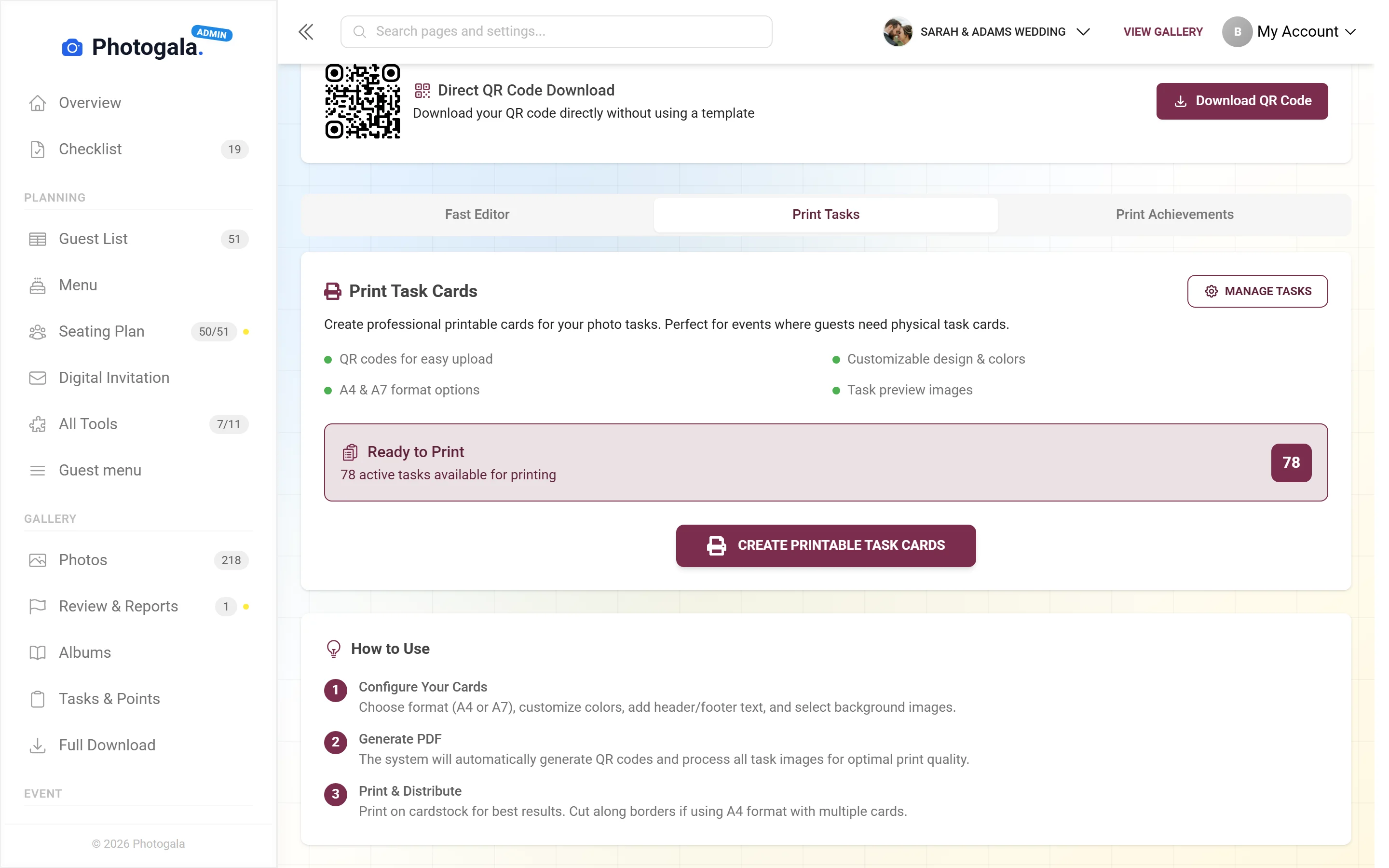
Names, tables and task texts come from your event – nothing is typed twice.
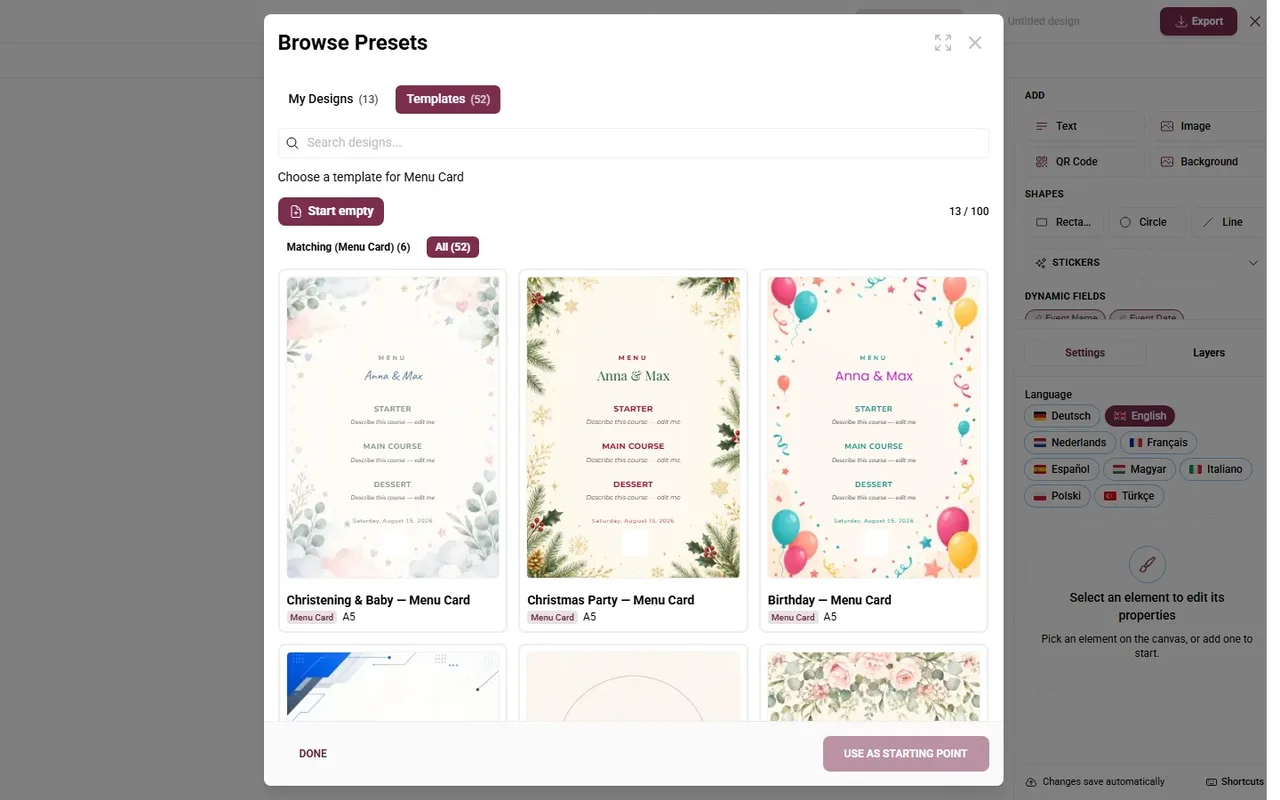
Menu card, task card, table number, poster – filtered by type.
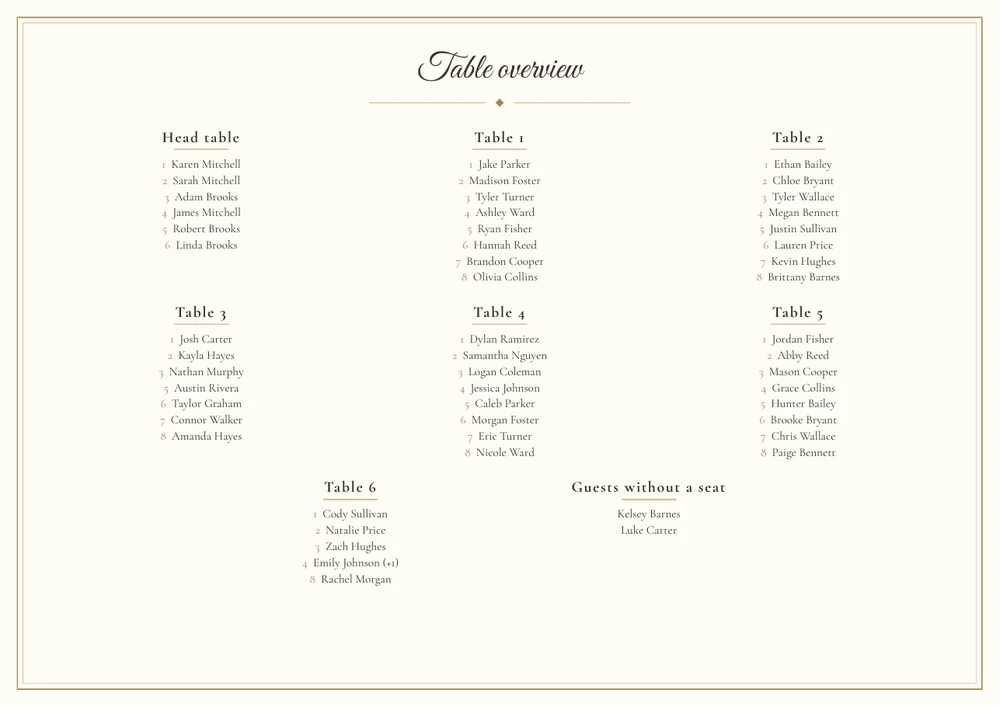
Print-ready – at home or at the print shop.
The seating plan changes? Export again – every card is right
Pick a type. See what fills itself.
Above is the real template browser of the demo wedding. Tap a type and the recording jumps there – below you see which fields the export fills in for you.
Printed from your data. Scanned into the phone.
Paper on the table makes the digital tools visible – and the QR code on it takes guests straight to the right place.
Place cards, table numbers, seating poster, menu – each type has its own designs.
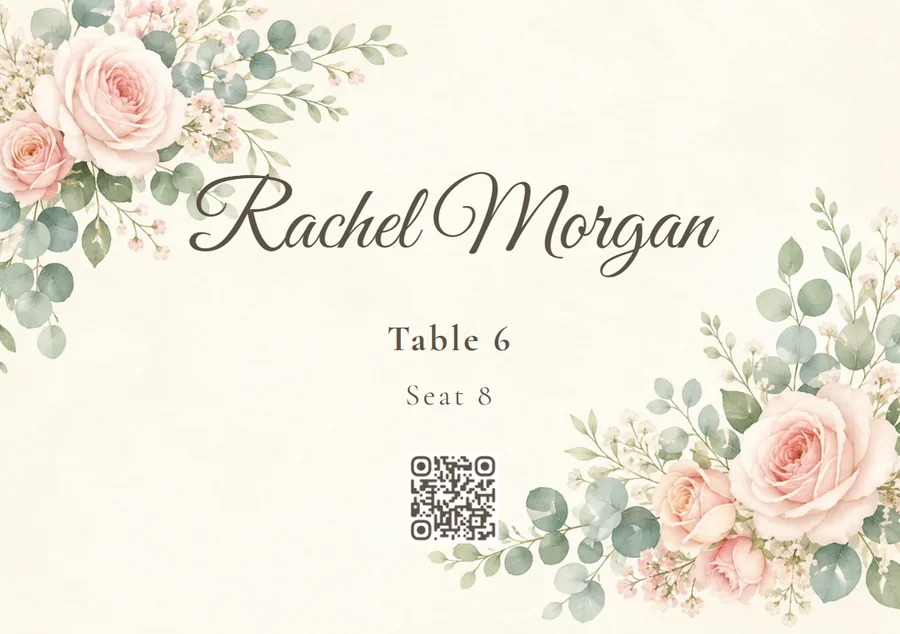
Names, tables, seats and the QR code come straight from your seating plan – nobody types anything twice.
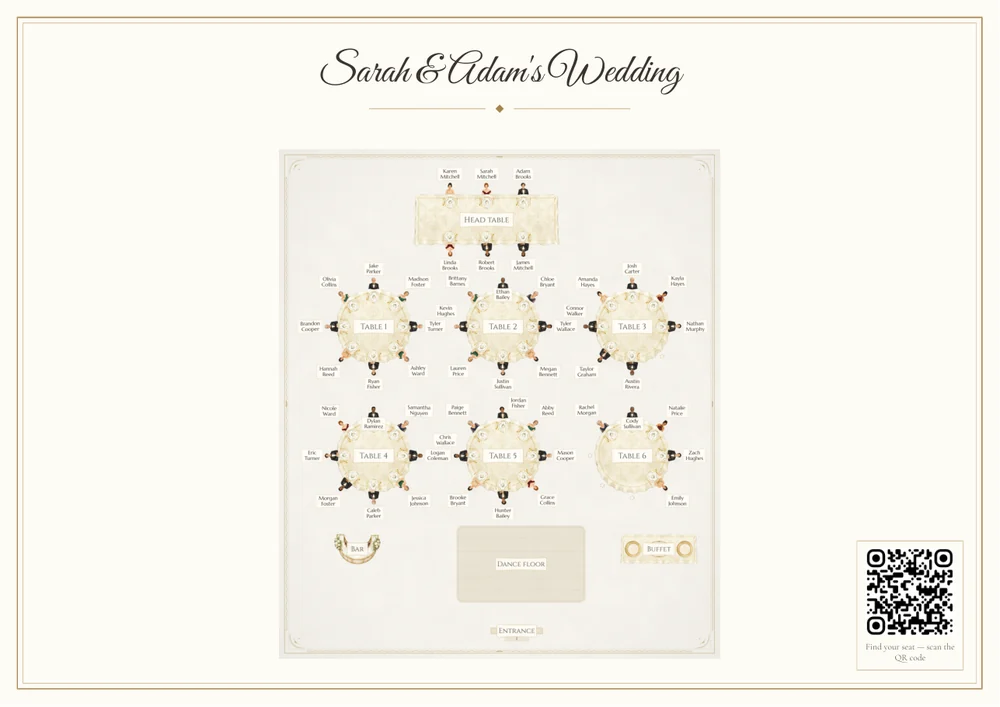
Print-ready PDF for home or the print shop. Plan changed? Export again – the cards follow.
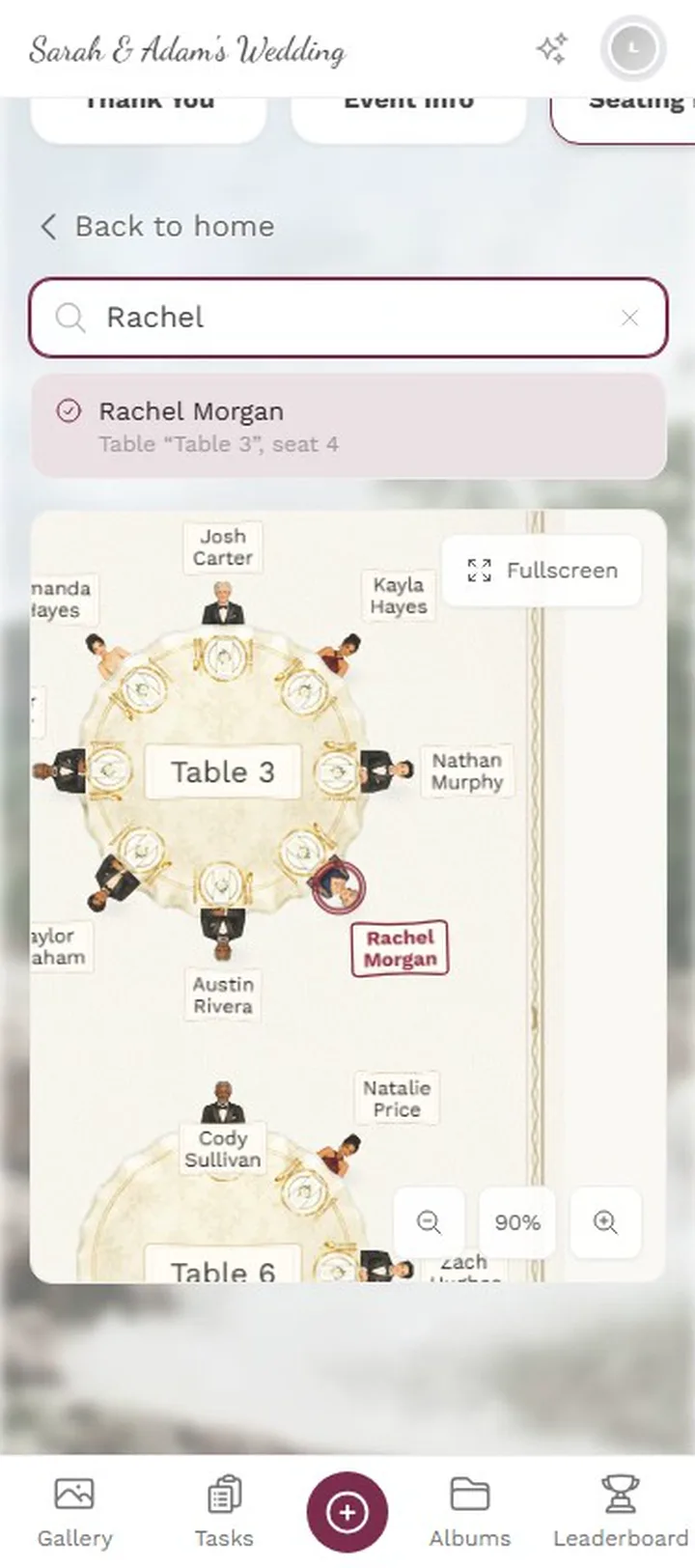
The QR on the poster opens “Find your seat”: search your name, see your table.
Every print type – and where its QR leads
Nine template types, each connected to a tool. You can also point any QR code at another target – gallery, a tool, a single page or your own link.
Where your prints come from
Real views from the demo wedding.
1 / 3
Task cards for the tables
Every active photo task as a printable card with its own QR code – A4 or A7, straight from your task list.







Then table four gets reseated
One-time payment — No subscription
Starting from 39 € / one-time
Print Templates is available from the Plus plan up.
Create your event, fill the guest list, export the cards – and when the seating plan changes, just export again.
- No App Required
- Setup in 5 Minutes
- 30-Day Money Back
Why print should come out of the event
- 1Who it's forAnyone printing menus, table cards or posters
- 2What happensPick a template – data from seating, menu and replies
- 3In the endPrint-ready PDFs with a QR code back into the event
More details
Place cards usually start life in a text document: a table of names pasted into a template and corrected three times. The moment the seating changes the stack is wrong — and nobody notices until the cards are on the tables.
Photogala's print templates take their data from where it is already maintained. The name comes from the guest list, the table from the seating plan, the menu choice from the RSVP.
That makes the printout a result rather than another document to keep in sync. When something changes you export again and everything lines up.
- Weddings
- Corporate events
- Birthdays
- Event planners
What you can print
The pieces that end up on every table, from one shared set of data.
Place cards
With name, table and optionally the menu choice. One per guest, without typing a single name.
Table numbers
Stands for every table, matching the style of the rest of your print.
Menu cards
From the same courses and dishes as the digital menu, in several styles.
QR posters
Stands and posters that send guests to the gallery, the seating plan or the menu.
Personalized per guest
One layout, a hundred cards. The export inserts the data, not you.
Common formats
From a small table card up to A3, as PDF for your own print shop.
Everything built in
- Inserting namesAutomatic, from the guest list
- After a reseatingExport again and everything matches
- QR codesPoint at the right pages of your event
Print template questions
1Where do the names on the cards come from?
2What happens when the seating changes?
3Can I adjust the templates?
4What format do I get?
5Can I print only some guests?
6Do the QR posters carry the right link?
7Are there templates for folded cards?
8Does it cost extra?
Goes well with
Ready to Get Started?
Create your event in minutes. No credit card required.