Courses, dishes, photos and allergens on one page your guests open with a scan — and the same menu as a print-ready PDF for the table.
Free · no credit card · ready in 2 minutes
A printed menu card gives you the name of the dish. What it does not give you is what it looks like, what is in it, and whether the guest with the nut allergy can eat it. Those questions end up with the service team instead.
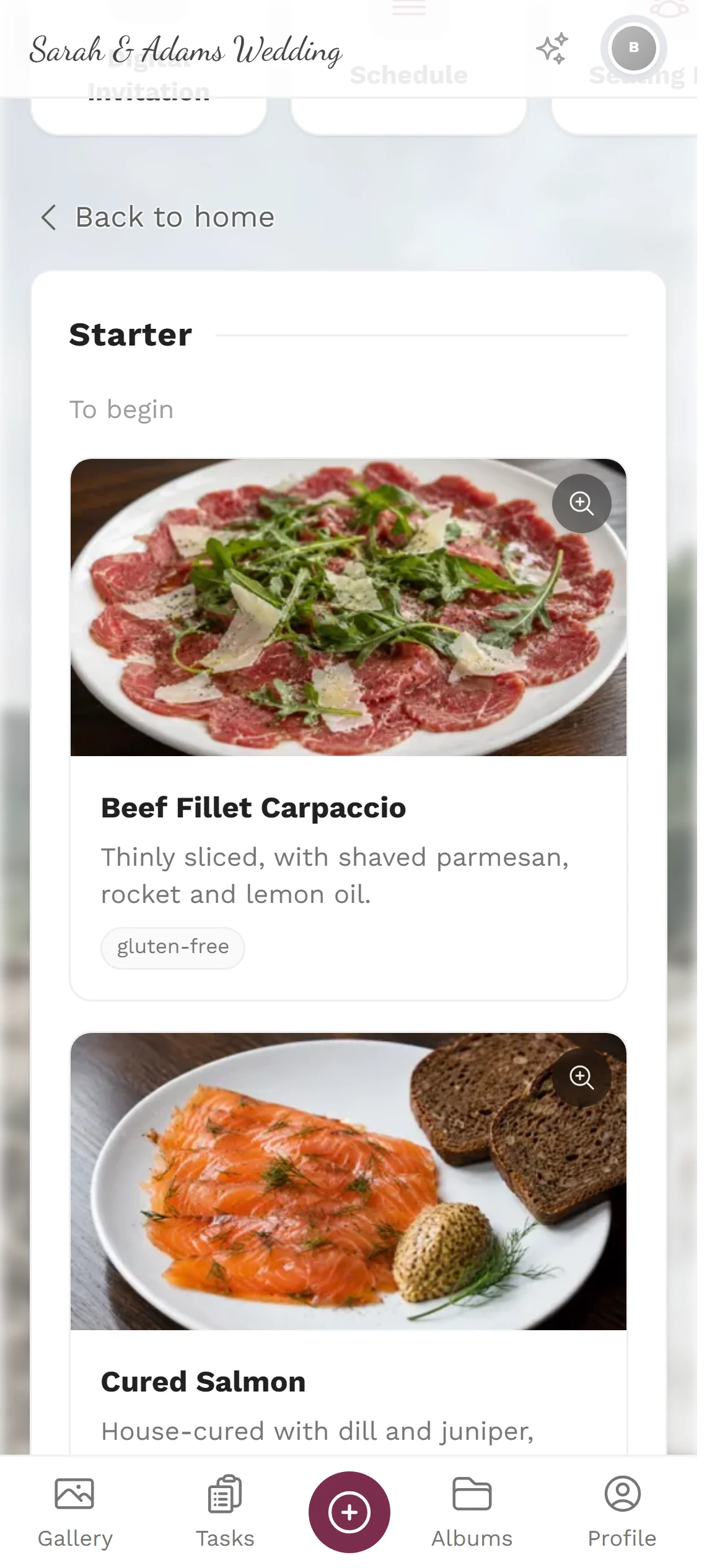
The digital menu shows a photo for every dish along with allergen and dietary tags. Guests read it at their own pace on their own phone, in their own language, without asking anyone.
Because the menu belongs to the same event as the guest list, it can get personal: scan your place card and your own menu choice is highlighted. And from the same data you get a printed card for the table in several styles.
A menu that works both on a phone and on paper.
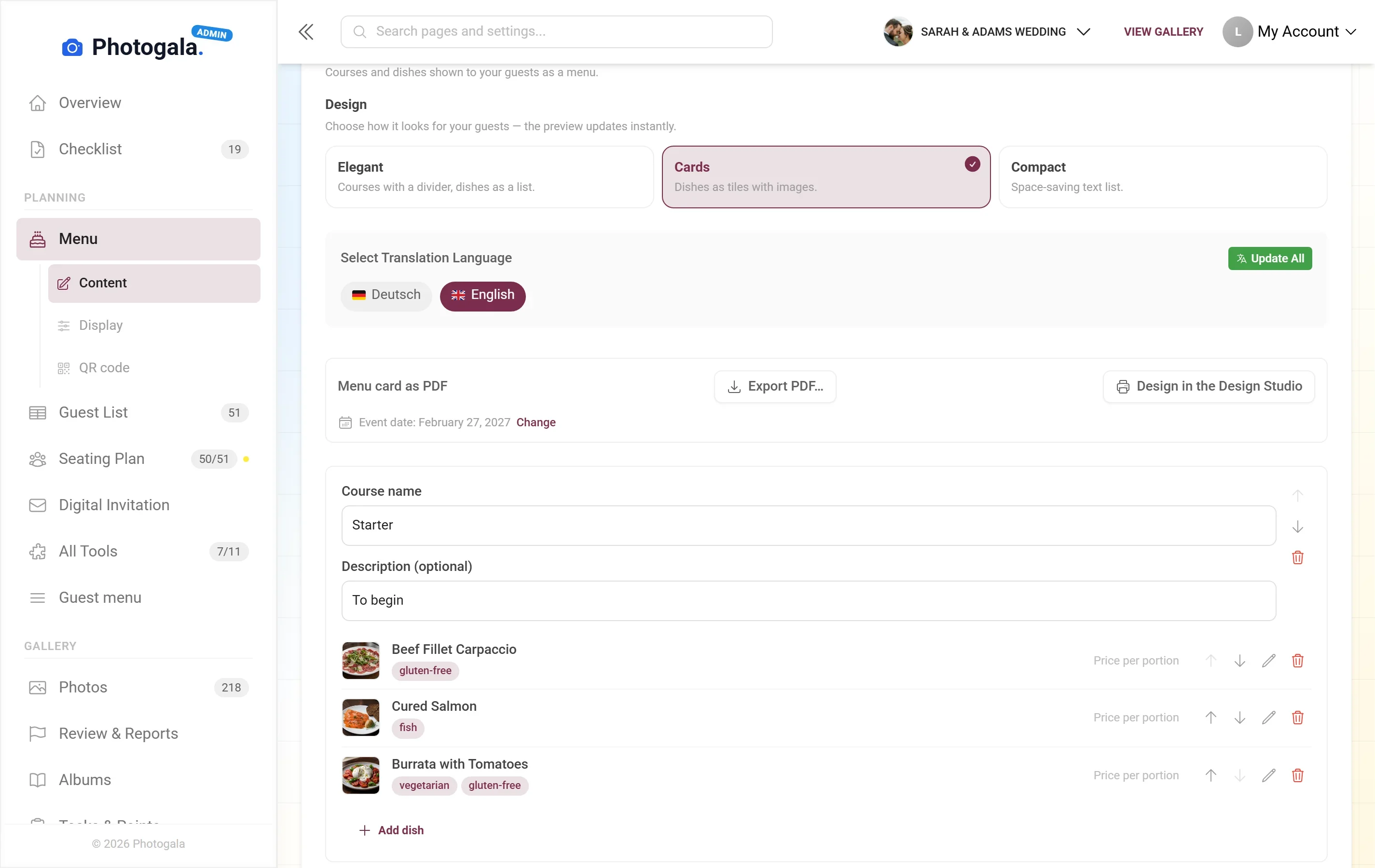
Starter, main, dessert, midnight snack — as many courses as you like with as many dishes as you like.

A picture says more than a description, especially when the kitchen serves something unfamiliar.
Tagged per dish and visible immediately. Nobody has to ask the waiter whether it contains nuts.
Scan your own place card and your menu choice is highlighted — no hunting through the full card.
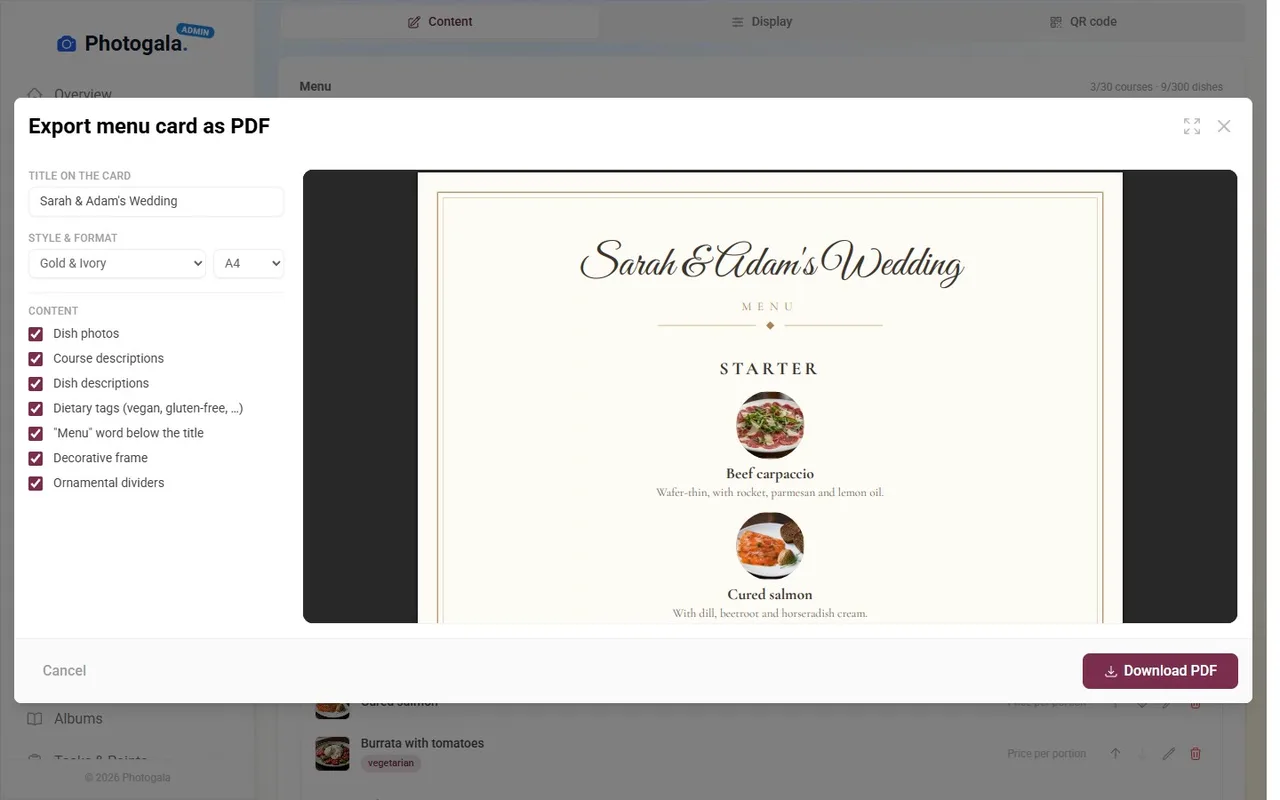
The same dishes turn into a PDF in several styles — for the table, the buffet or the folder.
Store dishes in several languages so international guests read the card in their own.

Decide the structure: how many courses, in what order.
Name, description and optionally a photo for each one.
Mark what each dish contains — the tags show up for everyone.
QR code on the table or place card, PDF off to the printer.

Menu choice from the RSVP, allergens from the guest list, card on the table — all from one source.
With large groups and many diets, clear tagging saves the service team half the evening.
Even at a buffet it helps to have a card that says what is in the bowls.
A card that can still change the day before without a reprint.
Both have their place — the question is what happens when the kitchen swaps a course.
| Feature | Photogala | Alternatives |
|---|---|---|
| A change the day before | Swap the dish, everyone sees the new card | A new print run or a handwritten correction |
| Allergens | Tagged per dish and always visible | Usually not on the card at all, so guests ask the staff |
| Photos of dishes | Possible for every dish | Practically never on a printed card |
| Guests who speak another language | Card stored in several languages | One language, translated at the table |
| Cost per change | None — changes take effect immediately | Every change means printing again |
Swap the dish, everyone sees the new card
A new print run or a handwritten correction
Tagged per dish and always visible
Usually not on the card at all, so guests ask the staff
Possible for every dish
Practically never on a printed card
Card stored in several languages
One language, translated at the table
None — changes take effect immediately
Every change means printing again
Enter your courses, tag the allergens, put the QR code on the table. Swap a dish and the next scan already shows it. The menu is part of every Photogala event.
Create your menu card — freeStart free, no credit card
Collect every photo and video from your event — pick the package that fits.
Buy now, use it whenever. Your storage period only starts with the 10th uploaded photo — not on the purchase date — and then runs continuously, so guests can add photos during every part of your event.
Digital Menu is included in every plan — the free one too.
Upgrade anytime — you only pay the difference.
Full details for every plan below.
Collect every guest photo in one beautiful gallery.
The full experience — guests engage, you get the best photos.
AI-powered, fully branded, completely hands-free.
Your moments, your stage, create your first digital photo gallery completely free of charge.
Uploader Definition: All guests who upload at least one photo or video count as uploaders. Unlimited guests can still view the gallery.
Fair Use Storage: Storage is sized for normal event usage. Reach out if you need unusually large galleries.
After expiry: After the storage period the gallery is closed to guests; as the organizer you keep 30 days of ZIP-download access, then it is deleted.
Discover more powerful tools for your event.
Arrange tables, dance floor and stage by drag and drop, seat people straight from your guest list — and on the night everyone finds their place with a scan instead of a paper board in the lobby.
Learn more >Every guest gets their own link. One tap to accept or decline, plus plus-ones, menu choice and your own questions — and you always know where you stand.
Learn more >Place cards with name and table, table numbers, menu cards and QR posters — as a print-ready PDF, filled from the same guest list that feeds the seating plan.
Learn more >Create your event in minutes. No credit card required.