Event Schedule

Everyone knows what happens next

A timeline your guests read on their phones — from the ceremony to the last dance. With an up-next line that moves along by itself.

Free · no credit card · ready in 2 minutes

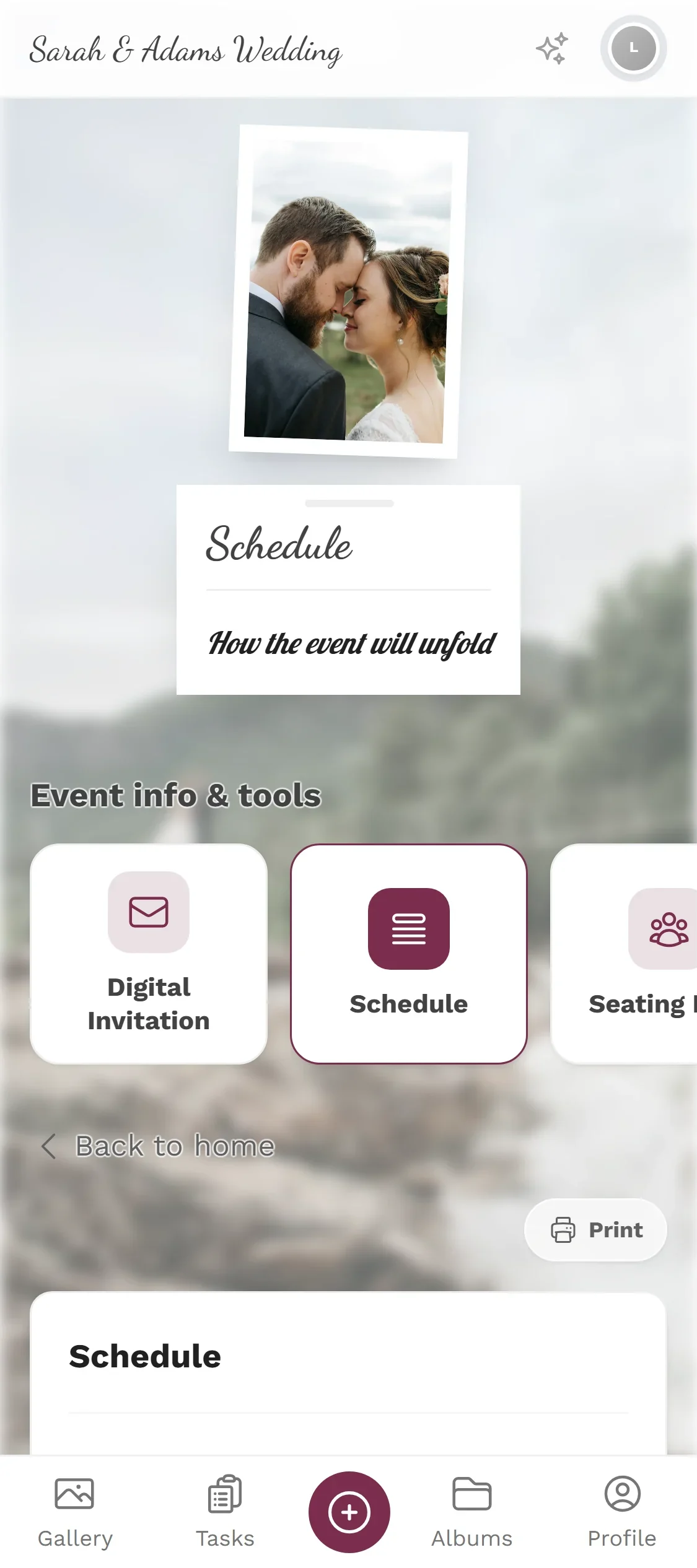
Event Schedule — Guest view
460+
Events created
2,600+
Guests & hosts
10,000+
Photos shared
  • No app — guests scan the code and upload
  • Guests need no account
  • Photos in original quality, not compressed

Why a shared timeline calms the day down

Every event has a running order — usually as a list in the couple's head and a second version at the venue. The guests have neither, so they spend the day asking: when is dinner? when is the speech? when does the bus leave?

A shared schedule answers those questions before they are asked. Guests open it through the same link as the gallery and see the day's items with times and a short description.

When something shifts — and something always shifts — you change one time and everyone sees the new one. Internal items that only concern the team can stay hidden.

What the schedule does

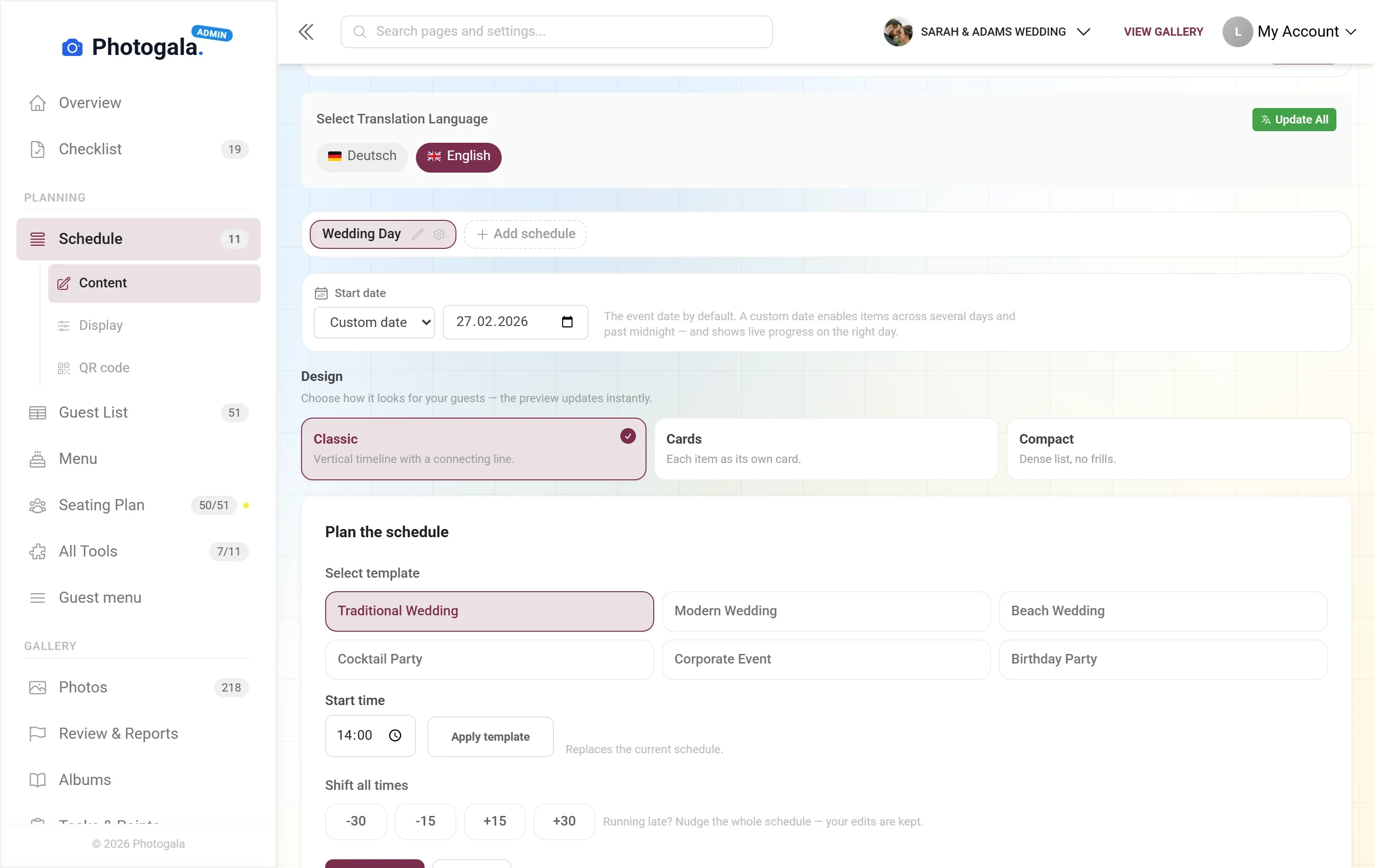
One running order for guests and one for the team, built from the same items.

Several schedules

Ceremony, evening party and next morning's brunch can be separate plans — or sections of one.

Ready-made templates

Typical running orders for weddings and parties as a starting point you adapt instead of starting blank.


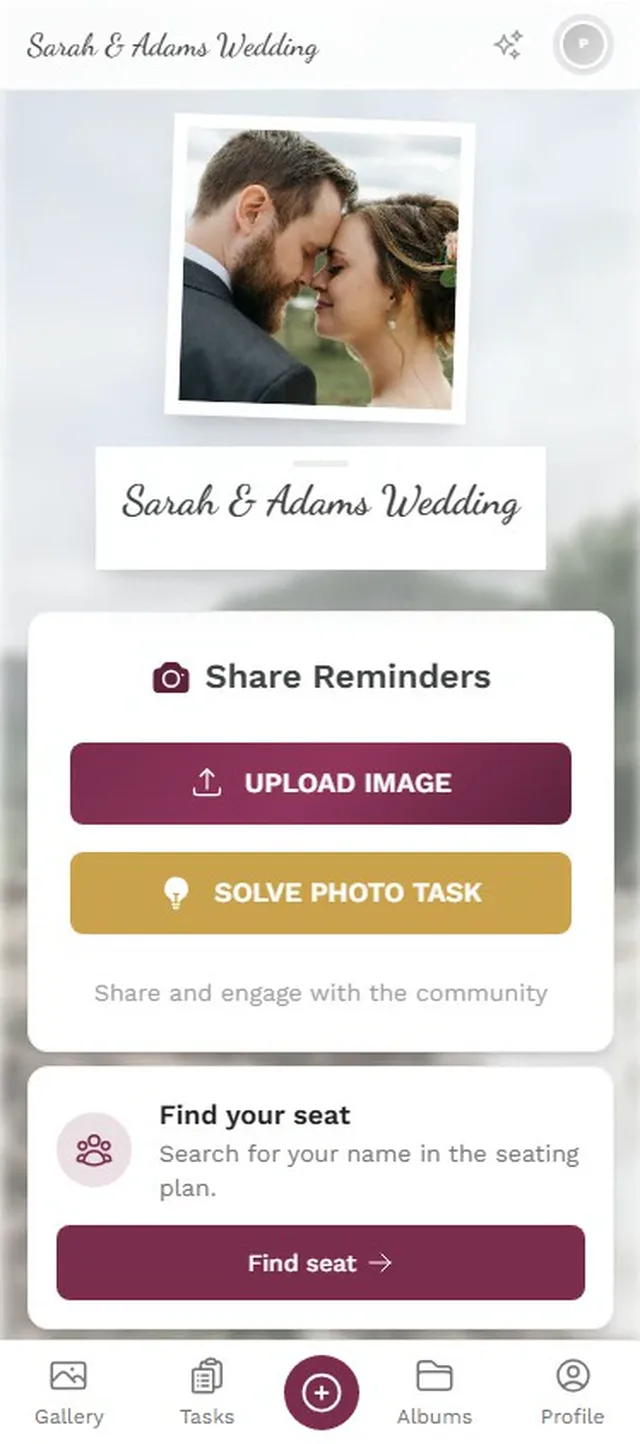
Up next

The gallery's home screen shows what is on now and what comes next, with nobody having to scroll.

Guest view

Readable on a phone, including for guests opening the link for the first time.

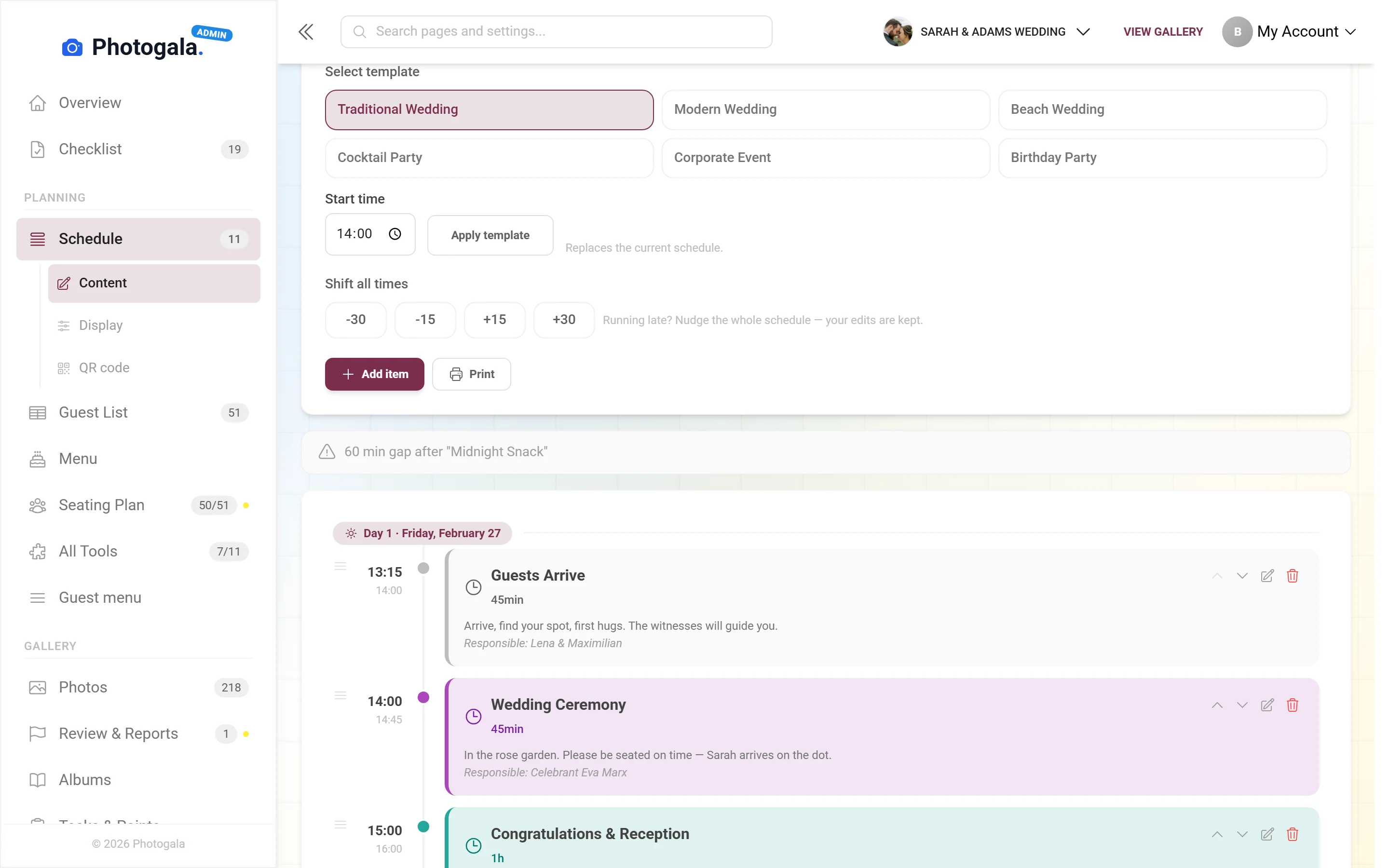
Internal items

Setup, deliveries, the photo shoot — items only your team should see stay invisible to guests.

Printable

The running order as a PDF for the venue, the DJ or the best man.

Event Schedule — Admin view
Admin view

From a rough order to a shared plan

1

Create the plan

Pick a template or start empty, depending on how unusual your day is.

2

Add the items

Time, title, short description. That is usually all it takes.

3

Set visibility

Decide which items guests see and which stay internal.

4

Share it

Through the gallery, by link, or as a QR code on the table.

Event Schedule — Admin view
Admin view

Who needs a shared running order

Weddings

A day with ten programme items spread across two locations and twelve hours.

Corporate events

A programme with speeches, awards and a buffet — visible to everyone attending.

Birthdays

Even a party with three fixed points runs better when everyone knows them.

Event planners

A production plan for the team and a reduced version for guests, without maintaining two documents.

Shared schedule, printed notice and word of mouth

The difference is how often somebody has to ask.

A last-minute shift

Photogala

Change the time, everyone sees the new one

Alternatives

The notice stays wrong and word has to go round

Internal items

Photogala

Hidden from guests, visible to the team

Alternatives

Either everyone sees everything or you keep two documents

Guest access

Photogala

On their own phone, whenever they want

Alternatives

One notice by the entrance you have to go and find

What is on right now

Photogala

The up-next line moves along by itself

Alternatives

You work out where you are in the order yourself

Handover to DJ and venue

Photogala

A PDF of the same version

Alternatives

An older draft by email

How often will you repeat the time?

Create your event and add what happens when. Guests read the running order on their phones, and a change is one line, not twenty messages. Part of every event.

Add your running order — free

Start free, no credit card

Get started with Photogala

Collect every photo and video from your event — pick the package that fits.

Buy now, use it whenever. Your storage period only starts with the 10th uploaded photo — not on the purchase date — and then runs continuously, so guests can add photos during every part of your event.

Event Schedule is included in every plan — the free one too.

Plus

Collect every guest photo in one beautiful gallery.

75
Uploader
Unlimited
Photos
25
Videos
6 months
Storage period
  • High Quality Uploads
  • Seating plan for 75 guests
  • Photo WallNEW
  • Event Planning Tools (RSVP & Guest Replies, Guest List Manager, Digital Invitation …)
  • Unlimited Albums
  • Downloads (Single & Bulk)NEW
  • Dark Mode
  • Photo Liking
  • Custom QR Codes
  • QR Template DownloadsNEW
  • +3 more features
Available in higher tiers
  • Live Upload (FTP / WebDAV)(from Premium)
  • Smart Albums(from Premium)
  • Sharing & Comments(from Premium)
  • Photo Challenges (Full Suite)(from Premium)
  • +10 more in higher tiers
39 €/one-time
Buy now
Best Value

Premium

The full experience — guests engage, you get the best photos.

250
Uploader
Unlimited
Photos
Unlimited
Videos
1 year
Storage period
  • High Quality Uploads
  • Live Upload (FTP / WebDAV)NEW
  • Seating plan for 250 guests
  • Photo Wall
  • Event Planning Tools (RSVP & Guest Replies, Guest List Manager, Digital Invitation …)
  • Social Features (Share, Comment, Like)NEW
  • Unlimited Albums & Smart AlbumsNEW
  • Photo Challenges (Full Suite)NEW
  • Points & LeaderboardNEW
  • Achievements & ImportNEW
  • +18 more features
Available in higher tiers
  • AI Tools (Filter & Face Recognition)(from Deluxe)
  • GPS Map View(from Deluxe)
  • Real Rewards(from Deluxe)
  • Photo Wall Logo(from Deluxe)
69 €/one-time
Buy now

Deluxe

AI-powered, fully branded, completely hands-free.

500
Uploader
Unlimited
Photos
Unlimited
Videos
2 years
Storage period
  • High Quality Uploads
  • Live Upload (FTP / WebDAV)
  • Seating plan for any number of guests
  • Photo Wall (with Logo)NEW
  • Event Planning Tools (RSVP & Guest Replies, Guest List Manager, Digital Invitation …)
  • Social Features (Share, Comment, Like)
  • Unlimited Albums & Smart Albums
  • Photo Challenges (Full Suite)
  • Points & Leaderboard
  • Achievements & Real RewardsNEW
  • +22 more features
119 €/one-time
Buy now

Starter (free of charge)

Your moments, your stage, create your first digital photo gallery completely free of charge.

15
Uploader
50
Photos
None
Videos
3 months
Storage period
  • High Quality Uploads
  • Seating plan for 20 guests
  • Event Planning Tools (RSVP & Guest Replies, Guest List Manager, Digital Invitation …)
  • Unlimited Albums
  • Dark Mode
  • Photo Liking
  • Custom QR Codes
Available in higher tiers
  • Photo Wall(from Plus)
  • Downloads (Single & Bulk)(from Plus)
  • QR Template Downloads(from Plus)
  • Invitation QR Downloads(from Plus)
  • +2 more in higher tiers
Free
Create gallery
30-day money-back guarantee
No app required

Uploader Definition: All guests who upload at least one photo or video count as uploaders. Unlimited guests can still view the gallery.

Fair Use Storage: Storage is sized for normal event usage. Reach out if you need unusually large galleries.

After expiry: After the storage period the gallery is closed to guests; as the organizer you keep 30 days of ZIP-download access, then it is deleted.

Event schedule questions

Can I create several schedules?
Yes. Many people set up one for the ceremony, one for the evening and one for the second day.
Do guests really see every item?
Only the ones you publish. Internal items such as setup or deliveries stay invisible to guests.
What happens if something shifts?
You change the time and everyone sees the new one from that moment — including people who already had it open.
Are there templates?
Yes, for typical wedding and party running orders. You adapt them instead of facing a blank page.
Do guests need an app?
No. The schedule is part of the gallery and opens in the browser.
Can I print the running order?
Yes, as a PDF — handy for the venue, the DJ or the wedding party.
Can people see what is on right now?
Yes. The home screen shows the current and the next item without anyone searching for it.
Is the plan still available after the event?
Yes, it stays part of the event — useful when you later want to match photos to a part of the day.

Ready to Get Started?

Create your event in minutes. No credit card required.