Budget Planner

Know the cost before the invoice arrives

Categories, planned costs, actual payments and what is still outstanding in one place — with quantities that come from your guest list instead of a guess.

Free · no credit card · ready in 2 minutes

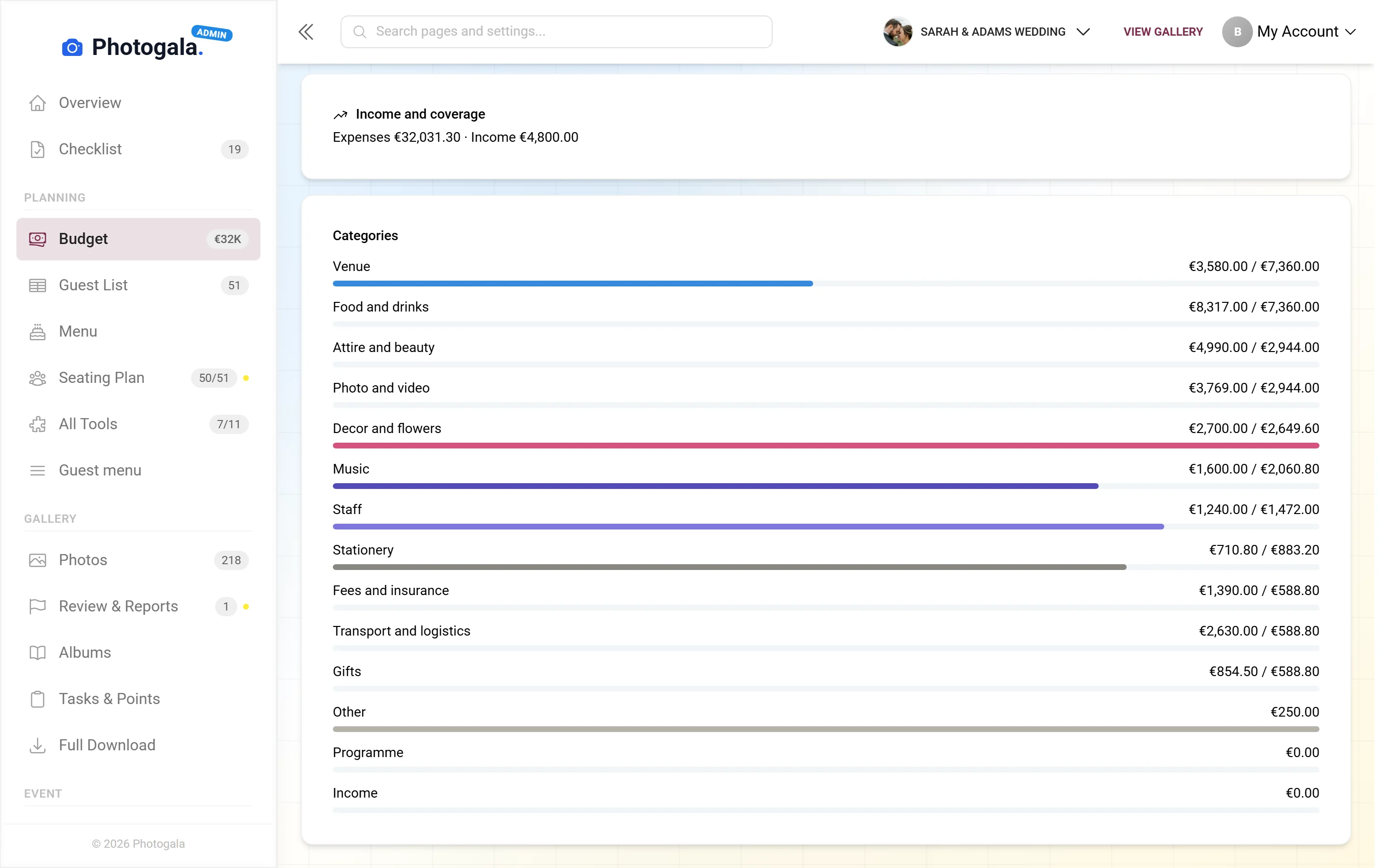
Budget Planner — Admin view
460+
Events created
2,600+
Guests & hosts
10,000+
Photos shared
  • No app — guests scan the code and upload
  • Guests need no account
  • Photos in original quality, not compressed

A budget wired into the event

Most event budgets live in a spreadsheet that gets set up once and updated rarely. The hard part is not the arithmetic, it is the quantity: 120 covers, or actually 134? The total is only right for as long as the number is.

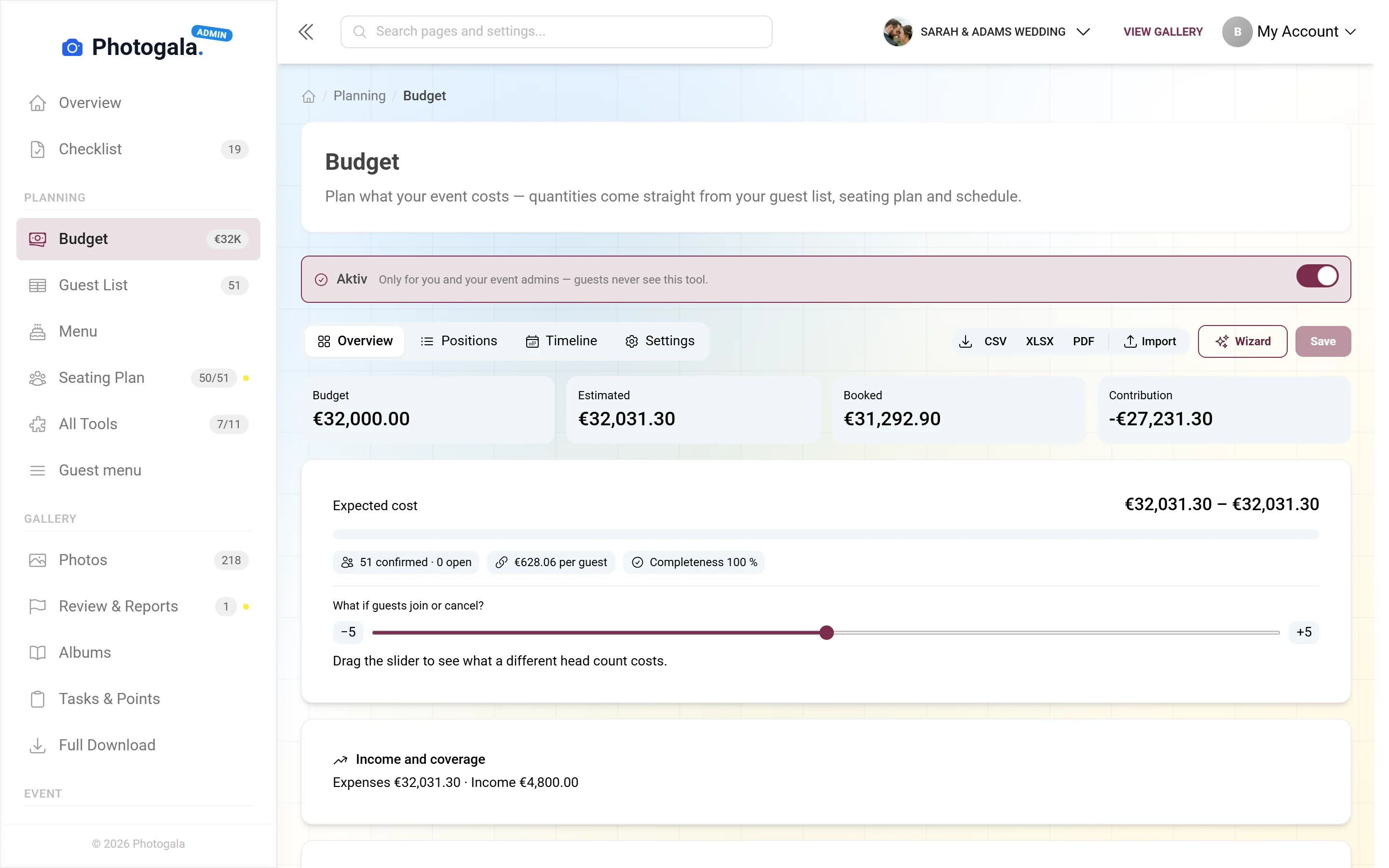
The budget planner knows your guest list. Line items charged per person calculate against the current number of acceptances. A cancellation lowers the planned amount without you touching a single formula.

It also keeps planned, committed and paid clearly apart. What is still outstanding is therefore a number rather than an interpretation — one you can still take seriously three weeks before the party.

What the budget planner does

Enough structure for a reliable overview without feeling like bookkeeping.

Categories

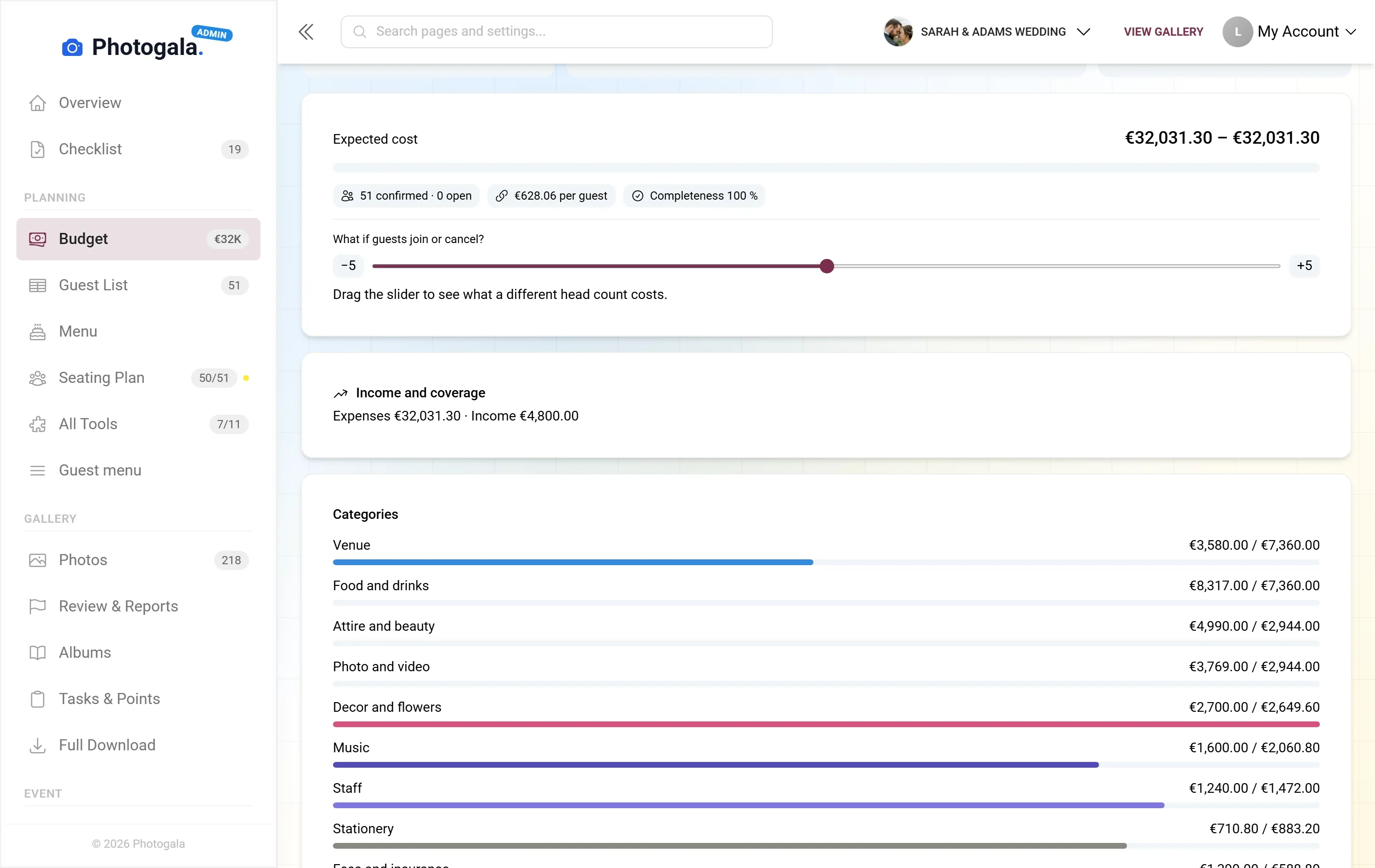
Venue, catering, music, flowers, outfits, photographer — with templates you can adapt.

Quantities from the guest list

Per-person items calculate against the current number of acceptances instead of an old estimate.

Payments, not checkboxes

Deposits and part payments are recorded individually. What is outstanding follows from them, not from a tick.

Vendors

Every line item can be assigned to a vendor, along with contact and contract details.

The numbers at a glance

Planned, paid, outstanding — per category and in total, always current.

Export

As Excel or CSV, when somebody else needs to check the maths or the figures belong in your own system.

Budget Planner — Admin view
Admin view

From the frame to the final invoice

1

Set the frame

Define the overall budget — the number everything else is measured against.

2

Add the line items

Planned costs per category, either as a fixed sum or per person.

3

Record payments

Enter deposits and invoices as they actually go out.

4

Keep an eye on it

See where you are over plan while there is still time to change something.

Budget Planner — Admin view
Admin view

Who runs an event budget

Weddings

Ten to twenty vendors, deposits spread over a year, and a guest count that moves until the very end.

Corporate events

An approved budget that has to be evidenced afterwards, export for finance included.

Big birthdays

Venue and catering are the bulk of it, and that is exactly where the quantity matters.

Event planners

Several events at once, each with its own position, presentable to the client without rework.

Budget planner and spreadsheet

A spreadsheet can do all of this too — as long as somebody maintains it.

The guest count changes

Photogala

Per-person items recalculate on their own

Alternatives

Adjust every affected formula by hand

What is outstanding

Photogala

Follows from the payments you recorded

Alternatives

Depends on whether somebody ticked the box

Vendors

Photogala

Attached to the line item with contact details

Alternatives

In a second sheet, usually not linked

Working together

Photogala

Several people on the same position

Alternatives

Versions by email that drift apart

Connection to the event

Photogala

Knows the guest list, seating and schedule

Alternatives

Stands alone, everything has to be typed in

What is actually still outstanding?

Set up categories, enter planned costs, record payments — the outstanding amount follows on its own, per-person items from your guest count. Included in every Photogala event.

Set up your budget — free

Start free, no credit card

Get started with Photogala

Collect every photo and video from your event — pick the package that fits.

Buy now, use it whenever. Your storage period only starts with the 10th uploaded photo — not on the purchase date — and then runs continuously, so guests can add photos during every part of your event.

Budget Planner is included in every plan — the free one too.

Plus

Collect every guest photo in one beautiful gallery.

75
Uploader
Unlimited
Photos
25
Videos
6 months
Storage period
  • High Quality Uploads
  • Seating plan for 75 guests
  • Photo WallNEW
  • Event Planning Tools (RSVP & Guest Replies, Guest List Manager, Digital Invitation …)
  • Unlimited Albums
  • Downloads (Single & Bulk)NEW
  • Dark Mode
  • Photo Liking
  • Custom QR Codes
  • QR Template DownloadsNEW
  • +3 more features
Available in higher tiers
  • Live Upload (FTP / WebDAV)(from Premium)
  • Smart Albums(from Premium)
  • Sharing & Comments(from Premium)
  • Photo Challenges (Full Suite)(from Premium)
  • +10 more in higher tiers
39 €/one-time
Buy now
Best Value

Premium

The full experience — guests engage, you get the best photos.

250
Uploader
Unlimited
Photos
Unlimited
Videos
1 year
Storage period
  • High Quality Uploads
  • Live Upload (FTP / WebDAV)NEW
  • Seating plan for 250 guests
  • Photo Wall
  • Event Planning Tools (RSVP & Guest Replies, Guest List Manager, Digital Invitation …)
  • Social Features (Share, Comment, Like)NEW
  • Unlimited Albums & Smart AlbumsNEW
  • Photo Challenges (Full Suite)NEW
  • Points & LeaderboardNEW
  • Achievements & ImportNEW
  • +18 more features
Available in higher tiers
  • AI Tools (Filter & Face Recognition)(from Deluxe)
  • GPS Map View(from Deluxe)
  • Real Rewards(from Deluxe)
  • Photo Wall Logo(from Deluxe)
69 €/one-time
Buy now

Deluxe

AI-powered, fully branded, completely hands-free.

500
Uploader
Unlimited
Photos
Unlimited
Videos
2 years
Storage period
  • High Quality Uploads
  • Live Upload (FTP / WebDAV)
  • Seating plan for any number of guests
  • Photo Wall (with Logo)NEW
  • Event Planning Tools (RSVP & Guest Replies, Guest List Manager, Digital Invitation …)
  • Social Features (Share, Comment, Like)
  • Unlimited Albums & Smart Albums
  • Photo Challenges (Full Suite)
  • Points & Leaderboard
  • Achievements & Real RewardsNEW
  • +22 more features
119 €/one-time
Buy now

Starter (free of charge)

Your moments, your stage, create your first digital photo gallery completely free of charge.

15
Uploader
50
Photos
None
Videos
3 months
Storage period
  • High Quality Uploads
  • Seating plan for 20 guests
  • Event Planning Tools (RSVP & Guest Replies, Guest List Manager, Digital Invitation …)
  • Unlimited Albums
  • Dark Mode
  • Photo Liking
  • Custom QR Codes
Available in higher tiers
  • Photo Wall(from Plus)
  • Downloads (Single & Bulk)(from Plus)
  • QR Template Downloads(from Plus)
  • Invitation QR Downloads(from Plus)
  • +2 more in higher tiers
Free
Create gallery
30-day money-back guarantee
No app required

Uploader Definition: All guests who upload at least one photo or video count as uploaders. Unlimited guests can still view the gallery.

Fair Use Storage: Storage is sized for normal event usage. Reach out if you need unusually large galleries.

After expiry: After the storage period the gallery is closed to guests; as the organizer you keep 30 days of ZIP-download access, then it is deleted.

Budget planner questions

Does it calculate with my guest count automatically?
For items you enter as an amount per person, yes. Fixed sums stay as they are.
How are deposits handled?
As individual payments against a line item. What is outstanding is the planned sum minus the payments recorded.
Can I create my own categories?
Yes. The templates are a starting point; rename, delete and add categories as you like.
Can guests see my budget?
No. The budget planner is visible only to you and the people you give access to the event.
Can I plan in another currency?
Yes, you set the currency for your event and every amount follows it.
Can I export the figures?
Yes, as Excel or CSV — useful for finance or for your own records.
Can my partner maintain it too?
Yes. Anyone with access to the event can work on the budget.
Does every line item need a vendor?
No. You can assign vendors but you don't have to — the per-vendor breakdown then covers everyone who is assigned.

Ready to Get Started?

Create your event in minutes. No credit card required.