Photo Sharing for Schools and PTAs: Safe Galleries for Every Event


The Folder That Never Gets Sent
Picture the end of a school talent show. Forty parents in the audience, every one of them holding a phone at a slightly awkward angle above the kid in front. The PTA chair says she'll collect everyone's photos afterward and share a link. Two weeks later, she has 14 photos in a Google Drive folder and a guilt-induced follow-up email sitting in her drafts.
Meanwhile, the actual photos from the event are spread across three WhatsApp groups, someone's iCloud shared album that half the parents can't access, and a Facebook post that the school technically shouldn't have approved. Sound familiar?
This isn't a technology problem. Parents know how to take photos. They just don't have a single, obvious place to put them. And for schools, the stakes are higher than a missed birthday party photo. Student privacy laws like FERPA mean that how photos are collected and stored matters more than most PTA boards realize. K-12 data breaches have exposed tens of millions of student records over the past two decades, according to tracking by the K-12 Cybersecurity Resource Center.
The fix is simpler than you'd think. And it doesn't involve downloading an app, creating accounts, or trusting Facebook with student photos.
Why the Usual Approaches Fall Apart
Most school communities default to one of three photo-sharing methods. Each one breaks in its own way.
WhatsApp and group chats are fast, but chaotic. Photos vanish in the scroll. Parents who join the group late miss everything. And once a photo is in a group chat, you've lost control over who saves it, screenshots it, or forwards it. That's a problem when other people's children are in the frame. We've written about why event galleries beat group chats before, and the argument is even stronger for schools.
Shared cloud albums (Google Photos, iCloud) require everyone to have the same ecosystem or at least a Google account. At a school where families use a mix of Android, iPhone, and budget devices, this becomes a real barrier. Half the parents never open the invite. The rest struggle with access permissions.
Facebook groups and school pages seem convenient until you remember that not every parent has Facebook, and posting student photos on a social network raises legitimate privacy concerns. Under FERPA, a photo can become an education record when it's directly related to a specific student and maintained by the school or someone acting on the school's behalf (U.S. Department of Education). A public Facebook album managed by the PTA sits in a grey zone that most school administrators would rather avoid.
Privacy heads-up: Under FERPA, student photos taken by school staff or vendors acting on the school's behalf can be classified as education records. Schools need written agreements covering data use, security standards, and deletion timelines. This applies to any third-party platform used to store those photos. Source: Capturely FERPA Guide
The QR Code Approach (And Why It Works for Schools)
Here's the core idea: instead of chasing parents for photos after the event, you give them one QR code at the event. They scan it with their phone camera, a browser-based gallery opens (no app download, no account creation), and they upload directly. Every photo lands in one place, visible to everyone with the link. If you've dealt with collecting event photos from guests before, you know how much friction a single shared upload point removes.
For PTA organizers, the setup takes about five minutes. You create a gallery, customize it with the school name or event title, generate the QR code, and print it on a flyer, tape it to the entrance, or include it in the event program. You can even design and print invitation cards with the QR code using Photogala's free Invitation Card Designer. Parents scan, upload, done.
The critical difference from a WhatsApp group: everything stays in one gallery. No messages burying the photos. No one needs to be "added" to anything. And the gallery owner controls who can upload, what gets displayed, and when the gallery closes. If you've ever dealt with collecting photos from event guests automatically, you'll recognize the pattern.
Set Up a School Event Gallery in 3 Steps
Create the gallery
Sign up free (no credit card), name the event, and pick your branding. Add the school logo if you want.
Print or share the QR code
Put it on the event program, tape it at the entrance, or text the link to the class chat. Parents scan from any phone.
Photos appear instantly
Every upload shows up in the shared gallery. Optionally display them on a screen at the event.
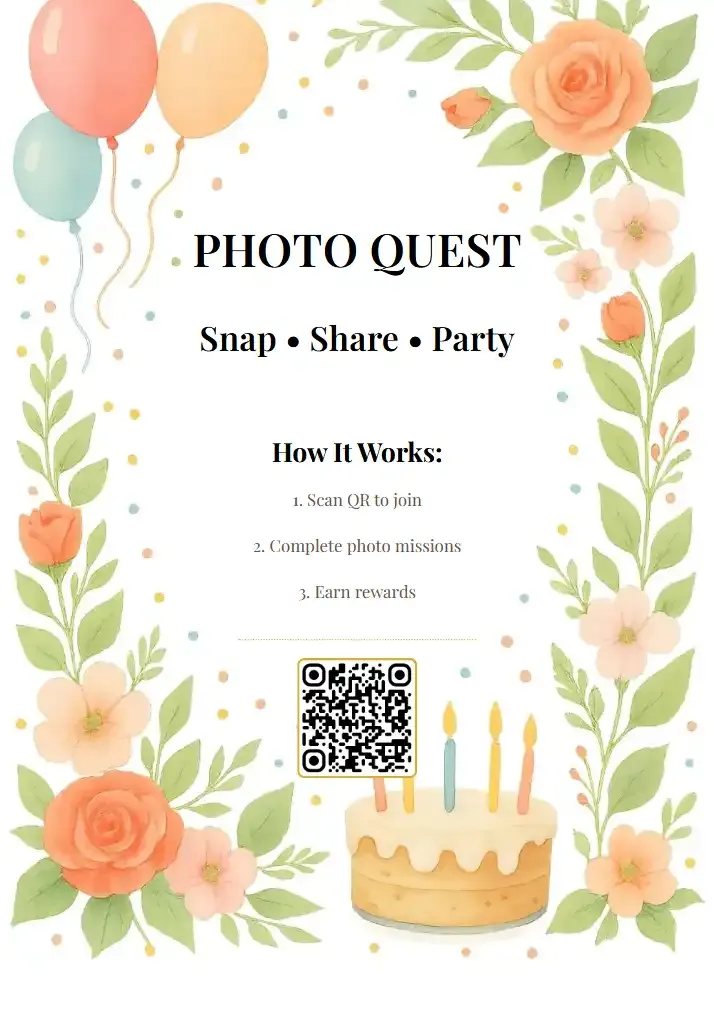
1.One scan, no app install, no sign-up
See it in action
Every guest photo in one album – no app.
The Moderation Layer Schools Actually Need
Here's the part that makes PTA chairs nervous: if anyone can upload, how do you stop inappropriate content from showing up?
Fair concern. Especially at a school event where children are involved, you need a safety net. This is where content moderation earns its keep. With pre-approval mode enabled, every uploaded photo sits in a review queue. A designated moderator (the PTA president, a teacher, a volunteer) sees each photo first and taps to approve or reject before it appears in the gallery.
One person can moderate from their phone while watching the event. It takes about two seconds per photo: quick glance, tap approve. If something looks off, reject with a reason. We've covered how to moderate guest photos at public events in depth, and the same workflow applies to school events.
For larger events like a school carnival or sports day, you can assign multiple moderators. The Premium plan includes unlimited admin and moderator roles, so the PTA board can split the work.
On the Deluxe plan, there's also an AI content filter that automatically flags potentially inappropriate uploads before a human even sees them. Overkill for a kindergarten bake sale? Probably. Essential for a high school prom with 300 teenagers? Absolutely. (Speaking of which, we wrote a full guide on prom night photo sharing if that's your situation.)
1.Review and approve every photo before it goes live
What About Student Privacy?
This is the question every school administrator asks, and rightly so.
The short answer: a QR code gallery where parents upload their own photos is fundamentally different from the school maintaining a database of student images. Parents are sharing their own photos with other parents, not the school storing records. But the line can blur depending on who manages the gallery and how the photos are used afterward.
A few practical safeguards that help keep things clean:
- Password protection on the gallery so only parents with the code can access it (available on every plan, including the free demo)
- Pre-approval moderation so nothing goes live without a human check
- No account required for uploaders, which means no student data is collected beyond the photos themselves
- Gallery expiration: the active period has a defined end, and you can archive and download everything before it closes
- No social media integration: photos stay in the gallery, not cross-posted to Facebook or Instagram
According to legal analysis on FERPA and school photography, the key distinction is between a photo taken during normal school activities and one that becomes part of an institutional record. A parent-managed gallery where families voluntarily share their own event photos doesn't automatically trigger FERPA obligations, but it's always smart to consult your district's data privacy officer before rolling anything out.
Pro tip for PTA boards: Include a short note in the event program explaining the photo gallery, how it works, and that uploaded photos will be visible to all parents with the link. Transparency builds trust and avoids after-the-fact complaints.
Beyond the Basics: Making School Events Memorable
Collecting photos is the baseline. But a few features turn a simple gallery into something parents actually enjoy using.
Photo challenges work surprisingly well at school events. Set up three or four prompts like "best costume," "funniest face," or "caught the teacher dancing" and suddenly parents are actively looking for photo opportunities instead of passively snapping from their seat. Challenges can even include example preview photos so everyone knows what kind of shot to aim for.
Then there's the live photo wall. Put a screen near the entrance or in the cafeteria and photos pop up as parents upload them. Kids love spotting themselves on the big screen, and inevitably they drag their parents over to take more photos, which feeds more uploads into the gallery. We've seen this loop work well at corporate events and it plays even better at schools where kids are involved. You can read more about setting up a live photo wall for your next event.
Branding and customization might sound unnecessary for a school event. But adding the school logo, picking colors that match the event theme, and writing a short welcome message on the gallery landing page makes the whole thing feel intentional rather than thrown together. Parents notice the difference.
1.Photos appear on screen in real time as parents upload
Which Events This Actually Works For
Not every school event needs a photo gallery. A Tuesday morning assembly probably doesn't. But here's where it makes a real difference:
Talent shows and performances generate the most demand. Every parent wants photos, but most only capture their own kid's act. A shared gallery means you get coverage of the whole show. If you're dealing with dance recitals or theatre performances, the dark-auditorium problem is real, and pooling everyone's best shots helps.
Sports days and field days are spread across a whole campus. No single person can be everywhere. Thirty parents with phones can. The gallery becomes a complete record of the day that no hired photographer could match.
Graduation ceremonies are a category of their own. They're emotionally charged and fast-moving. Parents want every angle. A QR code on the program means the gallery fills itself while the ceremony is still happening. You might also want to check our guide on how to add a QR code to event invitations for layout ideas that work on printed programs too.
School carnivals and fundraisers are the wildcard. These are high-energy, spread-out events with dozens of activities. A gallery with photo challenges ("find the face painting booth," "best carnival costume") turns photo-taking into part of the fun.
One honest caveat: for very small events with under 20 parents, a simple group chat might genuinely be easier. The gallery approach shines when you have 30+ people contributing, because that's when the chaos of chat-based sharing becomes unmanageable and the upload limit problem starts to bite.
Pricing That Makes Sense for Schools
PTA budgets are not corporate budgets. Every dollar matters.
The free demo plan lets you test the entire flow with up to 50 photos. That's enough for a small classroom event or a dry run before the big school carnival. No credit card, no commitment.
For a full event, the Plus plan at €39 (one-time, not a subscription) gives you unlimited photos and up to 25 videos, a photo wall, unlimited photo challenges, and 75 uploader slots. For most school events, 75 uploaders is plenty. If you're expecting a bigger crowd, check our guide on how to size your gallery's uploader slots.
The Premium plan (€69) adds content moderation, multiple admin roles, and social features like comments. For schools that want the approval queue before photos go live, this is the one. And because the active period starts after the first 10 photos are uploaded (not when you buy), you can purchase it weeks before the event without losing time.
Plus
A clean, easy gallery where guests upload their photos — no app needed, no signup required. They scan, they share, done. You get a beautiful collection with albums and likes. Perfect for intimate weddings, birthday dinners, or any event where you just want every photo in one place.
- High quality uploads
- Live photo wall
- Bulk download (ZIP)
- Single photo downloads
- Albums
- Seating planner
- RSVP & guest replies
- +15 more
Premium
Everything in Plus, plus the features that turn your gallery into something guests actually can't put down. Video uploads, comments, mentions, photo challenges with points and a live leaderboard — your guests will compete for the best shots all night. Add QR-based task cards, moderation tools, and a stunning live photo wall. The go-to choice for weddings, milestone birthdays, and corporate events.
- Everything in Plus
- Photo challenges
- Smart albums
- Custom branding
- Comments & mentions
- Photo sharing
- Content moderation
- +15 more
Deluxe
Everything in Premium, plus AI that works behind the scenes so you don't have to. Face recognition lets guests find every photo they're in with a single selfie. AI moderation automatically filters inappropriate content before it hits your gallery. Add custom branding with your logo on the photo wall, multiple headers, advanced challenge conditions, and real-world rewards. For couples and hosts who want a polished, professional-grade experience without lifting a finger.
- Everything in Premium
- Real-world rewards
- AI face recognition
- AI content filter
- Geo map view
- Photo wall with logo
one-time payment
Getting Buy-In From the School
The biggest obstacle isn't the technology. It's getting the principal or school board to say yes.
Here's what works: frame it as a privacy improvement, not a tech upgrade. "Right now, parent photos end up on Facebook and in group chats with no oversight. This gives us a controlled, password-protected gallery with moderation." That's a conversation about reducing risk, not adding a gadget.
Mention that no student data is collected (no accounts, no names linked to photos unless parents choose to add them), that the gallery can be password-protected, and that moderation ensures nothing inappropriate goes public. Most administrators relax once they understand it's actually more private than the current WhatsApp-and-Facebook free-for-all.
And if the admin still hesitates? Set up a free demo gallery and show them. Five minutes of seeing the actual product beats thirty minutes of explaining it.
School events deserve better than a scattered mess of WhatsApp photos and Facebook posts that half the parents never see. A single QR code, one shared gallery, and basic moderation solve 90% of the problem. The other 10% is getting someone to actually print the QR code and tape it to the door.
Start with the free demo for your next small event. If it works (it will), bring it to the PTA board for the big one.
All of this comes with your own event.
Setting it up takes five minutes. You can build and view everything before you decide.
Starting from €39 one-timeOne-time payment — No subscription
- No App Required
- Setup in 5 Minutes
- 30-Day Money Back
“We used the software at my mum's birthday party. It went down really well 😊”
Written by

I believe event photos should be more than static galleries. They should be live, playful, and unforgettable.
Categories
Related Posts
Photo Sharing for Event Venues: A Built-In Perk That Books More Events
Event venues that offer built-in photo sharing don't just sell a space. They sell a shareable experience that fills calendars.

How to Reuse One Photo Gallery for a Recurring or Annual Event
Stop rebuilding from scratch every year. Here's how to carry one gallery across annual reunions, corporate retreats, and recurring celebrations.

How to Watermark and Protect Photos in a Shared Event Gallery
Event photos get screenshotted, reshared, and misused more often than you think. Here's how to protect your gallery without ruining the experience.