How to Collect Photos From Guests Before They Leave the Reception

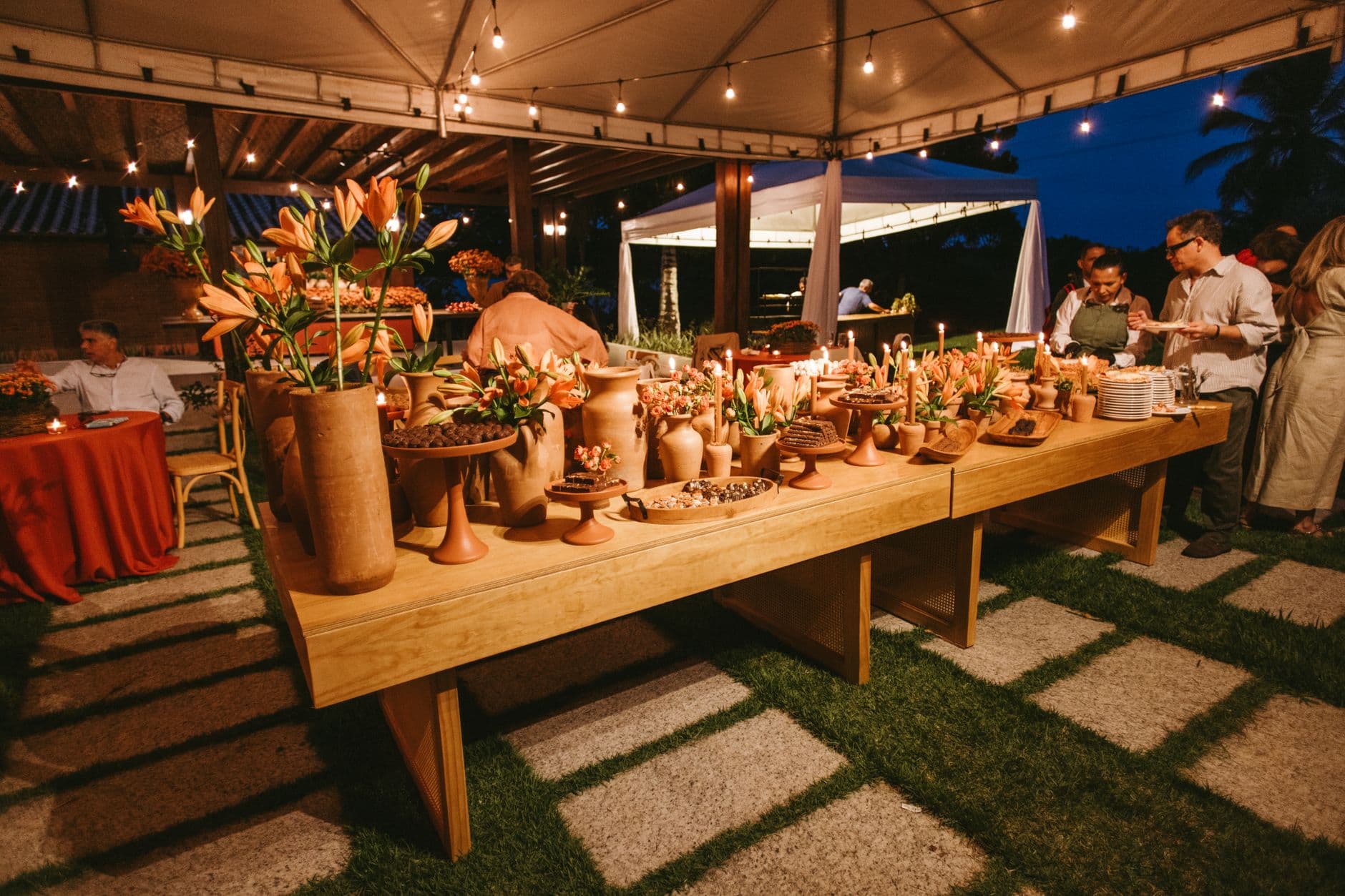
Picture this: 180 guests at a Saturday evening wedding. Phones out during the ceremony. Phones out during the first dance. Phones out when the flower girl trips on the train and makes everyone laugh so hard the videographer shakes. Hundreds of candid photos, taken from every angle, by people who actually know the couple.
By Monday morning, maybe twelve of those photos have been texted to the bride. The rest? Buried in camera rolls, filed next to screenshots of grocery lists and blurry photos of parking spots.
This is the central problem of wedding guest photography. The photos exist. They're good. They capture moments the hired photographer couldn't have been in position for. But they never leave the phone they were taken on. A Yogile study of guest behavior puts it plainly: extracting photos from 120 different camera rolls before people move on is the hard part, not taking them.
The good news: there's a very specific window where collecting those photos is almost effortless. And it closes the moment guests walk out the door.
Why Timing Is Everything
Guest photo sharing follows a decay curve. During the event, energy is high. People are taking photos anyway. The barrier to uploading feels tiny when you're already holding your phone and having fun. Ask someone to share a photo at 10 PM on the dance floor, and they'll do it in 8 seconds. Ask the same person on Tuesday via a WhatsApp message, and you're competing with work emails, school pickups, and the general inertia of life.
Research from Revel confirms what anyone who's organized a wedding already suspects: guest photo collection is a participation problem, not a storage problem. You don't need more cloud storage. You need a mechanism that catches people while their enthusiasm is still warm.
This is why the old approaches fail. The "I'll send you the photos" promise at the end of the night has roughly the same success rate as a New Year's resolution. Shared Google Photos albums sent via email the next day require guests to have Google accounts (not everyone does), remember to open the link, select photos, and upload. That's four friction points. By step two, most people have moved on. For large groups especially, AirDrop and Bluetooth sharing simply don't scale.
The QR Code Approach (And Why It Works at Receptions)
A QR code on every table eliminates the biggest friction: finding and opening the right app, link, or chat group. Guests scan with their phone camera, land in a browser-based gallery, and upload. No app download, no account creation, no password. QR code sharing has gone from novelty to standard at weddings because it meets guests exactly where they are: at the table, phone in hand, already in the mood to share.
The key distinction here is browser-based. If an upload method requires downloading an app from the App Store, you've already lost 60% of your guests. Nobody wants to wait for an install while the best man is mid-toast. Photogala's QR code upload opens directly in the phone's browser. Scan, pick a name, upload. That's it.

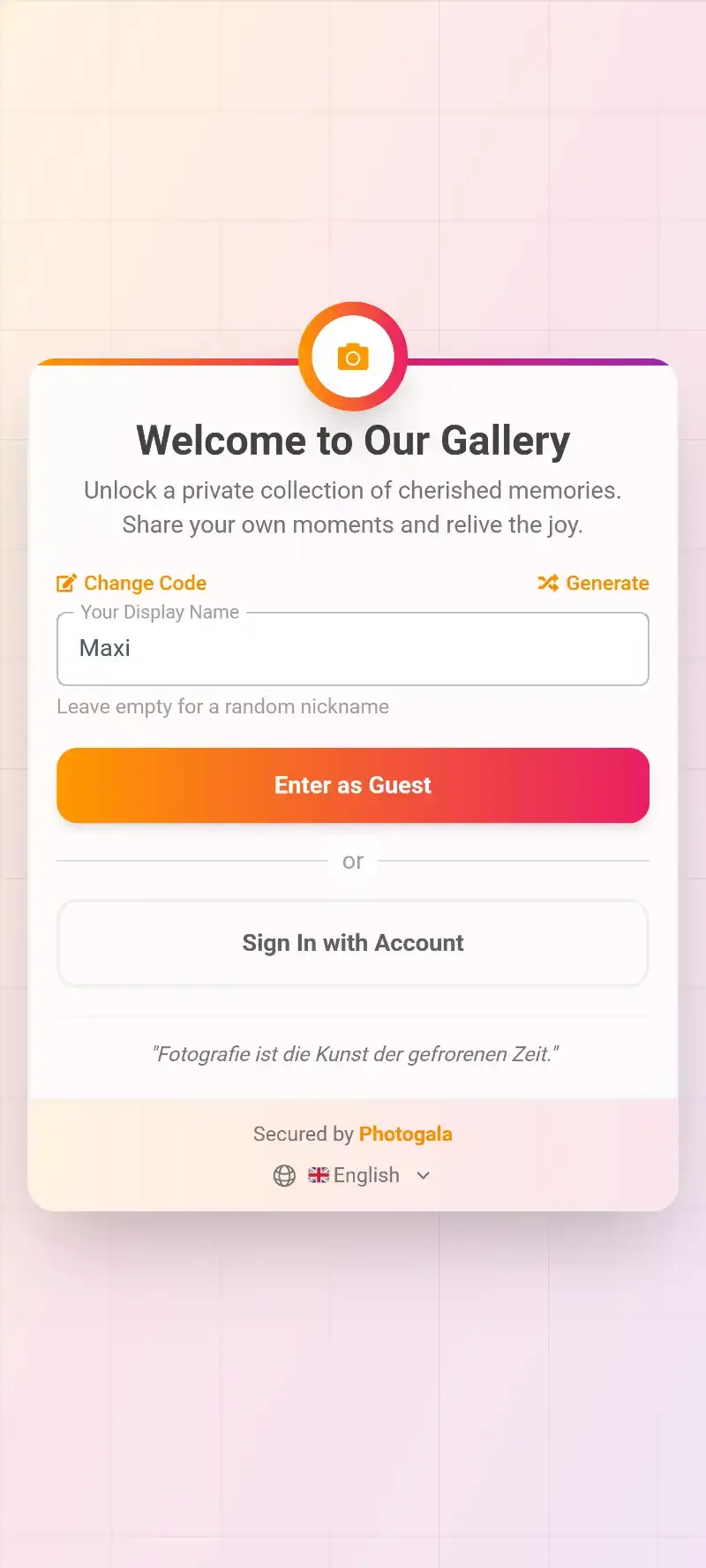
1.Scan the QR code, no app needed
Say you place QR codes on table centerpieces, on the bar counter, and on the welcome sign at the entrance. By the time dinner is served, guests have already seen the code three times. Someone at each table will scan it first, show their neighbor, and suddenly you have a chain reaction. You didn't ask anyone. You didn't send an email. The environment did the work.
Five Ways to Collect Photos During the Reception
QR codes are the backbone, but there are specific tactics that increase collection rates dramatically. Not all of them require technology.
1. Print QR Codes on Physical Items Guests Already Touch
Table numbers, napkin holders, menu cards, the back of escort cards. If you're already printing these items (and you are), adding a QR code costs nothing extra. The trick: place the code where it faces guests while they're seated, not hidden under a centerpiece. Our guide on designing branded QR codes covers the design details, including size, contrast, and where to put your event name.
2. Have the MC or DJ Make One Announcement
Not five announcements. One. Right after dinner, before the dance floor opens. Something like: "The couple would love to see the wedding through your eyes. Scan the QR code on your table to share your photos. Takes 10 seconds, no app needed." That single prompt, timed right, can double your upload count. The temptation is to repeat it throughout the night, but more than one announcement starts to feel pushy. Once is enough if the timing is right.
3. Set Up Photo Challenges
This is where collection turns into entertainment. Instead of passively waiting for uploads, you give guests specific missions: "Photograph the oldest couple on the dance floor." "Catch someone sneaking dessert early." "Find the groomsman who lost his tie first."
Photo challenges work because they create a reason to take photos guests wouldn't otherwise think of. The candid of grandma attempting the electric slide? That comes from a challenge, not from someone deciding on their own to photograph it. If you want details on setting these up properly, we wrote a full walkthrough on configuring challenges guests will actually finish. Photogala's photo challenge system even supports example preview photos, so guests know exactly what you're looking for.
The sweet spot is 5-8 challenges. Fewer than that and guests run through them too quickly. More than 12 and it starts to feel like homework. Mix easy ones ("selfie with the bride") with creative ones ("recreate this famous movie poster") to keep energy high all evening.
See it in action
Every guest photo in one album – no app.
4. Use a Live Photo Wall as a Visual Trigger
Nothing motivates uploads quite like seeing your own photo pop up on a big screen in front of everyone. A live photo wall displayed on a TV or projector near the bar or dance floor creates a feedback loop: guest uploads photo, photo appears on screen, other guests see it and want their photos up there too.
The placement matters more than the screen size. A 55-inch TV behind the DJ works well. A projector in a side room nobody visits does not. Think high-traffic areas: the bar, the dessert station, the lounge area where people take a break from dancing.
1.Guest photos appear on screen in real time
5. Gamify the Whole Thing
Points. Leaderboards. Achievements. It sounds like overkill for a wedding, but here's what actually happens: you set up a leaderboard that awards points per upload and per completed challenge. Around 9 PM, someone checks their rank. They tell the person next to them. Suddenly three tables are competing to see who can complete the most challenges first.
Imagine a 200-guest wedding where the bride's uncle, a 62-year-old doctor, uploads 28 photos because he's determined to beat his nephew on the leaderboard. Good luck getting that level of participation out of a shared Google Photos album. If gamification sounds like something your crowd would enjoy, our piece on photo booth alternatives compares this approach to traditional setups.
What About the Photographer's Photos?
This question comes up every time. "Won't guest photos compete with the professional shots?"
No. They complement them. Insights from Wedding Studio, gathered across 25,000+ weddings, show the disconnect clearly: a professional photographer captures 50-200 carefully composed shots covering 3-5 hours. Guests, collectively, capture 500-2,000+ candid photos covering the entire day, from getting ready to the after-party. These are fundamentally different archives. The professional delivers art. The guests deliver memories. You want both.
The complete wedding shot list we put together actually highlights the 200+ moments your photographer will probably miss. Guest photos fill exactly those gaps: the bathroom mirror selfies, the kids' table chaos, the parking lot conversation at midnight. Our guide on why guest photos complete the DIY photography story goes deeper on this.
Handling the "But What If Someone Uploads Something Inappropriate" Fear
Valid concern, especially at open-bar weddings. The short answer: set up moderation before the event starts.
With Photogala, you can enable content moderation so every upload goes through an approval queue before appearing in the gallery or on the photo wall. Assign a bridesmaid, a wedding planner, or anyone with a phone to the moderator role. One tap to approve, one tap to reject. The Deluxe plan also includes an AI-powered NSFW filter that catches obviously inappropriate content automatically, so your moderator only reviews edge cases.
Our article on wedding photo sharing etiquette covers the social side of this too: what guests should (and shouldn't) share, and how to communicate boundaries without being awkward about it.
The Post-Reception Bonus: Photos Keep Coming
Here's something people don't expect. Once the gallery exists and guests know about it, uploads don't stop at midnight. People go home, scroll through their camera rolls the next morning, and upload the good ones they missed during the event. The gallery stays open (6 months on Plus, 12 months on Premium and Deluxe), and that second wave of uploads often includes some of the best shots. Morning-after clarity produces better photo curation than midnight enthusiasm.
Some couples create a digital guest book from these collected photos. Others use Photogala's customization options to brand the gallery with their wedding colors and share it as a keepsake link.
For weddings of any size, the principle is the same: make sharing effortless while guests are still in the mood. Whether it's a micro wedding with 20 people or a 300-guest celebration, the tools scale. The smaller the wedding, the higher the per-guest upload rate tends to be, actually. Intimate groups participate more.
A Realistic Timeline for Setup
Get Everything Ready the Night Before
Create the gallery
Sign up, name the event, pick your gallery layout and colors. Upload a cover photo. Takes about 5 minutes.
Print QR codes
Download the QR code and add it to table numbers, menu cards, or standalone table signs. One QR code works for all guests.
Assign a moderator
Pick someone responsible (not the couple!) to approve uploads from their phone during the reception. Brief them for 2 minutes.
Set up challenges
Import from templates or create 5-8 custom photo tasks. Add example photos for the creative ones. Optional but effective.
Total prep time: 15-20 minutes. Everything can be done from a phone. You can start for free to test the setup before committing to a paid plan.
The photos your guests take are irreplaceable. Not because they're technically perfect, but because they capture angles and moments your photographer was never positioned for. People are already taking those photos. Your only job is to give them a place to put them before everyone heads home and the moment passes.
All of this comes with your own event.
Setting it up takes five minutes. You can build and view everything before you decide.
Starting from €39 one-timeOne-time payment — No subscription
- No App Required
- Setup in 5 Minutes
- 30-Day Money Back
“Excellent service and great pictures! Photogala fully met our expectations at the event. The value for money is unbeatable. Absolutely recommended! The seating plan saved us a lot of hassle!”
Written by

I believe event photos should be more than static galleries. They should be live, playful, and unforgettable.
Categories
Related Posts

Bridal Shower Photo Sharing: Collect Every Sweet Moment in One Gallery
Bridal shower photos end up scattered across 15 phones. Here's how to get them all into one gallery before the mimosas wear off.

Company Retreat Photo Sharing: How to Actually Keep the Memories
Most offsite photos die on individual phones. Here's how to collect, share, and actually use every photo from your next company retreat.
Neighborhood Block Party Photo Sharing: How to Turn 40 Strangers Into One Shared Album
Block parties create great photos — and zero way to share them. Here's how a QR code gallery turns your street into a connected community.