Golf Outing Photo Sharing: How to Collect 400 Photos Across 18 Holes (Without Chasing Down Every Foursome)


Picture a charity golf tournament. Eighteen holes. Thirty-two foursomes. Five hours of tee shots, eagle attempts, someone driving a cart into a bunker, and the inevitable group photo where everyone holds up their beers at the halfway house. A good event photographer covers maybe six holes if they hustle. The other twelve? Those moments live and die on 128 individual phones.
That math is the reason most golf outing photo recaps are disappointing. The organizer gets the photographer's 80 polished shots, posts them to Facebook, and calls it done. Meanwhile, the foursome that had the most fun all day took 60 photos that nobody else will ever see.
The fix is simpler than you'd think, and it doesn't involve a WhatsApp group with 128 people or a shared Google Drive that three people actually find. A QR code on every cart, every scorecard, and every table at the awards dinner. Guests scan, a browser gallery opens, and photos flow into one place. No app, no account, no friction. If you want to understand how collecting guest photos automatically works, the concept is the same for golf as it is for weddings or corporate events.
Why Golf Tournaments Are the Hardest Events to Photograph
Most events happen in one room. A wedding reception, a conference ballroom, a birthday party in a backyard. The photographer stays put and the action comes to them. Golf is the opposite. The action is spread across 150 acres of fairways, greens, tee boxes, and cart paths, happening simultaneously for five hours.
Even at well-funded corporate events, hiring two photographers for a full tournament costs serious money. And they'll still miss the foursome on hole 14 who pulled off a chip-in from 40 yards. The best golf tournament photos come from the players themselves, because they're the only ones actually there for every moment.
According to pic-tomo's guide on golf competition photo sharing, the must-capture moments at golf events include tee shots, putting on the green, birdies and eagles, course scenery, group photos, and the award ceremony. No single photographer can be in all those places. But 128 players with phones can.
The real problem isn't taking photos. Golfers already take plenty. The problem is that those photos stay trapped on individual phones. A 2026 StrategyDriven analysis found that shared experiences build belonging at corporate events, and photo sharing is one of the simplest ways to extend that effect beyond the event itself.
The QR Code Strategy That Actually Works on a Golf Course
The key insight for golf events: you need multiple touchpoints, not just one QR code at registration. Golfers spend five hours away from the clubhouse. If the only QR code is on a sign at the first tee, most people forget about it by hole 3.
Here's what works. Print the QR code on the scorecard itself. Every golfer looks at their scorecard dozens of times during a round. Tape a laminated QR code to the steering wheel of each cart. Put table tents with the code at the halfway house and at each table for the awards dinner. The goal: no golfer should ever be more than arm's reach from the code.
With a platform that supports QR code uploads, guests scan, the gallery opens in their browser, and they upload directly. No app download. No sign-up form. This matters especially for golf outings where participants range from tech-savvy thirty-somethings to retirees who still print MapQuest directions. Everyone can scan a QR code. Check out our guide to creating branded QR codes if you want the code to match your tournament branding.
Set Up Your Golf Tournament Gallery in 10 Minutes
Create the gallery
Name it, add your tournament logo and colors. Pick a gallery layout that fits the vibe. Takes about 3 minutes.
Print QR codes everywhere
Scorecards, cart dashboards, halfway house tables, awards dinner place settings. More touchpoints = more uploads.
Let the uploads roll in
Golfers scan and upload between holes, at lunch, and during the awards. Photos appear in the shared gallery in real time.
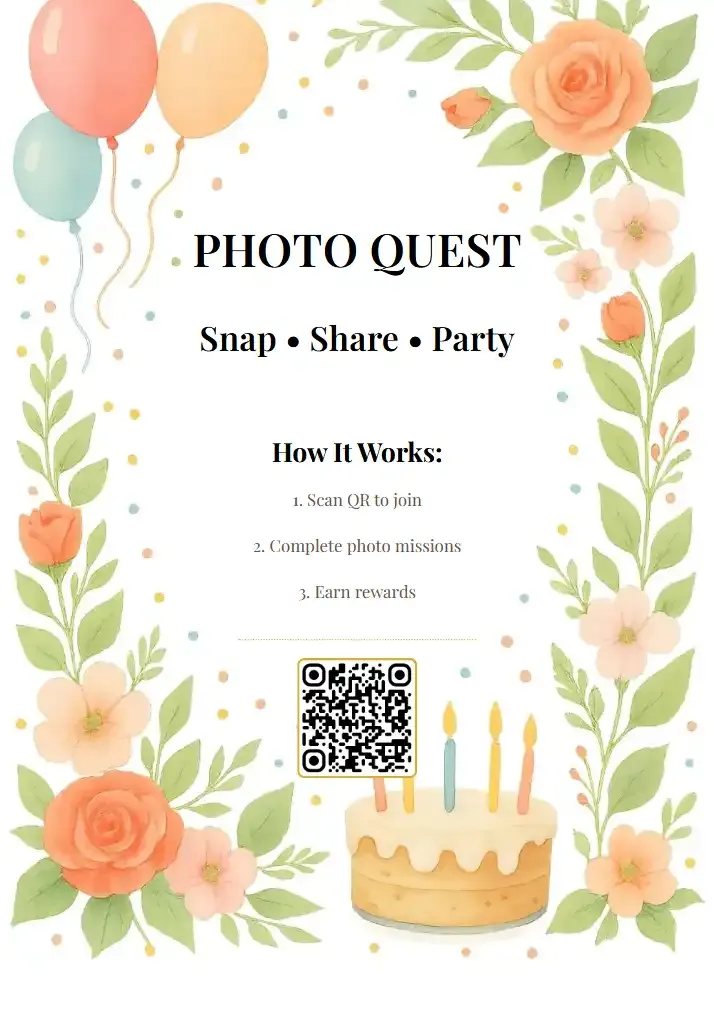
1.Scan from the scorecard, cart, or table tent
See it in action
Every guest photo in one album – no app.
Charity Tournaments: Photos That Drive Donations
Charity golf outings have a goal beyond fun: raising money. And photos are one of the most underused fundraising tools in the organizer's kit.
Think about what happens after a charity tournament. The nonprofit sends a thank-you email, maybe includes one or two photos from the photographer. Now imagine that email includes a link to a gallery with 350 photos from the day, and the donor can find their own foursome in the mix. That email gets forwarded. It gets shared on LinkedIn. The sponsor's marketing team pulls their branded hole photos for a recap post. Suddenly the event has legs beyond the day itself.
For event venues that host tournaments regularly, offering built-in photo sharing as part of the event package is a differentiator. Groups remember the venue that made it easy to relive the day.
One detail that matters for charity events: sponsor visibility. If your tournament has hole sponsors, those branded signs appear in the background of tee box photos all day. A shared gallery full of guest photos becomes organic sponsor exposure that money can't buy. The sponsor's logo appears naturally in dozens of candid shots.
Photo Challenges Turn Casual Golfers Into Content Machines
Here's where golf events get interesting. Most golfers already take the obligatory first-tee group photo. But without a nudge, they won't think to capture the funny moments, the beautiful course views, or the birdie celebration on 16.
Photo challenges change that equation. Set up 8-10 challenges specific to golf: "Best divot", "Most dramatic putt reaction", "Cart selfie with your foursome", "The view from hole 7 tee box", "Someone hitting out of a bunker", "Post-round celebratory drink." Challenges can include example preview photos so golfers know exactly what you're looking for, and you can even set up a photo roulette mode where players get a random reference photo to recreate. Fair warning: the recreations usually end up funnier than the originals.
The result? Instead of the same 80 photos from the photographer, you get 400 photos that tell the actual story of the day. Our piece on how photo sharing works at large outdoor events like charity 5Ks shows how challenges drive participation even when people are spread across a large area.
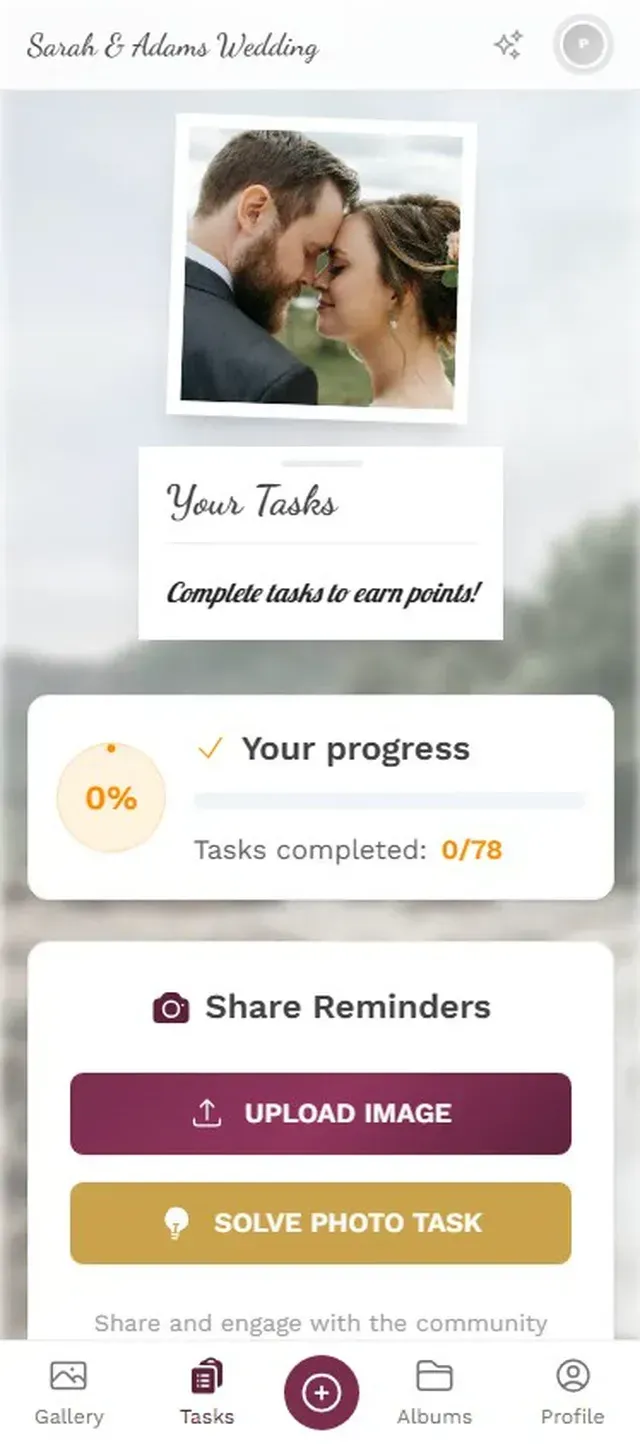
1.Challenges tailored to your event
The Leaderboard Effect (Yes, It Works on Golfers)
Golfers are competitive. That's the entire point of keeping score on a game most people are terrible at. A points and leaderboard system taps into that same energy.
Imagine a foursome checking the photo leaderboard between holes the same way they check the tournament leaderboard. Points for uploads, bonus points for completing challenges, and a running ranking that updates in real time. By the back nine, the group chat isn't about handicaps anymore. It's about who's winning the photo competition. Add social features like likes and it gets even more entertaining when players start liking each other's bunker disasters.
For corporate outings where team building is part of the agenda, this adds a layer of interaction that goes beyond golf. People who barely spoke at the office are now competing to capture the funniest cart moment. If you're thinking about how gamification works at corporate events, the psychology is identical on a golf course.
Sizing tip: A typical 32-foursome charity tournament has 128 players. That fits comfortably in Photogala's Premium plan (250 uploader slots, €69 one-time), with room for staff, volunteers, and sponsors to upload too. Not sure which tier fits? Our guide on sizing your event photo gallery breaks down the math.
The Awards Dinner: Where Everything Comes Together
The awards dinner is the one moment where all 128 golfers are in the same room. And it's where a live photo wall earns its keep.
Set up a screen behind the podium or near the bar. As photos from the day cycle through, the room reacts. Someone spots their foursome's bunker disaster. A table erupts when the cart selfie from hole 12 appears. The emcee can pull up highlights between award announcements. It turns a standard rubber-chicken dinner into something people actually engage with.
The photos are already in the gallery from the day's uploads. No extra setup needed at dinner. Just connect the photo wall to a screen and let it run.
One thing to keep in mind: the photo wall works best on a strong WiFi connection, so check with the clubhouse about their network before the event. Most venues have solid WiFi in the dining area, but it's worth confirming rather than scrambling for a hotspot at 6 PM.
After the Tournament: Making Photos Work Harder
The gallery stays active after the event. Send the link in your follow-up email and watch what happens. Players share their favorites on social media. The company that sponsored hole 9 downloads photos of their branded sign for a LinkedIn post. The nonprofit uses candid shots in next year's invitation to show prospective donors what the day actually looks like.
With archive and download features, anyone can grab original-quality photos. No compression, no "I'll send you the photo later" promises that never materialize. For recurring annual tournaments, the gallery becomes part of the tradition. The approach is similar to what we describe for email vs. shared gallery distribution: one link beats 50 individual emails.
If your tournament includes a branded experience, customization options let you match the gallery to your event's colors, logo, and style. Dark mode galleries look particularly sharp at evening awards dinners.
The best golf tournament photo recaps don't come from hiring a better photographer. They come from turning 128 golfers into 128 photographers, giving them an easy way to share, and putting those photos on a screen at dinner where everyone can enjoy them. That's the difference between 80 professional shots and 400 moments that actually capture the day.
If you're planning a tournament and want to see how the setup works, Photogala has free event planning tools for budgeting, guest lists, and timelines. The photo gallery itself takes about 10 minutes to set up, and you can start with the free demo to test it before your event.
All of this comes with your own event.
Setting it up takes five minutes. You can build and view everything before you decide.
Starting from €39 one-timeOne-time payment — No subscription
- No App Required
- Setup in 5 Minutes
- 30-Day Money Back
“Excellent service and great pictures! Photogala fully met our expectations at the event. The value for money is unbeatable. Absolutely recommended! The seating plan saved us a lot of hassle!”
Written by

I believe event photos should be more than static galleries. They should be live, playful, and unforgettable.
Categories
Related Posts

Photo Sharing for Churches and Congregations: One Gallery for Every Service
Churches produce hundreds of photos every week across dozens of phones. Most vanish into personal camera rolls. Here's how one shared gallery with a QR code fixes that.
Company Christmas Party Programme: 10 Ideas That Get the Whole Team Involved (Without the Cringe)
A loose programme keeps the energy up without making anyone uncomfortable. These 10 ideas work for small teams and whole companies alike, most of them run themselves once set up, and none require anyone to perform solo in front of colleagues.
Photo Sharing for Event Venues: A Built-In Perk That Books More Events
Event venues that offer built-in photo sharing don't just sell a space. They sell a shareable experience that fills calendars.