Photo Sharing for Churches and Congregations: One Gallery for Every Service

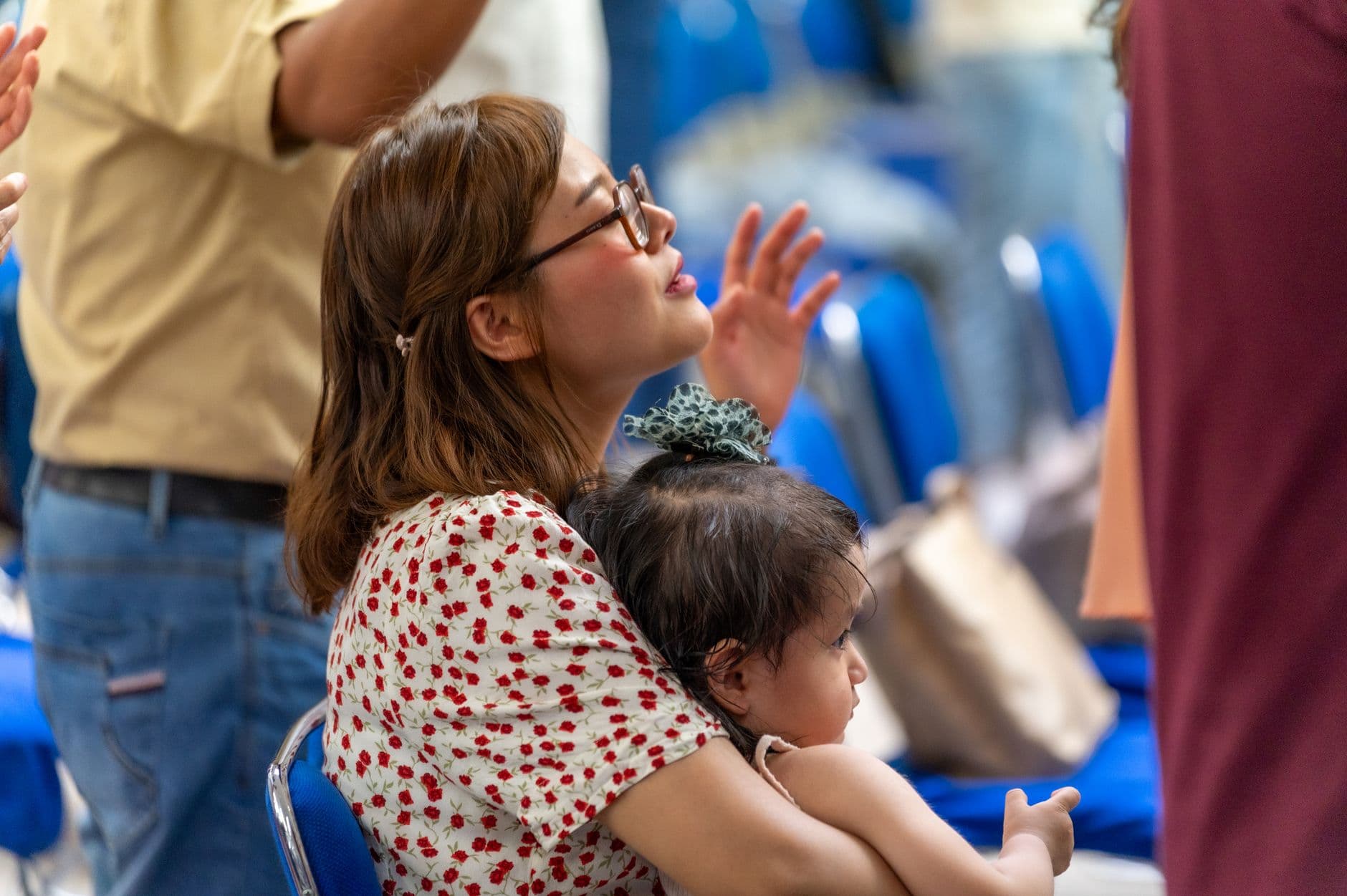
The youth group barbecue was three weeks ago. Forty people came, at least fifteen had their phones out, and someone definitely got that shot of Pastor Mike losing the egg-and-spoon race. But where is it? One volunteer posted a few photos to the church Facebook page. Another has thirty shots on her phone she keeps meaning to send. The worship leader texted a handful to the group chat, but half the congregation isn't in that chat. And the SD card from the "real" camera is sitting in a desk drawer in the church office.
Sound familiar? This is the default state of photo management in most churches and faith communities. Not because anyone is disorganized, but because there's no obvious central place for photos to live. Every event generates images across a dozen devices, and the work of collecting them falls on whoever remembers to ask.
The Hidden Cost of Scattered Church Photos
Here's what makes this problem so persistent for congregations: those photos aren't just memories. They're organizational assets. The communications team needs them for the website and bulletin. The pastor wants them for the annual report. The youth ministry coordinator needs proof the program is thriving for the next budget meeting. And the church archivist (if you have one) is trying to build a record that will matter in fifty years.
The Congregational Library put it bluntly: where a church event in the past produced one envelope of photographs from a single photographer, today's equivalent produces hundreds of digital photos from dozens of smartphones. The volume has exploded, but the systems for collecting and preserving those photos haven't kept up.
Most congregations default to one of three approaches, and each has the same flaw.
The WhatsApp Approach
Someone creates a group, asks people to share their photos there. Works for the first event. By the third event, the group is cluttered with unrelated messages, half the older members never joined, and the photos are compressed to the point where they're useless for print. If your community runs a club or association alongside the church, you've probably seen the same chaos play out there. We wrote about stopping that WhatsApp spiral for club events if that resonates.
The Dropbox/Google Drive Approach
A shared folder sounds logical. But it requires everyone to have the right app, the right account, and the patience to navigate folder structures. As ChurchTechToday documented, church photo collections across multiple photographers quickly become masses of disorganized desktop folders or stacks of SD cards. When someone urgently needs a photo for a social post or event slide, finding the right image is nearly impossible.
The "Just Email Them to Me" Approach
The volunteer coordinator sends a mass email after the event. Three people respond. The rest forget. The photos that do arrive are duplicates of what's already on Facebook, and nobody captured the candid moments because they didn't think to photograph them in the first place.
The common thread: all three approaches put the burden on the person sharing. They have to remember, find the right channel, and go through multiple steps. Most people simply don't bother.
Flip It: Make Sharing the Path of Least Resistance
The fix is embarrassingly simple. Instead of asking people to send photos somewhere after the event, you put a QR code in front of them during the event. They scan it, their phone browser opens, they upload. No app to install, no account to create, no link to remember later. This is the same principle that makes collecting guest photos at any event so much easier than the old ask-and-wait approach.
This is how QR code photo sharing works with Photogala. You create a gallery for your event, print the QR code (on the bulletin, on a poster near the entrance, on table cards at the fellowship dinner), and every photo lands in one shared gallery in real time.
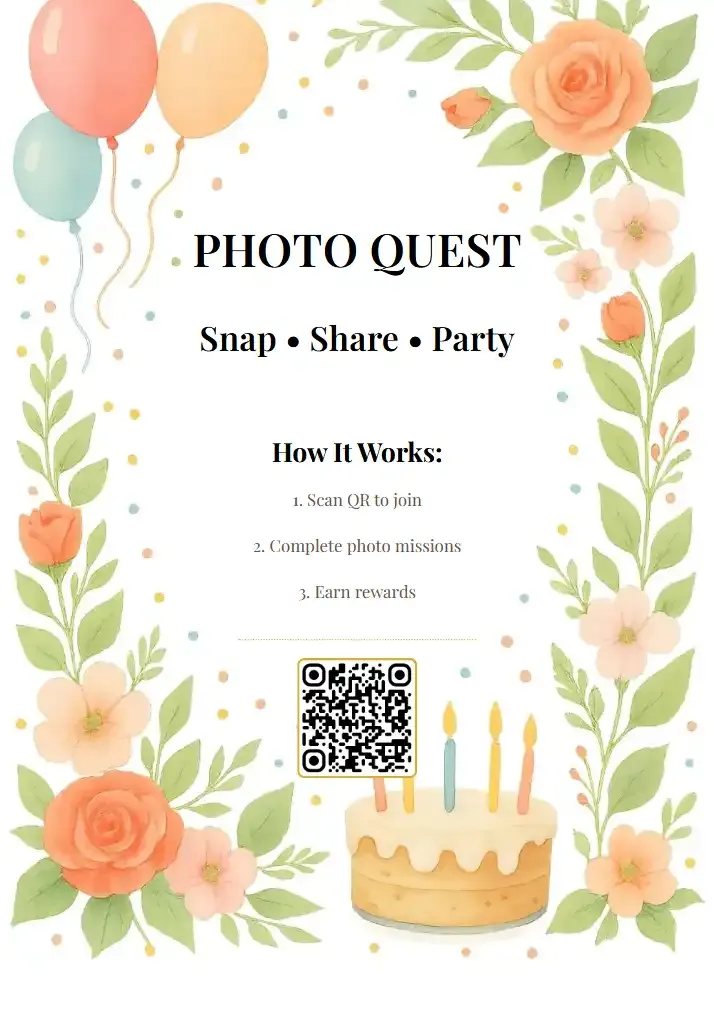
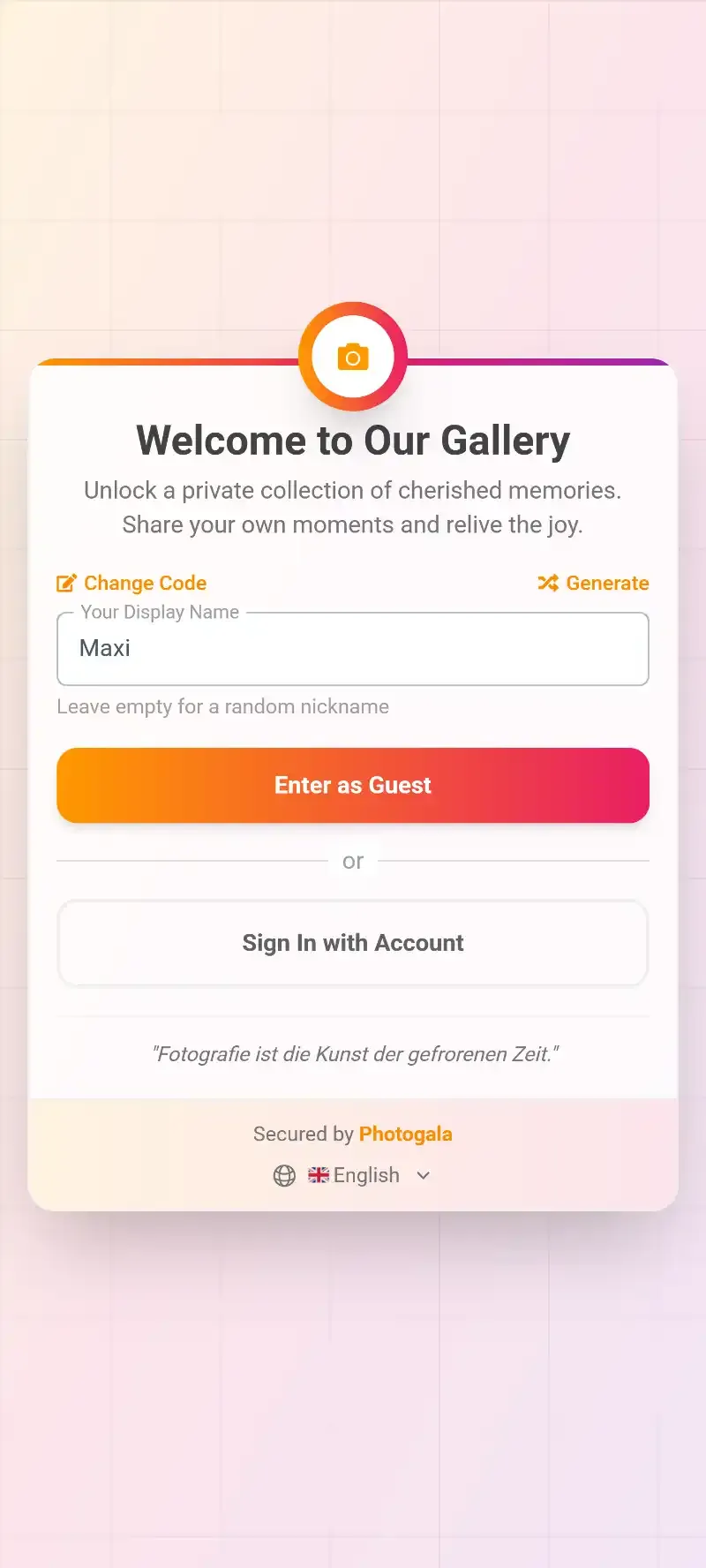
1.Guests scan the QR code and upload directly from their phone browser
Picture a Sunday community lunch after service. A printed QR code sits on each table, maybe tucked into a small stand next to the salt shaker. The 72-year-old deacon's wife takes three photos of the new flower arrangement. The teenagers snap selfies. The pastor's kid photographs the dessert table from four angles. All of those photos end up in the same gallery, organized, full resolution, accessible to anyone with the link.
No chasing people afterward. No "can you send me that photo?" texts that go unanswered for weeks.
See it in action
Every guest photo in one album – no app.
Privacy and Consent: The Part Churches Can't Skip
Here's where church photo sharing gets complicated in a way that doesn't apply to, say, a birthday party. Congregations include vulnerable populations. Minors in youth groups. Families in crisis who don't want to be publicly identifiable. Members of recovery programs. People who are simply private.
This isn't just a matter of etiquette. Churches can face real legal liability for posting photos of individuals without explicit permission. This applies to websites, Facebook pages, YouTube channels, and any publicly accessible platform. Multiple denominations have published formal guidance on this, and in the EU the GDPR adds another layer of obligation. If your congregation hasn't revisited its photo consent policy recently, now is the time.
A shared photo gallery doesn't automatically solve the consent question, but it does give you a single control point. Instead of photos scattering across personal social media accounts (where you have zero control over who posts what), everything flows through one gallery that you manage.
This is where a content moderation dashboard matters. You can set the gallery so every photo requires approval before it becomes visible. Assign that role to a trusted volunteer or staff member. One person reviews uploads, approves the appropriate ones, and flags anything that shouldn't be shared publicly. If someone photographs a child whose parents haven't given consent, that photo never appears in the gallery.
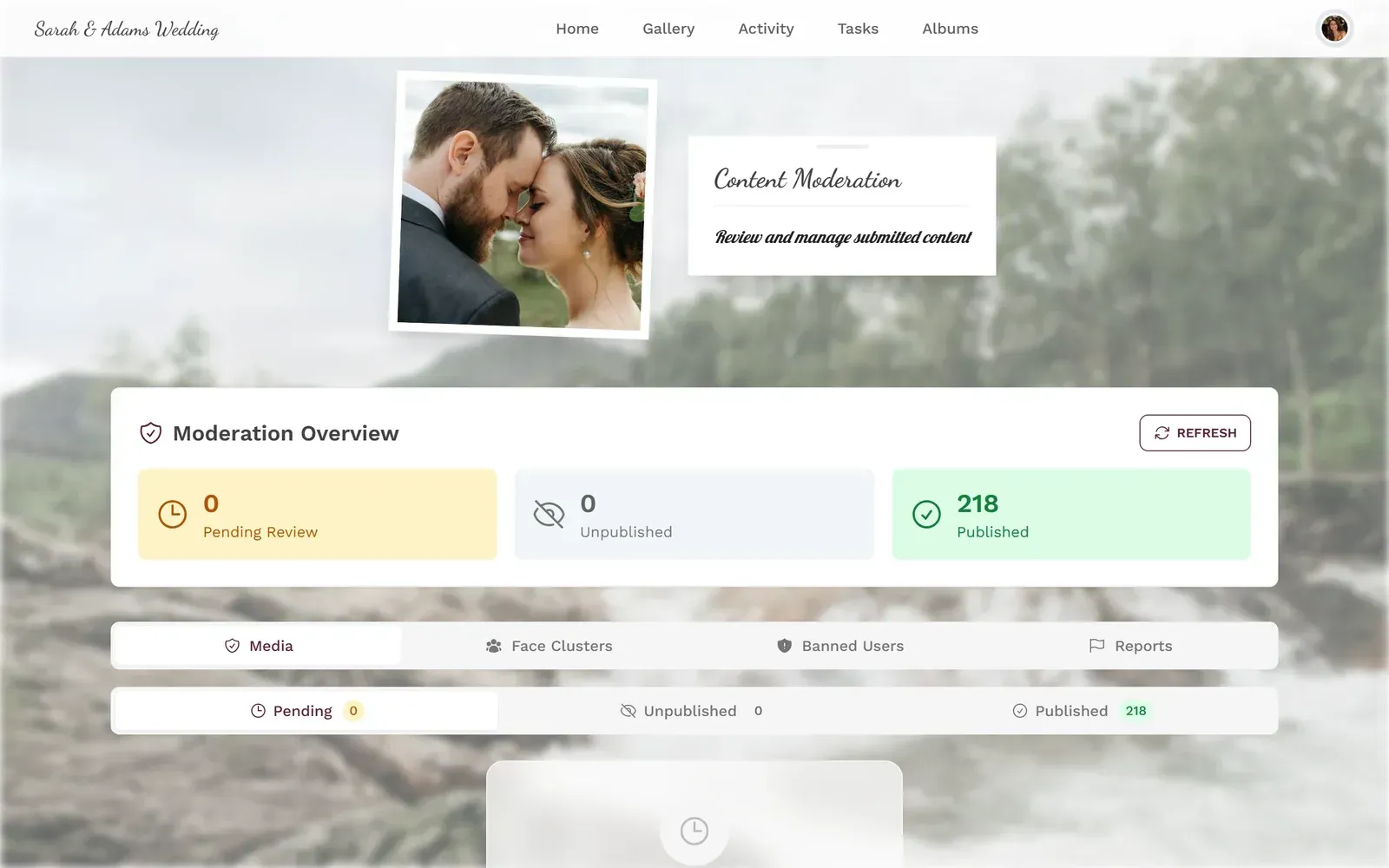
1.Review every upload before it goes live in the gallery
A note on minors: If your church photographs children (Sunday school, VBS, youth events), pre-approval moderation isn't optional. Set the gallery to require approval for every upload, and make sure the person moderating knows which families have and haven't given photo consent. This is a policy essential, not a nice-to-have. Note that content moderation requires the Premium plan (€69) or higher.
One Gallery Per Event, or One Gallery Per Year?
This is a decision most church teams don't think about until they're three months in and have twelve separate galleries. Both approaches work, depending on how your congregation operates.
One gallery per event works best for distinct occasions: the annual picnic, the Christmas pageant, the mission trip. Each event gets its own gallery, its own QR code, and its own collection of photos. Clean separation, easy to find things later.
One gallery per season or year works better for ongoing church life. Create a gallery called "Community Life 2026" and use it for every Sunday coffee hour, every midweek Bible study, every volunteer workday. Photos accumulate over months, and you build a visual story of the year. You can use albums within the gallery to organize by event type or date.
Either way, the QR code stays the same. Print it once, put it in the lobby, and it works all year. We covered exactly how to reuse a gallery for recurring events in a separate guide if you want the full walkthrough.
Setting Up Your Church Gallery in 3 Steps
Create the gallery
Sign up (free, no credit card), name your event or season, and choose a gallery style that fits your congregation's vibe.
Print the QR code
Add it to the Sunday bulletin, tape it near the entrance, or include it on event flyers. Photogala generates a printable QR code you can customize.
Let photos collect themselves
Members scan, upload, done. You moderate if needed. Photos stay in original quality, organized in one place.
Beyond Sunday: Events That Benefit Most
Regular Sunday services generate some photos, but the real treasure troves come from milestone events. Christenings and baptisms are a perfect example. Five families attend, each with grandparents who flew in for the occasion, and every single one of them is photographing the moment. Without a shared gallery, each family goes home with only their own perspective.
First communions and confirmations work the same way. You have ten kids at the altar, ten sets of parents in the pews, and a professional photographer capturing the formal shots. The candid moments between families? Those only exist on individual phones unless you give people a place to share them.
Vacation Bible School generates hundreds of photos over a single week. Mission trips produce content your communications team will use for months. Church anniversary celebrations, holiday festivals, volunteer appreciation dinners: each one is a goldmine of authentic, joyful imagery. If your congregation celebrates religious festivals like Diwali, Eid, or Hanukkah, the same approach works beautifully.
And here's the part most churches don't think about: those guest photos you collect automatically are almost always more authentic than what a hired photographer captures. The photographer gets the posed group shot. Your members capture the real moments: the kids running in the parking lot, the older couple holding hands during the hymn, the volunteer crew laughing while setting up tables. That kind of event photo sharing is what builds a genuine visual record of community life.
Making the QR Code Actually Visible
The biggest mistake? Printing one small QR code and taping it to a wall nobody looks at.
For a congregation, QR codes work best when they're woven into things people already interact with. The Sunday bulletin is the obvious spot. A small note at the bottom: "Share your photos from today's service" with the QR code. Event flyers. The welcome screen in the lobby. Table cards at potlucks. You can even design a branded QR code that matches your church's visual identity.
For multi-service churches: Print the QR code on a standing poster in the foyer. It stays up permanently. Members from the 8:30 AM service and the 11:00 AM service both contribute to the same gallery. Over time, you build a visual archive without anyone having to manage it actively.
Building a Lasting Visual Archive
This is the long game, and it's where most churches are completely unprepared. Ten years from now, someone will want to put together a slideshow for the church's anniversary. They'll look for photos from 2026. Where are they?
If they're scattered across former volunteers' personal phones (some of whom have left the congregation), on a decommissioned laptop's hard drive, or in a Facebook album that got deleted when the church switched pages, they're effectively gone. Digital records stored on computers can be destroyed if hardware fails, and original file formats may become unsupported by modern software. The Minnesota UMC archivist calls this a "scary preservation obstacle."
A centralized gallery sidesteps the worst of this. Photos are stored in the cloud, in original quality, with bulk download available so you can periodically archive everything to your church's backup system. You're not depending on any single person's phone or computer to keep the history alive.
One honest caveat: Photogala galleries have an active period (6 months on Plus, 12 months on Premium and Deluxe), so the gallery isn't a permanent archive by itself. You'll want to do a bulk download at least once during that window and save the ZIP to your church's own backup storage. Think of the gallery as the collection funnel and your local backup as the long-term vault.
With gallery customization, you can brand the gallery to match your church's identity. Colors, logo, header style: it looks like yours, not like a generic tech platform. That matters when you share the gallery link with the congregation or embed it on your church website. And yes, you can embed the gallery directly on your existing site if you want members to access it without leaving your domain.
1.A clean, browsable gallery that members can access anytime
What About the Photo Wall?
This one's optional, but congregations that try it tend to love it. Connect a TV or projector in the fellowship hall to Photogala's live photo wall, and uploaded photos appear on the big screen in real time. During a potluck, a holiday party, or even coffee hour after service, it becomes a conversation starter. People gather around, laugh at the photos, and upload more because they want to see their shot on the screen.
One thing to keep in mind: if you're using pre-approval moderation (and you should be, especially with minors present), photos only hit the screen after they're approved. That means someone needs to be actively checking the moderation queue during the event. Assign it to a teenager with a phone. They'll be faster than you think.
Choosing the Right Plan for Your Congregation
Which plan fits depends mostly on whether you need content moderation. For a small group where everyone knows each other and minors aren't in the photos, the Plus plan (€39, one-time) covers the essentials: unlimited photos and up to 25 videos, a photo wall, unlimited photo challenges (great for VBS and youth events), and 75 uploader slots.
But if your events involve children, or if you want to review uploads before they go public (which this article has been strongly recommending), you'll need the Premium plan (€69, one-time). Premium adds the moderation dashboard with team roles, 250 uploader slots, and social features like comments and likes. For most churches that take the privacy and consent section of this article seriously, Premium is the right starting point.
Either way, there's a free demo plan to try it out with no credit card. Create a gallery, upload up to 50 photos, and see how it feels before you commit. Check current pricing for the full breakdown, or read our guide on sizing your gallery by uploader slots.
The photos your congregation takes this Sunday will matter more than you think. Not just next week, when the communications team needs a fresh image for the bulletin. Not just next year, when someone puts together the annual report. But in ten or twenty years, when a new generation wants to see what the church community looked like when they were children. The only question is whether those photos will be findable, or lost across a hundred personal camera rolls that nobody ever thought to collect.
All of this comes with your own event.
Setting it up takes five minutes. You can build and view everything before you decide.
Starting from €39 one-timeOne-time payment — No subscription
- No App Required
- Setup in 5 Minutes
- 30-Day Money Back
“We were really thrilled, and everything went so much more smoothly, from the seating plan all the way to the photo games! Simply great! Highly recommended!”
Written by

I believe event photos should be more than static galleries. They should be live, playful, and unforgettable.
Categories
Related Posts
Photo Sharing for Wedding Planners: Delight Clients and Win Referrals
Wedding planners who help guests share photos don't just create better events. They build a referral engine that runs on emotion, timing, and shared memories.

Photo Sharing for Schools and PTAs: Safe Galleries for Every Event
School events generate hundreds of parent photos that end up scattered across WhatsApp groups and email threads. Here's how QR code galleries keep them organized and FERPA-friendly.

Company Christmas Party Programme: 10 Ideas That Get the Whole Team Involved (Without the Cringe)
A loose programme keeps the energy up without making anyone uncomfortable. These 10 ideas work for small teams and whole companies alike, most of them run themselves once set up, and none require anyone to perform solo in front of colleagues.