🗺️GPS Photo MapPRO

GPS Photo Map: See Where Every Photo Was Taken

Turn your event gallery into an interactive map. Every photo automatically positioned based on GPS data from the camera — browse your memories by location, not just time.

What Is the GPS Photo Map?

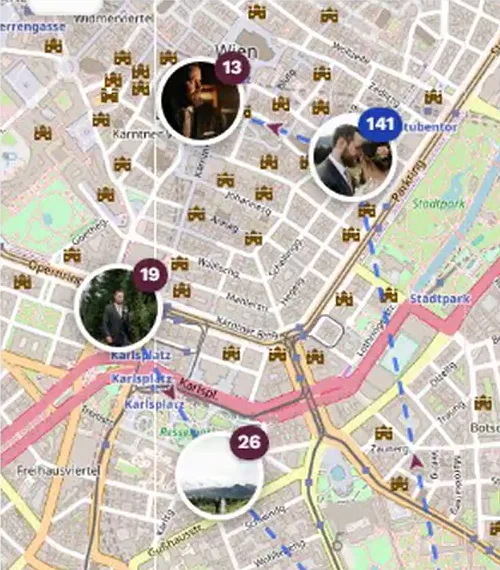
The GPS Photo Map is an interactive map layer built into every Photogala event gallery. When guests take photos with location services enabled on their smartphone, the GPS coordinates are embedded in the image's EXIF metadata. Photogala reads these coordinates automatically and positions each photo on a beautiful, zoomable map.

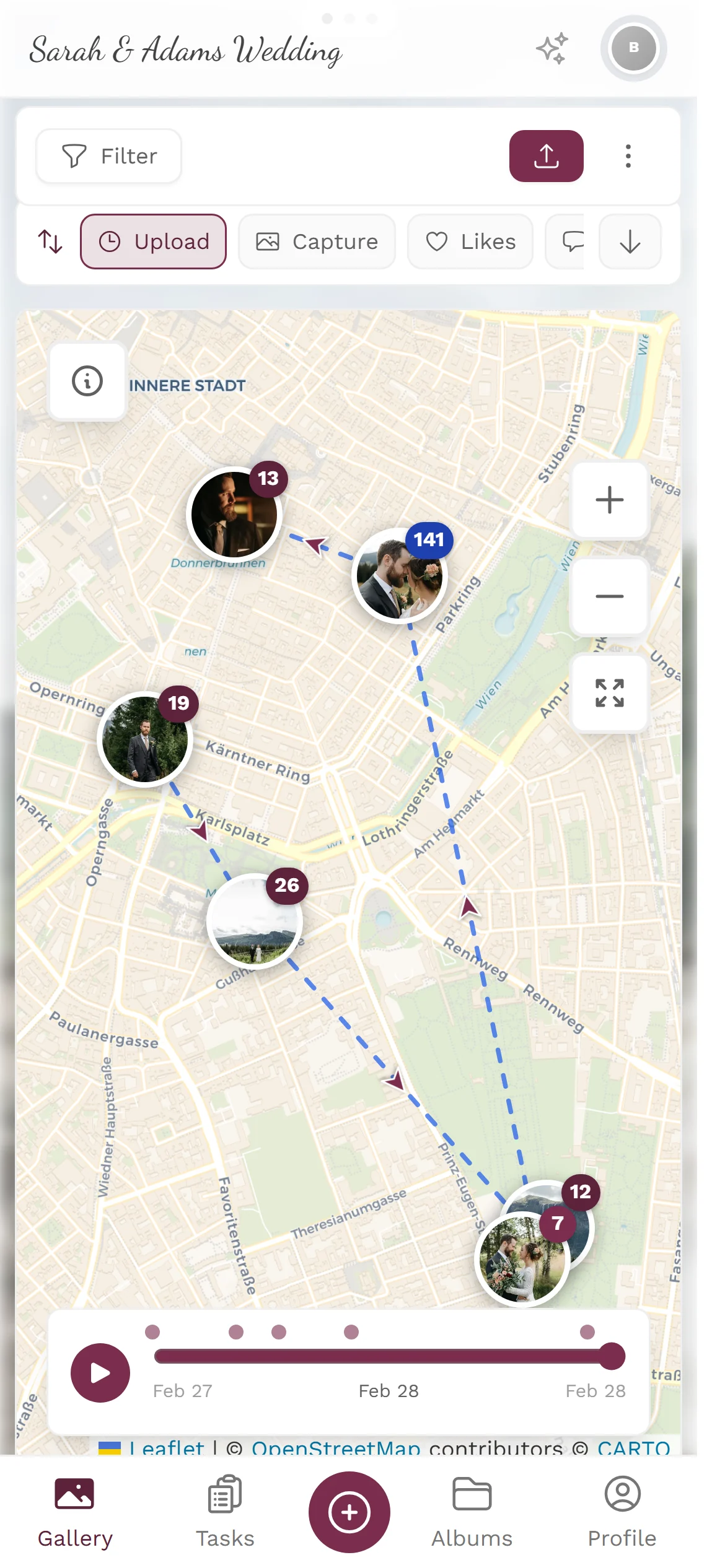
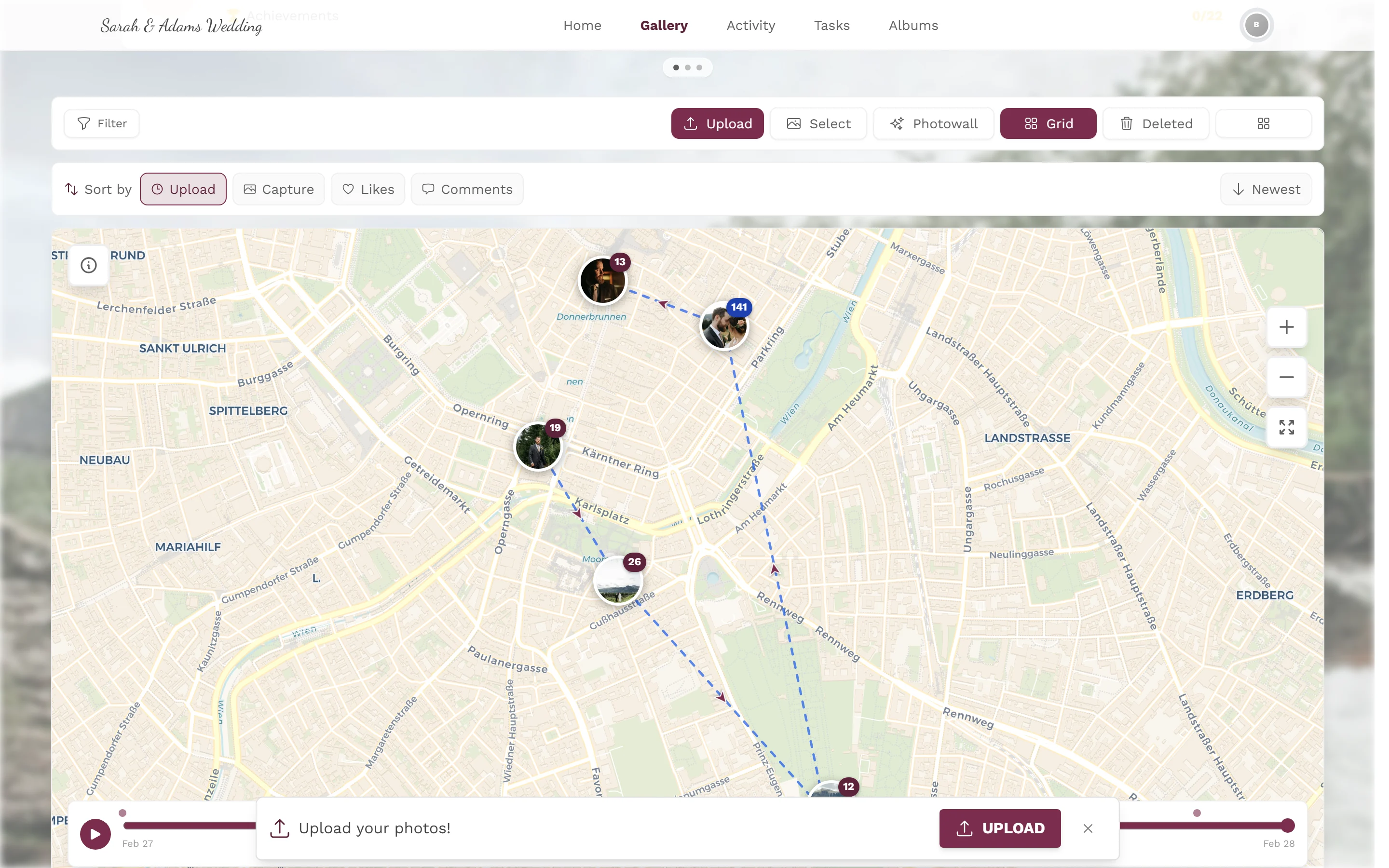
Instead of scrolling through hundreds or thousands of photos in a flat timeline, you can explore your event geographically. Click on a map marker to see exactly which photos were taken at that spot. When multiple photos cluster in one area — like the church entrance or the dance floor — the map intelligently groups them into clusters that expand as you zoom in.

This transforms the way you relive events. A destination wedding in Tuscany becomes a visual journey through vineyards, hilltop ceremonies, and rustic reception halls. A corporate retreat unfolds across conference rooms, team-building sites, and dinner venues. The map tells the story of movement and place that a timeline alone cannot capture.

How the GPS Photo Map Works

No setup required from guests. If their phone records GPS data in photos (most do by default), the map builds itself automatically.

How the GPS Photo Map Works
📤
1

Guests Upload Photos

Guests take photos with their smartphone camera, which automatically embeds GPS coordinates, altitude, and direction in the image's EXIF metadata. They upload these photos to your Photogala event gallery via the QR code or event link — no app installation needed.

📍
2

GPS Data Extracted Automatically

Photogala's backend reads the EXIF GPS tags from every uploaded image in real-time. Latitude, longitude, and accuracy data are extracted, validated, and stored alongside the photo. Invalid or missing GPS data is handled gracefully — those photos simply appear in the gallery without a map pin.

🗺️
3

Browse Photos on the Interactive Map

The event gallery includes a map view that displays all geotagged photos as markers. Zoom in to see individual photo locations, or zoom out to see intelligent clusters. Click any marker or cluster to open a photo preview. Filter by time range, guest, or album to narrow down the map view.

Where the GPS Photo Map Shines

Any event that spans multiple locations benefits enormously from a geographic photo view. Here are the most popular use cases.

GPS Photo Map
💒

Multi-Venue Weddings

Modern weddings often span three or more locations: the ceremony at a church or outdoor venue, cocktail hour in a garden, and the reception at a hall or restaurant. The GPS map lets couples and guests relive each chapter of the day by clicking through locations on the map.

  • Church ceremony photos clustered at the altar location
  • Garden cocktail photos grouped around the outdoor bar area
  • Reception hall photos showing the dance floor, dinner tables, and photo booth
✈️

Destination Events

When your event takes place in a beautiful destination — a beach resort, a European city, or a mountain lodge — guests naturally explore and photograph the surroundings. The GPS map captures this wanderlust and turns scattered sightseeing snapshots into a coherent visual travel diary.

  • Resort pool, beach, and lobby photos mapped across the property
  • City exploration photos showing guests discovering local landmarks
  • Pre-wedding excursion photos from boat trips or hiking trails
🏢

Corporate Retreats & Offsites

Multi-day corporate events with sessions spread across conference centers, breakout rooms, restaurants, and team-building venues generate photos from many locations. The GPS map gives organizers a complete visual record of every activity location and helps create compelling post-event reports.

  • Conference hall presentations and breakout session photos
  • Team-building activity photos from outdoor challenge courses
  • Networking dinner and awards ceremony photos at the restaurant venue
🏔️

Adventure Events & Festivals

Music festivals, scavenger hunts, charity runs, and adventure races unfold across large areas. The GPS map shows the full scope of the event — every stage, every checkpoint, every food truck — creating a comprehensive visual map that no single photographer could capture alone.

  • Festival stage areas with crowd photos from different vantage points
  • Race route photos showing participants at various checkpoints
  • Food and vendor area photos scattered across the festival grounds

Privacy & Control

Location data is sensitive. Photogala gives both organizers and guests full control over how GPS data is handled.

1

GPS Data Is Always Optional

Guests are never required to share location data. If a photo doesn't contain GPS coordinates — because the guest disabled location services or the camera didn't record them — the photo still appears in the gallery normally, just without a map marker. There is zero friction for guests who prefer not to share their location.

2

Guests Control Their Camera Settings

Every smartphone allows users to disable location tagging in their camera app settings. Guests who prefer privacy can turn off location services for their camera before the event, and their photos will upload without any GPS data. This is a standard phone feature that Photogala fully respects.

3

Organizer Can Disable the Map

Event organizers have full control over whether the GPS map feature is visible to guests. If the map doesn't make sense for your event or you prefer a simpler gallery experience, you can disable it entirely from the event settings. GPS data is still extracted for your records but the map tab won't appear for guests.

Unique in the Market

We surveyed every major event photo sharing app on the market — from simple gallery tools to full event platforms — and none of them offer an interactive GPS photo map. This isn't a minor differentiator; it's an entirely new way to experience event photography that only Photogala provides.

Most event apps treat photos as a flat stream sorted by upload time or organized into albums. They completely ignore the rich location data that modern smartphones embed in every photo. Photogala is the first to surface this data in a meaningful, beautiful way that genuinely enhances how people browse and relive their event memories.

For events that span multiple locations — which is the majority of weddings, corporate events, and festivals — the GPS photo map transforms the gallery from a simple photo dump into an interactive journey. It's the feature that makes guests say 'I've never seen anything like this' and it's the feature that makes your event stand out.

GPS Photo Map vs. Alternatives

See how Photogala's GPS Photo Map compares to what other event photo platforms offer.

Interactive photo map

Photogala

Full interactive map with clusters, zoom, and filters

Alternatives

Not available

Automatic GPS extraction

Photogala

Automatic from EXIF data, zero setup

Alternatives

Not available

Location-based browsing

Photogala

Click map markers to view photos from that location

Alternatives

Not available

Cluster view for dense areas

Photogala

Smart clustering that expands on zoom

Alternatives

Not available

Privacy controls

Photogala

Map toggle, fully optional

Alternatives

Basic or none

Choose Your Plan

Higher tiers unlock more powerful features and greater flexibility

Buy now, use anytime. The event duration starts after the first 10 photos are uploaded, not from the purchase date.

Deluxe

AI organization, stronger controls, and premium event branding.

€139/event
Unlimited
Guests
500
Uploader
1 year
Duration
Unlimited
Media
  • High Quality Uploads
  • Photo Wall (with Logo)NEW
  • Social Features (Share, Comment, Like)
  • Photo Challenges (Full Suite)
  • Points & Leaderboard
  • Achievements & Real RewardsNEW
  • AI Tools (Filter & Face Recognition)NEW
  • Downloads (Single & Bulk)
  • Moderation & Team Roles
  • Full Branding (Gallery & QR)
  • +12 more features
Choose Plan

Premium

Videos, comments, points and a leaderboard for guest fun.

€79/event
Unlimited
Guests
250
Uploader
1 year
Duration
Unlimited
Media
  • High Quality Uploads
  • Photo Wall
  • Social Features (Share, Comment, Like)NEW
  • Photo Challenges (Full Suite)NEW
  • Points & LeaderboardNEW
  • Achievements & ImportNEW
  • Downloads (Single & Bulk)
  • Moderation & Team RolesNEW
  • Full Branding (Gallery & QR)NEW
  • Multilanguage SupportNEW
  • +9 more features
Choose Plan

Starter

The simple event gallery for collecting photos fast.

€49/event
Unlimited
Guests
30
Uploader
6 months
Duration
Unlimited
Media
  • High Quality Uploads
  • Photo Wall
  • Photo SharingNEW
  • Photo Challenges & ImportNEW
  • Downloads (Single & Bulk)
  • Multiple ColorsNEW
  • Dark ModeNEW
  • Photo LikingNEW
  • Custom QR CodesNEW
  • QR Template DownloadsNEW
  • +2 more features
Choose Plan
30-day money-back guarantee
No app required

Uploader Definition: All guests who upload at least one photo or video count as uploaders. Unlimited guests can still view the gallery.

Fair Use Storage: Storage is sized for normal event usage. Reach out if you need unusually large galleries.

Frequently Asked Questions

How does the map get photo locations?
When guests take photos with their smartphone, the camera app automatically embeds GPS coordinates in the image's EXIF metadata (if location services are enabled). When the photo is uploaded to Photogala, our backend reads these GPS tags and positions the photo on the interactive map. No manual tagging, no app installation, and no extra steps from guests are required — it all happens automatically.
What if a photo doesn't have GPS data?
Photos without GPS data simply appear in the normal gallery timeline without a map marker. This is completely normal — some cameras don't record GPS, some guests may have location services disabled, and photos taken in poor signal areas may lack coordinates. The map shows what it can, and the gallery handles everything else. There's no error or warning for guests.
Can guests disable location tracking?
Absolutely. Guests control their own phone's location services. They can disable GPS tagging in their camera app settings at any time. Photogala never forces or requests location access — we only read what's already embedded in the photo file. Guests who prefer privacy can participate fully in the event gallery; their photos just won't appear on the map.
Does the map work for indoor events?
It depends on GPS signal quality. Modern smartphones can often get a GPS fix indoors, especially near windows or in buildings with good signal penetration. In large venues like hotel ballrooms or convention centers, GPS accuracy may be lower (10-30 meters) but the map can still distinguish between different areas of the building. For multi-venue events where guests move between indoor and outdoor locations, the map works very well.
Which plan includes the GPS map?
The GPS Photo Map is available from the Pro tier onwards. The Pro plan includes the interactive map, face recognition, and advanced analytics. The Premium plan includes all Pro features plus additional storage, priority support, and custom branding options.

Related Features

Discover more powerful tools for your event.

Ready to Get Started?

Create your event in minutes. No credit card required.