Auto-Seating: Let the Software Place 120 Guests, Then Fix the Three Tables That Matter


Eleven at night on a Tuesday. You're staring at a spreadsheet with 120 names, a floor plan with 15 round tables and a growing sense of dread. Uncle Werner can't sit near Aunt Claudia. Your college friends should be close to the bar. The groom's boss needs a good spot, but not too good. And you've just remembered that two of your cousins aren't speaking to each other.
This is the point where couples either pour another glass of wine or start an argument. There's a better way.
Most Guests Can Sit Almost Anywhere
Here's what nobody tells you about seating charts: most of your guests are easygoing people who'll have a good time at any table. Only a few tables really need your attention. The head table. The divorced parents. The table with your partner's boss and the colleague who talks a little too loudly.
The mistake many couples make is placing all 120 guests one by one, as if every chair were a life-or-death decision. It isn't. The tedious part, filling chairs, is exactly what software is good at. The judgement calls are what you're good at.
So the strategy is simple: let auto-seating fill the chairs, then adjust by hand only the tables that need human judgement. Three tables, maybe four.
How Auto-Seating Actually Works
Photogala's seating plan isn't just a whiteboard where you push names around (although you can do that too). It has a proper auto-seat function that takes your guest list and fills the tables based on the groups and rules you set.
The workflow: bring in your guest list or build it right there, assign guests to groups (family, college friends, colleagues, partner's side), set your rules, and start auto-seating. Then you choose how groups are treated:
- Balanced: fills the tables evenly.
- Together: group members share a table and sit next to each other.
- Mix: deliberately spreads group members across tables, handy when you want people to get to know each other.
Some things apply in every mode. Plus-ones sit directly next to the guest they belong to, not across the table. Guests who declined are skipped. Seats you've blocked (behind a pillar, a wheelchair space) are never assigned. And at the end you see how many guests were seated and how many are still without a chair.
Auto-Seating in 4 Steps
Build your guest list
Import from Excel or CSV or add guests by hand. Assign groups and link plus-ones to their guest.
Set up the room
Add round, rectangular, oval, square or half-round tables, set the seats per table and block unusable seats.
Add rules
Who must sit together, who must never share a table. Seat wishes from the RSVP can become rules too.
Run auto-seating
Pick a mode, start it, check the result and adjust the few tables that need your touch.
1.One run places every guest who doesn't have a seat yet
Rules: Together and Apart
Rules are what make auto-seating useful at a family wedding. "Together" means these guests share a table and sit next to each other, in every mode. "Apart" means these guests never land at the same table.
Both are strict. If a guest only fits at a table that would break a rule, auto-seating leaves them without a seat rather than quietly breaking it. You then see who's left over and decide by hand. That's deliberate: a rule you can't rely on is worse than no rule.
If you collect replies with the RSVP tool, you can also ask guests "Who would you like to sit next to?". That question is off by default. When you switch it on, auto-seating can take the wishes over as "together" rules, and you can delete individual ones you don't want. If a chain of wishes grows larger than any table, it gets split, and you're told about it.
See it in action
A guest switches tables? Everyone sees it instantly.
The Three Tables Worth Your Time
Once auto-seating has done its job, open the floor plan and focus on these three areas. Everything else? Leave it alone. Seriously.
1. The Head Table (or Sweetheart Table)
This is the table every guest looks at during the reception. Auto-seating can fill it, but the order of the seats matters here in a way it doesn't at table 12. Who sits directly next to you? Who gets the seat closest to the microphone for the best man's speech? If your parents are at the head table, which side are they on?
Zoom into the head table and drag people into position. If it's just the two of you at a sweetheart table, skip this and look at your parents' tables instead.
2. The Family Diplomacy Table
Every wedding has one. Divorced parents who should be at separate tables but within a sensible distance. The aunt who hasn't spoken to her sister in years. Stepfamilies with complicated dynamics.
If you've set "apart" rules, those guests are already at different tables. But check the distance. Separate tables don't help if they're two metres apart and making eye contact all evening. Move one table to the other side of the room if needed. The built-in measuring tape tells you how far apart they really are.
3. The Accessibility and Comfort Table
Guests with limited mobility should sit near the entrance or the toilets, not in the back corner behind the DJ. Older relatives may prefer a quieter spot away from the speakers. Guests who don't know many people do well next to the most outgoing person at the wedding (every friend group has one).
These placements need an empathy no algorithm has. Take the time. Your grandmother will notice, even if she doesn't say anything.
The auto-seat-then-fill trick: you don't have to start over when replies come in after the plan is mostly done. Run auto-seating again. By default it keeps every existing placement and only fills the chairs that are still empty. Only if you tick the option to discard existing assignments does it redistribute everyone.
What Happens After You've Seated Everyone
The seating plan isn't a PDF you print and forget. Guests cancel. New plus-ones appear. The venue tells you the long table you planned won't fit. Things change.
A good digital plan handles that without starting over. You can change a table's shape or the plan's whole look, move tables, and run auto-seating again just for the empty chairs when late replies come in. And if something goes wrong, undo takes it back. When choosing table sizes, Paperlust's seating chart guide notes that round tables usually seat 8 to 10 comfortably and make conversation across the table easier than long rows.
And here's the part guests love: the seat search. Instead of a giant poster at the entrance where everyone crowds around, guests take out their phone, type their name and see their seat highlighted on the plan. If you're already using Photogala to collect guest photos via QR code, the seating plan lives in the same event. One link, one QR code.
1.Late replies? Fill only the empty chairs, existing placements stay
The Bigger Picture: One Tool Instead of Five
Many couples end up juggling a spreadsheet for the guest list, a separate seating app, another tool for RSVPs, one for the schedule and maybe a shared document for the menu. Every switch between them means copying names by hand.
Photogala bundles it all in the same event. The guest list feeds the seating plan. RSVP replies land in the guest list. The digital menu and the meal choices from the RSVP belong to the same guests. The event schedule tells guests what's happening when. And the photo gallery collects every moment of the day.
The planning tools are included on every plan, the free one too. You don't pay extra for seating, RSVP, guest list, menu, schedule or music requests. If you're planning a wedding with 120 guests, you can build the seating plan, set up the RSVP and start the gallery before spending anything. What scales with your plan is delivery to guests: the seat search, personal RSVP links and exports serve your guest list up to your plan's allowance. The free plan covers a short guest list, and for 120 guests you'll want a paid plan. The pricing page shows which one fits.
Seating plan for your event
Arrange tables, catch conflicts early, and let guests find their seat by scanning a QR code.
One honest caveat: auto-seating doesn't know your family history. It won't notice on its own that two guests had a messy breakup. You have to set those rules yourself. But for the actual mechanics of getting 120 people onto chairs quickly and then adjusting the result, it does the job well. And unlike a standalone seating app, everything stays connected to your guest list, your replies and your photo gallery.
The same logic works for a corporate event or a big birthday. Auto-seat the bulk, place the important guests by hand. A company dinner with department heads and clients follows the same few-tables approach.
As a rule of thumb: at a small dinner, a sketch on paper is often enough. The bigger the guest list, the more combinations you'd have to juggle by hand, and the more auto-seating pays off.
From Seating Plan to Dance Floor Photos
Picture the wedding day. The seating plan is done. Guests arrive, scan the QR code at the entrance and find their seat on their phone. At the table, the printed table cards carry the same QR code, and the first photos land in the shared gallery. Later, the photo wall shows guest snapshots on the big screen. (Print templates and photo wall from Plus.)
The seating plan got everyone to the right chair. The gallery captured what happened next. If you're planning a wedding weekend or a rehearsal dinner the night before, the gallery comes along: same link, same QR code, from Friday evening to Sunday brunch.
That spreadsheet at eleven on a Tuesday night? It doesn't have to be the hard part. Let the software handle the seating. You handle the three tables that need a human touch. Then close the laptop and get some sleep.
All of this comes with your own event.
Setting it up takes five minutes. You can build and view everything before you decide.
Starting from €39 one-timeOne-time payment — No subscription
- No App Required
- Setup in 5 Minutes
- 30-Day Money Back
“We used the software at my mum's birthday party. It went down really well 😊”
Written by

I believe event photos should be more than static galleries. They should be live, playful, and unforgettable.
Categories
Related Posts
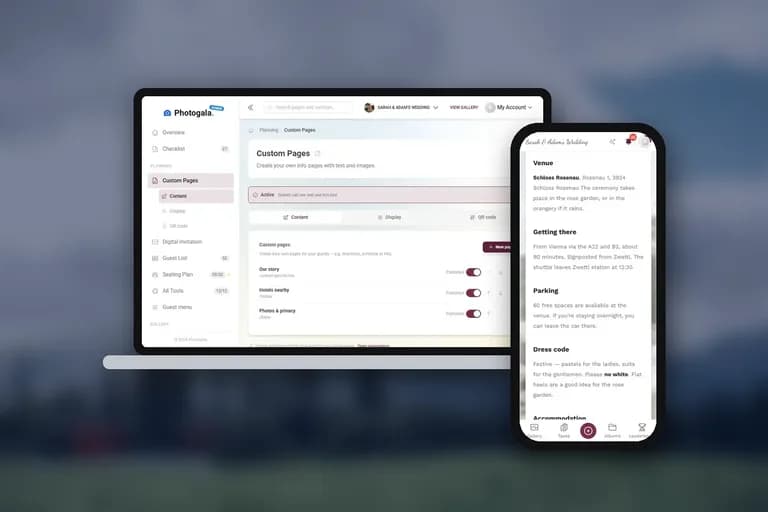
Directions, Dress Code, Hotels: Give Guests One Link With Everything They Need
Stop answering the same five questions from every guest. One digital link replaces the group chat chaos with clear, beautiful information.
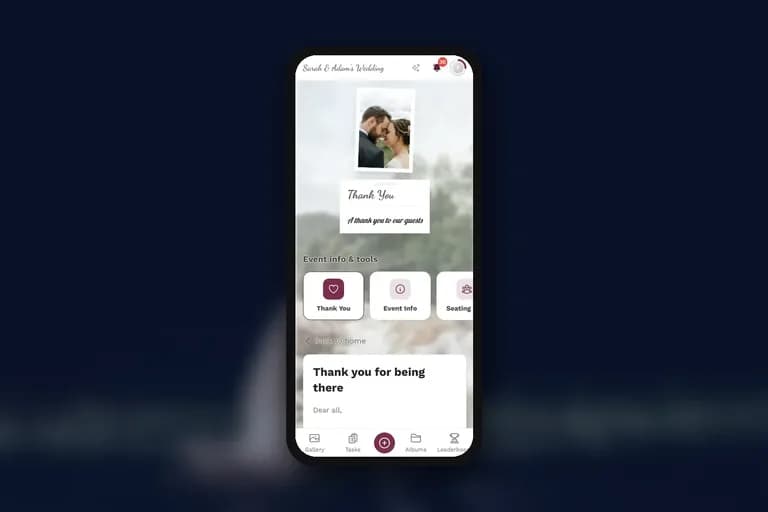
What to Send Guests After the Event: The Thank-You Page That Keeps Your Gallery Alive
The days right after your event decide whether your guests' photos become shared memories or stay buried in camera rolls. Here's how to nail the follow-up.

Your Party Playlist Is Wrong. Let Your Guests Fix It.
No DJ, just you and a speaker? Build a playlist skeleton around the party's energy curve and let guest song requests tell you what the room wants.