Bachelor Party Photo Sharing: Capture the Night Without Losing a Phone

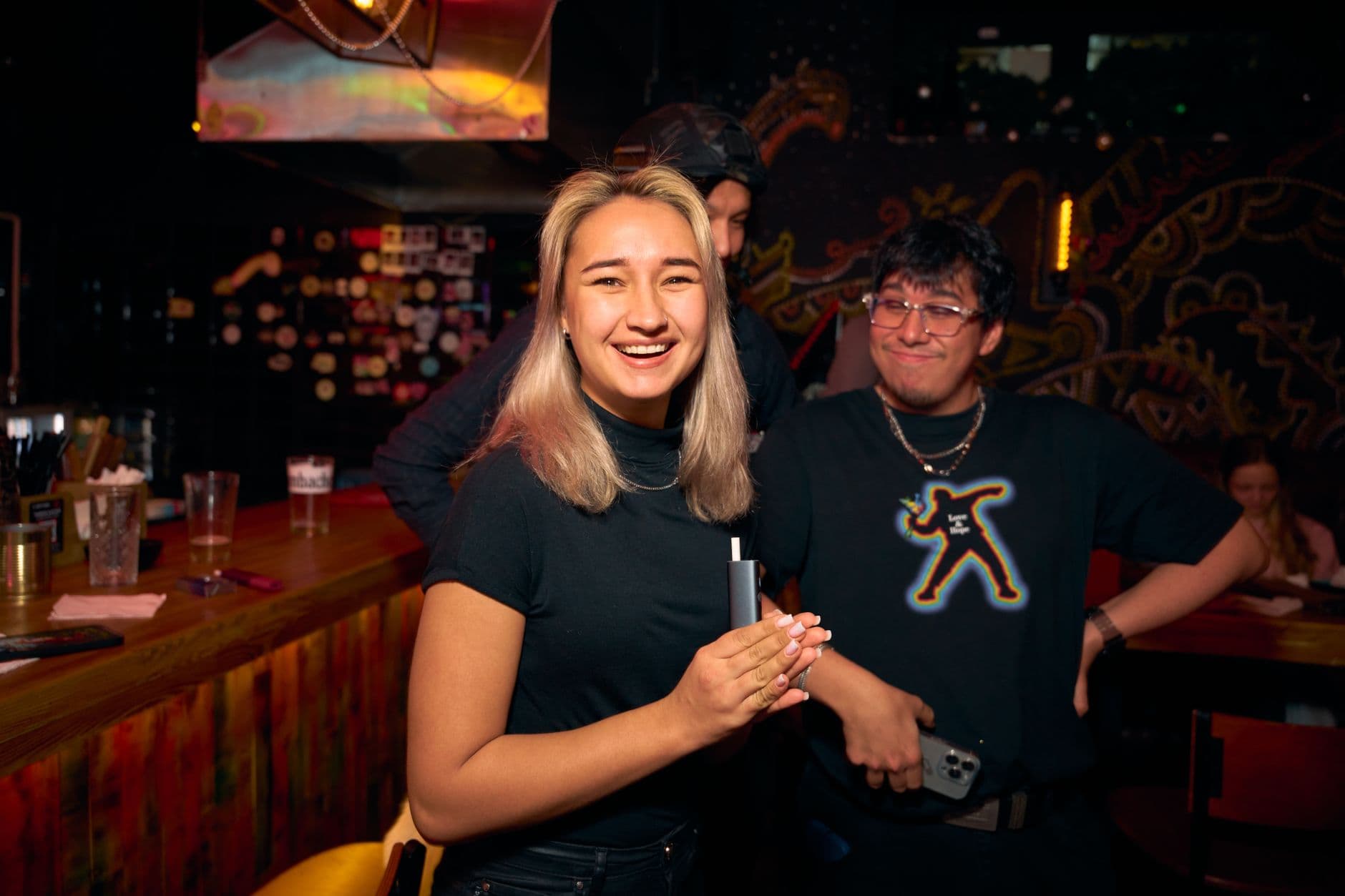
Fifteen guys. Three bars. One very questionable karaoke performance. And somewhere between the second round and the taxi home, the best man's phone ended up in a puddle of something nobody wants to identify.
That phone had the only video of the groom attempting a backflip on the dance floor. Gone.
Bachelor parties are chaotic by design. That's what makes them fun. But the chaos that makes for great stories also makes for terrible photo management. According to one analysis, roughly 80% of bachelor party photos never reach the organizer. Not because people don't care. Because sharing 50+ photos after a long night out feels like homework nobody signed up for.
This article covers two things: how to keep your phone alive through the night, and how to make sure every photo from every phone ends up in one place by morning. No group chat required.
The Group Chat Black Hole
Here's what usually happens. Someone creates a WhatsApp group called "STAG DO 2026 🍻" on the morning of the event. By 11 PM, it has 500+ messages, half of them voice notes nobody will listen to, and exactly 12 blurry photos buried somewhere in the scroll.
The rest of the photos? Still sitting on everyone's camera rolls. A study on post-event photo behavior nailed the reason: post-event fatigue turns "I'll send them later" into "I forgot." The friction of selecting, compressing, and sending dozens of photos through a chat app is just enough to stop most people from doing it. WhatsApp also compresses images heavily, so even the photos that do make it through look noticeably worse than the originals.
The fix isn't sending more reminders. It's removing the friction entirely, so photos get collected during the night instead of after it. If you've ever tried getting guests to upload photos after an event ends, you know the drop-off is steep. At a bachelor party, where half the group has a hangover the next morning, it's basically impossible.
Protect the Phone First
Before thinking about photo collection, think about phone survival. Bachelor parties involve bars, clubs, rain, spilled drinks, crowded dance floors, and pockets that aren't as secure as you think.
The practical checklist is shorter than you'd expect:
- Back up your phone before you leave. If the worst happens, at least your data survives. Both iPhone and Android make this a two-minute process.
- Use a waterproof case or pouch. Zip-lock wallets and waterproof cases cost under €10 and save you from the inevitable spilled pint. You can still use the touchscreen through most pouches.
- Record your IMEI number. Dial *#06# to find it. If your phone gets stolen, this 15-digit code lets your carrier block it remotely.
- Set a SIM PIN. Adds a layer of security if someone gets their hands on your phone.
A lanyard or crossbody phone strap might feel uncool. It's less uncool than losing a €1,200 phone in a club bathroom. The combination of a protective case and a strap keeps your phone accessible for photos while making it much harder to drop or leave behind.
Best man tip: Send the backup + waterproof case reminder to the group two days before the event. Day-of reminders get ignored. People need time to actually find a case or order one.
One QR Code, Every Photo
The simplest way to collect bachelor party photos from everyone: give them a QR code to scan. No app install. No account creation. No "what's the Google Drive link again?" conversations at 1 AM. It's the core idea behind event photo sharing: one link, every phone, zero setup for guests.
Here's what actually happens: you create a shared gallery beforehand, print the QR code (or just save it to your phone to show around), and anyone who scans it can upload photos and videos directly from their browser. Original quality, not compressed. The uploads go to one shared gallery that everyone can see in real time.

1.Scan, upload, done. No app needed.
The key advantage over a group chat is timing. Guests upload photos as they take them, not the next day. By the time you get home, the gallery already has everything. No follow-up messages needed. If you've dealt with collecting party photos from everyone the old way, you'll notice the difference immediately.
One thing to be realistic about: not everyone will scan the code unprompted. The best man or organizer should scan it first, upload a couple of photos, and show the group how easy it is. Once two or three people start uploading, the rest follow. For tips on getting non-tech-savvy guests to participate, a quick demo beats any written instruction.
See it in action
Every guest photo in one album – no app.
Photo Challenges Turn a Gallery Into a Game
A shared gallery collects photos. Photo challenges get people to take photos they wouldn't otherwise.
Picture this: the groom's best friend, three drinks in, scrolling through the challenge list and discovering he needs a photo recreating a specific meme pose. Or the quiet guy from college suddenly uploading six photos because one challenge asked for "the most embarrassing item in someone's pocket" and he's on a mission.
For a bachelor party, keep challenges short, funny, and competitive. Here are a few that work:
- The groom doing something he'll regret: Self-explanatory. Worth bonus points.
- Group photo with a stranger: Forces the group to interact with the outside world.
- Worst dance move contest: Video evidence required.
- Recreate the example photo: Photogala challenges can include a reference image that guests have to mimic. Set a ridiculous meme as the example and watch the attempts roll in.
- Photo with every bartender of the night: Documents the route.
If you want to go deeper on challenge ideas, there's a full list of 50 creative photo challenge ideas that work across event types. For bachelor parties specifically, lean into the absurd. Nobody wants tasteful, carefully composed challenge prompts at a stag night.
What actually drives participation is the leaderboard and points system. Add points per upload, bonus points for completing challenges, and suddenly the group has a side competition running all night. The groom's 62-year-old uncle probably won't be there, but the groom's competitive college roommate absolutely will try to hit first place.
1.Challenges give guests a reason to keep shooting
For guidance on configuring challenges that guests actually complete: 5-8 challenges is the sweet spot. More than that and people stop reading the list. Fewer and the game ends too quickly.
The Bar-to-Bar Problem
Bachelor parties move. That's the nature of them. Bar crawls, club hopping, random detours to a kebab shop at 2 AM. Each venue change is a moment where photos get fragmented further.
A shared gallery handles this naturally because it doesn't care where the photo was taken. But there's a practical consideration: you need the QR code to be accessible at every stop. Printing it on a small card that fits in a wallet works. Saving it as a phone wallpaper works. Taping it to the groom's back works (and makes for a funny photo itself).
The real advantage of collecting photos in real time is that you capture the between moments. The taxi ride arguments. The queue outside the club. The quiet moment where two old friends catch up on a bench. Those in-between shots are the ones you'll actually look at years later, not the posed group photo someone insisted on taking in front of every venue.
If you're hosting the party at a restaurant or bar, placing a printed QR code on the table at the first venue sets the tone. People scan it early, and uploading becomes second nature for the rest of the night.
What About Privacy?
Bachelor parties generate photos that... let's say not everyone wants on social media. This is actually where a dedicated gallery beats a group chat. In a WhatsApp group, anyone can screenshot and forward anything to anyone. With a shared gallery platform, you control who has access.
Password-protect the gallery so only the group can view it. If something ends up in the gallery that shouldn't be there, the organizer can remove it through content moderation before the groom's fiancée accidentally sees it. That level of control doesn't exist in a group chat.
Good photo sharing etiquette matters even at bachelor parties. Set a ground rule at the start: what happens in the gallery stays in the gallery. Most groups respect this. For the ones that don't, having a moderator who can remove photos is your safety net.
The Morning After
Imagine waking up, slightly worse for wear, opening the gallery on your phone, and finding 147 photos from the night before. Not in a chaotic chat thread. Not compressed into blurry thumbnails. Just a clean gallery you can scroll through, download as a ZIP, or share with the group later.
That's the real payoff. Not the technology. Not the QR code. The fact that when you want to reminisce about the groom's karaoke performance six months from now, every photo is already in one place. No "hey can you send me that photo" messages. No scrolling through a dead group chat hoping to find the one good shot.
For the best man putting together a wedding speech: this gallery is a goldmine. Concrete, visual, embarrassing evidence. The groom's reaction when he realizes the slideshow at the wedding reception includes bachelor party footage? That alone makes the setup worth it. And if you're already planning the wedding photo collection itself, you've got a head start on the workflow.
Quick math: A group of 12 guys, each uploading an average of 8-12 photos throughout the night, gives you roughly 100-140 photos. Without a shared gallery, you'd realistically collect maybe 20-30 of those. The rest would sit on phones forever.
Setting It Up in 5 Minutes
Before the Night Starts
Create the gallery
Takes 2 minutes. Name it something the group will recognize. Set a password so only your crew can access it.
Get the QR code ready
Save it to your phone. Print a small card for your wallet. Or use Photogala's free QR code generator to customize the design before printing.
Upload the first photo yourself
Show the group it works. A pre-game photo at the first bar sets the tone and gets everyone scanning.
That's genuinely it. You can explore all the customization options if you want to brand the gallery or tweak the layout, but for a bachelor party, the default setup works fine. The point is speed: set it up, share the code, start the night.
One honest trade-off: Photogala is browser-based, not a native app. For 95% of use cases this is better because nobody has to download anything. But it does mean you need a phone with a working browser and mobile data or WiFi. At outdoor venues or in club basements with no signal, uploads will queue until you're back in range. Not a dealbreaker, just something to know.
If your stag do involves activities like BBQs, outdoor cookouts, or a pool party before the evening begins, the same gallery works for the whole day. Start collecting photos from the afternoon kickoff, and by the time the night is over, you have the complete story.
The night itself will be chaotic, loud, and memorable. The photos shouldn't be hard to find afterward. Set up the gallery, share the QR code at the first bar, and let the uploads handle themselves. When the groom opens that gallery at brunch the next day, every ridiculous moment will be there waiting.
All of this comes with your own event.
Setting it up takes five minutes. You can build and view everything before you decide.
Starting from €39 one-timeOne-time payment — No subscription
- No App Required
- Setup in 5 Minutes
- 30-Day Money Back
“I use PhotoGala Deluxe and I'm absolutely thrilled. It was the perfect solution for documenting a sports event. Uploading and downloading via the link is a breeze for every participant. What won me over most were the photo wall and the slideshow – both are quick to set up and look really professional. Big praise also to Peter from the PhotoGala team: he's very easy to reach by email, replies quickly and even took my suggestions on board and added new features that made my slideshow even better. You rarely get support this dedicated. A clear 5-star recommendation!”
Written by

I believe event photos should be more than static galleries. They should be live, playful, and unforgettable.
Categories
Related Posts
Game-Day Watch Party Photo Sharing: How to Capture 4 Hours of Chaos in One Gallery
Game-day watch parties generate wild, unforgettable moments. Here's how to make sure every photo actually ends up in one place instead of 14 different camera rolls.
Military Homecoming Photo Sharing: How to Collect Every Reunion Moment From Every Phone
Military homecomings and farewell parties produce hundreds of irreplaceable photos scattered across dozens of phones. Here's how to collect them all in one place before everyone disperses.
Kids' Birthday Party Photo Sharing: One Gallery Every Parent Will Love
Stop chasing parents for photos after your kid's party. One QR code, one shared gallery, zero hassle.