Pride Parade Photo Sharing: How to Collect Every Glitter-Covered Moment From 500 Strangers

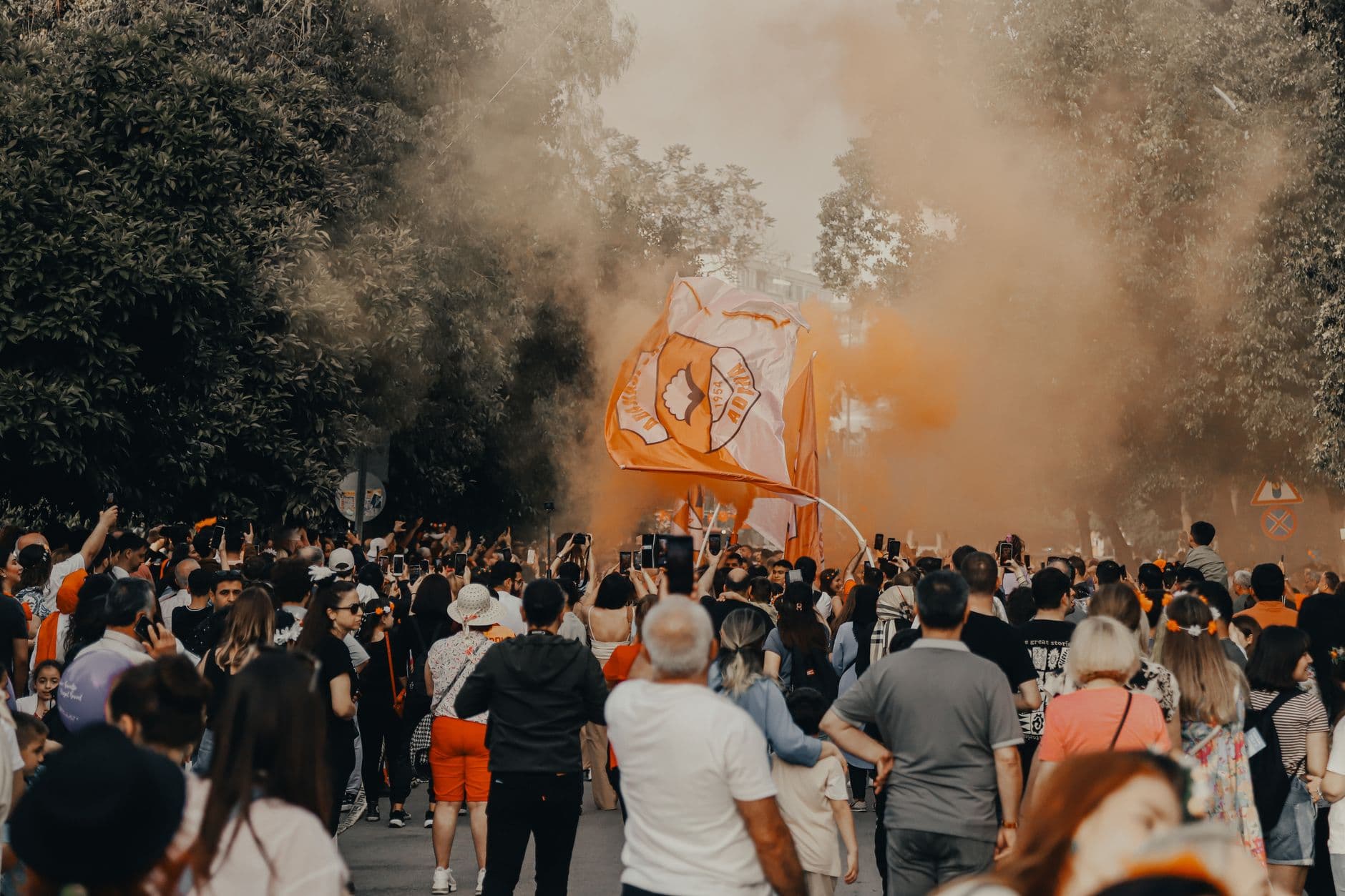
Three PM on a Saturday in June. The street is a river of rainbows, sequins, and body glitter that will take three showers to remove. Someone in a ten-foot feathered headdress is posing next to a golden retriever wearing a pride bandana. Behind them, a drag queen on stilts high-fives a kid on their parent's shoulders. Every single person in the crowd has their phone out.
And by Monday morning, those photos will be scattered across 400 camera rolls, shared in maybe three WhatsApp groups that die within a week, and posted to Instagram stories that vanish in 24 hours. The best visual documentation of a community's most visible celebration, gone.
That's the paradox of Pride events. They're the most photographed type of community celebration, and simultaneously the hardest to collect photos from, because nearly everyone is a stranger to everyone else.
Why Pride Is a Photo Sharing Nightmare (and That's Fixable)
A wedding has a guest list. A corporate event has an employee roster. Pride parades have, well, everyone. Zürich Pride Festival alone draws around 50,000 attendees over two days, with roughly 20,000 marching in the parade itself. Even smaller community Prides in towns with populations under 30,000 can attract hundreds of participants. Nobody knows everyone. Nobody has everyone's number.
That creates a specific problem. The person who captured the most incredible shot of your float might be someone you'll never see again. The photo of your friend group in matching outfits, taken by a stranger who asked to snap it on their phone, lives on that stranger's camera roll forever. Unlike a carnival or Fasching celebration where groups tend to stick together, Pride crowds are fluid. People drift between floats, stages, and dance areas constantly.
The traditional solutions don't work here. You can't create a WhatsApp group for 500 people. AirDrop only reaches people within Bluetooth range. A shared iCloud album requires everyone to have an Apple device and an iCloud account. And posting to a hashtag on social media? That scatters photos across platforms where they're impossible to collect afterward. What you actually need is a proper event photo sharing setup that works with strangers, not just known contacts.
One QR Code, Zero App Downloads
The fix is embarrassingly simple. Print a QR code on a banner, a flag, a sticker, a temporary tattoo (yes, really). Marchers scan it with their phone camera. A browser-based gallery opens. They pick a name, upload their photos. Done. No app to install, no account to create, no email address to hand over.
This matters at Pride specifically because you're dealing with a crowd that's moving, celebrating, and not about to stop and download an app. The QR code upload flow takes about 15 seconds from scan to first upload. That's fast enough to do while waiting for the next float to pass.
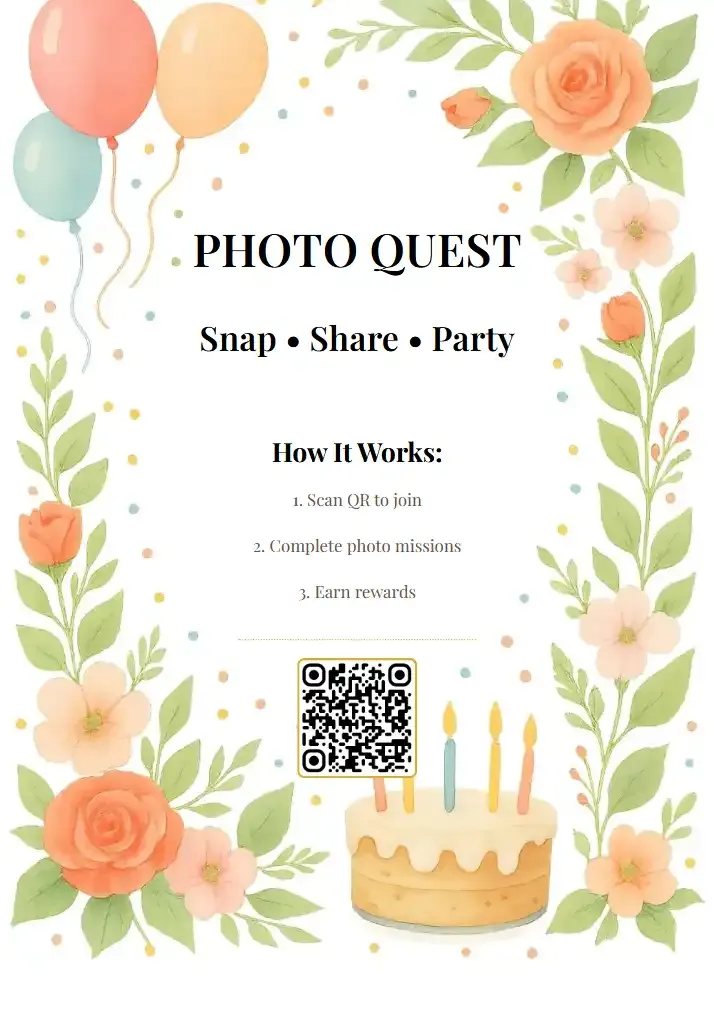
1.Scan, pick a name, start uploading. Under 15 seconds.
For a Pride parade, think about placement. A QR code on a banner at the front of your float gets scanned by spectators as it passes. Stickers on water bottles handed out at your booth reach people over hours. A sign at the festival entrance with the code catches people arriving fresh. Our guide on creating branded QR codes that people actually scan covers the design side in detail.
Placement tip for parades: Attach QR codes to both sides of your float or banner, not just the front. Spectators line both sides of the street, and the parade only passes each person once. You get one shot at catching their attention.
The Moderation Question Nobody Wants to Think About
Here's the honest part. Any public event where strangers can upload photos to a shared gallery needs moderation. Pride events are joyful, open, and celebratory, but they're also targeted by bad actors. A gallery projected on a big screen at a festival with no content review is a risk nobody should take.
This is where the content moderation dashboard earns its place. You can set the gallery to pre-approval mode, meaning every photo gets reviewed before it goes public. Assign two or three trusted volunteers as moderators. They each get a phone notification when new photos land, tap to approve or reject, and move on. At a large public event, this setup isn't optional. It's essential.
The AI NSFW filter adds another layer. It automatically flags content that shouldn't appear in a public gallery, which means your volunteer moderators spend less time reviewing obvious rejects and more time enjoying the parade themselves. Ethical photo practices at festivals aren't just nice to have. They protect the community.
See it in action
Every guest photo in one album – no app.
Photo Challenges That Actually Work at Pride
Here's where it gets fun. A shared gallery collects photos, but photo challenges give people a reason to take specific ones. And Pride, with its visual intensity, is the perfect setting for creative challenges.
Picture this: a challenge card that says "Find the tallest headdress at the parade." Or "Capture a stranger's best dance move." Or "Photo with the most creative sign." Each challenge includes an example photo showing attendees what you're looking for. Someone spots a guy painted entirely gold standing on a unicycle, snaps the photo, uploads it to the challenge. Points awarded. Leaderboard updated.
The gamification layer turns passive spectators into active participants. At a comic con with cosplayers, challenges drive costume documentation. At Pride, they drive exactly the kind of photos that tell the event's story: the outfits, the signs, the moments of connection between strangers. Essentially, everyone in the crowd becomes a guest photographer documenting the celebration from their own angle.
For a mid-size Pride festival (say 300-500 active attendees over a day), 5-6 challenges is the sweet spot. Too few and people forget about them. Too many and the list feels like homework. Include a mix: some easy ("selfie with a rainbow flag"), some harder ("catch the exact moment confetti drops from a float"), one silly ("best glitter beard").
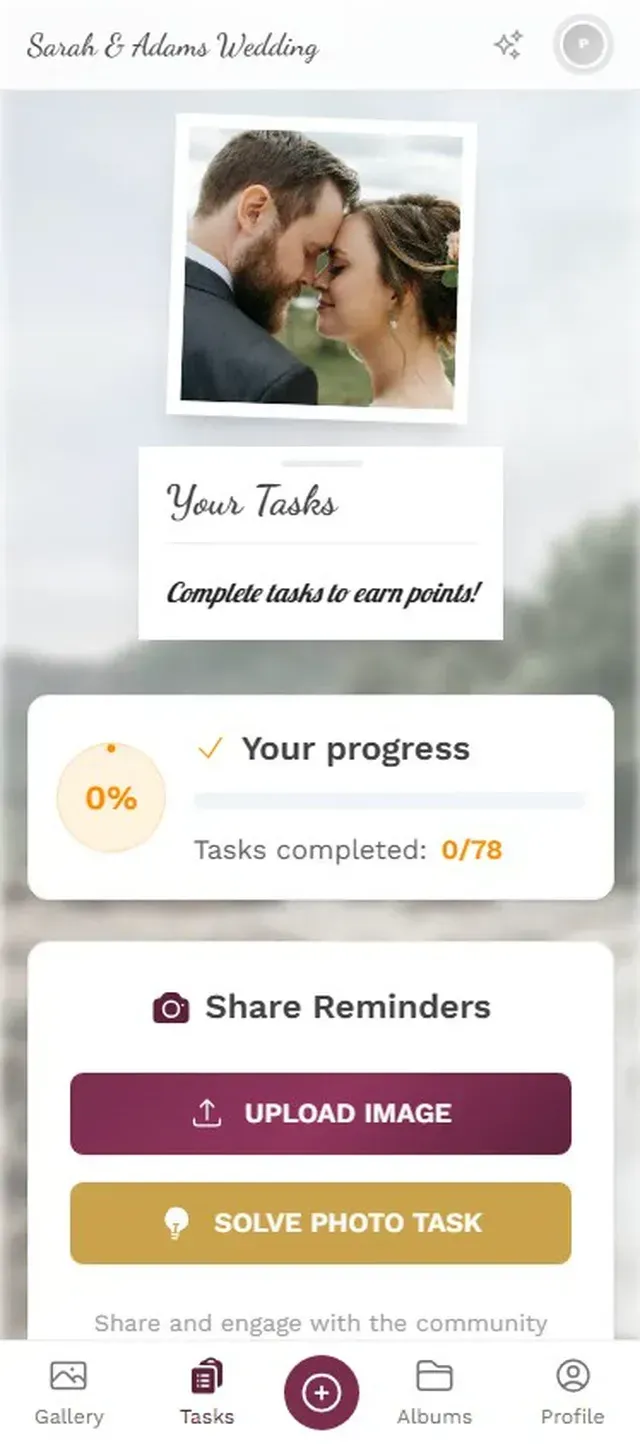
1.Themed challenges that match the event's energy.
The Live Wall: A Screen Full of Community
Most Pride festivals have a main stage. Some have multiple. If you put a screen near one of them, you can run a live photo wall that cycles through guest uploads in real time. Every time someone uploads a photo, it appears on the screen within seconds.
People see their photo pop up on the big screen and immediately nudge the person next to them. Then that person uploads one. Then three more people nearby notice and scan the QR code themselves. At a beer festival, this snowball effect typically doubles the upload rate within the first hour.
One honest caveat: the photo wall works best in areas where people gather and linger, not along the parade route where everyone's moving. Set it up at the festival grounds, near the food trucks, or beside the main stage. Not on a float (logistically messy, and nobody's watching a screen when there's a parade to see).
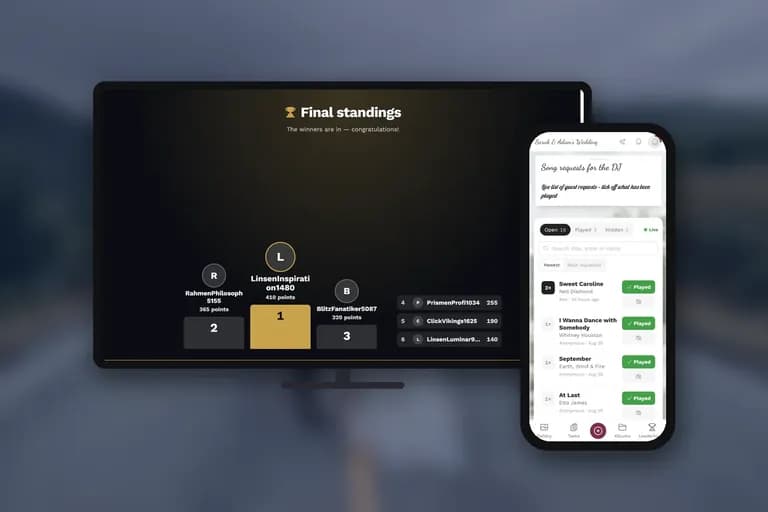
Photos from the crowd appearing in real time on a big screen.
Sizing It Right: How Many Uploaders Do You Need?
Pride events range from a small community march of 30 people to massive city-wide festivals with tens of thousands. The gallery needs to match. Not every attendee will upload photos. Realistically, 15-25% of people who see a QR code will scan it, and maybe half of those will actually upload something.
For a community Pride picnic with 50-80 people, the Plus plan (75 uploader slots) handles it comfortably. A neighborhood Pride march with 200-400 participants needs 250 uploader slots. A large city festival where you're expecting hundreds of uploads from different locations across the event grounds benefits from the full 500-slot Deluxe tier, which also includes the AI face recognition for helping people find their own photos afterward.
Every paid plan includes unlimited photos and up to 25 videos. No caps. When someone in full festival mode uploads 40 photos of rainbow everything, that's fine. More photos means a richer gallery for everyone to browse later. Check the pricing details to find the right fit.
After the Parade: What Happens to 600 Photos
The gallery stays active for months (6 months on Plus, 12 months on Premium and Deluxe). That matters because Pride photos have a long tail. People come back to browse days or weeks later. Organizations use them for newsletters, social media, and next year's promotional materials. The gallery becomes an archive, not just a live tool.
Anyone in the gallery can download individual photos or bulk-download as a ZIP. For Pride organizations, this is gold. Instead of chasing photographers for permission to use their shots, you have a gallery full of community-contributed photos where everyone uploaded willingly. No awkward "can I use your photo?" DMs. This is similar to how event venues use shared galleries as a built-in perk.
Pride photo collections have become a genre of their own online, with communities sharing highlight reels all summer long. Imagine being able to share your event's entire gallery with a single link instead of asking people to email individual photos. That's the difference between a scattered collection and a proper shared gallery.
What About Privacy and Consent?
This deserves its own section because Pride events sit at the intersection of celebration and safety. Not everyone at a Pride parade is out in all areas of their life. A photo that's joyful for one person might be unwanted exposure for another.
The pre-approval moderation mode helps here. Moderators can review uploads and reject photos where someone appears uncomfortable or where the context feels wrong. It's not perfect (no system is), but it's better than a fully open gallery with no oversight. You can also set the gallery to private, meaning only people with the QR code or link can view it. No public discovery, no search engine indexing.
For organizations that run religious and cultural festivals, the same privacy considerations apply. Any community celebration needs to balance visibility with protection for its members.
Privacy note: Gallery links can be password-protected. For Pride events where attendees may not want public photo exposure, consider sharing the gallery link only through your organization's private channels (email list, Discord, Signal group) rather than posting it publicly.
A Quick Setup Plan for Your Next Pride Event
From Zero to Gallery in 10 Minutes
Create the gallery
Sign up, name your event, pick your colors. Rainbow theme optional but encouraged.
Print QR codes everywhere
Banners, stickers, volunteer badges, water bottles. Make them impossible to miss.
Set up moderation
Enable pre-approval. Assign 2-3 trusted volunteers as moderators on their phones.
Add photo challenges
5-6 challenges with example photos. Mix easy, creative, and silly.
The gallery doesn't need much customization to work at Pride. Your event's energy does the visual heavy lifting. But adding your organization's logo and matching the gallery colors to your event branding makes it feel official rather than random.
Pride is the one event where hundreds of strangers collectively create something beautiful, and then walk away with the evidence trapped on individual phones. A shared gallery changes that. Not by adding complexity, but by removing the barriers that keep those photos apart.
Next June (or whenever your community celebrates), the glitter will fly, the flags will wave, and 400 phones will capture it all. The only question is whether those photos end up in one gallery everyone can browse, or scattered across camera rolls that nobody ever opens again.
All of this comes with your own event.
Setting it up takes five minutes. You can build and view everything before you decide.
Starting from €39 one-timeOne-time payment — No subscription
- No App Required
- Setup in 5 Minutes
- 30-Day Money Back
“We were really thrilled, and everything went so much more smoothly, from the seating plan all the way to the photo games! Simply great! Highly recommended!”
Written by

I believe event photos should be more than static galleries. They should be live, playful, and unforgettable.
Categories
Related Posts

Golf Outing Photo Sharing: How to Collect 400 Photos Across 18 Holes (Without Chasing Down Every Foursome)
Golf tournaments spread across 18 holes and 5 hours. One photographer can't be everywhere. Here's how QR code galleries collect every foursome's best moments into one shared album.
Photo Sharing for Churches and Congregations: One Gallery for Every Service
Churches produce hundreds of photos every week across dozens of phones. Most vanish into personal camera rolls. Here's how one shared gallery with a QR code fixes that.
Company Christmas Party Programme: 10 Ideas That Get the Whole Team Involved (Without the Cringe)
A loose programme keeps the energy up without making anyone uncomfortable. These 10 ideas work for small teams and whole companies alike, most of them run themselves once set up, and none require anyone to perform solo in front of colleagues.