Company Retreat Photo Sharing: How to Actually Keep the Memories


The retreat ended two weeks ago. Forty-three people spent three days doing trust falls, whiteboard sessions, and questionable karaoke. The Slack channel is already buried. And the photos? Scattered across forty-three phones, a handful of Instagram stories that expired, and one Google Drive folder that exactly four people have access to.
Sound familiar? Company offsites are expensive. According to MGN Events, the trend is shifting toward two-day overnight retreats to maximize relationship-building. That's a big investment in time, budget, and logistics. But the visual record of that investment — the photos that prove your team actually likes each other — usually evaporates within a week.
This article is about fixing that. Not with another shared Drive folder nobody checks, but with a system that collects photos while the retreat is happening, makes them instantly visible to everyone, and gives you a polished gallery to use for months afterward.
Why Retreat Photos Matter More Than You Think
Think of retreat photos as a long-term asset, not a nice-to-have. Research on corporate photography shows that strong team photos communicate company culture, create a sense of belonging, and directly help with hiring by showcasing what working at your company actually looks like. Those aren't fluffy benefits. When a candidate visits your careers page and sees real, candid photos of your team laughing at a lake house instead of stock images, that's a hiring advantage.
There's also the internal side. Remote and hybrid employees consistently report missing the social connection of in-person work. A shared photo gallery from the offsite keeps that connection alive long after everyone flies home. It's a reminder that these are real people, not just Slack avatars.
But here's the catch: you only get those benefits if the photos actually end up somewhere accessible. And that's where most companies fail. Not because they don't take photos, but because there's no system to collect them. If you've ever tried to share corporate event photos with your entire team, you know the pain.
The Problem With Current Approaches
The usual suspects all have the same issue: friction.
WhatsApp groups seem easy, but they compress photos to unusable quality, create an endless scroll nobody revisits, and force everyone to share personal phone numbers. For a team of 40+, the notification spam alone is a morale killer.
Google Drive or Dropbox requires logins, permissions, folder navigation. You can set up a shared folder in five minutes, but getting forty people to actually open it and upload? Good luck. Maybe eight will. The rest "meant to" but never got around to it. This is the same challenge teams face when trying to collect photos from event guests automatically.
iCloud or Apple shared albums only work if everyone's on iPhone. In a mixed-device team (which is every team), half the group is locked out.
The pattern is always the same: the easier you make uploading, the more photos you get. The more steps required, the fewer people bother. A QR code gallery sidesteps all of it: scan, upload, done. No app, no login, no file size limits.
देखिए, यह कैसा दिखता है
मेहमानों की सारी फ़ोटो एक ही एल्बम में – बिना किसी ऐप के।
Setting Up Your Retreat Gallery (Before You Leave)
The best time to set up photo sharing is before the retreat starts. Not during. Not after. Before.
Create the gallery a few days early so you can test the QR code and share it in the pre-retreat email. Include it in the agenda PDF. If you're printing table tents or name badges, add it there too. The invitation card designer can help you create branded cards with the QR code built in. The goal: when people arrive at the venue, they've already seen the QR code at least once.
Three steps to a retreat gallery
Create the gallery
Set up an event gallery with your company branding. Add your logo, pick colors that match your brand, and name it something specific: "Berlin Offsite 2026" not "Company Photos".
Share the QR code
Email it to attendees before the trip. Print it on the agenda. Tape it to the wall at the venue. The more visible it is, the more uploads you get.
Assign a moderator
Pick one person (ideally from HR or comms) to moderate uploads. They can approve photos before they go public and remove anything inappropriate.
One detail that makes a surprising difference: customize the gallery to match your company brand. When the gallery looks like your company, not like a generic tool, people take it more seriously. It feels official. That perception matters.
Getting Everyone to Actually Upload
Here's the honest truth about photo sharing at corporate events: even with a QR code, some people need a nudge. The team extroverts will upload 30 photos by lunch. The introverts will take great shots and forget to share them.
This is where photo challenges change the dynamic. Instead of a passive "upload your photos here" message, you give people specific prompts. "Best team-building fail." "Someone who looks like they'd rather be in a meeting." "The view from your room at 7 AM." These aren't just fun — they lower the barrier. People who'd never voluntarily upload a photo will snap one when they have a specific, funny prompt to respond to.
Quick win: Set up 5-8 photo challenges before the retreat. Mix practical ones ("group photo at the welcome dinner") with silly ones ("recreate this meme pose"). Challenges can include example preview photos so guests know exactly what you're looking for. The silly challenges always generate the most uploads.
Picture a team-building afternoon at a lake. The marketing lead is competing with the CTO on the leaderboard, uploading photos of every activity because she wants to hold the top spot by dinner. The new hire from accounting, who barely knew anyone on Monday, uploads a candid of the CFO losing at cornhole. By evening, 160 photos from 28 people, and nobody had to chase a single upload.
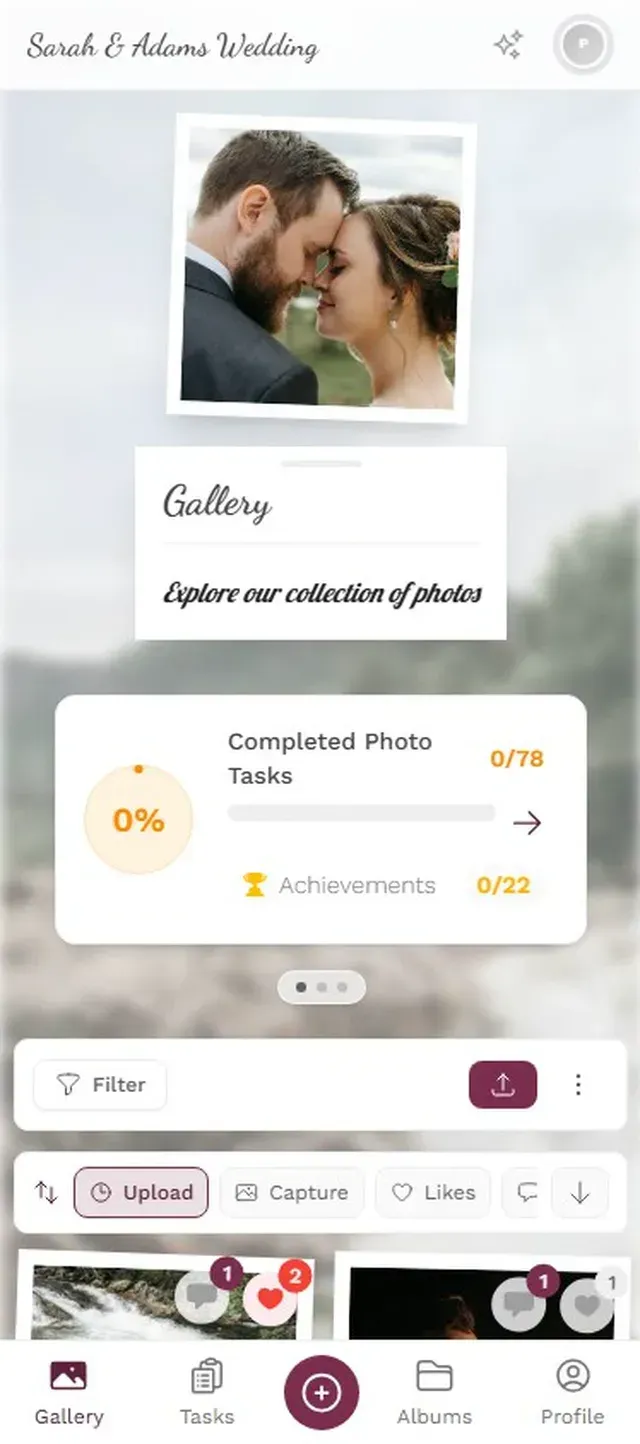
1.Give your team specific, fun prompts instead of a generic upload request
The combination of QR codes plus challenges plus a leaderboard consistently outperforms every other collection method. It's the same psychology that makes fitness apps addictive: visible progress, social comparison, and small wins. If you want to go further, you can even set up real-world rewards redeemable at the event, like a free drink at the bar for hitting 10 uploads.
The Live Photo Wall: Why It Works at Retreats
Imagine the welcome dinner. Behind the stage, a TV is cycling through every photo guests have uploaded so far. Someone spots their candid from the afternoon hike. Someone else sees the group selfie from the bus. People laugh, point, pull out their phones to upload more.
A live photo wall creates a feedback loop: seeing your photo on screen makes you want to upload more, which makes the wall more interesting, which draws more attention. At networking events, this puts faces to names. At retreats, it builds shared identity.
Photos appear on the big screen in real time as guests upload
Practical tip: place the screen where people naturally gather. Near the bar, in the dining area, at the registration desk. Not in a side room. A photo wall in a hallway nobody walks through is a photo wall nobody sees. We covered placement strategies in detail in our guide to turning guest photos into a live collage on the big screen.
One thing to consider: retreats sometimes include informal moments people might not want broadcast. A quick after-party karaoke performance, for instance. That's where content moderation becomes important. Set up pre-approval so a designated person reviews photos before they hit the big screen. One tap to approve, one tap to reject. It keeps things appropriate without killing the fun.
After the Retreat: Don't Let the Gallery Die
The retreat is over. Everyone's back at their desks. Now what?
Most companies drop the ball here. The photos exist, but nobody does anything with them. Here's a simple post-retreat checklist:
- Share the gallery link in your company-wide channel on Monday morning. Add a note: "Here are 247 photos from last week. Find yourself."
- Pick 15-20 highlights for the company newsletter or intranet. Real candids, not posed group shots.
- Use the bulk download to grab everything as a ZIP for your internal photo archive.
- Send the gallery link to anyone who missed the retreat. It's the next best thing to being there.
- If you're hiring, pull 5-6 of the best culture shots for your careers page.
The gallery stays live for months (6-12 months depending on your plan), so people can keep coming back to it. Some teams tell us people are still browsing their retreat gallery weeks later, especially remote team members who want to stay connected. This is similar to how group trips share one gallery for the whole adventure.
Worth knowing: Photogala's active period starts after the first 10 photos are uploaded, not from the purchase date. So you can set up the gallery weeks before the retreat without burning your active time.
What About the Professional Photographer?
Many retreats hire a professional photographer, and they should. A good corporate event photographer will capture hundreds of images over an 8-hour day, then cull, edit, and deliver a polished gallery.
But here's the thing: that delivery usually takes two to four weeks. That's too late for the internal buzz. The informal phone photos from 40 team members fill that gap instantly. They're the ones that get shared in Slack on Monday morning, the ones that become inside jokes, the ones that make the remote employees feel like they missed something real.
The best approach is both. Guest uploads for immediate, authentic content. Professional photos for the polished, on-brand assets you use on your website and in marketing. If you need to share those professional photos with staff and press later, you can upload them to the same gallery.
One limitation to be honest about: Photogala is browser-based, not a native app. For most people, that's actually a benefit (no download required). But if your team is in an area with poor mobile reception, a browser-based gallery needs connectivity. Plan accordingly if your retreat is deep in the mountains.
Scaling It for Multi-Day Retreats
Two-day or three-day offsites generate a lot of content. With multiple sessions, dinners, activities, and downtime, you could easily end up with 400+ photos from a team of 40.
Use albums to keep things organized. "Day 1: Arrival & Team Dinner." "Day 2: Workshop & Adventure." "Day 3: Wrap-Up & Awards." Smart albums can auto-sort by capture time, so photos taken during specific windows land in the right album automatically. If your retreat spans multiple tracks and rooms, separate albums per activity keep the gallery navigable.
For larger teams (100+ people at a company-wide offsite), the face recognition feature is where things get interesting. People can take a quick selfie and instantly find every photo they appear in. No scrolling through hundreds of images. It's the kind of thing that makes someone say "wait, how did it find me?" and then upload five more photos because they're impressed.
If your company runs hybrid events with remote participants, the shared gallery also keeps distributed team members in the loop. Remote colleagues who couldn't attend can browse the gallery in real time and feel included, even from across the world.
The ROI Conversation
Your finance team might ask why you're spending money on a photo sharing tool for a retreat. Fair question.
Consider what the retreat itself costs. Venue rental, travel, accommodation, activities, catering for 40 people over two days. That's easily €15,000-€50,000 depending on location. The photo gallery that documents it, makes it shareable, and turns it into a long-term culture asset? Starting at €39. That's roughly 0.1% of the retreat budget for permanent documentation of the entire event.
And unlike the catering, the gallery keeps delivering value. Every time someone browses it, every careers page photo, every employee appreciation post that uses a real retreat photo instead of a stock image — that's return on a €39-139 investment.
For corporate events, the Premium plan (€69) is usually the sweet spot. It includes social features like comments and likes, content moderation for keeping things professional, and the leaderboard that drives engagement. Check the pricing page for a full breakdown.
अपने इवेंट के लिए सही प्लान चुनें
A Quick Planning Checklist
If your retreat is coming up, here's what to do and when:
Two weeks before: Create the gallery. Customize branding. Set up 5-8 photo challenges. Test the QR code on your own phone. Use the guest list manager to track RSVPs.
One week before: Include the QR code in the pre-retreat email. Brief any moderators on their role.
Day of: Print QR codes for the venue (table tents, name badges, wall posters). Set up the photo wall TV if using one. Announce the gallery and challenges during the welcome session.
Day after: Share the gallery link company-wide. Highlight the best uploads. Thank top contributors.
One week after: Pull highlights for internal comms. Download the archive. Start planning how to get stragglers to upload their remaining photos.
The photos from your next retreat will either end up forgotten on forty phones, or they'll become a shared gallery that keeps your team connected for months. The difference isn't the camera quality or the scenery. It's having a system that makes sharing effortless from the moment people arrive.
यह सब आपके अपने इवेंट में शामिल है।
सेटअप में सिर्फ़ पांच मिनट लगते हैं। फ़ैसला करने से पहले आप सब कुछ सेट करके देख सकते हैं।
कीमत €39 से शुरू, एक बारएक बार का भुगतान — कोई सब्सक्रिप्शन नहीं
- किसी ऐप की ज़रूरत नहीं
- 5 मिनट में तैयार
- 30 दिन की मनी-बैक गारंटी
लेखक

I believe event photos should be more than static galleries. They should be live, playful, and unforgettable.
मिलते-जुलते लेख

Sales Kickoff Photo Sharing: How to Turn a Mandatory Meeting Into a Team Memory
Sales kickoffs are expensive. The photos from them usually disappear into 14 different camera rolls. Here's how to fix that.

Customer Appreciation Event Photos: The Album Nobody Plans (But Everyone Wants)
Your best clients showed up, mingled, laughed. Then what? Here's how to turn a customer appreciation event into a shared photo gallery that keeps the relationship warm.

Store Grand Opening Photos: How One QR Code Captures the Ribbon Cutting and Everything After
The ribbon cutting lasts 3 seconds. The photos from your grand opening should last forever. Here's how to collect every guest photo with a single QR code.