How to Collect Photos From Event Guests Automatically


Picture this: a 150-person wedding wraps up on a Saturday night. The couple goes home with a warm glow and exactly zero guest photos. The photographer's album lands two weeks later, polished and beautiful. But the shots everyone actually talks about at brunch the next morning? They're trapped on 80 different phones, buried under screenshots and grocery lists.
Two months later, someone creates a WhatsApp group called "Wedding Pics PLEASE 🙏." Fourteen people respond. Nine of them send the same five photos. The rest never open the chat.
This is the default. And it's fixable. Not with a better group chat, not with a shared Google Drive link half your guests can't figure out, but with a system that collects photos from guests automatically while they're still at the event, having fun, phones already in hand.
Why Most Photo Collection Methods Fail
The core issue isn't that guests don't take photos. They do. According to a 2024 study by PhotoAid, 44% of smartphone users photograph weddings, and the average person takes about 20 photos per day. The problem is what happens after the shutter button: nothing. The photos sit on phones, slowly sinking in the camera roll, never shared with anyone.
You've probably tried the usual workarounds. A shared iCloud album that requires everyone to have an Apple device. A Google Photos link that prompts half the room to create a Google account. An AirDrop circle that only works if people stand close enough together. Each method adds friction, and friction kills participation. As one comparison of photo collection tools puts it: account prompts and permission steps significantly lower completion rates, especially with mixed audiences.
The alternative? Remove every barrier. No app download, no account creation, no login. Just a camera scan and a tap.
The QR Code Approach (And Why It Actually Works)
The concept is simple. You generate a QR code linked to a shared photo gallery. Guests scan it with their phone camera, a browser page opens, and they upload directly. No app store visit, no sign-up form. The entire flow takes under 30 seconds, and the photos land in one organized place automatically.
This isn't a new idea, but the execution matters enormously. A blog post on QR-based collection makes the point well: many guests hesitate to download unfamiliar apps due to storage concerns or privacy permissions. A browser-based upload page sidesteps all of that. The guest's phone camera becomes the scanner, the browser becomes the app, and the gallery becomes the inbox.
Photogala uses exactly this approach. You create a gallery, get a QR code, print it on table cards or share the link, and guests start uploading. No app install, no passwords, unlimited photos and up to 25 videos on every paid plan.

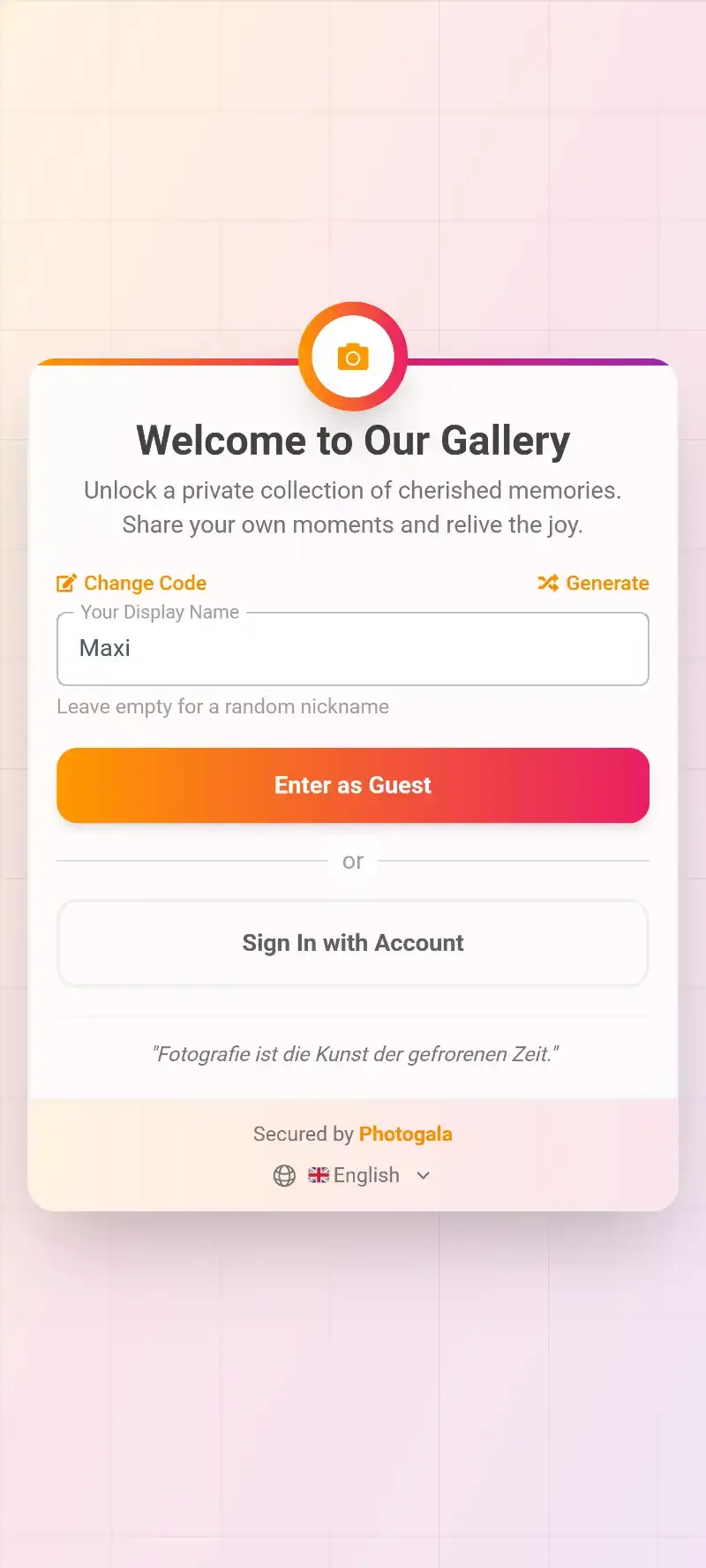
1.One scan opens the gallery. No app, no account.
The reason this works better than group chats or shared albums: the collection happens in real time, at the event, while people are in the mood to share. You're not asking them to remember later. You're giving them a path of least resistance right now.
Where to Put QR Codes So People Actually Scan Them
The QR code itself is useless if nobody notices it. Placement is everything. Here are spots that consistently drive the most scans:
- Table cards and napkin holders. Guests sit down, see the code, scan it while waiting for food. This is by far the highest-converting placement.
- Near the bar or drinks station. People queue, get bored, pull out their phones. A QR sign right there catches them at peak phone-in-hand time.
- Beside the photo wall or live slideshow screen. Once guests see their photos appearing on screen, they want to contribute. More on this below.
- On the invitation itself. If you're sending digital invites, include the gallery link or QR code so guests can bookmark it before they arrive. Photogala's free invitation card designer can help you build one quickly.
QR Code Generator
Create custom QR codes for your event — link guests directly to your photo gallery.
If you want the QR code itself to match your event branding, you can design a custom QR code with your logo and colors. A branded code gets scanned more often than a plain black-and-white square, simply because it looks intentional rather than like a tech afterthought. You can also use the free QR code generator to experiment with designs. We have a full guide on creating branded QR codes that people actually scan if you want to go deeper.
देखिए, यह कैसा दिखता है
मेहमानों की सारी फ़ोटो एक ही एल्बम में – बिना किसी ऐप के।
Automating the Organization (So You Don't Sort 500 Photos Manually)
Collecting photos is step one. Keeping them organized is step two, and it's the part most people forget about until they're staring at a folder of 400 unsorted images on Monday morning.
This is where smart albums change things. Instead of creating albums and dragging photos into them by hand, you set rules and the albums fill themselves. Sort by uploader, by time window (cocktail hour vs. dance floor), or by number of likes. The gallery does the filing while you enjoy the party.
For weddings and larger events, auto-filling guest albums take it further. With Photogala's AI face recognition, you can create a "person album" that automatically collects every photo of a specific person. Upload a reference selfie, and the system pulls together all matching photos across the entire gallery. Imagine the bride being able to find every photo she appears in without scrolling through hundreds of group shots.
Selfie-to-Search: Guests can also find their own photos by taking a quick selfie. The AI matches their face across the gallery and shows them every photo they're in. It's the feature that consistently surprises people the most.
The Trick That Doubles Upload Rates: Give Them a Reason
Something that isn't obvious at first: the biggest factor in how many photos you collect isn't the technology. It's motivation. A QR code removes friction, but it doesn't create excitement.
Photo challenges do. Instead of just asking guests to "share your photos," you give them specific, fun tasks: capture the best dance move, find the oldest photo on your phone, take a selfie with someone you just met. Photogala lets you create unlimited challenges with example preview photos that show guests exactly what you're looking for. You can even set up Photo Roulette, where guests get a random example image and have to recreate it.
Add a leaderboard and points system on top of that, and something interesting happens. The uncle who never takes photos suddenly uploads 15 because he wants to beat his niece's score. The shy colleague from accounting posts a selfie because the challenge specifically asked for one. A 2026 analysis of corporate event trends on StrategyDriven notes that employee engagement at events remains a persistent challenge. Gamification taps into that gap: give people a low-stakes competition and they'll participate far more than if you just leave them to their own initiative.
This approach works especially well for corporate events, where people are less naturally inclined to whip out their phones. But it's equally effective at birthday parties, Halloween gatherings, or even club events where you want to capture member moments.
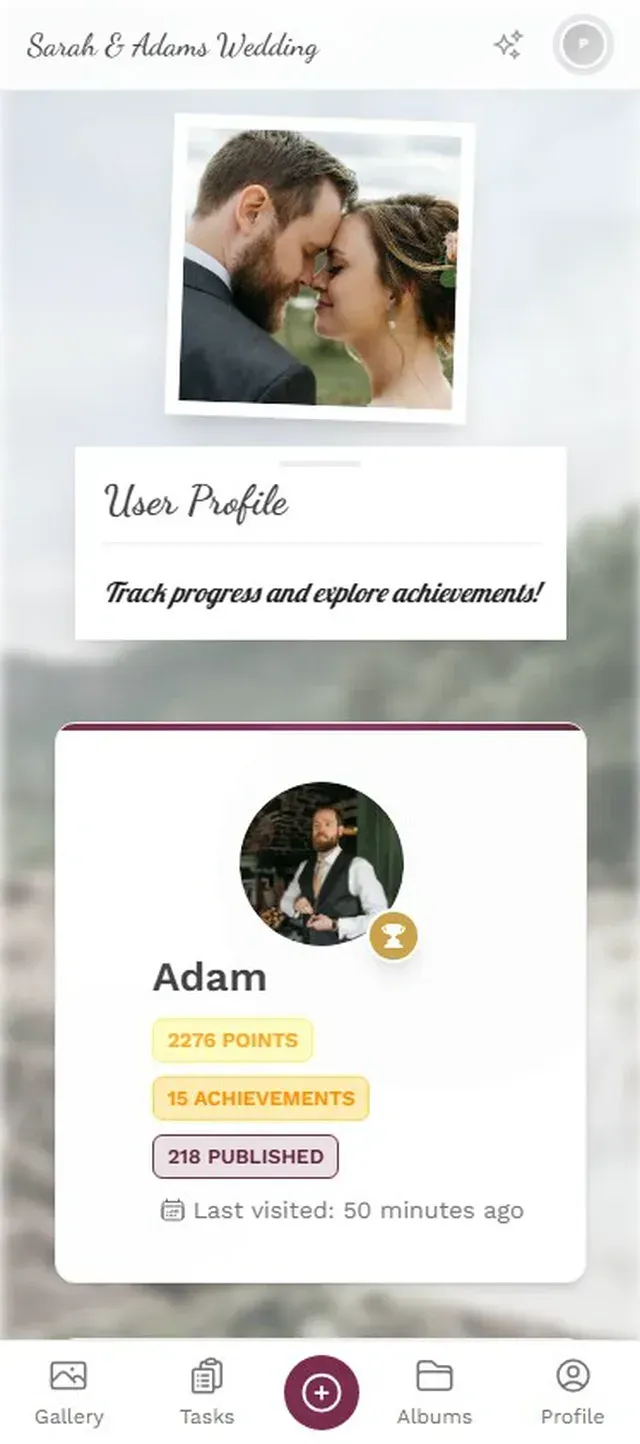
1.Guests browse challenges and pick one to solve.
The Photo Wall Effect
There's a psychological loop that happens when you put a live screen at an event showing guest photos in real time. Someone uploads a photo. It appears on the screen. Other people see it, laugh, point, and think, "I want my photo up there too." So they scan the QR code and upload. Which puts more photos on the screen. Which motivates more people to participate.
This loop is why the live photo wall is one of the most effective tools for automatic photo collection, even though it's technically a display feature, not a collection feature. It turns passive guests into active contributors without you saying a word.
The best placement for the screen? Near high-traffic areas. Behind the bar, next to the dance floor, or visible from the main seating area. A screen in a side room that nobody visits won't create the loop. If you're running a wedding reception, the spot near the bar is almost always the winner. For housewarming parties or smaller events, a tablet on a stand works just as well.
Photos appear on screen in real time. The loop starts itself.
What About Moderation?
If you're letting 100+ guests upload freely to a shared gallery displayed on a big screen, a reasonable question is: what if someone uploads something inappropriate?
Photogala has two layers for this. First, there's a content moderation dashboard where you or a designated moderator can review, approve, or reject photos before they appear publicly. Assign the role to a trusted friend at the event. One tap to approve, one tap to reject. Second, the Deluxe plan includes an AI content filter that automatically flags or blocks NSFW content before a human ever sees it. You set the sensitivity level (relaxed, moderate, strict, very strict) based on your event type.
Is it perfect? No filter is. But the combination of automated flagging and human review catches issues before they hit the big screen. For professional or corporate contexts, this is non-negotiable. For a casual birthday party, you might not need it at all. That's the honest trade-off: the moderation tools are available on Premium and up, so the cheapest Plus plan won't give you that layer of control.
For corporate events: If you need to manage who uploads what, assign moderator roles to team leads or your comms team. They can review uploads in real time from their own phones. Our guide on uploading event photos for client downloads covers the professional workflow in more detail.
The 10-Minute Setup
How to set up automatic guest photo collection
Create your gallery
Sign up at photogala.net and name your event. Pick a cover image and branding colors. Takes about 2 minutes.
Print or share the QR code
Download the QR code, add it to table cards, invitations, or signage. Share the link digitally for remote guests.
Set up challenges (optional)
Add 5-8 photo challenges from templates or create your own. Include example photos for creative tasks like Photo Roulette.
Connect a screen for the photo wall
Open the photo wall URL on any browser-connected TV or projector. Photos appear automatically as guests upload.
That's it. Once the QR code is out there and guests start scanning, the gallery fills itself. You can check in from your phone, approve photos if moderation is on, and watch the upload count climb. After the event, download everything as a ZIP in original quality.
One thing worth knowing: the active period on your gallery starts after the first 10 photos are uploaded, not when you buy the plan. So you can set everything up weeks in advance without the clock ticking.
Which Plan Gets You What
Not every event needs every feature. A casual birthday with 25 friends has different needs than a 200-guest wedding. Here's the honest breakdown:
- Free Demo (€0): Up to 50 photos, QR upload, photo wall, 3 challenges. Good for testing the platform before committing.
- Plus (€39): unlimited photos and up to 25 videos, 75 uploaders, unlimited challenges, smart albums, bulk downloads. Covers most small to mid-size events.
- Premium (€69): Adds social features, achievements, leaderboard, content moderation, multiple gallery layouts. Best for weddings and corporate events.
- Deluxe (€119): Adds AI face recognition with selfie-to-search, NSFW filter, person albums, geo map, real-world rewards. For when you want everything.
All paid plans are one-time payments. No subscriptions. Check current pricing for the full comparison.
The moment you stop chasing people in WhatsApp groups and start letting a QR code do the work, event photo collection goes from a post-event headache to something that happens on its own. The photos are better, too. Candid shots from 50 different angles, captured by people who were actually there, in the moment. Not posed. Not staged. Just real.
Set it up once. Let it run. Wake up to a full gallery.
यह सब आपके अपने इवेंट में शामिल है।
सेटअप में सिर्फ़ पांच मिनट लगते हैं। फ़ैसला करने से पहले आप सब कुछ सेट करके देख सकते हैं।
कीमत €39 से शुरू, एक बारएक बार का भुगतान — कोई सब्सक्रिप्शन नहीं
- किसी ऐप की ज़रूरत नहीं
- 5 मिनट में तैयार
- 30 दिन की मनी-बैक गारंटी
लेखक

I believe event photos should be more than static galleries. They should be live, playful, and unforgettable.
कैटेगरी
मिलते-जुलते लेख

Bridal Shower Photo Sharing: Collect Every Sweet Moment in One Gallery
Bridal shower photos end up scattered across 15 phones. Here's how to get them all into one gallery before the mimosas wear off.

Maternity Photo Sharing: How to Keep Every Announcement, Bump Shot, and Memory in One Place
Pregnancy announcements land on 4 different apps. Maternity photos get lost in group chats. Here's how to keep every photo in one shared gallery your whole family can access.

Sales Kickoff Photo Sharing: How to Turn a Mandatory Meeting Into a Team Memory
Sales kickoffs are expensive. The photos from them usually disappear into 14 different camera rolls. Here's how to fix that.