Baby Welcome & First Birthday Photos: How to Collect Every Guest's Shots in One Place

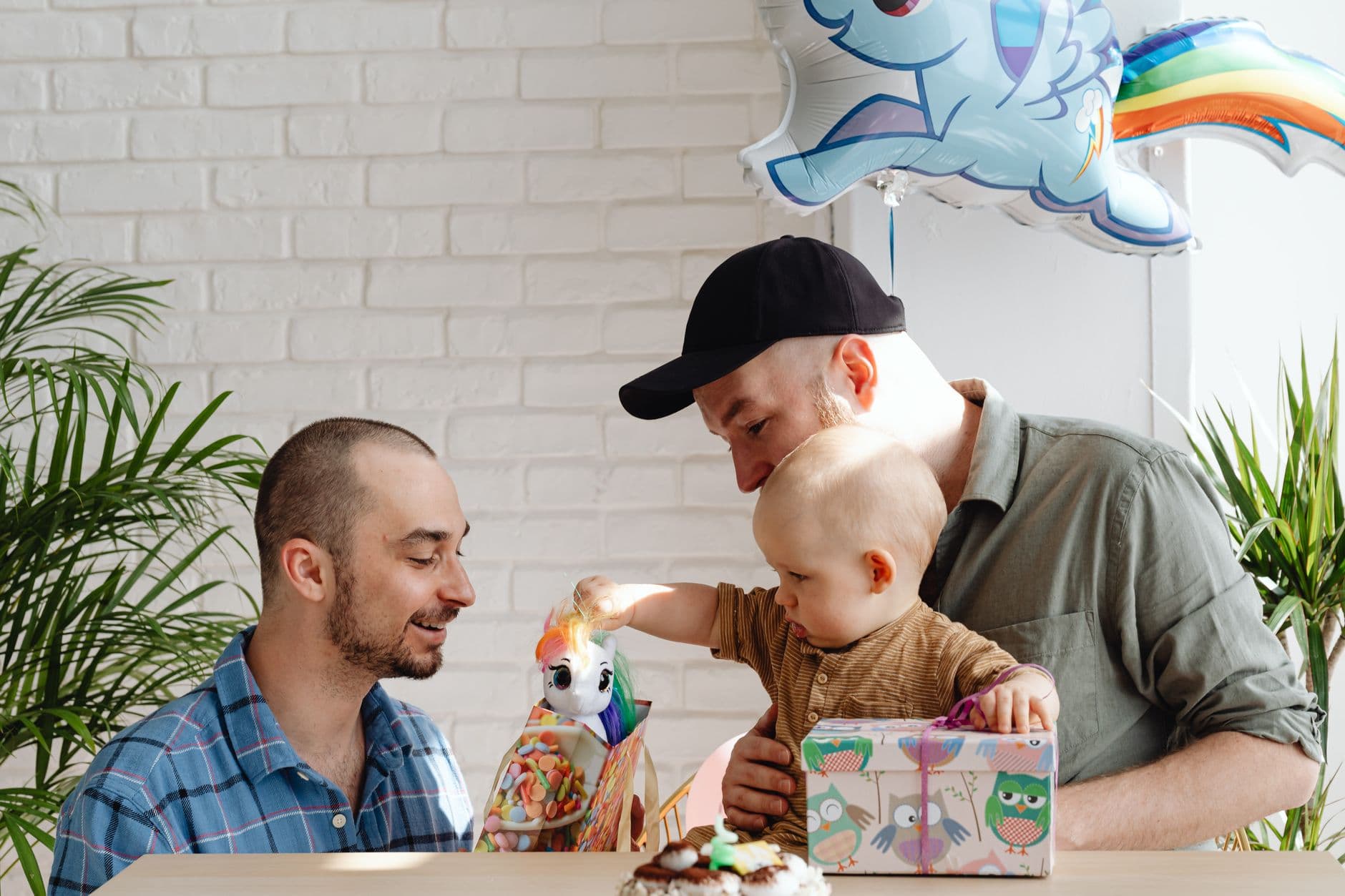
Picture a first birthday party. Fifteen family members, a cake the toddler will absolutely destroy, and a living room full of balloons. By the time the candle is blown out (by dad, obviously), every single person in the room has pulled out their phone at least twice. Grandma got the reaction shot. Your brother caught the exact moment frosting hit the wall. Your best friend recorded a 47-second video of your kid trying to eat a balloon.
Now picture three weeks later. You have exactly four of those photos. Grandma texted two, your brother posted one to Instagram (cropped weirdly), and the video is somewhere in a WhatsApp group you've already muted. The other 60+ photos from that afternoon? Gone. Sitting on other people's phones, slowly buried under screenshots and grocery lists.
This is the story of almost every baby milestone event. And it doesn't have to be.
Why Baby Events Lose More Photos Than Any Other Celebration
Weddings have photographers. Corporate events have organizers with checklists. But baby showers, welcome parties, and first birthdays? They're intimate, chaotic, and nobody is "in charge" of photos. The host is usually also the parent, which means you're simultaneously keeping a toddler from eating candle wax and trying to capture memories.
The result is predictable. According to Proton's research on family photo sharing, family photos are "deeply personal records of everyday life, milestones, and the people closest to us," yet most families have no real system for collecting them. Photos stay trapped on individual devices. A few get shared in group chats, where they're buried within hours. The rest simply fade.
The irony is brutal: the people who care most about these photos (new parents, grandparents) are the ones least likely to have a system in place. And unlike a wedding, there's no two-week window where a photographer delivers a polished album. If you don't collect baby event photos within a few days, they're gone for good. That's why having a plan matters, and it's something we covered in depth in our guide on getting guests to upload photos after the event ends.
The QR Code Trick That Makes Grandma a Contributor
Here's what actually works: a shared photo gallery that guests access by scanning a QR code. No app download. No account creation. No iCloud invitations that half your family can't figure out.
You print a QR code, tape it to the dessert table, and anyone with a smartphone can scan it and upload photos directly. This matters more at baby events than almost anywhere else, because the guest list typically spans three generations. Your tech-savvy cousin and your 70-year-old aunt need the same entry point. A browser-based QR code upload removes every friction point. We wrote an entire article about helping non-tech-savvy guests share photos, and the key insight is simple: if it takes more than two taps, half your guests won't bother.

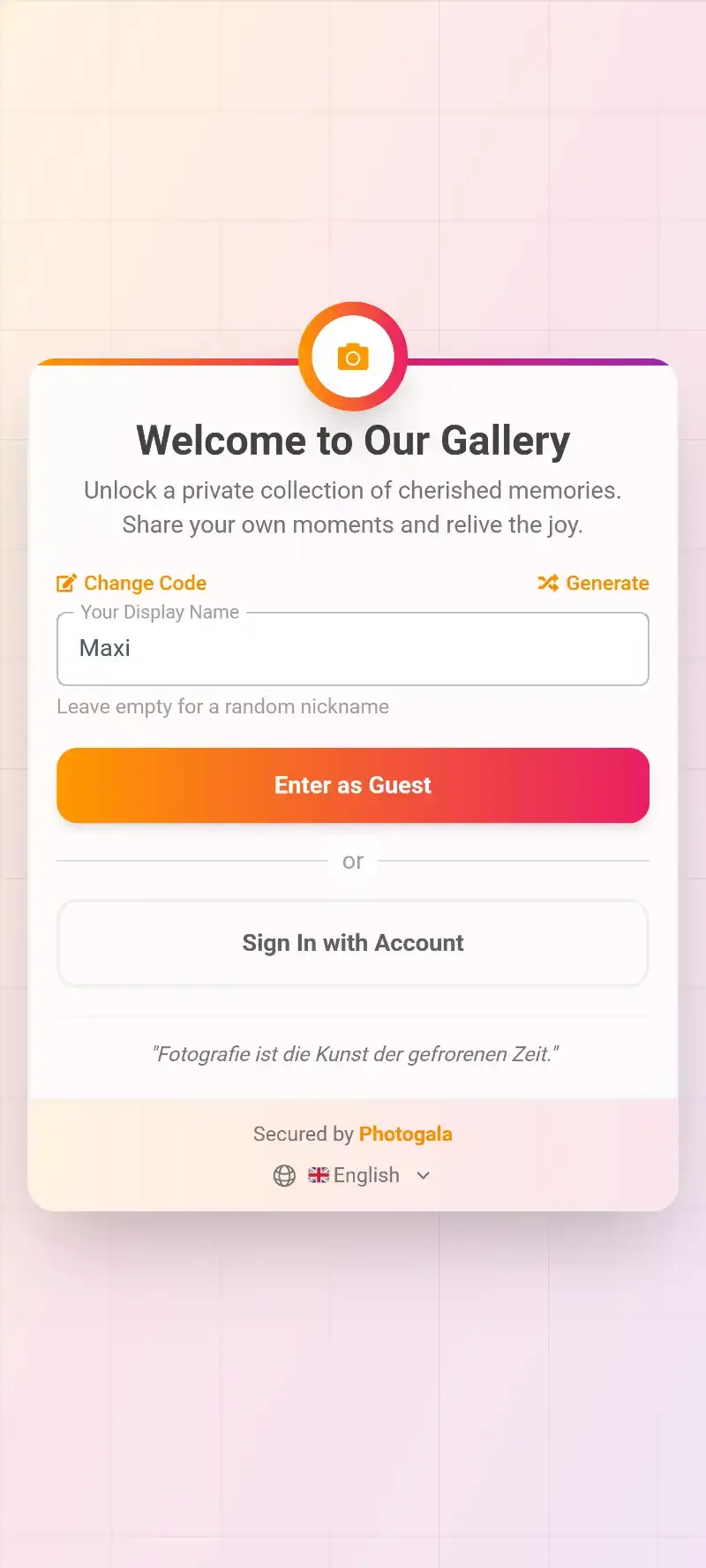
1.Scan, upload, done. No app install needed.
The upload flow takes about 20 seconds. Guests scan the code, pick a display name (so you can see who contributed what), and select photos from their camera roll. Everything lands in one shared gallery. No WhatsApp groups, no "I'll send them later" promises that never materialize. If you're planning a birthday party or baby shower, this single change will save you weeks of follow-up texts.
Place the QR code where people already pause. Next to the cake, on the drink station, taped to the highchair. At baby events, people cluster around the food and the baby. Put your QR code in both spots. If you want more creative ideas, check out our guide on using QR codes at restaurant and bar events.
See it in action
Every birthday photo in one album – no app.
Privacy: The Part Nobody Thinks About Until It's Too Late
Baby photos are different from wedding photos. They involve a child who can't consent to being shared online. And this isn't just a philosophical concern. Dr. Valeska Berg at Edith Cowan University published research showing that every digital post parents make contributes to a child's digital identity, sometimes before the child is even born. Her recommendation: use private channels to distribute images instead of social media.
This is where a private gallery with controlled access genuinely matters. Unlike a Facebook album or an Instagram story, a password-protected gallery stays off search engines and out of social feeds. Only people with the QR code or link can see the photos. Nobody's algorithm is training on your baby's face.
One honest caveat: no online platform is 100% bulletproof. Someone with access could screenshot and reshare. But a private gallery is miles ahead of posting to social media, and it keeps the photos in one controlled place rather than scattered across a dozen chat threads. If privacy concerns extend to content moderation, you can set up pre-approval so every photo gets reviewed before it's visible to other guests. Useful when Uncle Steve has questionable judgment about what's funny.
The Welcome Party Gallery: What to Set Up Before Baby Arrives
Baby showers and welcome parties have a unique advantage: you know they're happening in advance. That gives you time to set up the gallery properly before anyone arrives. Think of it as nesting, but digital.
Here's what a typical setup looks like for a baby welcome event:
Setting Up Your Baby Welcome Gallery
Create the gallery and customize it
Pick a theme that matches your party (soft colors work well). Add a cover photo and your event name. Takes about 3 minutes.
Print the QR code
Download the QR code and print it on table cards, the invitation, or even on the diaper cake. Multiple spots mean more uploads.
Enable the photo wall for the party
Connect a tablet or TV to show photos appearing live as guests upload them. Instant conversation starter.
The live photo wall is especially fun at baby showers. As guests upload photos and videos, they appear on the screen in real time. It turns a passive party activity into something interactive. People start taking sillier, more candid shots when they see them popping up on the TV.
A detail parents often overlook: create smart albums to organize photos by contributor. That way, after the party, you can easily see everything Grandma took, everything your college friends contributed, and everything from the cousins' table. It's a small thing that saves hours of sorting later.
First Birthday: When the Real Chaos Happens
Welcome parties are manageable. Twenty people, a living room, controlled energy. First birthdays are a different animal. The guest list doubles. There are toddlers running around. The birthday kid is simultaneously the star and the most unpredictable element in the room.
The single best tip for first birthday photo sharing: set up photo challenges. Not for the kids (they're one, they don't care). For the adults. "Capture the exact moment the cake gets destroyed." "Get a photo with three generations in one frame." "Catch the birthday kid mid-laugh." Challenges give guests a reason to actively take photos rather than passively watching. Photogala's photo challenges let you include example photos so guests know exactly what kind of shot you're looking for, which is perfect for something like a cake smash recreation.
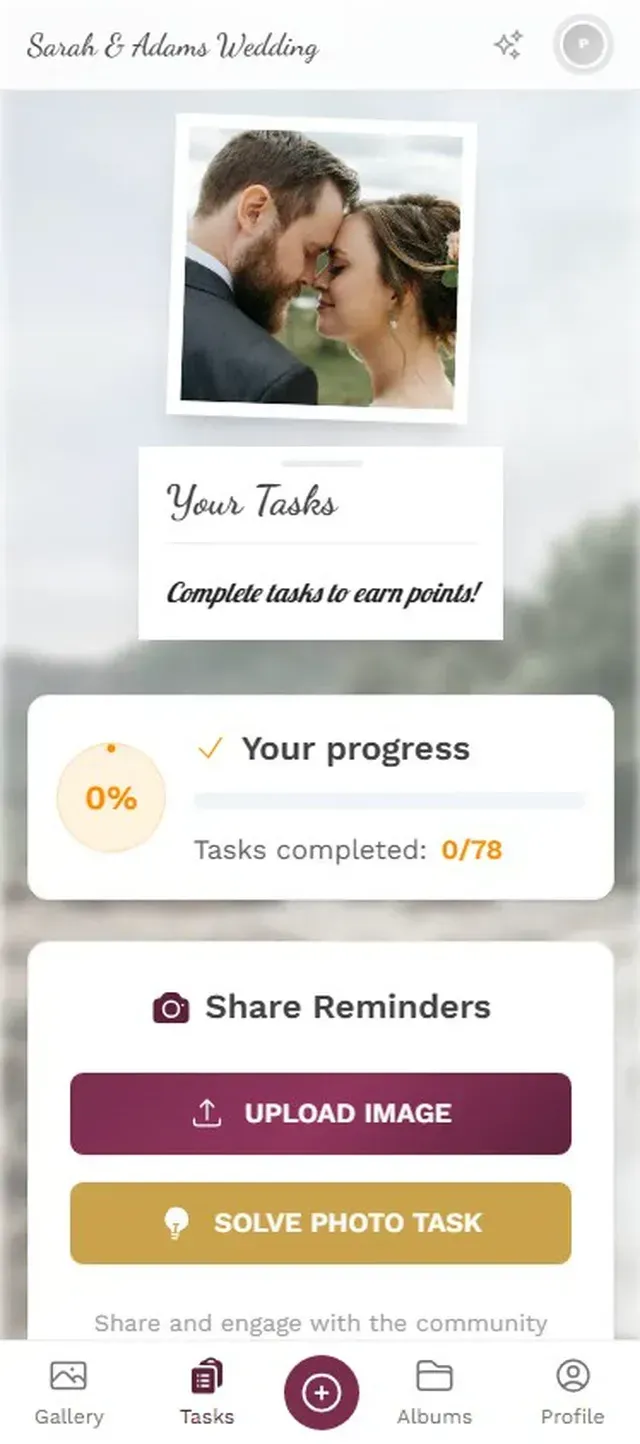
1.Guests see challenge prompts and start snapping.
At a typical 20-30 guest first birthday, you might get somewhere around 60-120 photos if you just set up a gallery. Add photo challenges and that number tends to climb toward 100-180, because people who wouldn't normally upload start participating to "complete" a challenge. The competitive types in your family will love it. If your family skews competitive, you might even turn on the leaderboard and watch the chaos unfold.
Here's something worth noting: video uploads matter more at baby events than at almost any other type of gathering. The way a one-year-old reacts to seeing a candle flame for the first time, the sound of fifteen adults singing "Happy Birthday" off-key, the toddler's confused face covered in frosting. These moments need video. Make sure your gallery supports video uploads with no compression, because you'll want to rewatch these in original quality ten years from now.
Beyond the Party: Building a First-Year Archive
Here's something most parents don't realize until later: the gallery doesn't have to be a one-day thing. You can keep it open for weeks or months. Use the same gallery for the baby shower, the hospital visit photos, and the first birthday. It becomes a first-year archive without any extra effort.
The archive and download feature lets you bulk-download everything as a ZIP at any point, in original quality. Print a photo book. Create a video montage. Or just save it all to a hard drive for safekeeping. This approach works well for building what's essentially a digital memory book spanning the entire first year.
If you've got family members who couldn't attend the event, share the gallery link afterwards. Distant grandparents, friends who moved abroad. They can browse every photo and even add their own well-wishes. It turns a local party into something the whole family participates in, which is what we explored in our piece on family reunion photo sharing across generations. The same approach works beautifully for any guest photo sharing situation.
Quick note on timing: Photogala's active period starts when the first 10 photos are uploaded, not when you purchase the plan. So you can set everything up weeks before the party without burning any of your active time. The Plus plan gives you 6 months, which is plenty to cover a baby shower and a first birthday in the same gallery.
What About a Digital Guest Book?
Some parents want more than just photos. They want messages. Notes from guests. Little wishes for the baby's future. A shared gallery doubles as a digital guest book when you enable social features like comments. Guests can leave messages on their own photos or on others'. "Can't believe how big she's gotten!" next to a photo of the birthday cake. "This kid is going to be trouble" under the balloon-eating video.
It's warmer and more personal than a traditional guest book, and it's attached to actual moments rather than sitting in a notebook on a shelf. The comments become part of the memory. And unlike a physical guest book (which tends to collect dust after about a week), a digital one is searchable, shareable, and won't get coffee stains.
If you're also planning a christening or baptism, the same approach works perfectly. Set up one gallery per milestone event, or keep a running gallery for the entire first year. And for the parents who want to go all-in with collecting photos at events like weddings, the principles are identical: QR code on the table, photo wall on the screen, challenges to keep people engaged.
Your baby's first year happens exactly once. The professional photographer will capture the posed moments, the family portraits, the staged smiles. But the real memories? The frosting-covered hands, the wrapping paper chaos, the look on Grandpa's face when the baby says something that almost sounds like a word. Those are on your guests' phones right now. Give them somewhere to put them.
All of this comes with your own event.
Setting it up takes five minutes. You can build and view everything before you decide.
Starting from €39 one-timeOne-time payment — No subscription
- No App Required
- Setup in 5 Minutes
- 30-Day Money Back
“Excellent service and great pictures! Photogala fully met our expectations at the event. The value for money is unbeatable. Absolutely recommended! The seating plan saved us a lot of hassle!”
Written by

I believe event photos should be more than static galleries. They should be live, playful, and unforgettable.
Categories
Related Posts
Military Homecoming Photo Sharing: How to Collect Every Reunion Moment From Every Phone
Military homecomings and farewell parties produce hundreds of irreplaceable photos scattered across dozens of phones. Here's how to collect them all in one place before everyone disperses.
Kids' Birthday Party Photo Sharing: One Gallery Every Parent Will Love
Stop chasing parents for photos after your kid's party. One QR code, one shared gallery, zero hassle.

Proposal and Engagement Photo Sharing: How to Capture the Moment They Said Yes
The proposal lasts seconds. The photos live forever. Here's how to collect every angle from the people who were there.