Photos from camera and photo booth – live in the gallery
Photo booth or camera send every shot via FTP or WebDAV straight into your event – seconds later it is in the gallery and on the photo wall.
One access. Enter it once. Live all evening.
Photo booth or camera send every shot to your event – nobody has to swap cards or upload anything by hand.
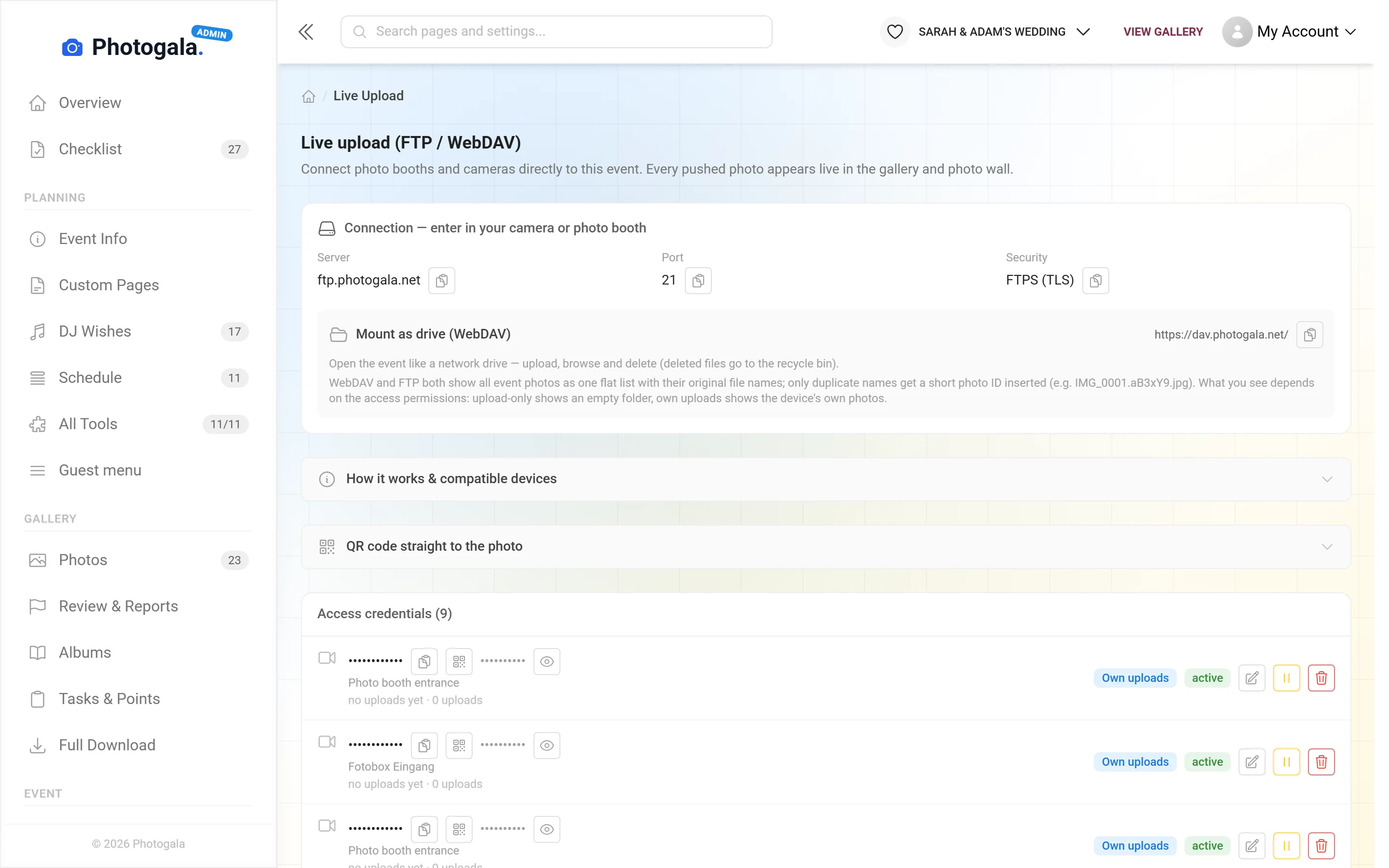
Server, port, user name and password go into the photo booth or camera – once.
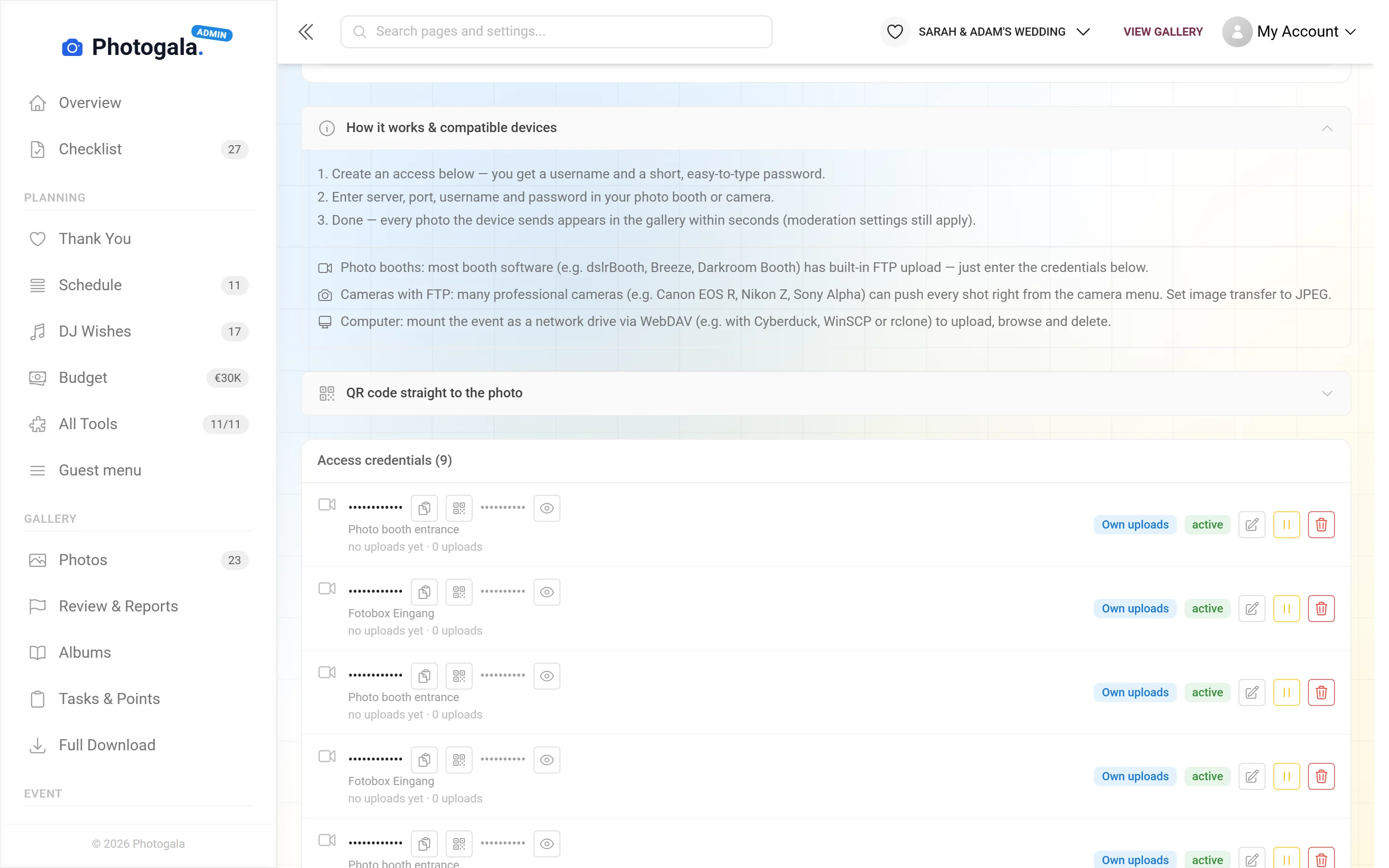
In your event: one access per device, with a user name and a short password that is easy to type.
Every photo sent appears in the gallery and on the photo wall within seconds – your moderation settings still apply.
FTPS (TLS) or WebDAV · one access per device, can be paused or revoked individually
Set up an access. Send a photo.
These are the real options of an access. Flip them and press “Send photo” – you’ll see what happens to the shot.
Nothing sent yet.
Works with what is already at the event
A technical route into the gallery that needs no app on anyone's phone.
Set per access
Every device gets its own, revocable individually without disturbing the others.
Permissions per device
Upload only (the device can never delete anything), own uploads (deleting at the booth moves the photo to the event’s recycle bin) or the whole event – for operators only.
Pause or revoke
Every access can be paused or revoked on its own – the other devices keep sending.
A QR code for every photo
Many photo booth apps can show a QR code that leads straight to that photo in the gallery – via a link template with the file name as placeholder.
Deleted stays deleted
Optional: photos you delete are not sent again at the next sync, so the booth doesn’t upload them over and over.
Your own password
Leave it empty for an automatic one, or use the password already set in your photo booth (10–64 characters).
Full quality
The original file is kept, for the later download and for printing.







The good shots are still on the card
One-time payment — No subscription
Starting from 69 € / one-time
Live Upload is available from the Premium plan up.
Create your event, add an access, enter it in the photo booth or camera – from then on every shot lands in your gallery by itself.
- No App Required
- Setup in 5 Minutes
- 30-Day Money Back
The gap between phone shots and professional ones
- 1Who it's forPhotographers with a Wi-Fi-capable camera
- 2What happensThe camera sends straight to the gallery via FTP or WebDAV
- 3In the endProfessional shots in the gallery and on the wall while the party is on
More details
Guest photos are there instantly, but unedited and shaky. The photographer's pictures are good, but arrive weeks later — once the party feels long over and nobody is looking any more.
Live upload closes that gap. Modern cameras can send frames straight to a server; Photogala receives them over FTP or WebDAV and treats them like any other picture in the event.
It changes the evening: the photo wall carries more than phone snapshots — it carries the work somebody was paid for. And the guests see it while they are still in the middle of it.
- Photographers
- Weddings
- Corporate events
- Venues
Everything built in
Live upload questions
1Which cameras work?
2Do I need Wi-Fi at the venue?
3Do guests see the pictures immediately?
4Can I revoke access again?
5Is full resolution kept?
6Does it work with several photographers?
7What happens if the connection drops briefly?
8Do these pictures count against my storage?
Goes well with
Ready to Get Started?
Create your event in minutes. No credit card required.