How do I delete my own photo?
Uploaded a photo and would rather it wasn’t in the gallery after all? Just delete it yourself. You can delete your own uploads — other guests’ photos are off limits.
The ways to delete
Section titled “The ways to delete”There are three routes, and they all lead to the same menu entry Delete:
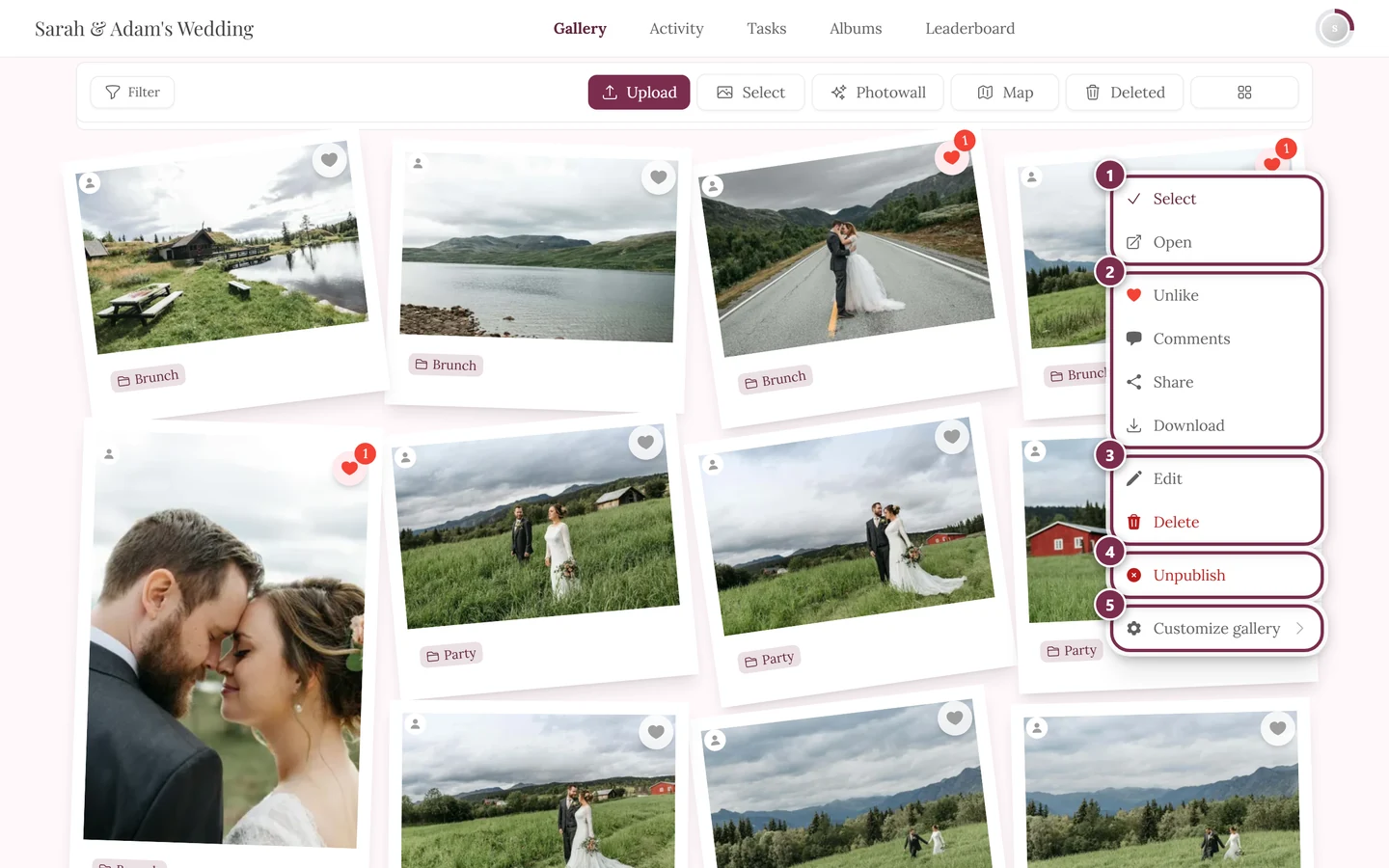
- On a computer: right-click the photo in the gallery. The context menu always starts the same way – Select, Open, Like, Comments, Share, Download. On your own photos, Edit and a red Delete follow; on other people’s photos the list ends before them.
- On a phone: press and hold the photo. The same menu appears. Alternatively, tap the small menu icon on the tile.
- In fullscreen: open the photo, then the menu in the control bar, and choose Delete.
Photogala then asks once more. The dialog is titled Delete media?, below it the question “Do you really want to delete this media?” and the info box: “Deleted media will be moved to the recycle bin and can be restored within 30 days.” You confirm with Yes and back out with Cancel.

The way back: your recycle bin
Section titled “The way back: your recycle bin”Deleted isn’t gone. It sits in your personal recycle bin for 30 days.
You open it from the toolbar above the gallery: on a computer via the Deleted button, on a phone via the three-dot menu and the entry Recycle Bin. The details are in Restoring deleted photos.
Deleting permanently
Section titled “Deleting permanently”If the photo should vanish immediately and irreversibly, you don’t have to ask anyone: the recycle bin offers Delete Permanently per item and Empty All for everything at once. After that the file is removed from the servers — restoring is no longer possible.
Several photos at once
Section titled “Several photos at once”Multi-select lets you mark as many photos as you like at the same time. How to enter selection mode is described in Selecting and downloading several photos.
When the host deletes
Section titled “When the host deletes”The host or a moderator can also remove content, for example as part of moderation. So if one of your photos is missing, that could be the reason — in which case it sits in their recycle bin, not yours.