For moderators
As a moderator you keep the gallery clean and safe – and you do it without full admin access: you approve or hide submitted photos, handle reports from guests, and restrict individual guests when needed. This section brings together everything you need as a moderator.
Who can moderate?
Section titled “Who can moderate?”Anyone with the role moderator or higher can moderate – moderators, admins, and the owner. The owner assigns the role in Roles & permissions, so helpers can moderate without seeing the full event settings. Without that role, moderation isn’t even visible.
How to reach moderation
Section titled “How to reach moderation”Moderation lives in two places – with the same interface. Which route you take depends only on whether you have an admin area.
As a moderator: through the profile menu
Section titled “As a moderator: through the profile menu”Moderators move around in the same gallery as the guests. For them the profile menu is the way in – and that route always works.
-
In the gallery, tap your profile picture or avatar in the top right. The profile menu opens.
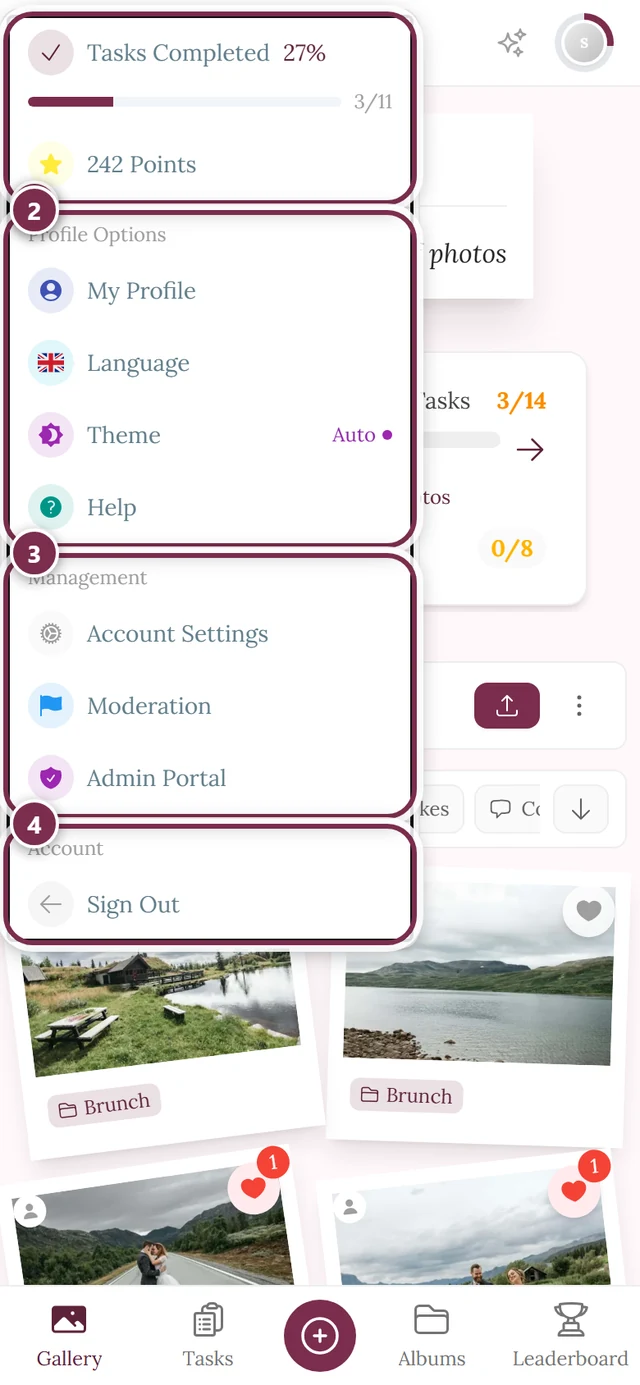
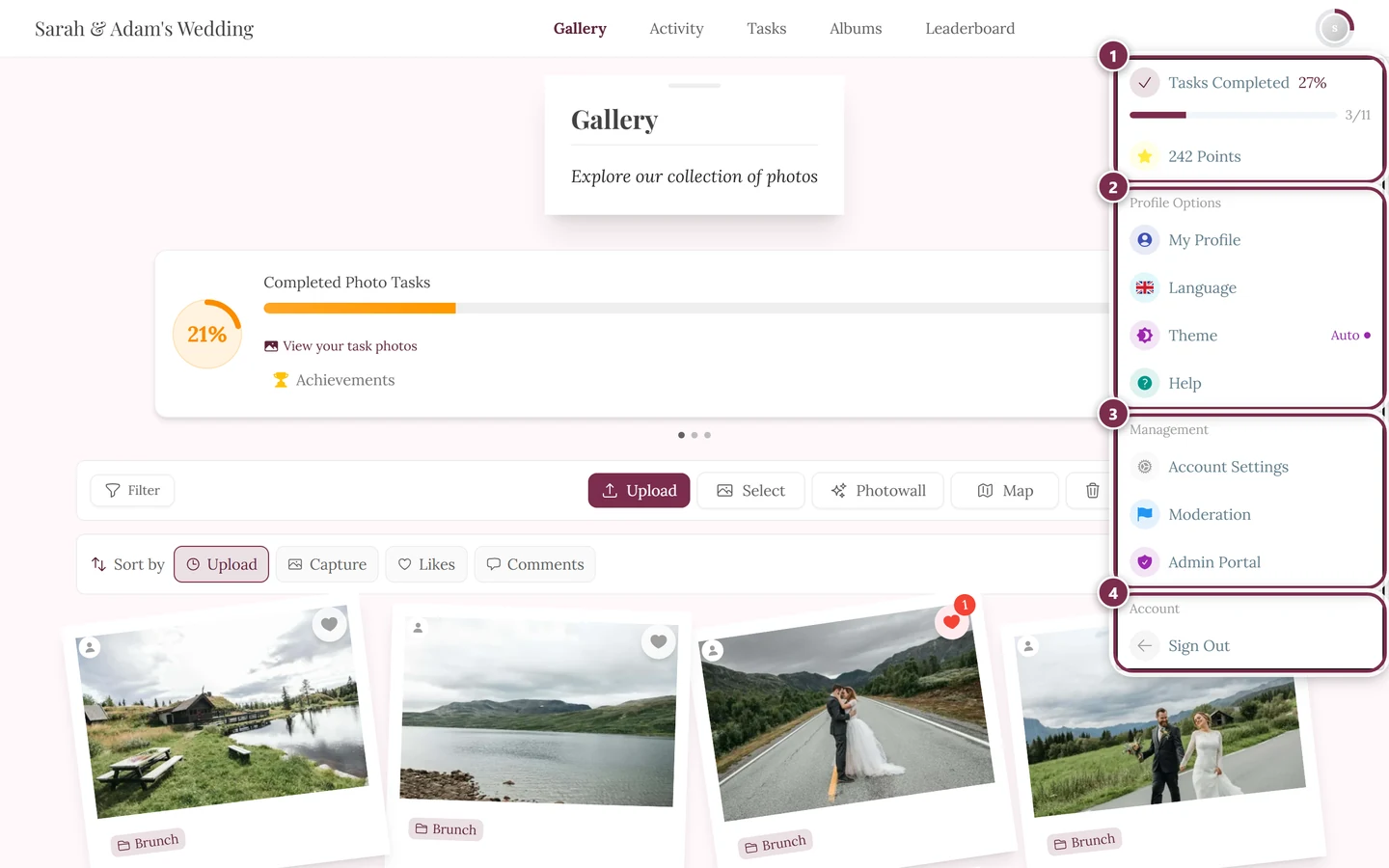
Reach moderation through the profile menu in the top right – the entry only appears from the moderator role upwards. ① your points and solved tasks, ② Profile options with My Profile, Language, Theme and Help, ③ Management with Account Settings, Moderation and Admin Portal – this section is missing until you hold a role for it, ④ Account with Sign out. -
Under Management, choose the Moderation entry (flag icon). A red counter shows the total of open reports and pending media, so you can see at a glance whether there’s anything to do. The counter updates in real time, whichever gallery page you happen to be on.
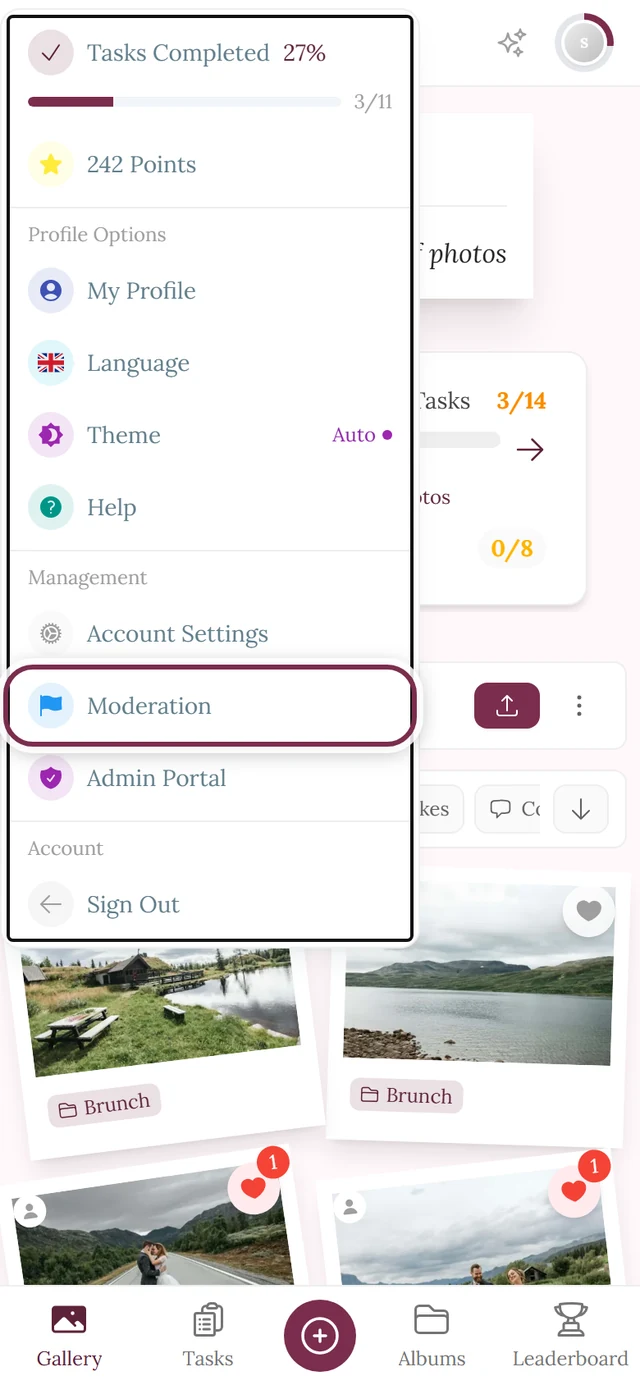
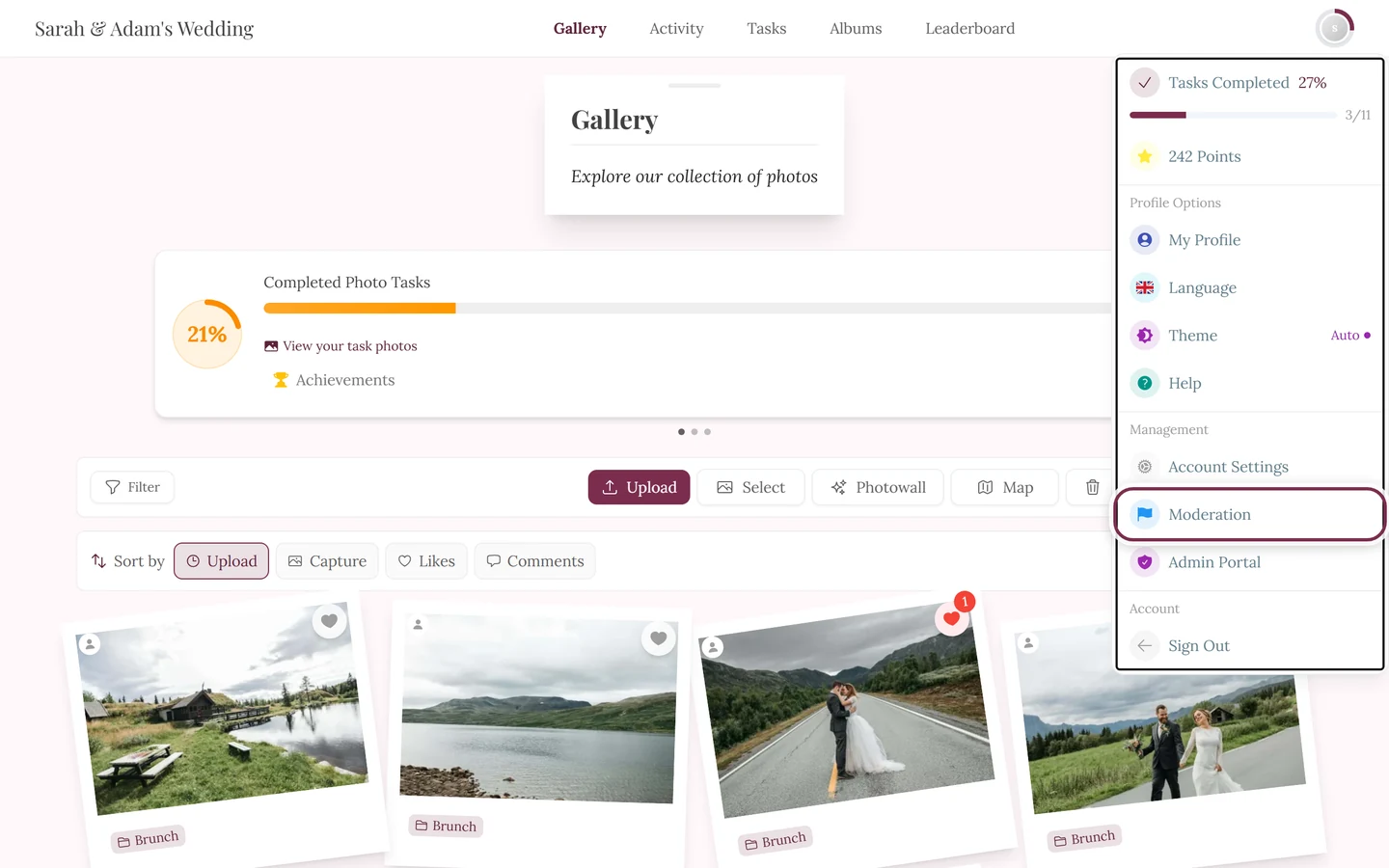
This exact entry: Moderation in the Management section. If you can't see it, you're missing the role – not the feature.
As a host or admin: in the admin area
Section titled “As a host or admin: in the admin area”If you have the admin area, you no longer have to leave it: moderation is a page of its own in there.
-
Open the admin area (profile menu top right → Admin Portal).
-
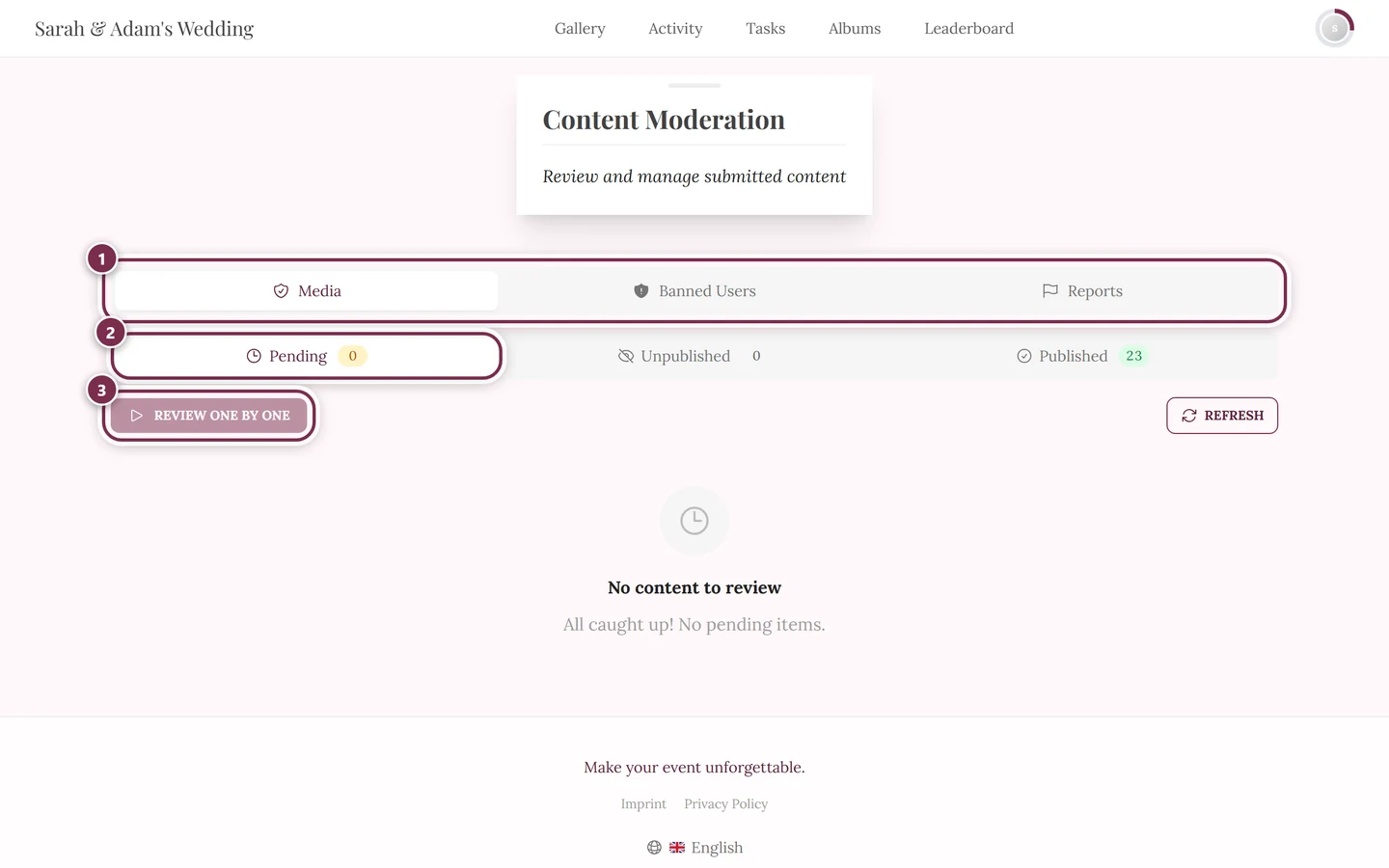
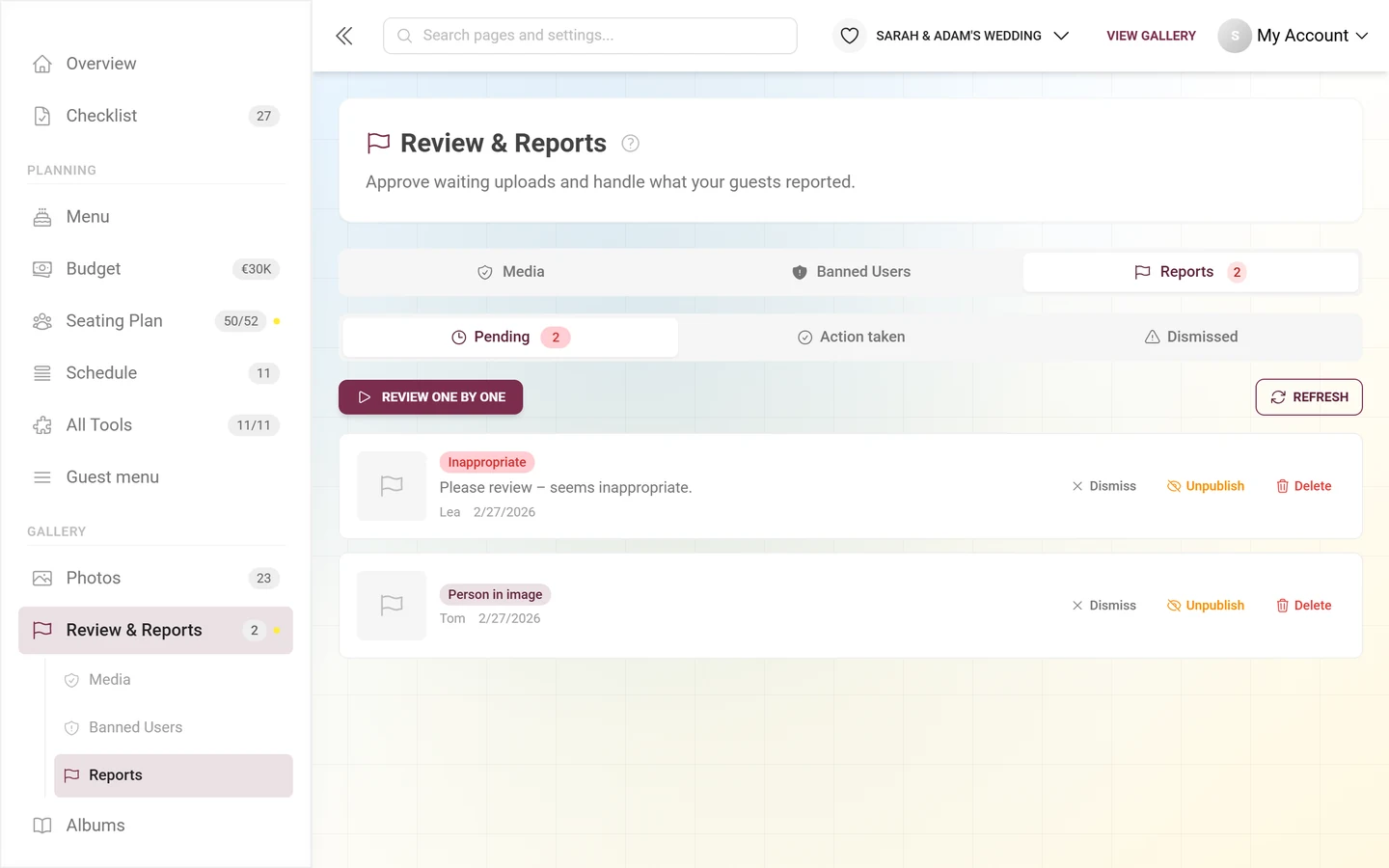
In the sidebar, under the Gallery group, click Review & Reports. The counter on the entry counts what is still waiting for a decision: waiting uploads plus open reports.
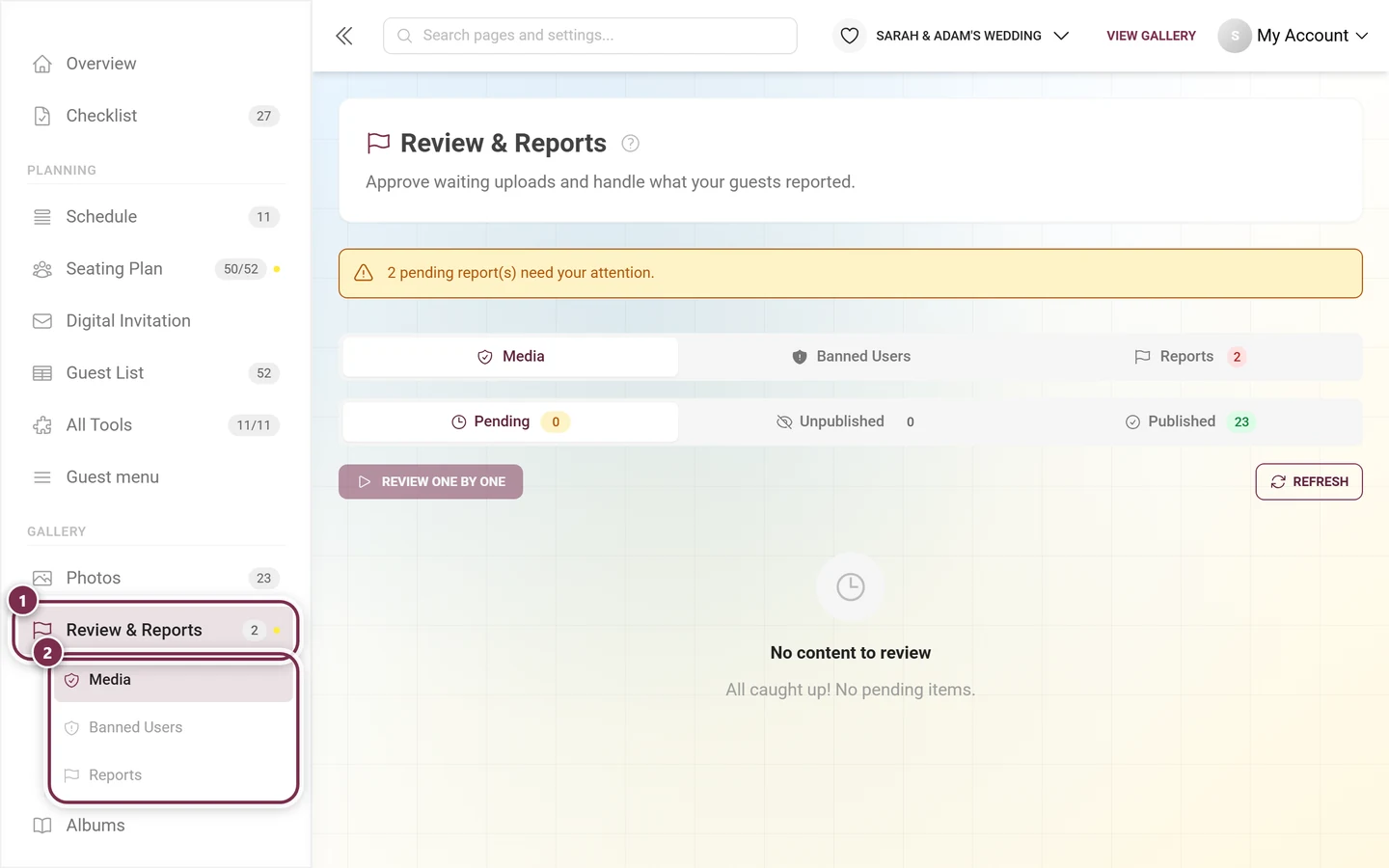
① Review & Reports in the Gallery group – next to it the counter 2 and an orange dot for as long as something is open. On the page itself the same state is repeated in a yellow notice. ② The sub-entries below jump straight into a tab – here Media, Banned Users and Reports. -
The same sections also appear as sub-entries in the sidebar – but not always all four: Banned Users and Reports are always there, Media only with approval switched on (or while photos are still queued), and Face Clusters only with face recognition switched on.
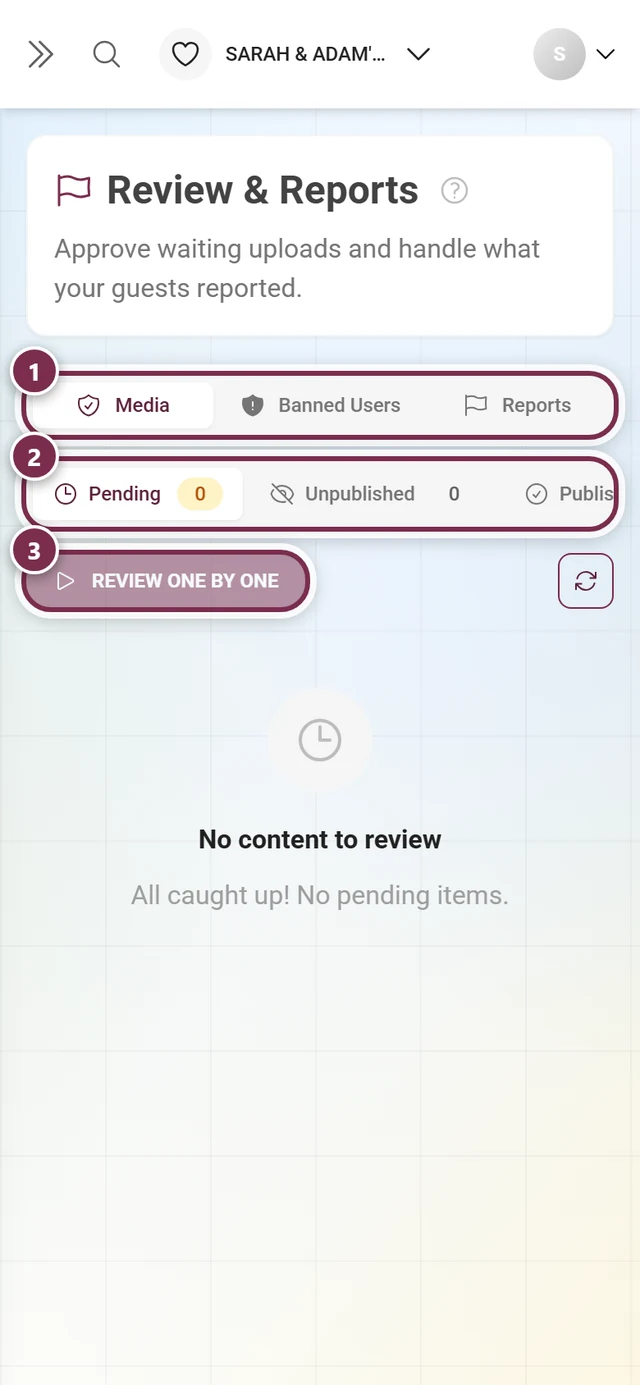
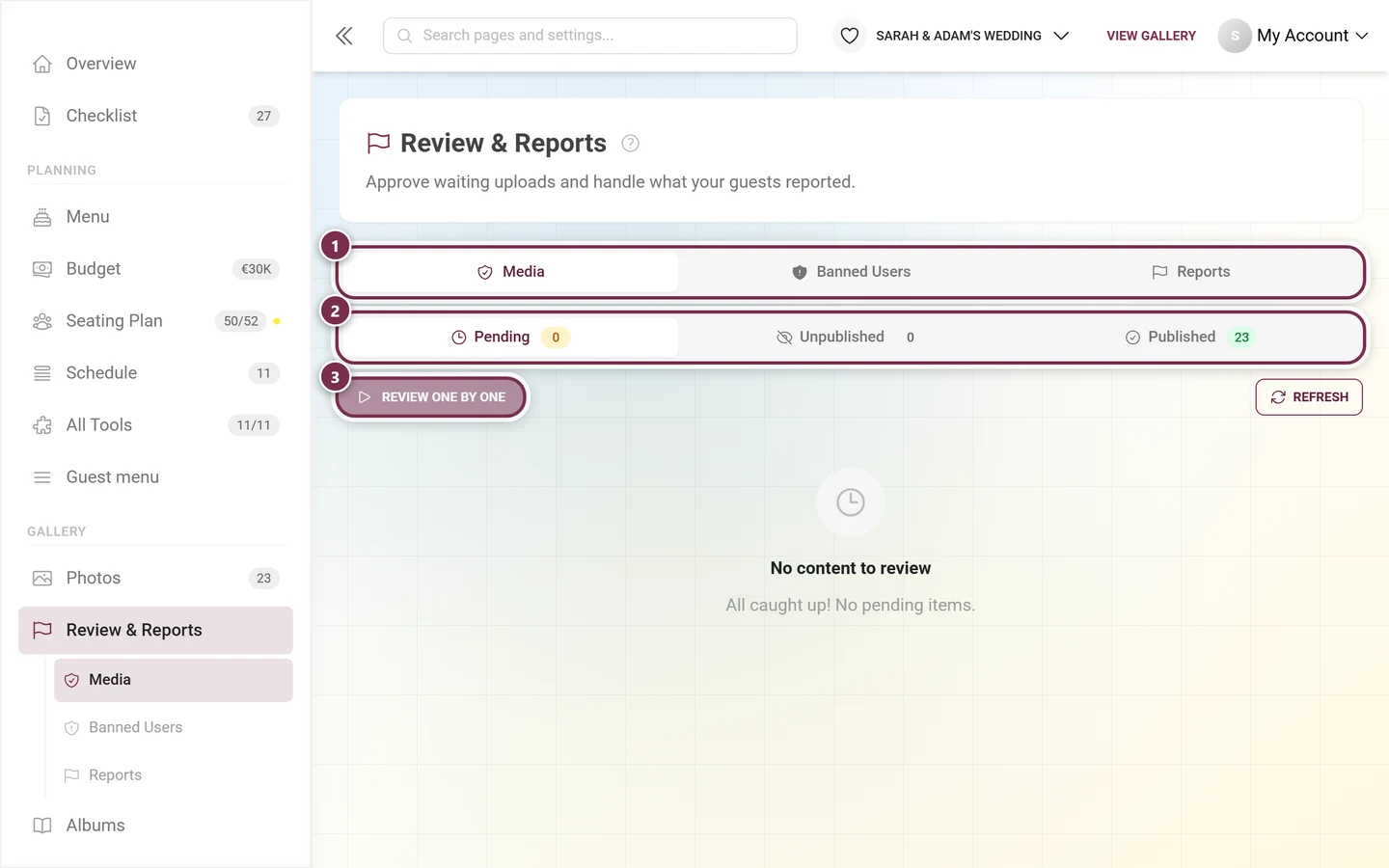
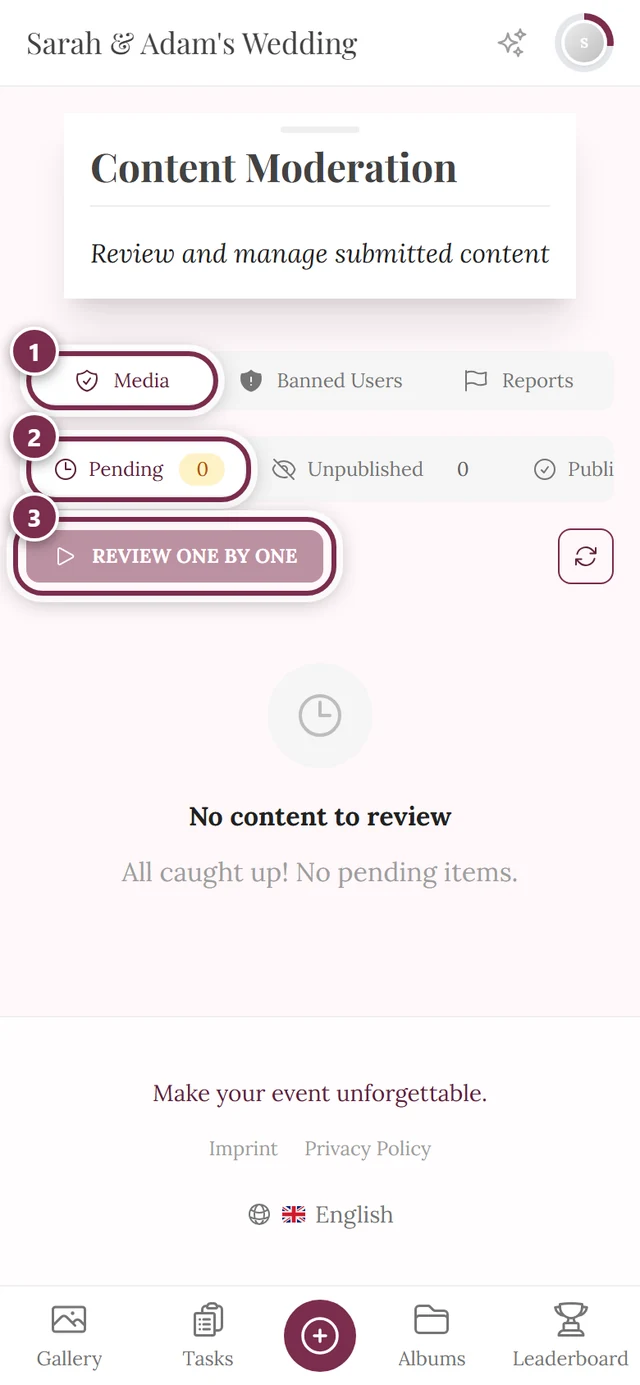
The moderation panel in the gallery
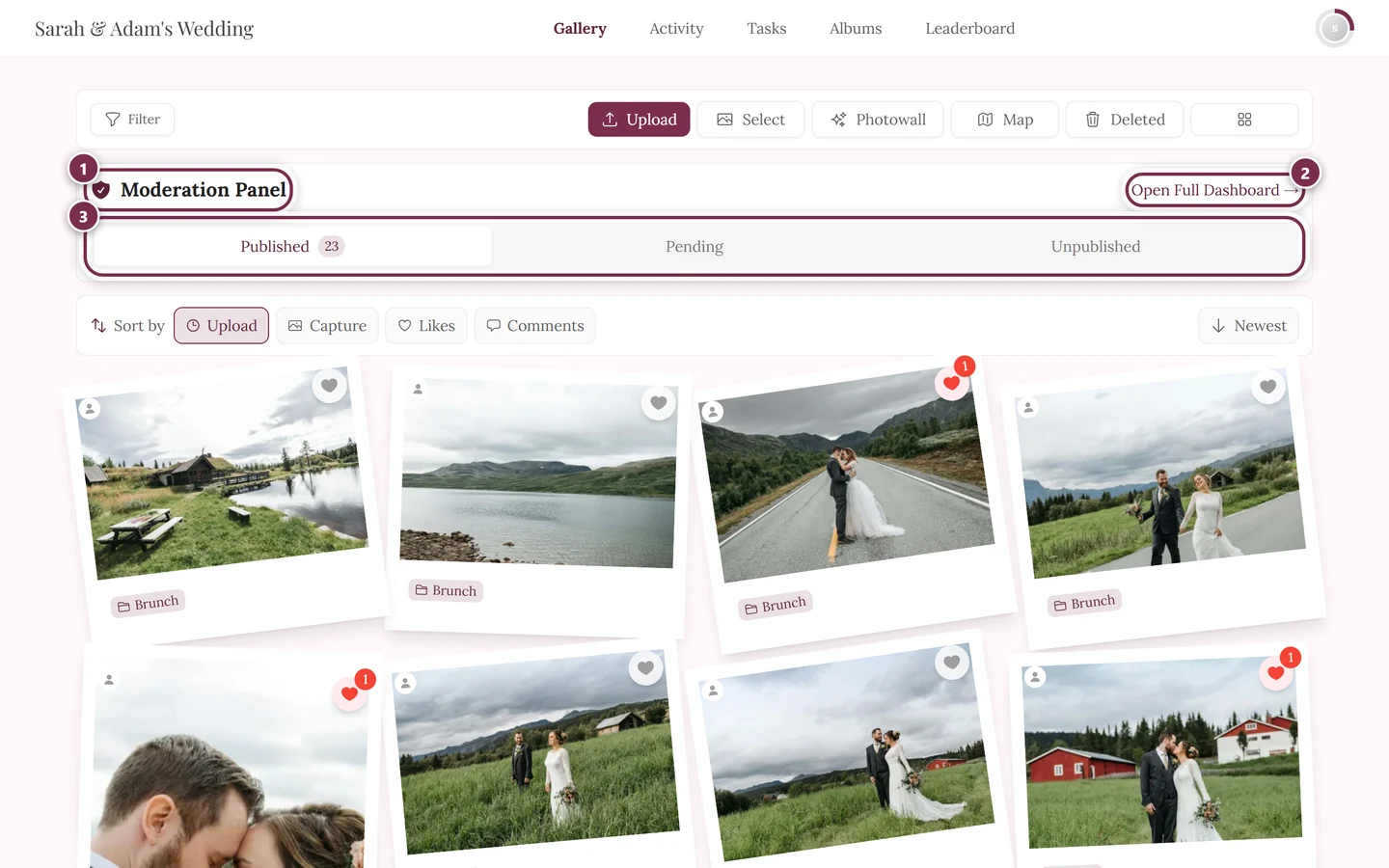
Section titled “The moderation panel in the gallery”For a quick round of checks you don’t have to leave the gallery at all: above the photo grid, everyone who is allowed to moderate gets a slim bar – the moderation panel. Guests never see it.
On desktop it has two rows: a header with the link into the full dashboard, and the status filter below it.
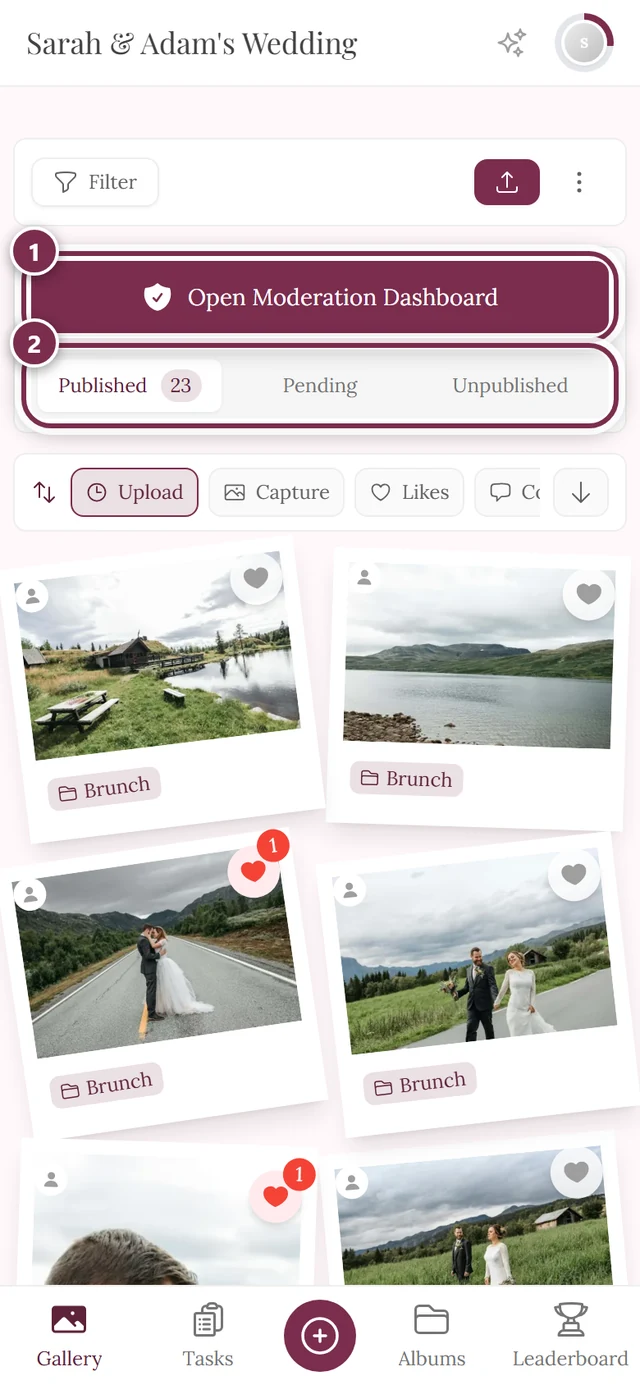
On a phone there’s no room for a header and a link. A large button sits above the status filter instead.
How the host switches the panel on or off
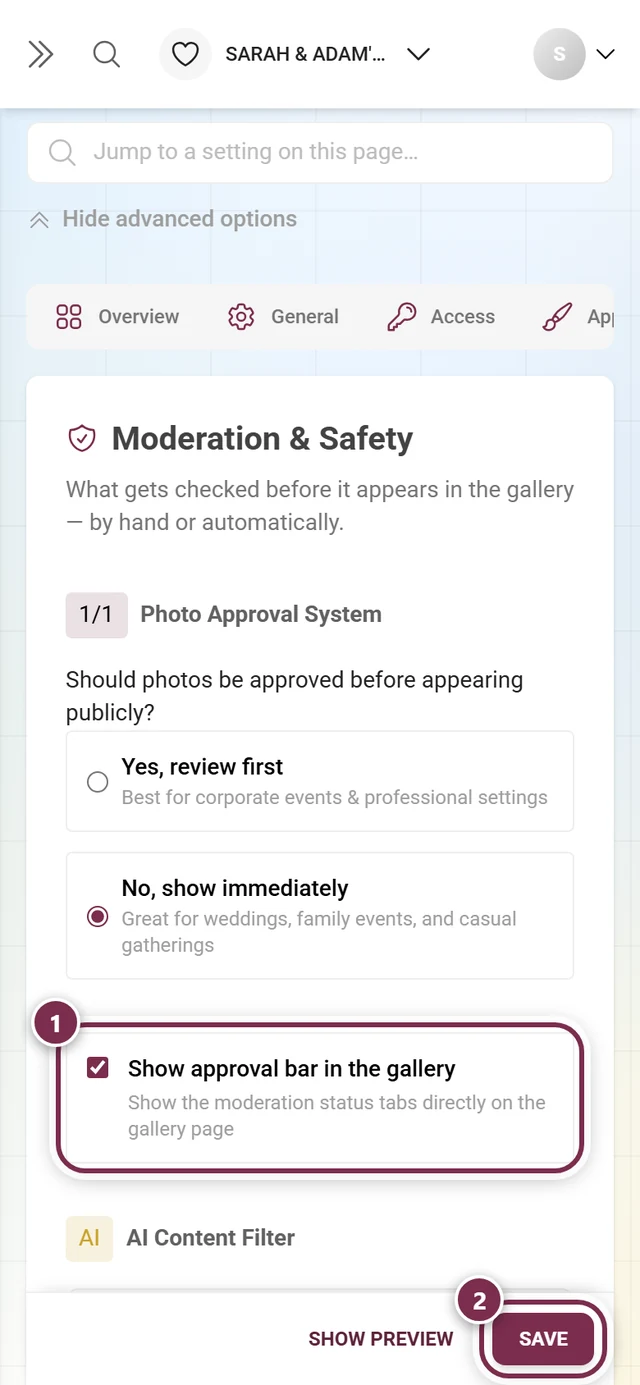
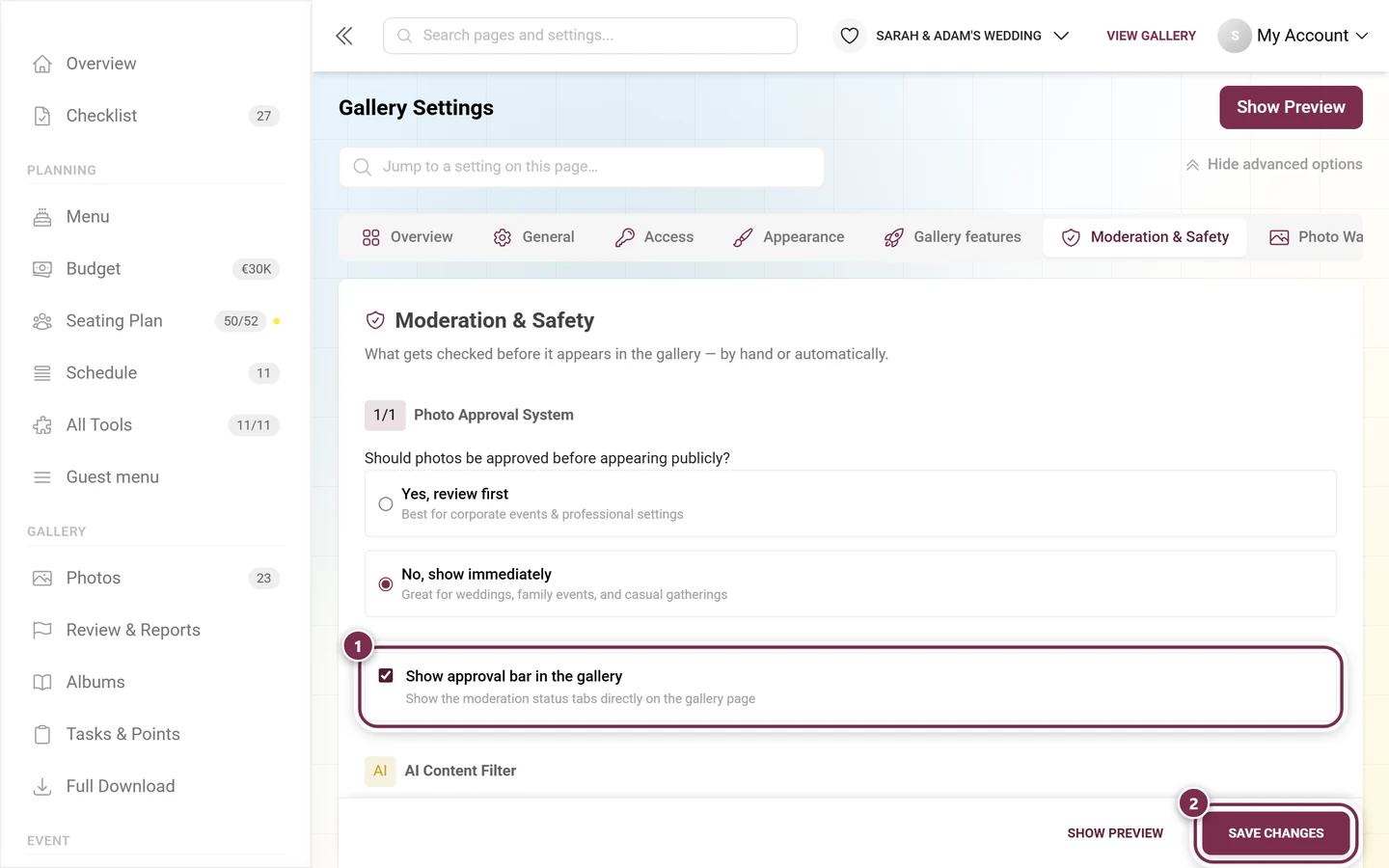
Section titled “How the host switches the panel on or off”The panel is on by default. The host can switch it off – the button and the status filter then disappear from the gallery too.
-
In the admin area, open Settings → Moderation & Safety.
-
Flip the switch on Show approval bar in the gallery.
-
Save Changes – without that click nothing changes.
In this section
Section titled “In this section”What the tabs look like
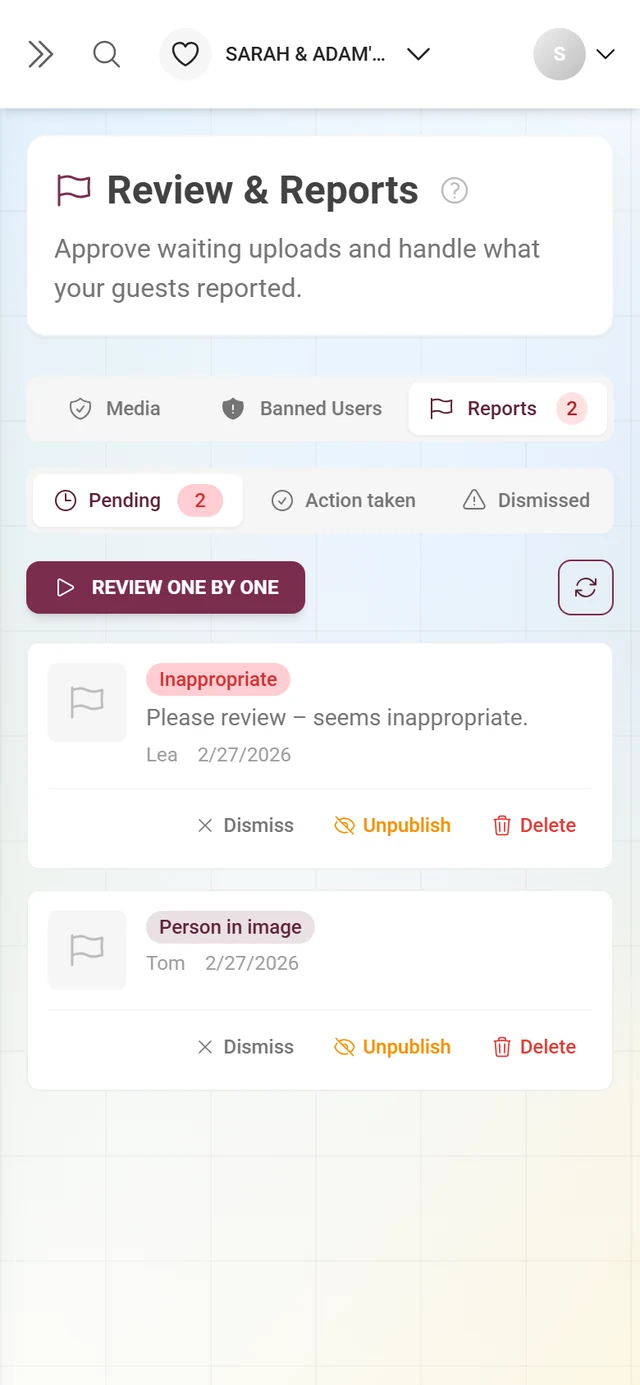
Section titled “What the tabs look like”Reports – every report with its thumbnail, the reason and the reporter’s message. Three actions: Dismiss, Unpublish, Delete.
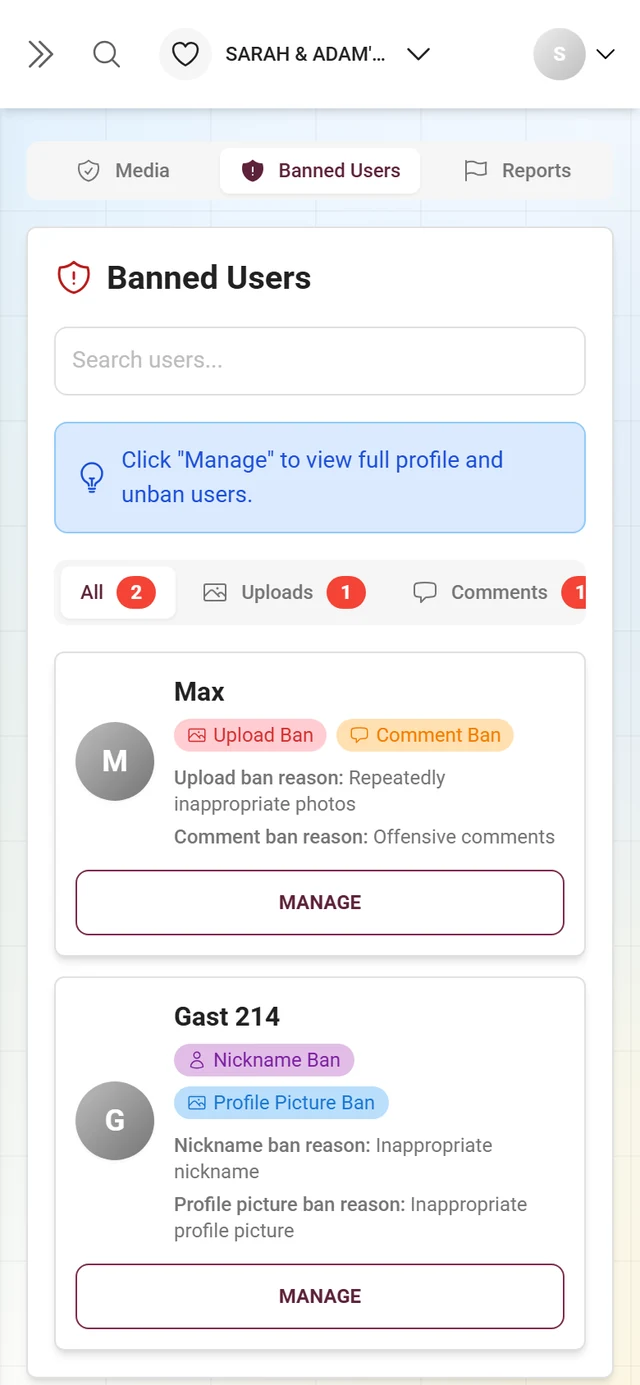
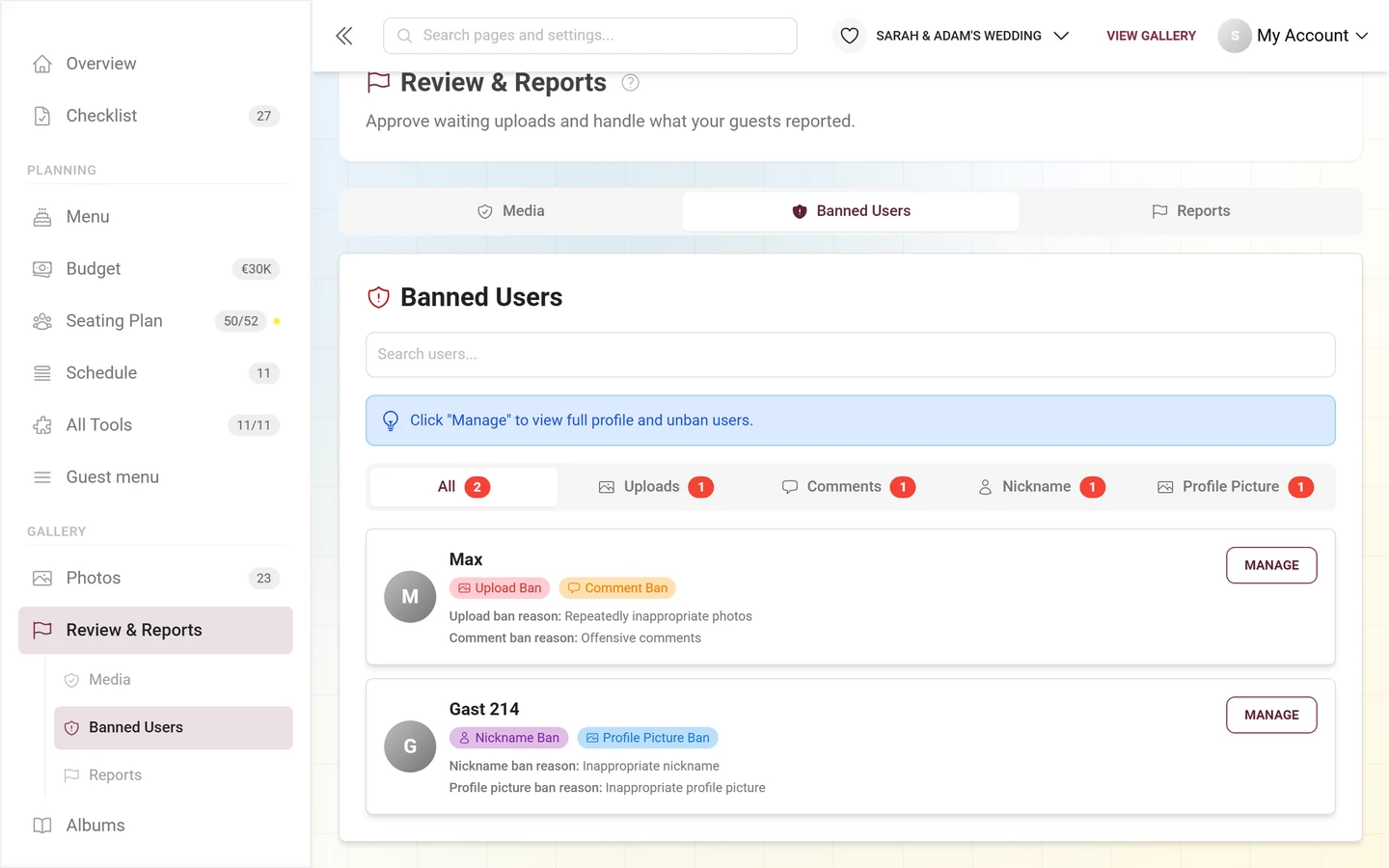
Banned Users – every restriction at a glance, filtered by category (All, Uploads, Comments, Nickname, Profile Picture). Any ban can be lifted again at any time.
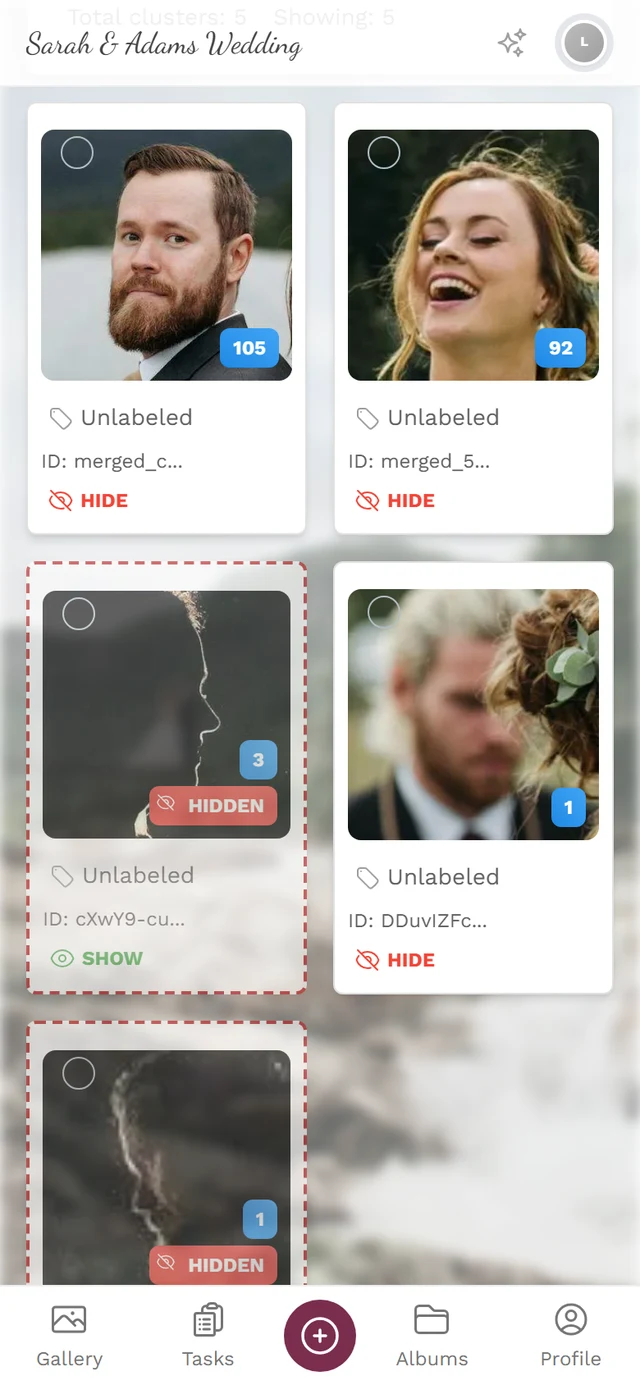
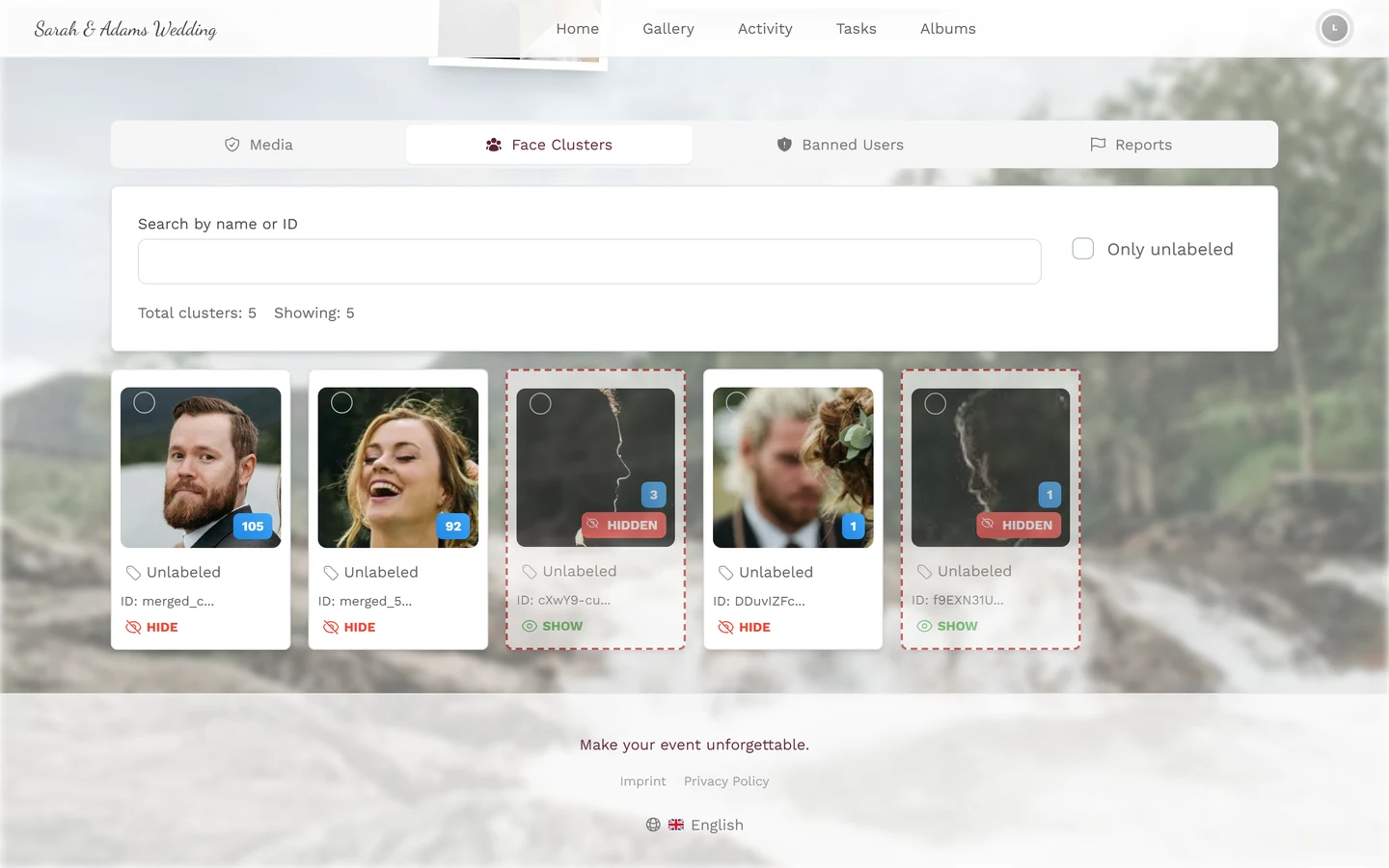
Face Clusters – only with face recognition switched on. This is where you name detected people, merge groups and hide individual ones.
Related sections
Section titled “Related sections”- For guests: Reporting & moderating content – how guests report photos.
- For hosts: Moderation & safety – turn on approval, the AI filter and the approval bar in the gallery · Roles & permissions – assign moderator roles.