Restoring deleted photos
Deleted a photo by accident? You don’t have to ask anyone: the gallery gives you your own recycle bin. Your deleted photos and videos sit there and come back with one click.
How to open your recycle bin
Section titled “How to open your recycle bin”-
Open the gallery of your event.
-
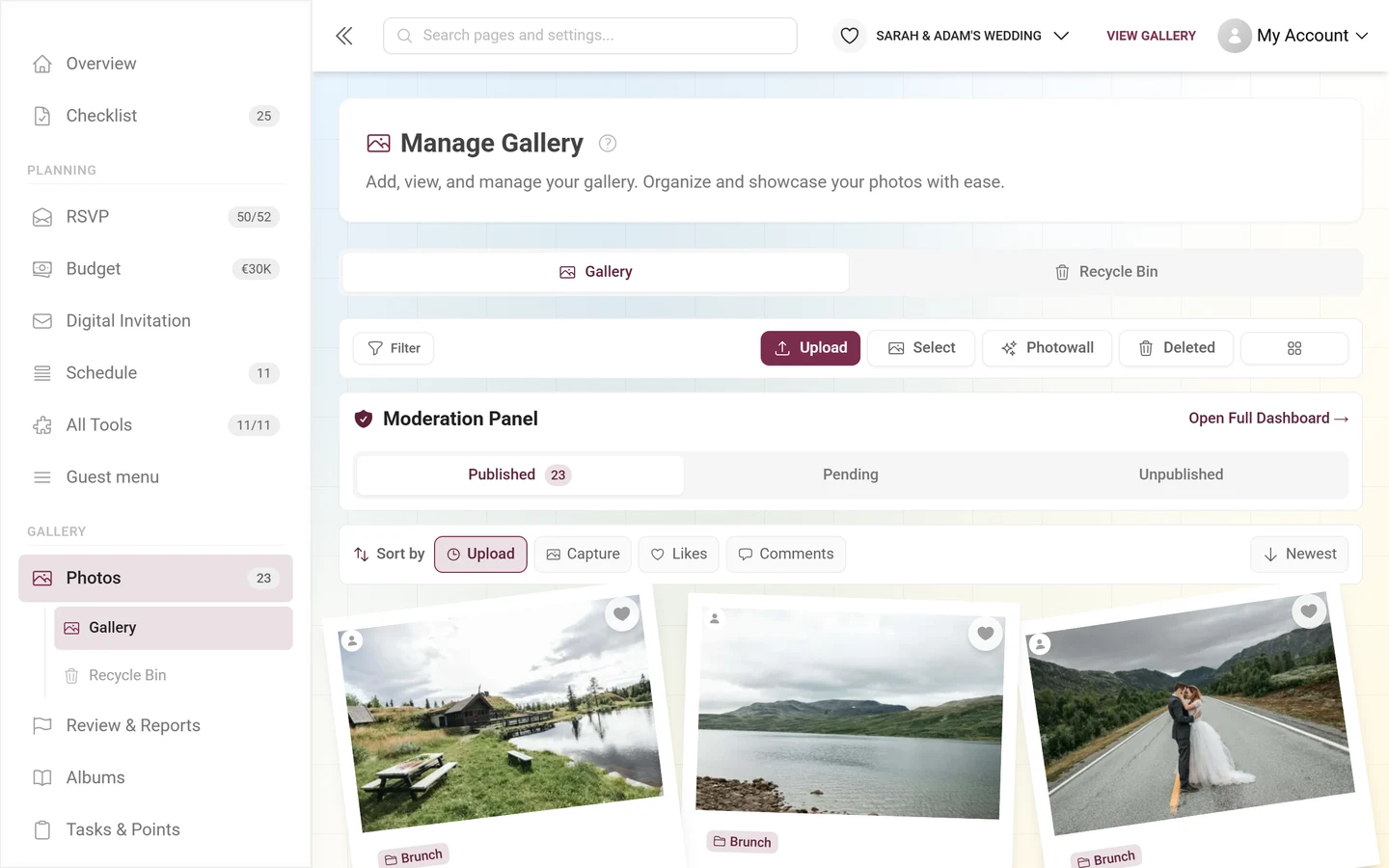
On a computer: the toolbar above the gallery has a Deleted button.
On a phone: tap the three-dot menu at the right of the toolbar and choose Recycle Bin.
-
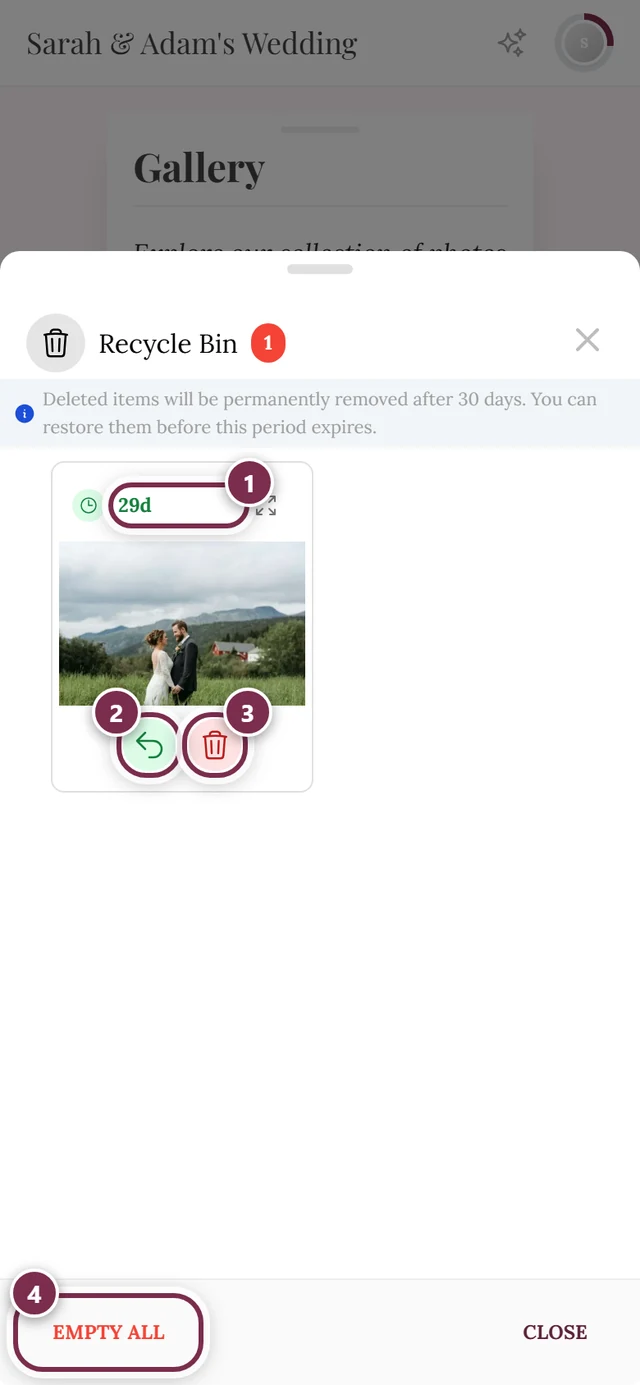
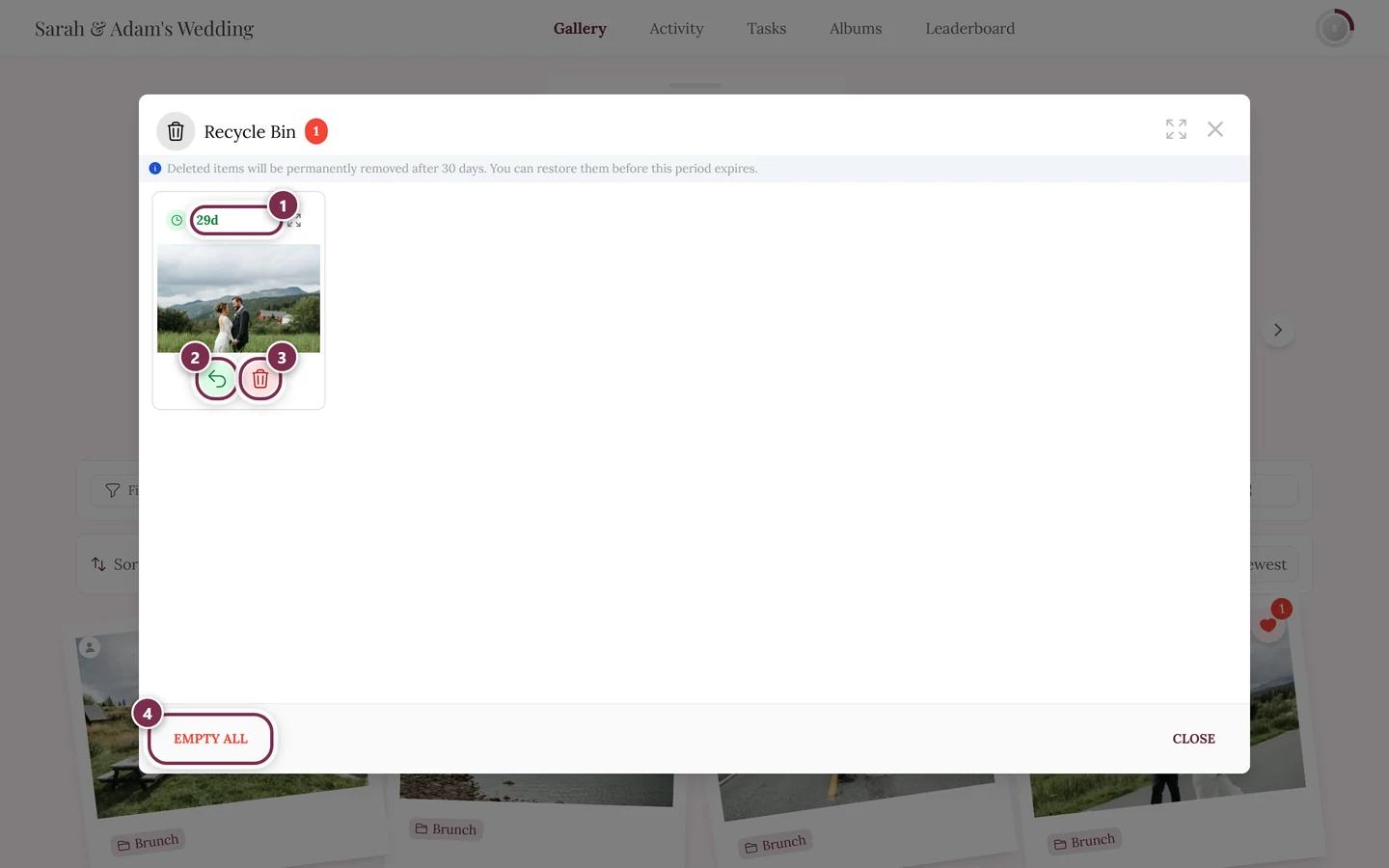
The Recycle Bin window opens, showing everything you deleted.
What you can do there
Section titled “What you can do there”Each tile carries two round icon buttons below the thumbnail; their labels only show when you hover over them:
- Restore – the green arrow, the photo goes back into the gallery.
- Delete Permanently – the red bin, removes this one photo right away and for good.
The bulk actions sit at the bottom of the window:
- Empty All – bottom left, clears the whole recycle bin in one go. It only appears while there is something in there.
- Tapping tiles selects them (the tile gets a colored outline). Restore Selected and Delete then appear – both with the count in brackets.
Each of these actions asks for confirmation first.
The deadline: 30 days
Section titled “The deadline: 30 days”Deleted media stay restorable for 30 days. The app tells you so itself — the line at the top of the recycle bin reads: “Deleted items will be permanently removed after 30 days. You can restore them before this period expires.”
Every tile also shows how much time is left. Once the deadline passes, the item is marked Expired and can no longer be brought back.
Important: whose recycle bin is this?
Section titled “Important: whose recycle bin is this?”Your recycle bin holds only media that you uploaded yourself and deleted yourself. Both have to be true.
- If the host or a moderator removed your photo — during moderation, for example — it sits in their recycle bin, not yours. That is the one case where the host really is in charge: ask them to restore it. The route is described in Recycle bin & restoring.
- Other guests’ photos never show up in yours.
If something doesn’t work
Section titled “If something doesn’t work”- My recycle bin is empty although I deleted something. Then somebody else did the deleting (see above) — or you are on a different session, for instance another browser or another device. Without an account your guest session is tied to that one device.
- “This file has already been uploaded again”. If the same picture has meanwhile been uploaded once more, the old version can’t be restored. The photo is still there — just as a new entry.
- The button is missing on my phone. On a phone the recycle bin lives in the three-dot menu, not in the toolbar.